

















.svg.png?height=48&name=Zoho_CRM_(application).svg.png)







To thank a customer for their payment, send a short, warm email that confirms the payment has arrived, states the invoice number and amount, and expresses genuine appreciation. A clear acknowledgement such as "thank you for your payment, your account is now settled" reassures the customer, reinforces good payment behaviour, and makes the next invoice easier to collect.
The bottom line
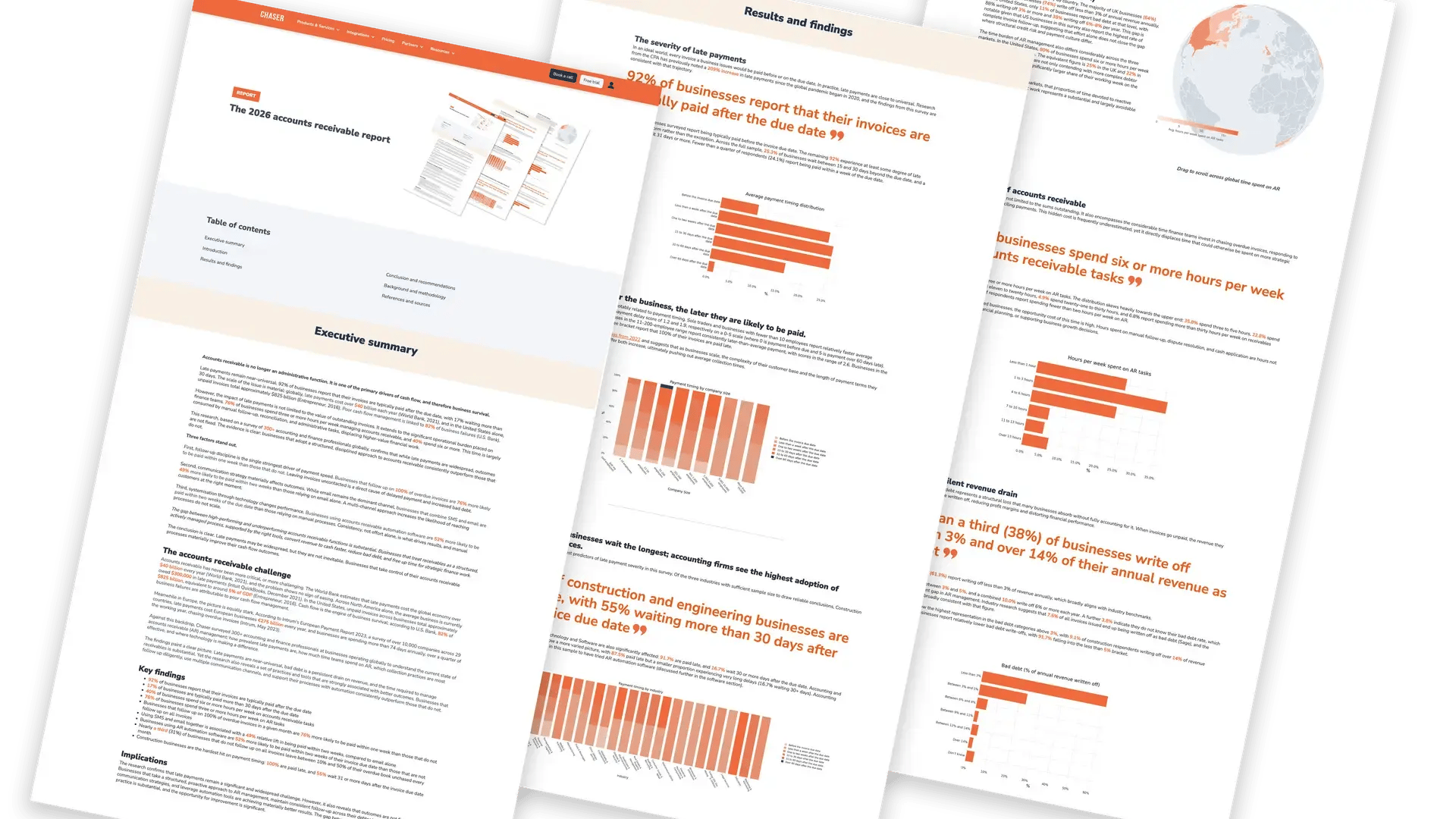
A "thank you for your payment" email is the most overlooked message in credit control, and one of the most valuable. According to Chaser's 2026 Accounts Receivable Report, 92% of businesses are paid late, so a customer who pays is genuinely worth thanking. This guide gives you a generous library of copy-paste "payment received" email and SMS templates for every situation, the exact wording to use, and a simple way to send each one automatically.
Looking for the right words to thank a customer for paying? You are in the right place. A well-written acknowledgement does more than sound polite. It confirms the transaction for both sides, reassures the customer their money arrived safely, and quietly trains them to keep paying on time. The same Chaser report found that businesses combining email and SMS for payment communications are paid within two weeks 73% of the time, compared with 49% for those using email alone. How you communicate around payment matters, and that includes what you say after the money arrives, not just before.
How do you acknowledge a payment received?
To acknowledge a payment received, reply promptly with a brief message that confirms receipt and thanks the customer. State the invoice or reference number, the amount paid, and the date, then confirm the account is now up to date. A clear acknowledgement removes any doubt about whether the money arrived and closes the loop on the invoice in a single, friendly reply.
Keep the tone matched to the relationship. For a long-standing customer, "thanks, that's all settled, much appreciated" is plenty. For a new client or a formal account, "payment received with thanks, your account is now clear" sets a professional tone. The reply should never read like a marketing email. Its job is to confirm and to thank, and it does that best when it is short.
What should a "payment received" email include?
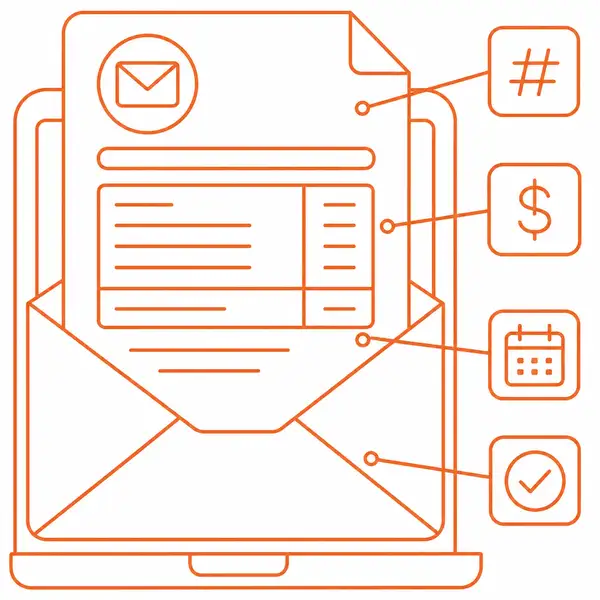
Every "payment received" email should carry the same core details, whatever the tone. Include these and your customer can match the message to their records and file it without a single follow-up question. Leave them out and you create the very confusion a confirmation is meant to prevent.
- A clear subject line that names the payment or invoice, so the right person spots it fast.
- A warm, personal greeting using the customer's name.
- The invoice or reference number, so both sides can match the payment instantly.
- The amount received, stated as a clear figure.
- The date of payment, which anchors it in their records.
- A clear line that the account is now settled, so there is no doubt about the balance.
- Genuine thanks, and a warm closing with your contact details.
Subject lines for payment confirmation emails
A good subject line sets the tone before the customer opens the email and helps their accounts team file it correctly. Keep it short, name the payment or invoice, and keep it warm. Here are eight ready-to-use subject lines to match the templates below.
- [Your business' name]: invoice [invoice reference number]
- Thank you for your payment, [Recipient's first name]
- Your account is now clear, thank you
- Payment received with thanks, [Your business' name]
- Thank you for your prompt payment of [amount owed on invoice]
- Confirmation: your payment has arrived
- Invoice [invoice reference number], settled. Thank you.
- Payment confirmed, great working with you
10 "thank you for your payment" email templates you can copy
The hardest part of writing a thank-you is striking the right tone for the moment. The templates below cover the situations that come up most: a standard confirmation, a prompt payer, a short note, a first-time customer, an overdue invoice now settled, a service business, a recurring account, a partial payment, a formal business acknowledgement, and a warm note for a small business. Copy any of them, swap in your own details, and you have the right words ready. Each is written in British English, in a tone that builds the relationship rather than just ticking a box.
Template 1: standard "payment received with thanks" email
This is the everyday confirmation, suitable for almost any B2B account. It is a simple, direct "we have received your payment" message that contains all the details the customer needs and helps build on the relationship. Use it as your default and adjust the warmth to suit.
Subject: Payment received with thanks, [Your business' name]
Hi [Recipient's first name],
I just wanted to drop you a quick note to let you know that we have received your recent payment of [amount owed on invoice] in respect of invoice [invoice reference number], dated [date]. Thank you very much. We really appreciate it.
Your account is now up to date. If you have any questions about this transaction or your account balance, just let me know and I will be glad to help.
We look forward to continuing to work with you.
Thanks,
[Sender's first name]
[Your business' name], accounts receivable
Template 2: thank you for your prompt payment
Prompt payers deserve recognition. This template specifically acknowledges on-time payment, which reinforces good payment behaviour and strengthens the relationship for future invoices. Naming the behaviour you want to see is one of the simplest ways to encourage more of it.
Subject: Thank you for your prompt payment of [amount owed on invoice]
Hi [Recipient's first name],
I just wanted to drop you a quick note to let you know that we have received your recent payment of [amount owed on invoice] in respect of invoice [invoice reference number]. Your payment reached us on [date], right on time. Thank you very much. We really appreciate it.
Prompt payment helps us both. It keeps your account in good standing and lets us keep delivering the service you expect without interruption.
We look forward to working with you again.
Thanks,
[Sender's first name]
Template 3: short payment received email
Sometimes brevity is best. This template is ideal when you need a quick, clean confirmation, particularly for high-volume accounts or when a contact has asked to keep correspondence short. It still carries the invoice number and amount, so nothing is lost.
Subject: [Your business' name]: invoice [invoice reference number]
Hi [Recipient's first name],
I just wanted to drop you a quick note to let you know that we have received your recent payment of [amount owed on invoice] in respect of invoice [invoice reference number]. Thank you very much. We really appreciate it. Your account is now settled.
Thanks,
[Sender's first name]

Template 4: first payment from a new customer
The first payment is a milestone in any B2B relationship. This template warms the tone, confirms the transaction, and points the customer towards self-serve account management to reduce future admin for both of you. A strong start here sets the tone for every invoice that follows.
Subject: Welcome, and thank you for your first payment
Hi [Recipient's first name],
Welcome, and thank you for your first payment of [amount owed on invoice]. We are delighted to have you on board, and we really appreciate it.
Invoice [invoice reference number] is now fully settled. To make future invoicing as smooth as possible, you will find your account details and payment options here: [link to payment portal or account area].
Please reach out any time if you have questions. We look forward to a great working relationship.
Warm regards,
[Sender's first name]
Template 5: overdue invoice, thank you for settling
For credit controllers, this is one of the most useful templates of all. It closes a difficult conversation gracefully, acknowledging the payment without dwelling on the delay, and reopens the door to a productive relationship. Thanking a late payer for settling, rather than reminding them they were late, is what keeps the customer.
Subject: Thank you, invoice [invoice reference number] now settled
Hi [Recipient's first name],
I just wanted to drop you a quick note to let you know that we have received your recent payment in respect of invoice [invoice reference number] for [amount owed on invoice]. Thank you very much. We really appreciate it, and I am pleased to confirm your account is now clear.
I understand payment timelines can sometimes be tricky, and I appreciate you prioritising this. If it would ever help to discuss payment terms or dates in advance, do get in touch. I am always happy to find an arrangement that works for both sides.
We look forward to continuing to work together.
Thanks,
[Sender's first name]
Template 6: payment received for services
This template is tailored for service businesses such as agencies, consultancies, and professional firms, where the relationship matters as much as the transaction. It confirms payment and gently opens the door to the next piece of work.
Subject: Thank you for your payment, [service name]
Hi [Recipient's first name],
I just wanted to drop you a quick note to let you know that we have received your recent payment of [amount owed on invoice] for [service name], received on [date]. Thank you very much. We really appreciate it.
I am glad the project went well, and I hope the results deliver real value for your team. A copy of your receipt is attached for your records.
If there is anything else I can help with, or you would like to discuss upcoming work, please feel free to get in touch.
Best regards,
[Sender's first name]
Template 7: recurring or subscription payment
For customers on a regular plan or retainer, the thank-you doubles as a quiet reassurance that everything is running smoothly. Keep it light and consistent, and use it to nudge reliable payers towards direct debit so neither side has to think about it again.
Subject: Payment received, [month] [service or plan name]
Hi [Recipient's first name],
I just wanted to drop you a quick note to let you know that we have received your recent payment of [amount owed on invoice] for [month]'s [plan or service]. Thank you very much. We really appreciate it, and your account is now up to date.
To save you a step each month, I would be happy to set up direct debit so future payments go through automatically. Just let me know and I will sort it out.
Thanks,
[Sender's first name]
Template 8: thank you for a partial payment
When a customer pays part of an invoice, acknowledge what has arrived, state the balance clearly, and make it easy to clear the rest. Thanking them for the partial payment keeps the tone collaborative and makes the remaining conversation far easier.
Subject: Thank you for your part payment, invoice [invoice reference number]
Hi [Recipient's first name],
I just wanted to drop you a quick note to let you know that we have received your recent part payment of [amount owed on invoice] towards invoice [invoice reference number]. Thank you very much. We really appreciate it. That leaves a remaining balance of [remaining amount].
I would be really grateful if you could let me know when the rest will follow. You can settle the balance here: [payment link]. If a short plan for the remainder would help, just say so and we will arrange it.
Best regards,
[Sender's first name]
Template 9: formal business acknowledgement
Some accounts call for a more formal register, for example a large corporate client, a public-sector body, or a first payment where you want to set a precise, professional tone. This template confirms receipt cleanly and reads well on a remittance or receipt as much as in an email.
Subject: Acknowledgement of payment, invoice [invoice reference number]
Dear [Recipient's first name],
We write to acknowledge receipt of your payment of [amount owed on invoice] against invoice [invoice reference number], dated [date]. Payment received with thanks.
Your account is settled in full. Should you require a formal receipt or have any query regarding this transaction, please contact our accounts receivable team and we will respond promptly.
Yours sincerely,
[Sender's first name]
[Your business' name]
Template 10: warm thank you for a small business or sole trader
When you are dealing with an owner-run business or a long-standing contact, a warmer, more personal note lands better than anything formal. It confirms the payment and treats the customer as the person they are, which is exactly what keeps small accounts loyal.
Subject: Thanks so much, [Recipient's first name]
Hi [Recipient's first name],
I just wanted to drop you a quick note to let you know that we have received your recent payment of [amount owed on invoice] for invoice [invoice reference number]. Thank you very much. We really appreciate it, and you are all settled.
It is a pleasure working with you, and I really appreciate you keeping things so straightforward. Give me a shout any time you need anything.
All the best,
[Sender's first name]
"Payment received with thanks" SMS template
Not every acknowledgement needs to be an email. For businesses that communicate with customers by text, a brief SMS confirmation can be just as effective, especially for high-volume or consumer-facing accounts. Keep it under 160 characters where you can to avoid the message splitting, and always include the invoice number and amount so the customer can match it without checking their email.
Hi [Customer Name], this is [Your Business Name]. We have received your payment of [Amount Due] for invoice [Invoice Number]. Thank you, your account is now clear. Any questions? Call us on [Phone Number].
Sending these by hand for every payment? Chaser sends your thank-you the moment a payment lands, in your own words.
Speak to an expertWhat does "payment received with thanks" mean, and when should you use it?
"Payment received with thanks" is a formal acknowledgement phrase that confirms a payment has arrived and expresses gratitude for it. It is widely used in B2B accounts receivable correspondence and on receipts and remittances, particularly in British English. In plain terms, it means "this payment has been received, and we thank you for it."
Use "payment received with thanks" when:
- Writing to a business contact where a formal tone is expected.
- Confirming receipt of payment on a receipt, remittance, or statement.
- Responding to a payment from a new client where you want to set a professional tone.
In more relaxed or well-established relationships, "thank you for your payment" or "thanks for settling this so quickly" will feel more natural. The right phrase depends on your relationship with the customer and how formal your industry is.
Is "received with thanks" correct and acceptable in business email?
Yes. "Received with thanks" is grammatically correct and widely accepted in professional English. It is an elliptical construction, a shorter way of saying "this has been received, and we thank you for it", where the words "it is" are understood rather than written out. The same pattern appears in everyday business notations such as "goods received" and "copy received". Merriam-Webster defines this kind of phrasing as marked by extreme economy of speech or writing, which is exactly why it suits a receipt line or a brief acknowledgement.
In a longer email, you may prefer a fuller sentence such as "we acknowledge receipt of your payment, thank you". On a receipt, statement, or short confirmation, "payment received with thanks" reads as clear, professional, and entirely correct. Both are right. Match the level of formality to the customer and the document.
Why send a "thank you for the payment" message at all?
You send a "thank you for your payment" message because acknowledging payment builds the kind of relationship that makes your next invoice easier to collect. It is a small gesture with outsized returns: it confirms the transaction, reduces the customer's uncertainty, and reinforces the behaviour you want to see more of. Here is what a good acknowledgement does for your business.
- Reinforces prompt payment. Recognising on-time payment quietly trains customers to keep doing it, which protects your cash flow.
- Confirms the details. Naming the amount, date, and invoice number prevents misunderstandings and helps the customer with their own record keeping.
- Reduces payment anxiety. A prompt confirmation reassures the customer their money arrived safely and their account is in order.
- Builds loyalty. Customers return to businesses where they feel valued and respected, so a thank-you can earn repeat work and referrals.
There is a wider point too. A thank-you is the natural close to a healthy payment process, and it works best when the chasing that came before it was handled well. The same thinking that makes a good reminder, clear, human, and timely, makes a good acknowledgement, which is why both sit together in a complete set of payment reminder email templates.
How to write a good "payment received" email: 5 practical tips
The templates do most of the work, but a few simple habits make every acknowledgement land better. Follow these and your "payment received" emails will feel personal, professional, and effortless to send.
- Keep the subject line clear. Something like "payment received, invoice [number]" gets read and filed correctly. There is little point sending a confirmation no one opens.
- Start with a warm greeting. Use the customer's name and thank them by name. Personalisation is what turns a receipt into a relationship.
- Confirm the details. Include the date, the amount, the invoice number, and what the payment was for, so there is no room for confusion.
- Keep marketing light. A brief reorder link or a small thank-you offer is fine, but the message is a confirmation first. Heavy promotion feels jarring here.
- Send it the same day. A thank-you that arrives the moment payment lands has far more impact than one that turns up three days later.
Common mistakes to avoid in payment thank-you emails
A poorly written acknowledgement can undermine the goodwill it was meant to create. Watch out for these four common slips.
- Making it feel like a marketing email. The purpose is confirmation and gratitude. If you include an offer, keep it brief and secondary.
- Omitting the invoice reference. Without a reference, the customer cannot match the email to their records, especially if they manage many suppliers.
- Being too formal with a long-standing customer. "We acknowledge receipt of your remittance in settlement of the above-referenced invoice" is correct but cold. Match the tone to the relationship.
- Sending it too late. A thank-you sent three days after payment has much less impact than one sent the same day. Automation, covered below, solves this entirely.
How to send "thank you for paying" emails automatically
Sending thank-you emails by hand works for a handful of customers. It stops working the moment you are processing hundreds of payments a month, when the hours add up and the occasional message slips through unsent. Finance teams already lose around 14 hours a week to manual receivables admin, so adding a manual thank-you to every payment is rarely realistic. Automation is how you keep the warmth without the workload.
92%
of businesses
Are paid late, so a customer who pays is worth thanking
73%
paid within two weeks
When email and SMS are combined, versus 49% for email alone
14 hrs
per week
Time finance teams lose to manual receivables admin
Sources: Chaser 2026 Accounts Receivable Report, Intuit.
Using your accounting software
Many accounting platforms can send a basic payment receipt automatically, which is a good starting point. In Xero, you can enable "send payment received emails" on the bank account you use for receiving payments, then customise the template, so a confirmation goes out whenever you reconcile a payment. In QuickBooks, you can set a custom "thank you" message under your sales form settings and email a receipt when you record a payment against an invoice. In both, double-check that customer email addresses are accurate so nothing bounces.
These built-in tools handle the basics well. Where they fall short is choice of channel, control over tone, and the ability to vary the message by customer. For that, a dedicated accounts receivable tool gives you far more room.
Using dedicated accounts receivable software
Dedicated accounts receivable software like Chaser sends your thank-you the moment a payment is reconciled, across email, SMS, or auto-call, while still sounding like you. Instead of a generic, robotic receipt, the customer gets a personalised acknowledgement that reinforces the relationship. Here is what that looks like in practice.
- Automated thank-you notes. Chaser sends a thank-you as soon as a payment is received, with no manual step, so no payment goes unacknowledged even in your busiest week.
- Customisable templates in your voice. Set the wording and tone for each scenario, so automated messages read as if you wrote them by hand.
- Multi-channel delivery. Reach customers by email, SMS, or auto-call, the combination that gets businesses paid faster.
- Two-way accounting sync. A real-time link with Xero, QuickBooks, Sage, and others pulls in payment data automatically, so the thank-you fires only when the invoice is genuinely settled.
The result is a process that keeps every customer feeling valued while saving your team hours each week. You can see how it fits your team on the credit control software, compare options on Chaser pricing, or start a free trial and set up your first automated thank-you this week.
Setting up automated thank-you emails in Chaser
Connect your accounting system
Link Chaser to Xero, QuickBooks, Sage, or your other accounting tool through the integrations menu, so payment data flows in automatically.
Add a "payment received" step
In your chasing schedule, add a thank-you communication that triggers when an invoice is reconciled as paid.
Choose your template
Pick one of the templates above or write your own, using merge fields to personalise by customer name, invoice number, and amount.
Set the timing and test
Choose when it sends, immediately on reconciliation or on a short delay, then run a test so you know it looks right before it goes live.
Frequently asked questions
How do you acknowledge a payment received?
Reply promptly with a short message that confirms receipt and thanks the customer. State the invoice or reference number, the amount paid, and the date, then confirm the account is now clear. Keep the tone matched to the relationship, warm for a regular customer, more formal for a new or corporate account.
How do you reply for a payment received?
A simple reply works best: "Thank you, we have received your payment of [amount] for invoice [number], and your account is now settled." Add your contact details in case of questions. There is no need for a long message, the customer mainly wants confirmation that the money arrived safely.
How do you say thank you for a payment received professionally?
In a professional context, write: "Thank you for your payment of [amount] for invoice [number]. We confirm receipt and appreciate your prompt settlement." For formal B2B correspondence, "payment received with thanks" is widely used and entirely correct, especially on a receipt or remittance.
What does "payment received with thanks" mean?
"Payment received with thanks" is a formal acknowledgement confirming that a payment has arrived and expressing gratitude for it. It is common in B2B accounts receivable correspondence and on payment receipts, particularly in British English. In full, it means "this payment has been received, and we thank you for it".
Is "received with thanks" correct English in a business email?
Yes. "Received with thanks" is grammatically correct and widely accepted in professional English. It is an elliptical construction, a shorter way of saying "this has been received, and we thank you for it". It is considered formal and is especially common on receipts and in finance and accounting contexts.
When should you send a payment thank-you email?
Send it as soon as the payment is processed. A same-day confirmation builds trust and removes any uncertainty for the customer. You can also send a short follow-up a few days later with any extra details, such as a receipt, product tips, or an invitation to discuss future work.
What should you include in a payment thank-you email?
At a minimum: the invoice or reference number, the amount received, the date of payment, confirmation that the account is now clear, and your contact details. A brief personal note or a next-steps line improves the experience and makes the customer feel valued rather than processed.
Can you automate "thank you for payment" emails?
Yes. Tools like Chaser send a thank-you automatically the moment a payment is reconciled against an invoice, with no manual action. Tools like Sage, Xero and QuickBooks also offer basic payment receipt emails. Automating this step keeps every acknowledgement consistent and timely, even during your busiest periods.
Thank every customer for paying, without lifting a finger
Chaser sends a personalised thank-you the moment each payment lands, reinforces prompt payment, and saves your team hours every week. See what it could do for your cash flow and your customer relationships.
Sources: Chaser 2026 Accounts Receivable Report, Intuit, Merriam-Webster, definition of elliptical.