

















.svg.png?height=48&name=Zoho_CRM_(application).svg.png)





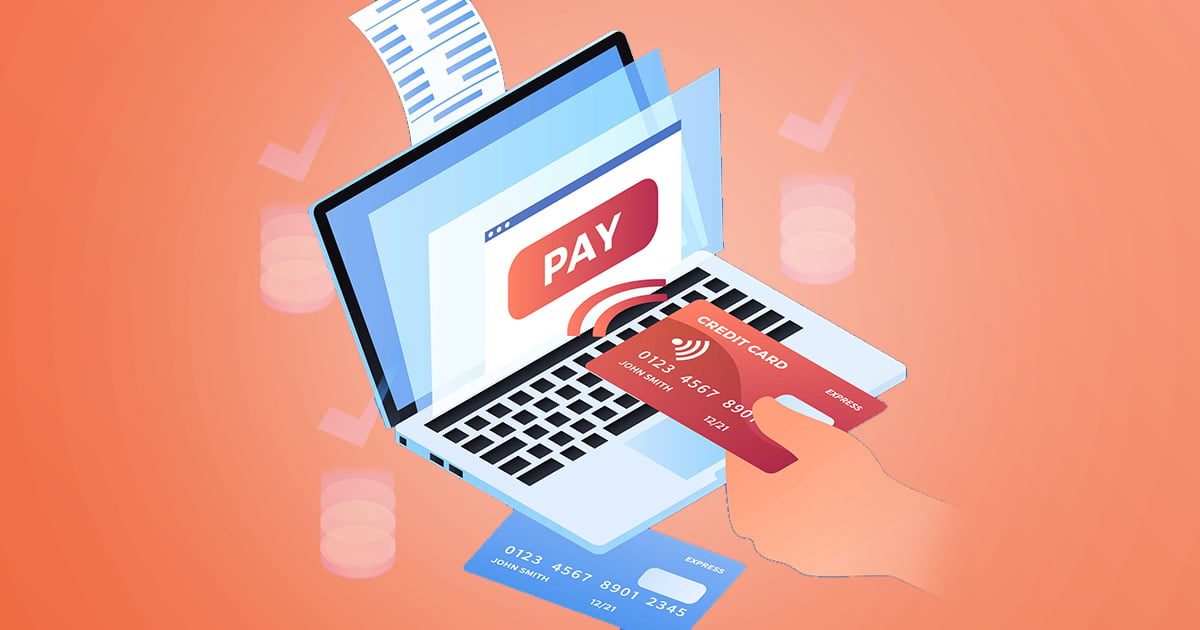
Customer payment portals remove routine friction from accounts receivable by giving customers direct access to their invoices, balances, and payment options. But those self-service features only tell you part of what a platform will do for your finance team.
The surrounding AR workflow matters too. A portal can make payment easier at the moment a reminder reaches the customer, while its accounting connection determines how much reconciliation remains for your team afterward.
We compared six AR platforms that offer customer payment portals, looking at what each is known for, the additional capabilities around its portal, and the type of finance team it is best suited to.
The 6 customer payment portals at a glance
|
Tool |
Known for |
Also worth knowing |
|---|---|---|
|
Chaser |
AR automation and reminders that carry a payment portal built in |
Payment links sit inside automated reminders, with connections to Xero, QuickBooks Online, and AccountsIQ |
|
Bill360 |
AR automation and embedded payments built specifically for small-to-medium B2B companies |
Self-service portal with payment wallets and AutoPay, connects directly to QuickBooks or Xero |
|
Billtrust |
Enterprise invoicing and cash application at scale |
The portal is one module inside a larger order-to-cash suite |
|
Gaviti |
ERP-agnostic AR automation for businesses running multiple ERPs or subsidiaries |
Payment portal includes zero-fee ACH on every plan |
|
Invoiced |
Flexible billing across invoices, subscriptions, and one-off payments |
A broad feature set built for varied billing models |
|
Versapay |
A collaborative AR network built around a shared payment portal |
Customers typically access the portal through a login rather than a direct reminder link |
1. Chaser: best for finance teams that want a payment portal built into their existing AR workflow
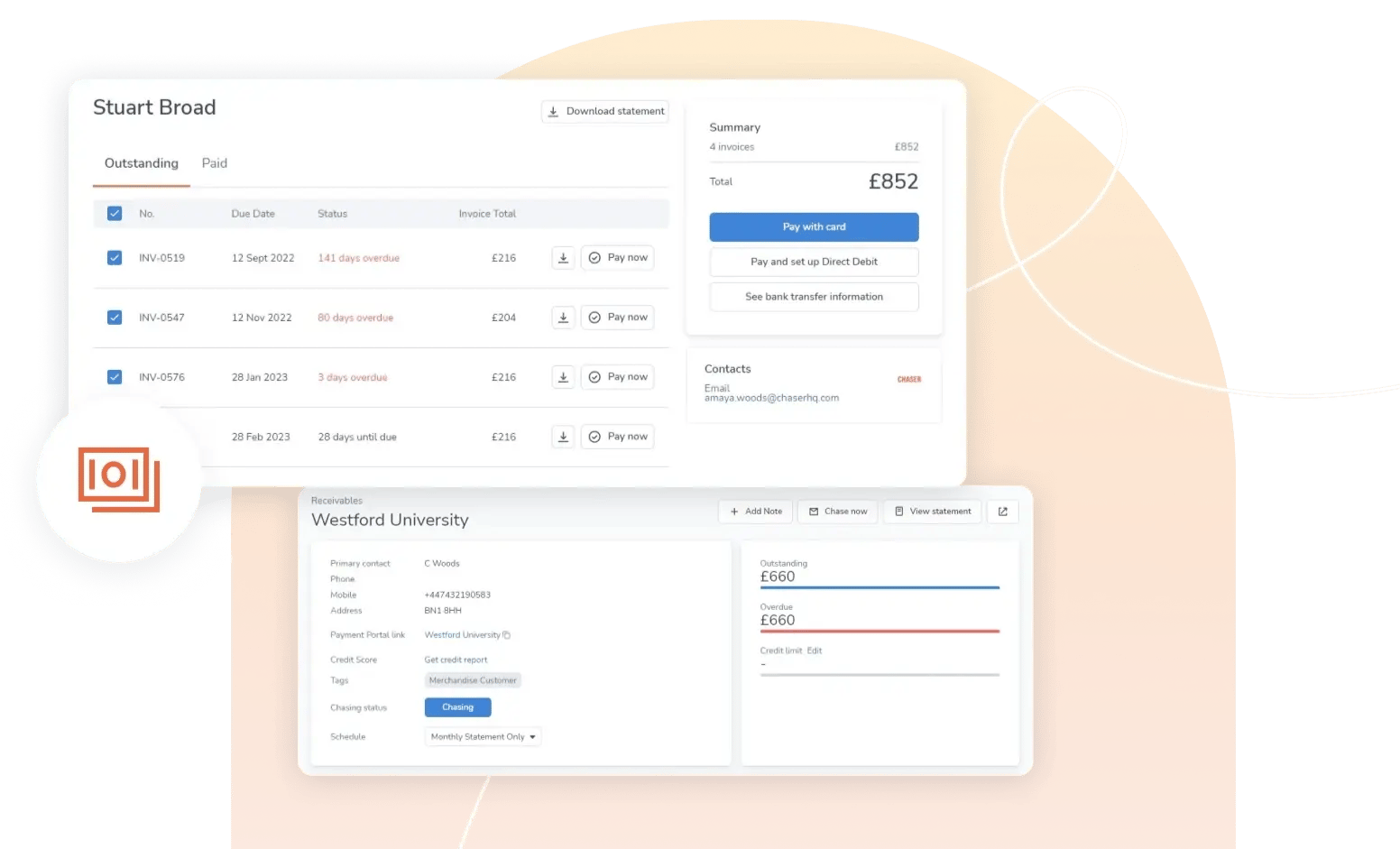
Chaser is designed for finance teams managing AR through Xero, QuickBooks Online, AccountsIQ, or another supported accounting system. Its payment portal sits inside the same workflow used to send personalized email, SMS, and letter reminders, reducing the need to move invoice and payment information between separate systems.
That way, customers pay where the reminder actually reaches them, rather than a separate destination they have to remember to visit later. They’d receive a payment link including the relevant invoice and payment details, and do not need to create an account to access their payment portal. For paper letters, customers receive the same payment link as a QR code, giving customers the same route to payment from an offline reminder.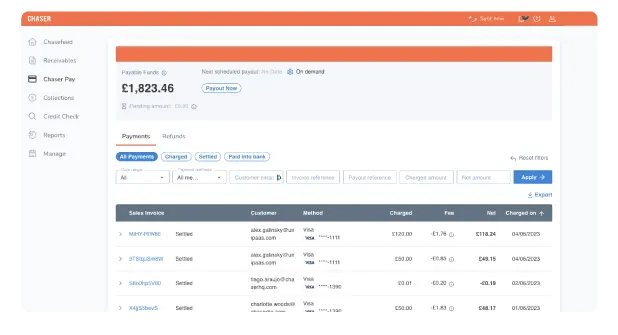
The payment portal also runs on the same native, two-way connection as the rest of Chaser, with integrations including: Xero, QuickBooks Online, AccountsIQ, Sage Intacct, and Dynamics 365 Business Central. That way, payment made through Chaser Pay posts back to that same ledger automatically, reducing the manual work required to keep payment records and account balances aligned.
If you need the payment portal to look and feel more like your brand, you can configure and manage routine portal settings within your existing AR workflow. No need for a lengthy enterprise implementation or raising an IT request whenever something needs to change.
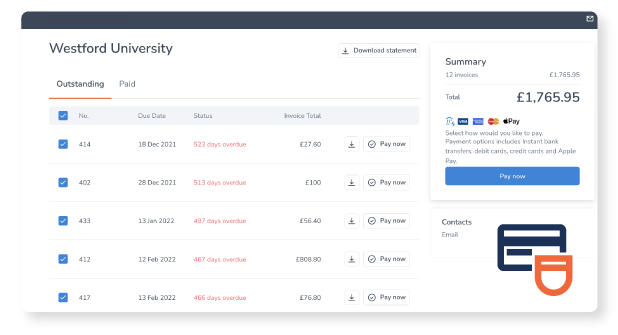
More so, Chaser’s Payment plans allow you to split large balances into installments and apply early payment discounts. This gives customers a structured way to settle larger balances and an incentive to pay before the due date. If transparency and visibility are key criteria for you, Chaser also records every customer communication against the account, helping your team reduce invoice disputes by providing a shared view of reminders, replies, and follow-up activity.
Customers like Ravi Kesari, director at Wren Accountancy Services, have praised this approach to helping finance teams reduce DSO. The accountancy service team cut debtor days from roughly 60 to approximately 24 within several months of switching on the portal.
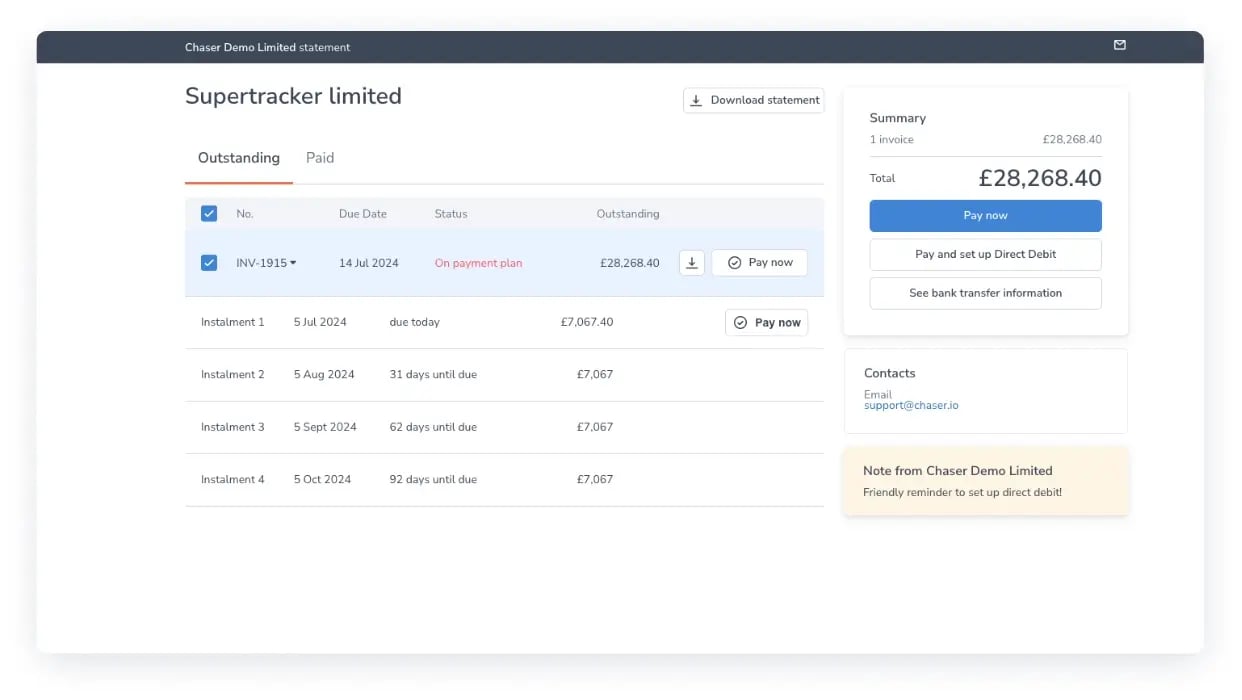
Best fit for: Finance teams with a dedicated AR function that want to manage reminders, customer payment access, and accounting-system data within one workflow. Businesses that require e-commerce ordering or a broad enterprise treasury suite should compare Chaser’s scope with platforms designed around those requirements.
Pricing: Chaser uses revenue-based pricing, with a free trial available. Visit the pricing page for current plan information.
Reviews: 4.3 on G2, as of August 2026.
To see how Chaser's payment portal reconciles with your ledger automatically.
Book a demo2. Bill360: best for small-to-medium B2B companies that want AR automation and embedded payments sized to their business
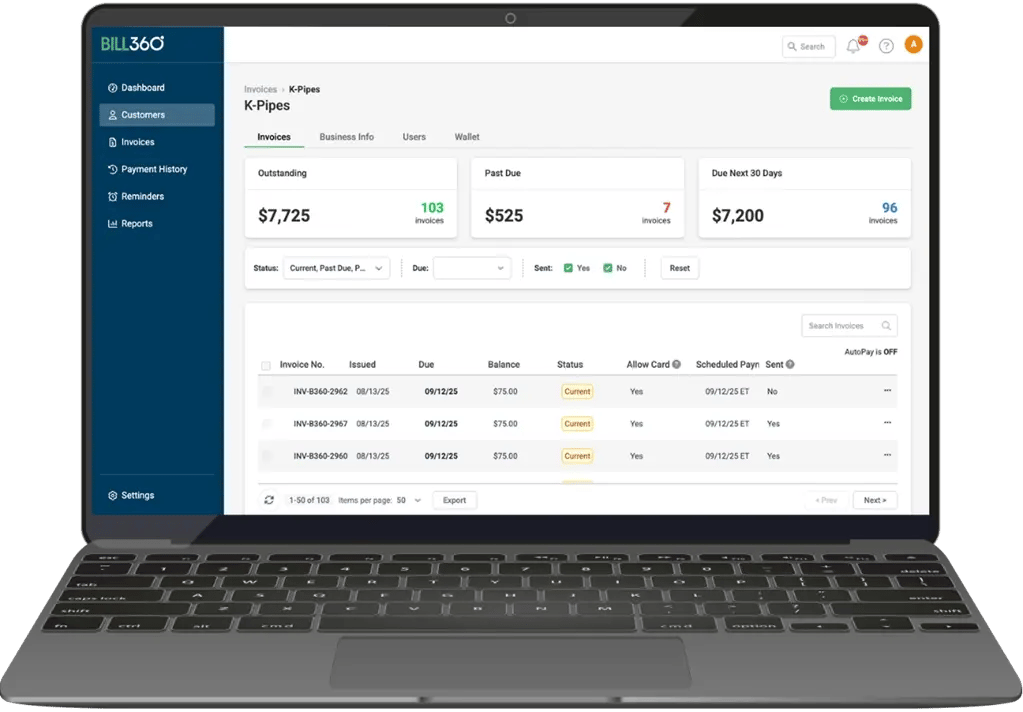
Bill360 is an AR automation and embedded payments platform built specifically for small-to-medium B2B companies, positioned as built for B2B from the ground up rather than adapted from a consumer payment tool. The self-service customer portal supports payment wallets and AutoPay alongside discrepancy resolution, and connects directly to QuickBooks or Xero.
Bill360 states its customers get paid an average of 36% faster than their prior AR process, a company figure rather than an independently verified one. The review base is smaller than the other platforms in this guide, but consistently positive: reviewers most often praise ease of use and the support team.
Bill360 may suit a lean B2B finance team that values closer company-size fit over the track record of a larger enterprise platform.
Pricing: available on request; Bill360 doesn’t publish a rate card.
Reviews: 4.9 on G2. Reviewers consistently highlight ease of use and the responsiveness of the support team; the most cited limitation is occasional delays in payment processing.
3. Billtrust: best for large enterprise finance teams that need invoicing and cash application handled at high volume
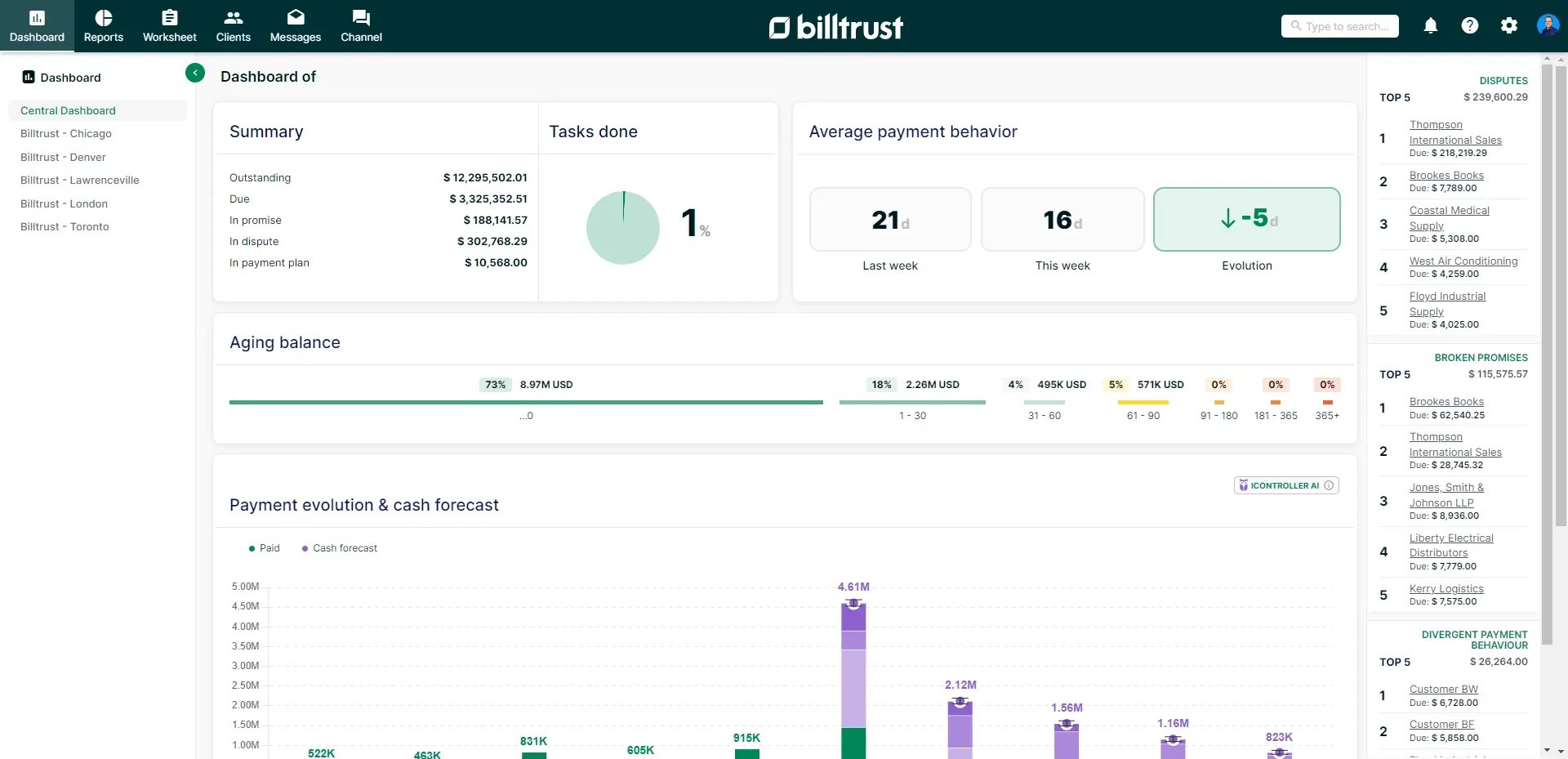
Billtrust is an established order-to-cash platform used by large accounts receivable teams for invoicing and cash application at volume, with a customer payment portal built into a broader suite rather than sold as its own product. The portal supports card, ACH, and check payments alongside remittance capture, drawing on the same cash application engine Billtrust is best known for.
That combination suits finance teams that already run other Billtrust modules, or teams operating at a scale where invoicing and cash application, not the portal on its own, are the actual bottleneck. For a team whose main gap is simply getting a payment link in front of customers, the surrounding suite is more than most will need.
Pricing: quote-only, with no published rate card, scoped to invoice volume and the modules selected.
Reviews: 4.4 on G2. Reviewers consistently highlight the payment portal experience and the effect on days sales outstanding; the most cited limitation is the cost of customization once a business wants to extend beyond the standard setup.
If Billtrust's scale is more than your team needs, the guide to Billtrust alternatives covers lighter-weight options.
4. Gaviti: best for mid-sized to large B2B businesses running multiple ERPs or managing invoice volume across more than one subsidiary
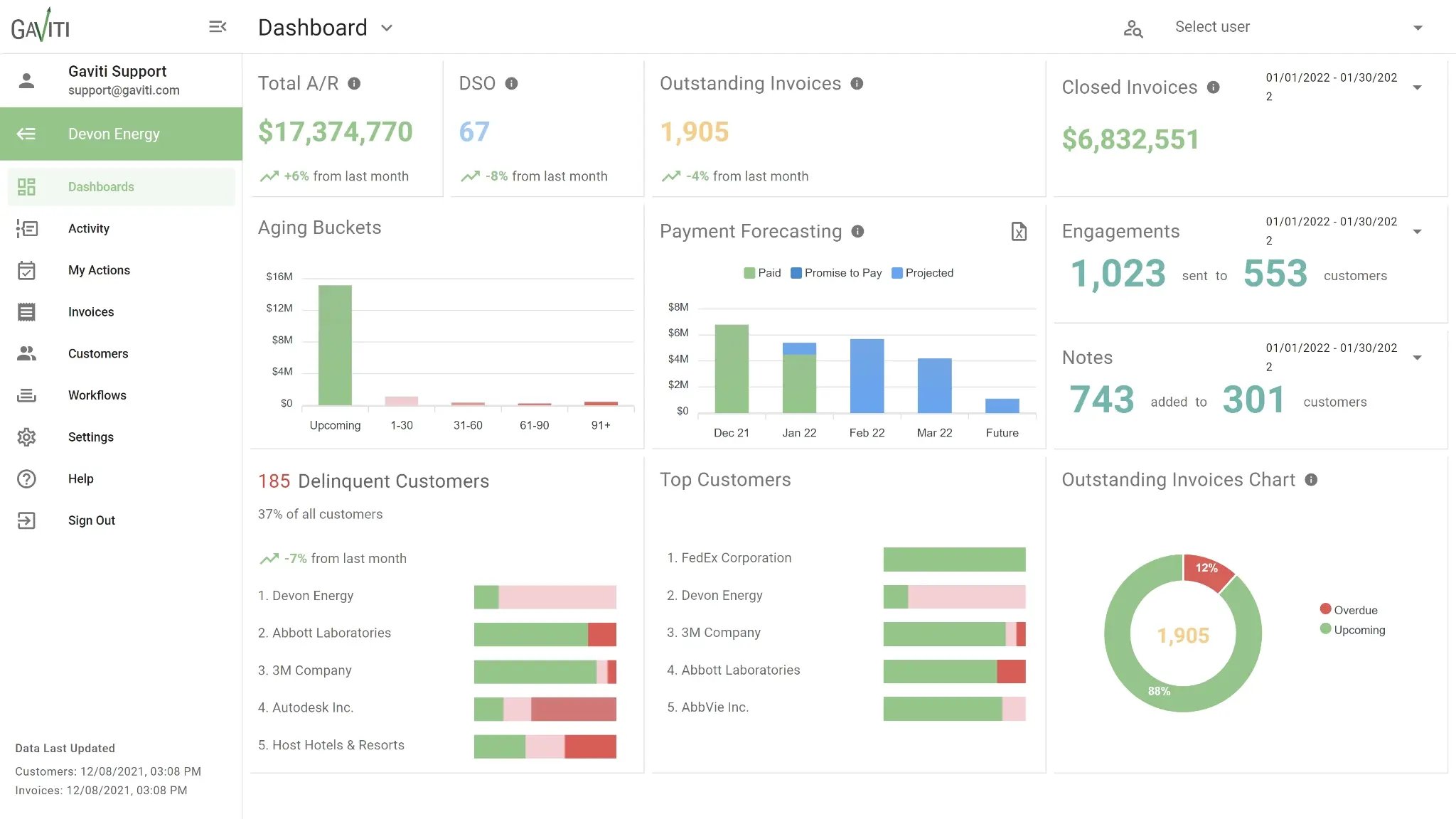
Gaviti is an AI-powered AR automation platform built for mid-sized to large B2B businesses running multiple ERPs or managing invoice volume across more than one subsidiary. It connects to any ERP or business system, including proprietary or in-house ones, rather than being built around a single accounting stack.
Gaviti's payment portal includes zero-fee ACH on every subscription tier. Cash application runs on AI matching, though Gaviti doesn’t publish a specific match-rate figure to verify. Its multi-entity, multi-ERP design suits businesses that have outgrown a single accounting system. A team running one ledger on Xero, QuickBooks Online, or AccountsIQ may not need that additional scope.
Pricing: quote-based, priced by invoice volume, with no published rate card.
Reviews: 4.4 on G2. Reviewers consistently highlight visibility into outstanding invoices and the structure it brings to collections workflows, while the most cited limitations are slow performance and limited customization.
5. Invoiced: best for finance teams juggling more than one billing model, invoices, subscriptions, and one-off payments, inside a single platform
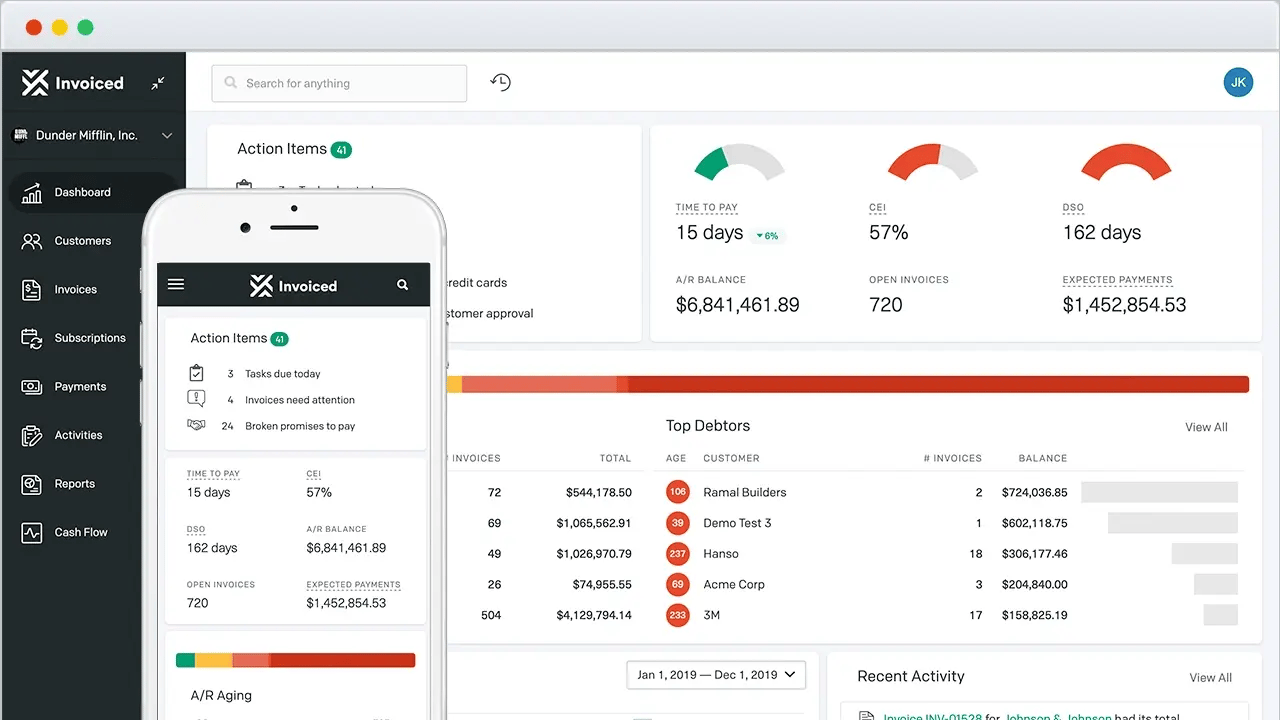
Invoiced is a billing and accounts receivable platform built to handle varied billing models: standard invoices, subscriptions, and one-off payments, all inside one system. Its customer payment portal is included as part of that range, giving customers a single place to view and pay regardless of which billing model produced the invoice, and it accepts more than 1,200 payment methods across upwards of 140 currencies.
This breadth of features suits finance teams managing several billing models. It also means the portal sits inside a wide feature set built for scenarios most accounts receivable teams won’t need. Native connections cover NetSuite, Sage Intacct, Microsoft Dynamics 365, and Salesforce; teams on Xero, QuickBooks Online, or AccountsIQ should confirm current integration depth directly before committing.
Pricing: not published; plans are scoped to invoice volume and the billing models in use. Invoiced is now part of Flywire.
Reviews: 4.5 on G2. According to reviews, ease of use and the quality of customer support are the platform’s strengths, and message and attachment logs feeling cluttered on the admin side is the most cited limitation.
6. Versapay: best for businesses willing to invest in customer adoption of a shared, login-based portal in exchange for two-way buyer-seller communication
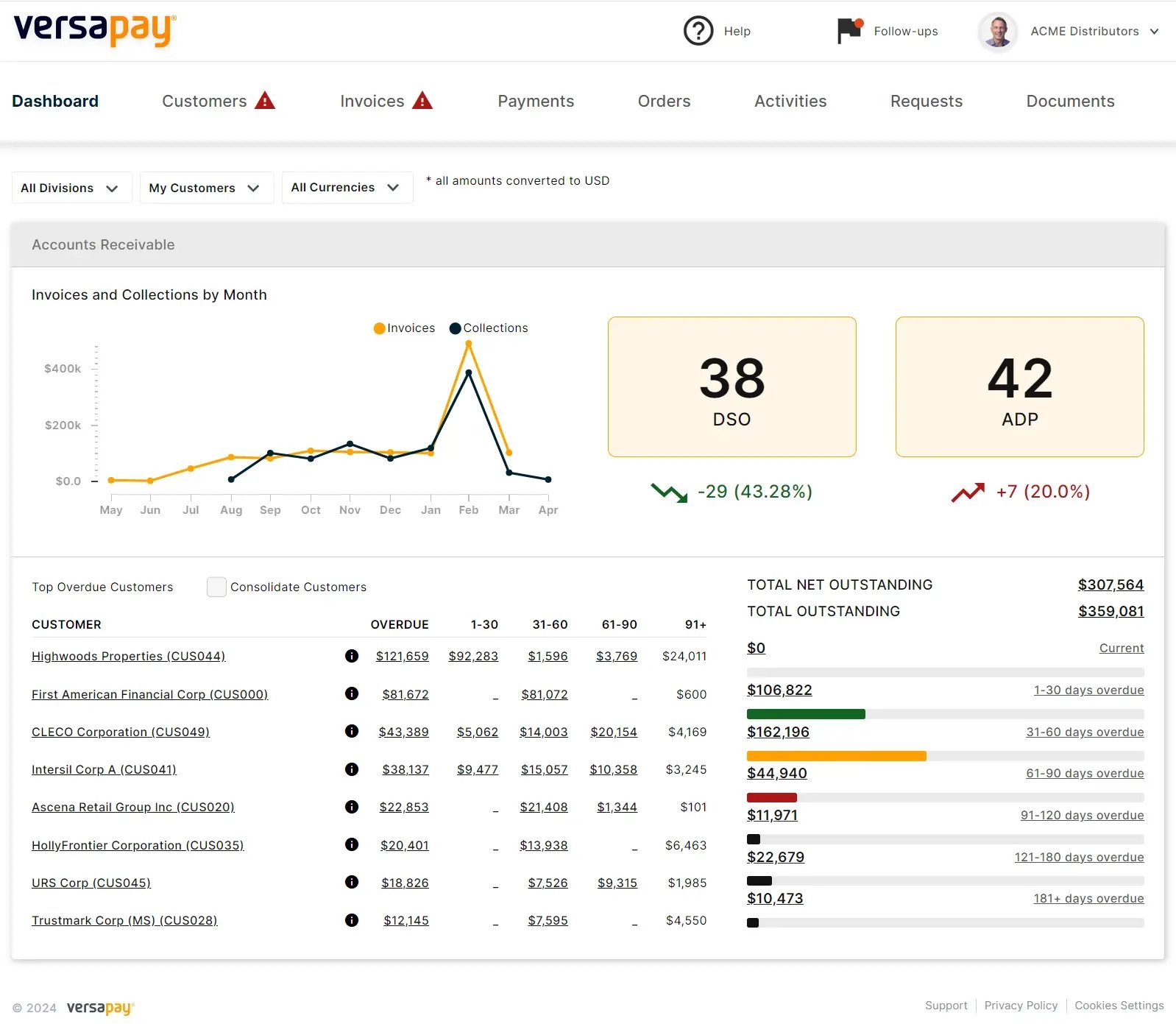
Versapay pairs a customer payment portal with a shared communication channel between buyer and seller, positioned as a collaborative accounts receivable network rather than a portal built around a chasing workflow. The platform's cash application module aims for a high straight-through match rate on incoming payments, and supplier and customer adoption of the shared portal is reported as high.
Versapay’s access model requires customers to use a shared portal login. Customers typically reach the portal through a login rather than a link embedded directly in a reminder message, which suits businesses whose customers already expect an ongoing account relationship, and asks more of businesses whose customers don’t. Versapay connects natively to Sage Intacct, NetSuite, and Microsoft Dynamics 365 Business Central; confirm current onboarding and access flow directly before committing.
Pricing: quote-based, with no published rate card.
Reviews: 4.1 on G2. Implementation time and support responsiveness were among the more common review themes.
See our Versapay alternatives comparison if customer adoption of a portal-first experience is a concern.
Which customer payment portal fits your team
The right portal depends on what your AR setup looks like and how much implementation weight your team can carry.
|
Team scenario |
Platform |
|---|---|
|
Running your own AR on Xero, QuickBooks Online, or AccountsIQ, and want the portal live without an implementation project |
Chaser |
|
You're a small-to-medium B2B company that wants a portal sized to your business rather than an enterprise platform |
Bill360 |
|
You're already running high invoice volume across a large AR team and need an established, at-scale platform |
Billtrust |
|
You run multiple ERPs or manage invoice volume across multiple subsidiaries |
Gaviti |
|
You need one platform to handle invoices, subscriptions, and one-off billing across varied models |
Invoiced |
|
You're prepared to invest in customer adoption of a portal-first login experience in exchange for a shared buyer-seller communication layer |
Versapay |
Evaluating the order-to-cash process beyond the payment step is worth a separate look; the comparison of order-to-cash software covers that ground in full.