


















.svg.png?height=48&name=Zoho_CRM_(application).svg.png)







Most cash flow forecasts are built on what customers owe and when payment terms say they should pay. For B2B businesses with meaningful AR volume, that's often the wrong foundation because a lot of customers don't pay on their due date.
Due to this, the gap between the due date and when money actually hits the bank makes forecast accuracy inaccurate.
Most cash flow forecasting tools you’re considering will pull baseline data from your accounting system.
But that’s the starting point as what separates the tools on this list is whether they stop at invoice terms and due dates, or whether they incorporate payment behavior and collections activity to project when cash will realistically land.
This guide compares five cash flow forecasting tools with a comparison table and decision framework, so you can choose based on what actually breaks forecasts: customer payment timing, without reading every product page.
What is cash flow forecasting?
Cash flow forecasting is the process of projecting the cash that will move into and out of your business over a defined future period, so you can see whether you’ll have enough cash to operate, invest, and absorb surprises. A forecast typically combines accounting data, such as open invoices and bills, expected payment activity, and planned expenses, to estimate the future cash position.
Without a forward view, finance decisions get made on assumptions rather than data. The accuracy of those projections depends entirely on the quality of the inputs feeding them, which is why the data source a forecasting tool draws on matters as much as the tool itself.
For a fuller grounding on the fundamentals, Chaser’s guides on what cash flow is and how to forecast cash flow cover both in detail.
Manual methods of cash flow forecasting and their limitations
Most finance teams don't start by buying forecasting software. They arrive there after going through approaches that work at a small scale but become unreliable as their AR volume, complexity, and stakeholder expectations grow.
Building and updating forecasts manually in Excel
Excel-based forecasting works until maintaining the model takes longer than using it. As customer count grows and payment patterns diverge, the spreadsheet accumulates edge cases: partial payments, disputes, long-tail late payers, and one-off invoices that distort averages. Broken formulas, manual copy-paste errors, and version conflicts become routine rather than occasional.
The model still produces numbers, but the workload shifts from interpreting the forecast to maintaining it. Excel spreadsheets won't solve the core problem: no spreadsheet model can reliably predict when customers will actually pay.
Relying on accounting software's built-in cash flow reports
Accounting software cash flow reports look like forecasting but are closer to reporting with a forward-looking filter. They reflect what has already been recorded like invoices raised, bills entered, and balances as of today. When finance teams treat those reports as a forecast, they are effectively assuming every customer pays on their due date.
A customer recorded as net 30 in the system may consistently pay in 45 or 60 days. The accounting platform records the term without modeling the pattern. The output looks structured, but it is built around the wrong timing variable.
Using a forecasting tool that didn't integrate properly
A forecasting tool that doesn't sync cleanly moves the manual work rather than removing it. If the process still requires exports, CSV cleanup, or periodic imports, the forecast is built on snapshots rather than live data. That slows down everything and gives a false sense of automation.
Worse, shallow integrations also tend to pull from invoice terms because that is the easiest data to ingest. Cash forecasting automation only improves forecast reliability when data flows in continuously and the model reflects actual AR behavior, not just what is written on the invoice.
The five tools below solve these problems in different ways, with different trade-offs depending on the size, complexity, and specific forecasting needs of your business.
How we chose these tools
Every tool on this list was evaluated against the same problem businesses face with how forecast accuracy breaks down when the underlying data assumes customers pay on their due date. Most don't.
We selected tools that go beyond pulling invoice terms from an accounting system, looking at whether each platform incorporates payment behavior, collections activity, or both to produce timing projections that reflect how cash actually moves. We also looked at ratings and reviews, pricing transparency, integration depth with common accounting and ERP systems, and which business size and complexity each tool is genuinely built for.
The result is a list that covers different approaches to the same problem, from AR automation with embedded forecasting to enterprise treasury platforms, so you can choose based on what fits your business needs.
The 5 best cash flow forecasting software
|
Tool |
Best for |
Key features (top 3) |
Pricing |
Rating |
|
Chaser |
Mid-market B2B businesses where late payments limit forecast accuracy |
Collections-based forecasting, late payment prediction, payment portal |
Custom pricing, free trial available |
4.9/5 (45 reviews) (Capterra) |
|
HighRadius |
Enterprise treasury teams with complex ERPs |
Category AI forecasts, scenario modeling, variance analysis |
Quote-based |
4.4/5 (13 reviews) (Capterra) |
|
Quadient AR |
AR teams wanting full-cycle automation and payer behavior |
Payer analysis, dunning workflows, AR lifecycle automation |
Quote-based |
4.5/5 (80 reviews) (Capterra) |
|
Gaviti |
Multi-ERP AR teams needing embedded payment forecasting |
ERP-agnostic integrations, forecasting dashboard, AI collections |
Quote-based |
4.5/5 (91 reviews) (Capterra) |
|
Billtrust |
Enterprise order-to-cash teams focused on cash application |
Cash application automation, O2C analytics, collections AI |
Quote-based |
4.7/5 (33 reviews) (Capterra) |
Chaser
Best for companies that want AR automation and forecasts on one platform. It's built for mid-market B2B businesses that sell on payment terms and whose biggest forecasting challenge is knowing when customers will actually pay, particularly once invoices go overdue.
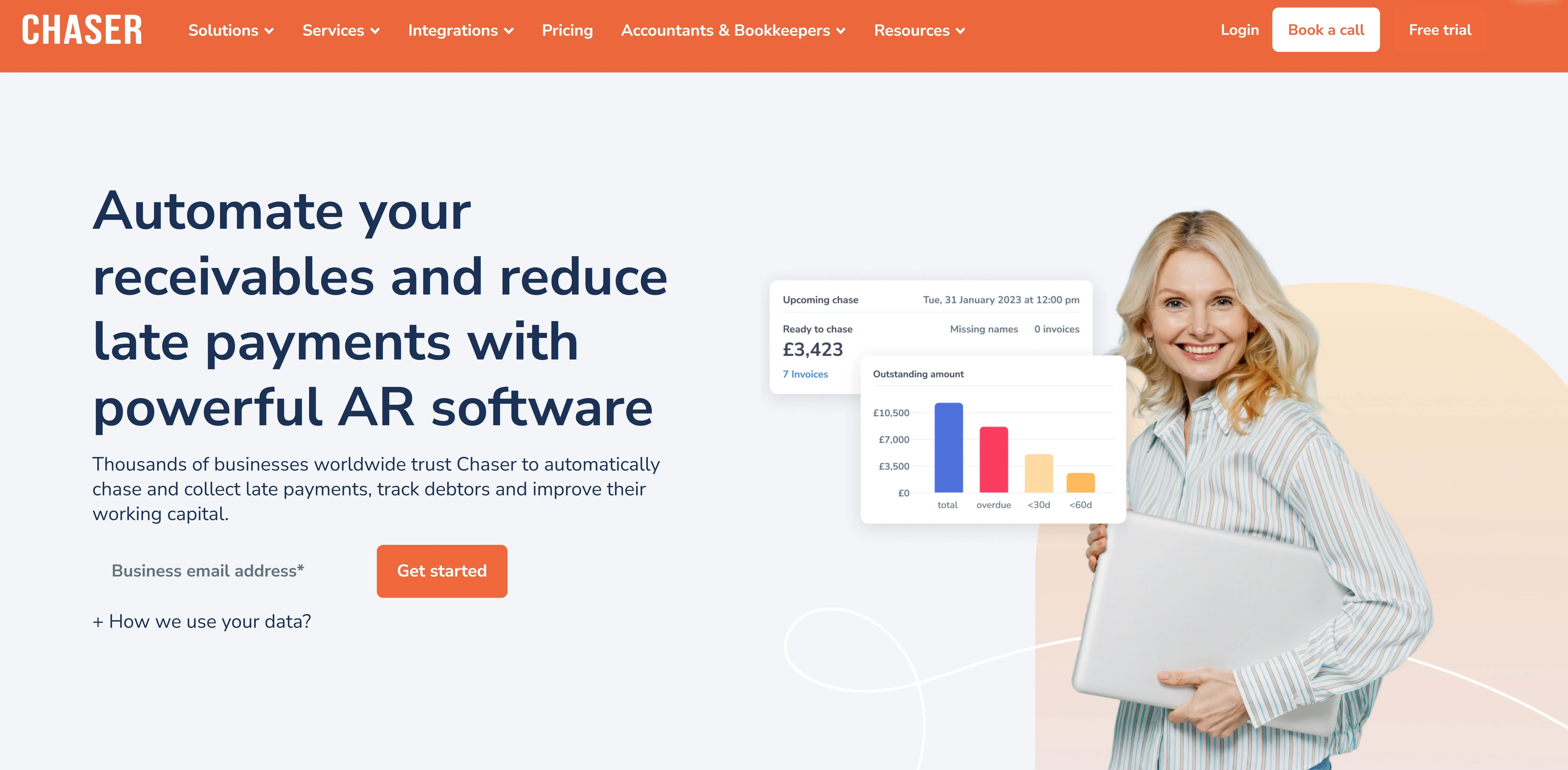
Chaser's starting point is the collections workflow, which is where forecast accuracy most commonly breaks down.
The platform automates accounts receivable management by identifying high-risk invoices early, sending multi-channel payment reminders, and making it straightforward for customers to pay through a self-serve portal.
Chaser has three major tools for forecasting cash flow, revenue and receivables. The three all work together to give you a clear picture of your business numbers.
Because Chaser already tracks which invoices are overdue, which customers pay late consistently, and how different payers respond to follow-up, its forecasting tools generate cash predictions from actual collections behavior rather than invoice terms alone.
Build cash flow forecasts from your live AR data
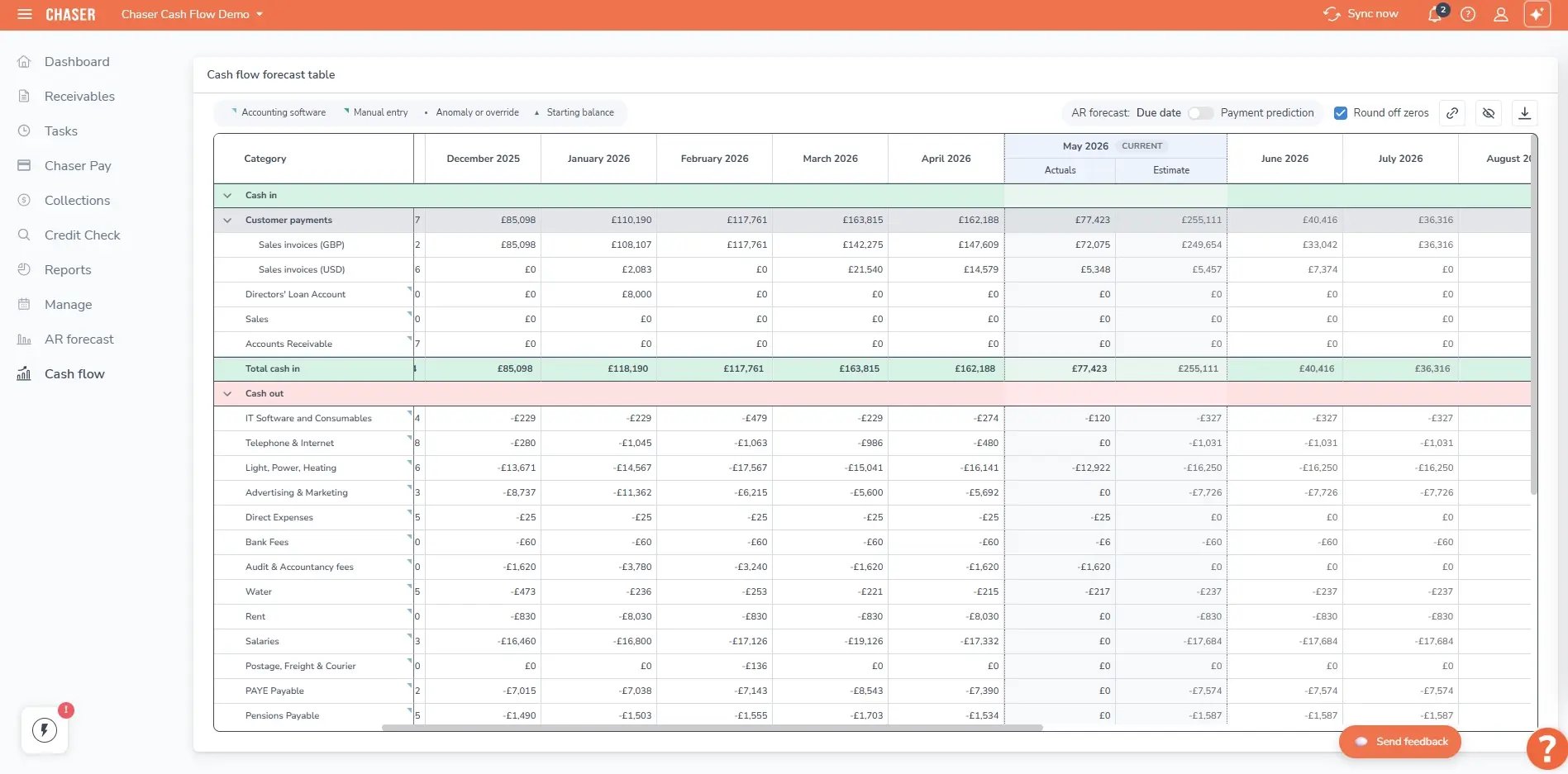
For Xero users, Chaser's cash flow forecast blends three data sources into a single view: your receivables pipeline, your general ledger, and manual entries for anything not captured in either.
You choose how each category is predicted, from historical average to historical average plus a growth percentage, a fixed amount, or a custom selection of specific months. As payments come in and collections activity changes, the forecast updates automatically.
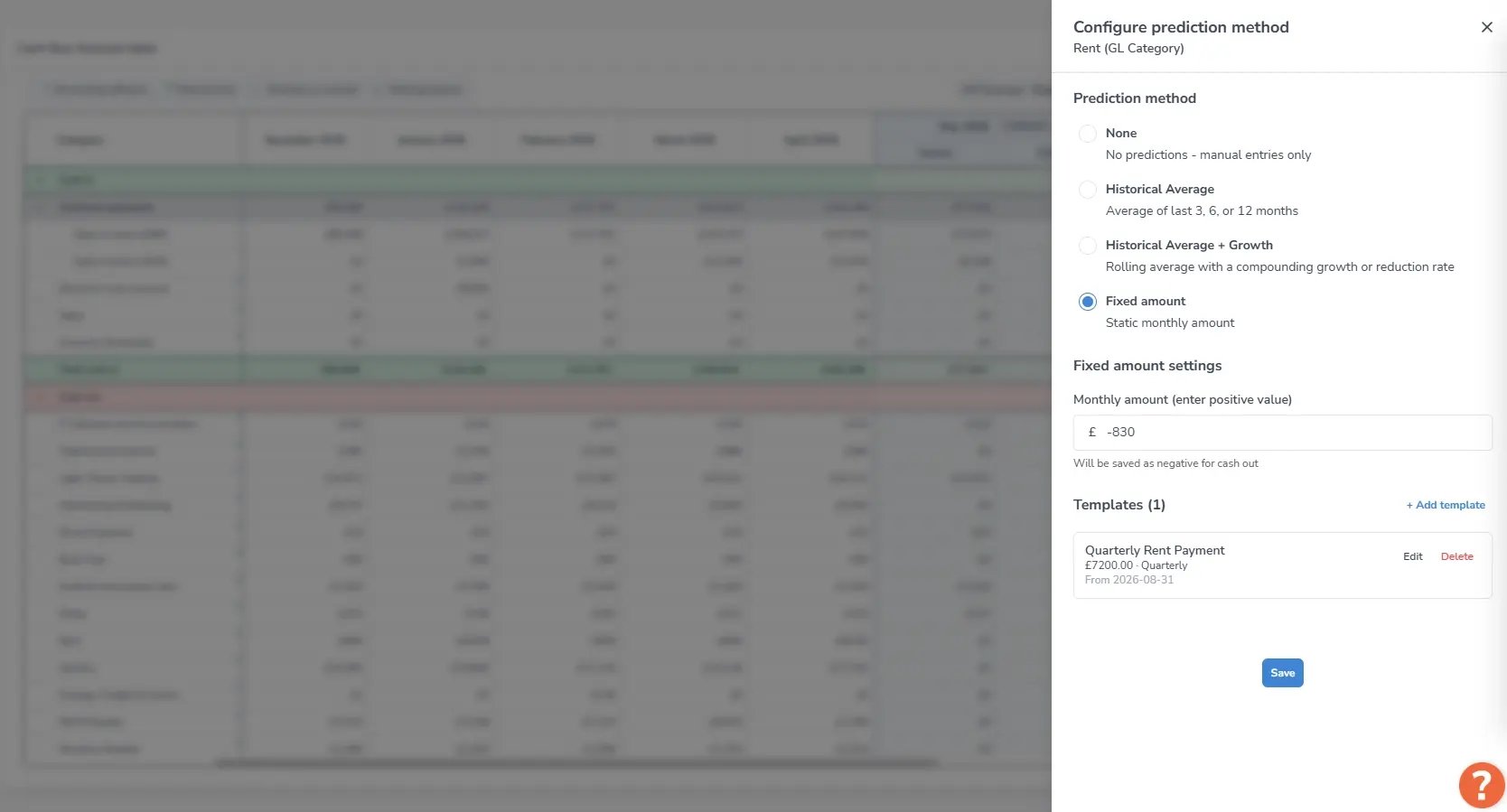
Scenario modeling lets you run best-case, expected, and worst-case projections without rebuilding from scratch, so you can stress-test a hiring decision or a capital outlay against realistic cash timing before committing.
Know which invoices are at risk before they go overdue
Most forecasting tools project from what customers owe and when the terms say they should pay. Chaser's revenue forecast projects from how customers actually pay, drawing on collections behavior tracked across every active account.
The Late Payment Predictor flags invoices likely to go overdue before they do, so collections activity starts while there is still time to influence the outcome. Payer Ratings classify customers as good, average, or poor payers based on payment history, so the team focuses efforts where it is most likely to change the result.
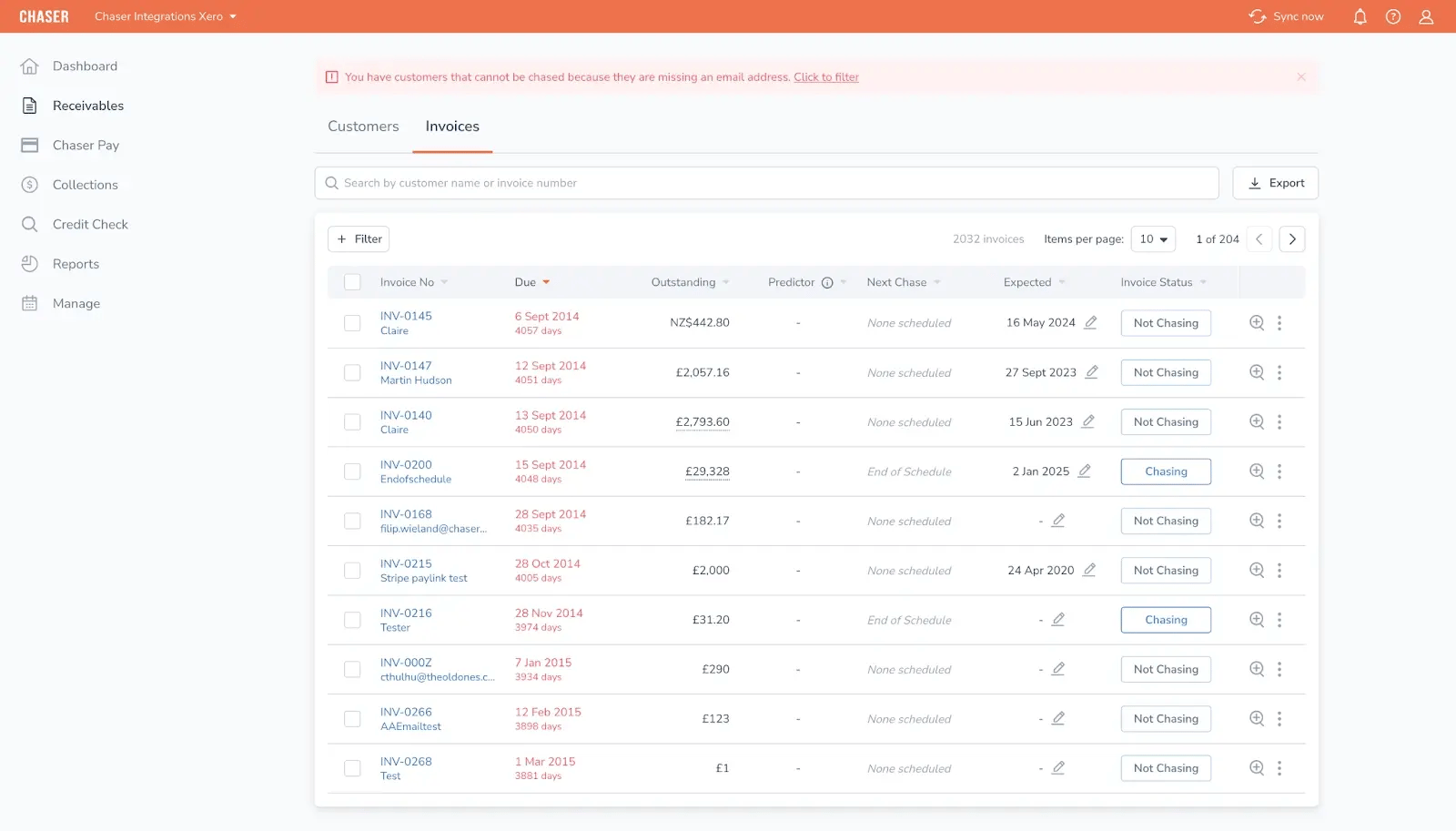
The receivables forecast shows due date and payment prediction side by side, so the gap between what your accounting system expects and what's likely to actually land is visible before it becomes a problem.
Reach customers through every channel, not just email
Chaser automates follow-up across email, SMS, letters, and automated calls, keeping chasing consistent without increasing headcount. Early reminders can be sent from a named account manager to preserve the relationship. Escalations follow a structured path rather than relying on individual judgment calls. For accounts that need a formal next step, Chaser Care and no-win-no-fee debt collection are available without switching platforms.
Make it easy for customers to pay you
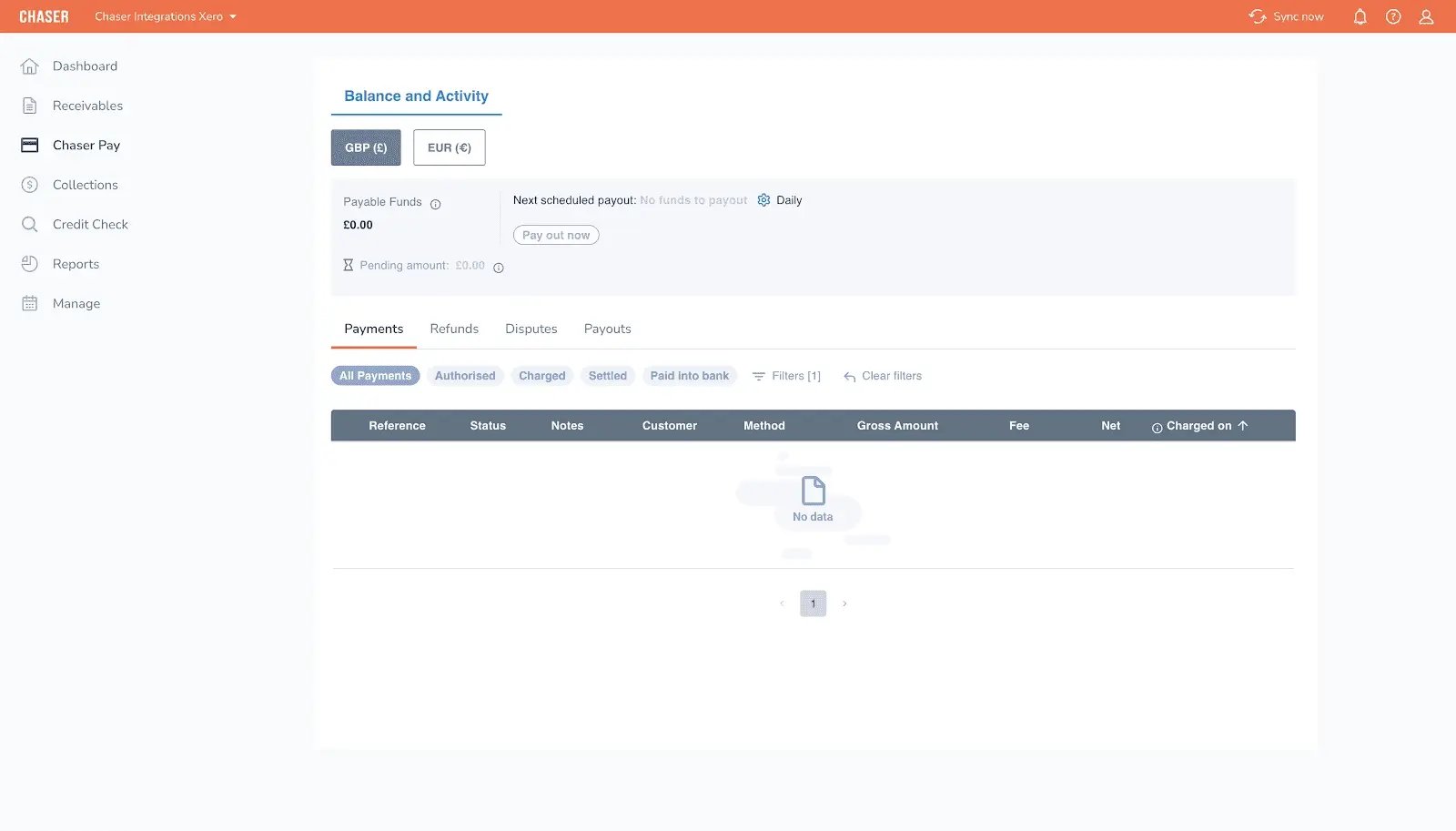
Chaser Pay is a self-serve payment portal that accepts instant bank transfers, cards, Apple Pay, and Google Pay. Outstanding invoices, previous payments, and downloadable statements are all visible in one place, which removes the common delay of customers claiming they cannot locate the right document.
Payment links appear directly in email and SMS reminders, so customers move from reminder to payment in a single step. Successful payments automatically reconcile against invoices in connected accounting systems, reducing manual matching. For businesses focused on reducing DSO, the portal removes the friction that causes payments to stall after approval.
Chaser pros
- Forecast built on live AR collections data rather than accounting system history alone
- Full AR automation reduces DSO and improves the reliability of cash timing projections
- Scenario modeling across best, expected, and worst cases without rebuilding the forecast
- Cash flow forecast blends receivables data, ledger feeds, and manual inputs in one view (Xero)
- Multi-channel chasing reaches customers through the channel most likely to result in payment
- Structured escalation path through Chaser Care and no-win-no-fee debt collection
Chaser cons
- Cash flow forecasting is limited to Xero users as development for other ERPs is underway, while revenue forecast and receivable forecasts tools are currently available to all users.
- Not a full FP&A or treasury platform. Does not cover AP forecasting, payroll forecasting, or balance sheet modeling
- Best suited to mid-market B2B businesses with meaningful AR volume rather than enterprise treasury teams or micro-businesses
Chaser pricing
Chaser offers custom prices based on invoice volume. The pricing page has current plan details, and a free trial is available before committing.
What users say about Chaser
Chaser holds a 4.9/5 rating on Capterra based on 45 reviews, with consistent praise for ease of use, automations, and collection efficiency.
Huttie Group's Head of Finance, Tom Hays, described spending two to three days every month on credit control before Chaser, with no guarantee of response or payment. Docuflow reported a 75% reduction in DSO and got paid 54 days faster. Both results are on the Chaser case studies hub.
Results vary by business, but both cases point to the same mechanism: when collections move faster, the gap between earned revenue and received cash narrows, and forecasts become more reliable, particularly for teams focused on reducing DSO.

HighRadius
Best for enterprise and upper mid-market treasury teams operating within complex ERP environments (specifically SAP, Oracle, Workday, or Microsoft Dynamics) that need cash forecasting as part of a broader treasury management platform.
.webp?width=1600&height=662&name=highradius%20(1).webp)
HighRadius positions cash flow forecasting within its Treasury and Risk module, using category-specific AI models that treat AR, AP, and payroll as separate forecasting problems rather than rolling everything into one blended view.
That approach suits enterprise environments where cash movement is driven by many different systems and approval chains.
A common differentiator is the platform's focus on automating the inputs that slow forecast cycles: bank statement download and classification, integrations across enterprise systems, and built-in workflows that support treasury-grade governance.
The forecasting workflow also supports variance analysis comparing projected against actual cash, and scenario planning that lets teams test operating assumptions without rebuilding models from scratch.
HighRadius key features
- Category-specific AI forecasting for AR, AP, and payroll applies separate models to each cash flow driver rather than producing a single generalized view
- Automated bank statement download and classification reduces the manual prep work that slows forecast cycles
- Variance analysis compares projected versus actual cash so teams can track and improve forecast accuracy over time
- What-if scenario modeling supports planning under different operating assumptions.
- 12-month forward projections cover longer-range treasury planning
- Pre-built integrations with 50+ ERP systems, including verified G2 integrations with Microsoft Dynamics 365 Business Central, Sage Intacct, SAP Business One, SAP ECC, and Workday Financial Management
HighRadius pros
- Category-specific AI models provide granular forecasting across AR, AP, and payroll
- Pre-built integrations suit complex enterprise environment
- Recognized across multiple IDC MarketScape reports as a Leader in Worldwide AI-Enabled Enterprise and Midmarket Treasury and Risk Management Applications 2025-2026
- Named a G2 Leader in Credit, Collections, and Cash Flow Management Software with an overall G2 rating of 4.3/5 (233 reviews)
HighRadius cons
- Setup takes longer than expected for new users, with multiple G2 reviewers on the Treasury and Risk module describing the learning curve as significant
- Customer support responsiveness is cited across multiple G2 comparison pages as a limitation for complex technical queries
- Not suited to businesses running Xero or SMB accounting software
- No public pricing
HighRadius pricing
HighRadius doesn't publish standard pricing. Given the enterprise scope and implementation requirements, expect a tailored quote based on the ERP environment and modules selected.
What users say about HighRadius
4.4/5 (13 reviews) (Capterra)
Users consistently highlight the quality of automation and the dashboard visibility. The most recurring criticism is support responsiveness, especially for repetitive issues.
Quadient AR (formerly YayPay)
Best for B2B finance teams at small, mid-market, or lower-enterprise companies processing high invoice volumes who want a full AR automation platform with integrations with Xero, QuickBooks, NetSuite, or Sage. Quadient AR is the full AR cycle platform with behavior-based forecasting.
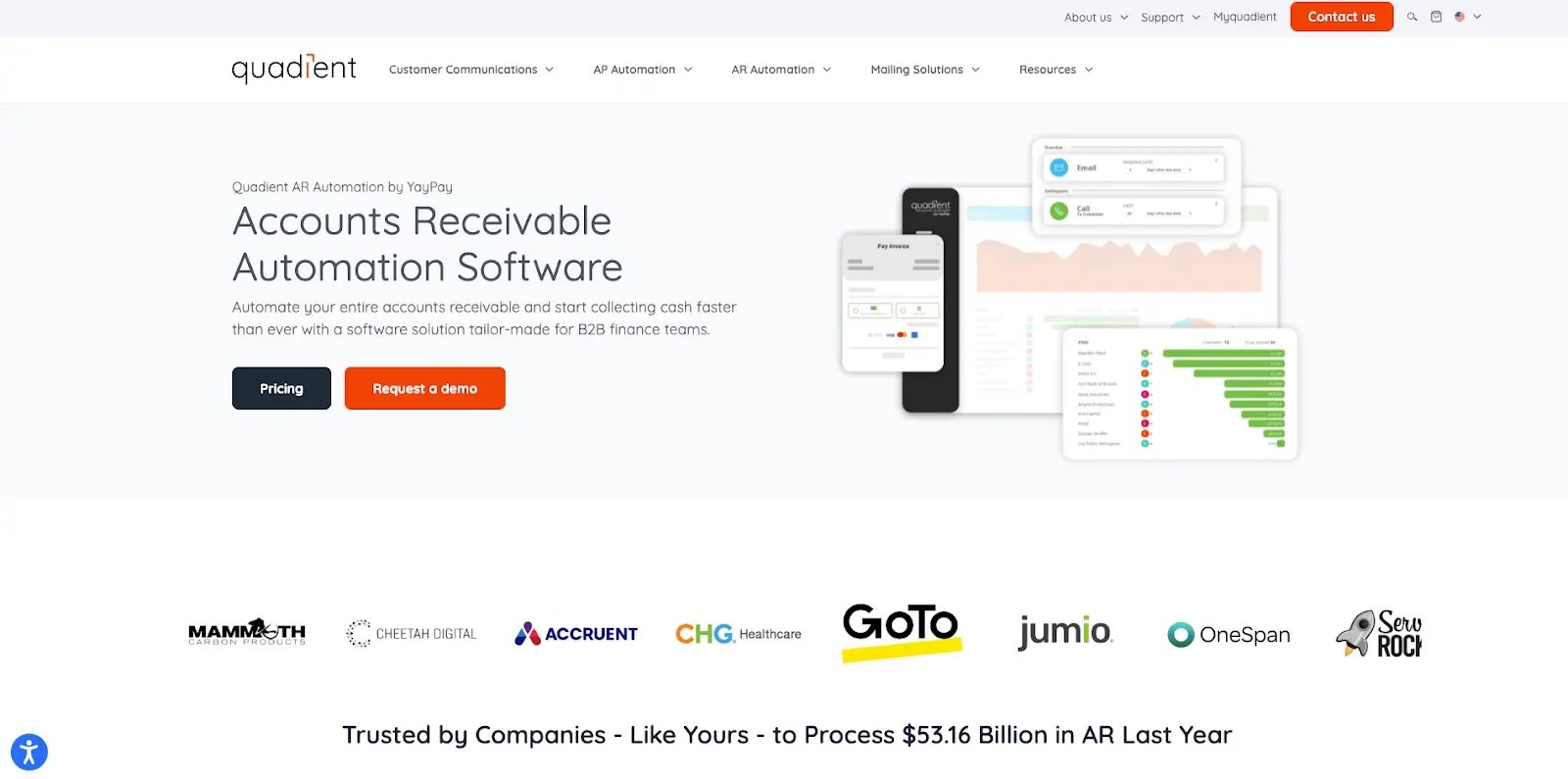
Quadient AR covers invoicing workflows, collections, cash application, dispute management, and analytics. Its forecasting uses machine learning to analyze historical payment patterns at the account level and estimate when invoices are likely to be paid.
The platform assigns letter grades A through E to customers based on payment behavior, with higher-risk customers automatically routed into higher-touch collection workflows.
Quadient has published a vendor-stated payer analysis accuracy range of up to 94% (vendor stated). But independent verification isn’t available, so treat that as directional rather than definitive.
Quadient AR key features
- Customer grading and payer behavior analytics automatically segment customers by payment risk and feed into collection workflow routing
- No-code collections workflow automation runs multi-channel dunning sequences without IT involvement
- ML-based cash flow forecasting uses historical payer behavior patterns to estimate payment timing
- Dispute management and AR lifecycle tooling reduces delays caused by unresolved exceptions
- Real-time AR dashboard with aging reports and live DSO tracking
- Credit management with Creditsafe and Dun and Bradstreet bureau integrations
Quadient AR pros
- End-to-end AR coverage reduces tool sprawl
- Behavior modeling improves payment timing assumptions beyond invoice due dates
- Consistently rated for ease of use, which is the most frequently cited positive across G2 reviews
- Recognized as a 2025 SPARK Matrix Leader for AR Applications by QKS Group
- Also recognized with the IDC 2025 SaaS Award for Customer Satisfaction in Accounts Receivable
Quadient AR cons
- Forecasting draws on historical payer patterns rather than live chasing activity, so signals can lag real-time collections movement
- Reporting and dashboards are segmented by billing subsidiary rather than consolidated across entities, which affects organizations with multiple subsidiaries
- Customer support responsiveness is inconsistently rated in reviews
Quadient AR pricing
Quadient AR works on a custom quote model. What you pay depends on team size, invoice volume, and which modules you need.
What users say about Quadient AR
4.5/5 (80 reviews) (Capterra)
Ease of use comes up most often as a strength. Where users push back, it tends to be on customer support response times and reporting limitations.
Gaviti
Best for mid-to-large B2B businesses running multiple ERPs or non-standard accounting environments who want a single AI-powered platform for collections, credit management, cash application, and dispute resolution, with payment forecasting built into the standard dashboard.
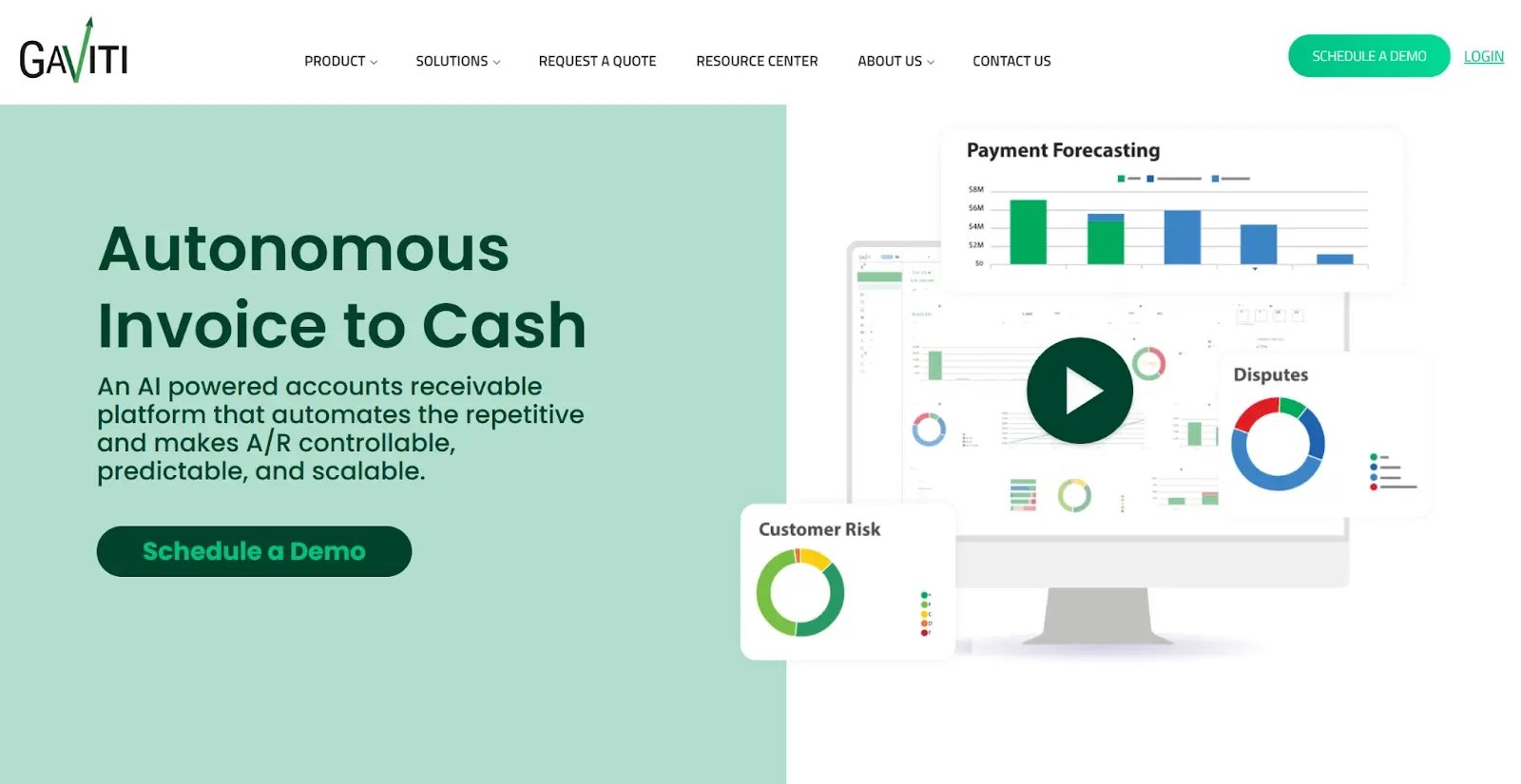
Gaviti's forecasting appears inside the AR dashboard alongside collections activity, customer risk scoring, and payment history. It is not a separate paid module. The platform is ERP-agnostic, compatible with any cloud or on-premise system, including SAP, NetSuite, QuickBooks, Xero, and Sage Intacct, with simultaneous connection to multiple ERP systems.
All plans include unlimited users, unlimited workflows, and zero-fee ACH payments. Gaviti states it is the only AR provider offering a B2B payment portal with zero-fee ACH included in every subscription.
Gaviti key features
- Payment forecasting inside the AR dashboard draws on AR analytics, customer risk scores, and payment history
- AI-driven collections automation standardizes outreach while adapting workflows and segmentation.
- Multi-ERP support for teams running simultaneous connection to multiple cloud and on-premise systems.
- Configurable escalation workflows help enforce consistent follow-up and handoffs.
- Cash application with a 90% pre-workday match rate.
Gaviti pros
- ERP-agnostic architecture supports the broadest range of accounting systems on this list, including on-premise and custom ERPs
- Payment forecasting is a standard dashboard feature, not a paid add-on
- Zero-fee ACH eliminates transaction processing costs
- All plans include unlimited users and workflows
- Recognized as a G2 Grid Leader, Summer 2025
Gaviti cons
- Slow performance under load is the most frequently cited negative in G2 reviews, with 20 mentions across 201 reviews. Teams processing high invoice volumes may notice lag during peak periods
- Dispute and partial payment scenarios often require manual follow-up outside the platform
- Advanced reporting lacks flexibility for custom views, which can be a limitation for finance teams that need granular analysis beyond the standard dashboard
- G2 data puts average implementation time at 4 months, with a 9-month average time to ROI, so factor this into your evaluation timeline
Gaviti pricing
Gaviti doesn't publish pricing publicly on its website. Mid-to-large B2B finance teams should expect to engage with sales for a quote, which is scoped by invoice volume rather than headcount or number of users.
What users say about Gaviti
4.5/5 (91 reviews) (Capterra)
Users rate Gaviti highly for ease of use and the depth of automation. The most-cited complaint is slow performance during peak usage.
Billtrust
Best for mid-market and enterprise B2B companies in manufacturing, wholesale distribution, transportation, and business services that want to digitize their entire order-to-cash process with a single established platform.

Billtrust has processed more than $1 trillion in invoices across 24+ years in the market. It covers invoicing, payments, cash application, collections, and credit as one platform. Cash flow forecasting is not a named standalone feature of Billtrust.
It is an output of the collections analytics module, using predictive analytics to forecast when invoices will be paid and flag high-risk accounts.
Two AI features launched in 2025 change how enterprise collections teams manage volume. Agentic Email, launched July 2025, uses AI to categorize and manage collections-related emails so collectors can focus on escalation rather than inbox management.
Agentic Procedures, launched in November 2025, analyzes buyer behavior across Billtrust's network data to recommend optimal timing, channel, and frequency for collections outreach.
Billtrust key features
- AI-powered multi-channel invoicing delivers across email, fax, mail, and electronic portals, with buyers able to import invoices directly into their accounting software
- Cash application with vendor-stated match rates of +95%. These are cash application match rates, not forecasting accuracy figures
- Agentic Email provides AI-categorized collections inbox management at enterprise volume
- Agentic Procedures enables behavior-data-driven collections segmentation and autonomous outreach workflows
- 40+ ERP connectors and 260+ AP portal integrations support invoice delivery to buyer systems at scale
Billtrust pros
- Broad order-to-cash coverage means finance teams can consolidate invoicing, payments, cash application, and collections into one platform rather than managing multiple vendors
- The 260+ AP portal connections make it easier to deliver invoices directly into buyer accounting systems
- Agentic AI features handle collections inbox categorization and outreach sequencing automatically, freeing collectors to focus on escalations rather than administration
- 19-quarter consecutive G2 Leader streak reflects consistent user satisfaction at scale
Billtrust cons
- Cash flow forecasting is not a named, standalone feature. It surfaces as an output of the collections analytics module, so teams buying primarily for forward cash projections should confirm scope during evaluation
- Gartner positions Billtrust as a Challenger rather than a Leader in its 2024 Magic Quadrant for Integrated Invoice-to-Cash Applications, which is worth noting for teams using analyst placement as part of their evaluation criteria
- The most frequently cited G2 complaints are invoicing issues (38 mentions), payment issues (35 mentions), and missing features (31 mentions) across the review base
- No public pricing and no documented free trial. The platform is built for mid-market and enterprise teams, and smaller finance functions may find the scope and cost disproportionate to their needs
Billtrust pricing
Billtrust doesn't publish pricing publicly. Buyers should expect to engage with sales for a modular quote, scoped by invoice volume, platform modules, and integration requirements. No free trial is documented.
What users say about Billtrust
4.7/5 (33 reviews) (Capterra)
Billtrust has held Leader status for 19 consecutive quarters. Users rate it highly for ease of use and reliable invoice delivery. The recurring friction points are slow loading times and payment processing issues.
Which cash flow forecasting software is right for you?
The right tool depends on what’s driving your forecasting problem. Whether it’s bad inputs, unpredictable payer behavior, disconnected systems, or enterprise-scale treasury complexity.
If your main problem is manual collections making your forecast unreliable
Choose Chaser. It fixes the forecast at its source by automating collections, predicting late payers, and building projections from live AR data rather than invoice terms. Best for mid-market B2B businesses using Xero.
If you need a full enterprise treasury platform with AP, payroll, and AR forecasting
Choose HighRadius. It covers the full cash forecasting cycle with category-specific AI models and integrates with 50+ ERPs. Best for enterprise teams with SAP, Workday, or Microsoft Dynamics environments.
If you want a full AR automation platform with payer behavior forecasting and ERP compatibility
Consider Chaser, Quadient AR or Gaviti. They all cover the full AR cycle with behavior-informed forecasting. Chaser suites businesses that want AR automation, credit control and forecasting on one platform. Quadient AR suits teams that want fast implementation and ease of use. Gaviti suits businesses with complex multi-ERP environments or multiple subsidiaries.
If your bottleneck is cash application and order-to-cash complexity
Consider Billtrust. When invoice delivery, payment routing, and cash application accuracy are the core issues, fixing the order-to-cash process tends to produce better cash visibility than adding a forecasting layer on top of unresolved AR data.
%20-%20How%20to%20forecast%20cash%20flow_%20Data%20gathering%2c%20troubleshooting-1.webp)
.png)