


















.svg.png?height=48&name=Zoho_CRM_(application).svg.png)






%20-%20Cash%20flow%20software%20(1).webp?length=1248&name=Blog%201%20(Nov)%20-%20Cash%20flow%20software%20(1).webp)
A credit manager can chase every overdue invoice on the books and still not be able to tell the finance director when the cash will actually land. That gap exists because most cash flow forecasts are built on invoice due dates, and customers don’t pay on due dates.
A generic cash flow tool will show that gap clearly (a dashboard, a chart, a number confirming the position is tighter than planned) without doing anything about the receivables causing it. A collections tool solves the opposite half of the problem. It chases invoices faster, but doesn't connect that chasing back to a forecast anyone can rely on. Neither closes the loop between what is owed and what is coming in.
This article compares 4 cash flow management tools built specifically for the accounts receivable (AR) stage. These platforms forecast incoming cash from how customers actually pay, giving teams a way to act on that forecast. That’s what sets them apart from due-date-focused tools.
Here are the four platforms:
- Chaser: best for mid-market AR teams needing chasing plus a behavior-based forecast in one place
- Billtrust: best for mid-market and enterprise B2B needing invoicing and cash application at scale alongside collections
- Quadient AR: best for full AR-cycle automation with machine-learning payer-behavior forecasting
- Gaviti: best for multi-ERP or multi-subsidiary AR teams wanting forecasting built into the standard dashboard
How cash flow management for AR differs from FP&A, forecasting, and treasury tools
Cash flow management software splits into categories that solve different problems; it helps to know which one this guide covers.
FP&A and forecasting tools (Float, Agicap, Cube, Vena) build a picture of the cash position from data the business already has: invoices, bills, bank balances, budgets. They model the problem well, but don’t act on the receivables that produce that position.
Treasury and liquidity platforms (Kyriba, GTreasury) handle multi-entity, multi-currency positioning, investment decisions, and financial risk at a scale most mid-market teams never reach, and the receivables funding that position sit outside their scope.
This guide covers a third category: software built around the AR stage that forecasts from how customers actually pay and lets teams act on it. If the chasing workflow itself is your priority, see our guide to the best accounts receivable automation software.
How to evaluate cash flow management software at the AR stage
A strong cash flow management tool at the AR stage has to satisfy five requirements, regardless of which vendor delivers it. Every tool below is measured against these criteria.
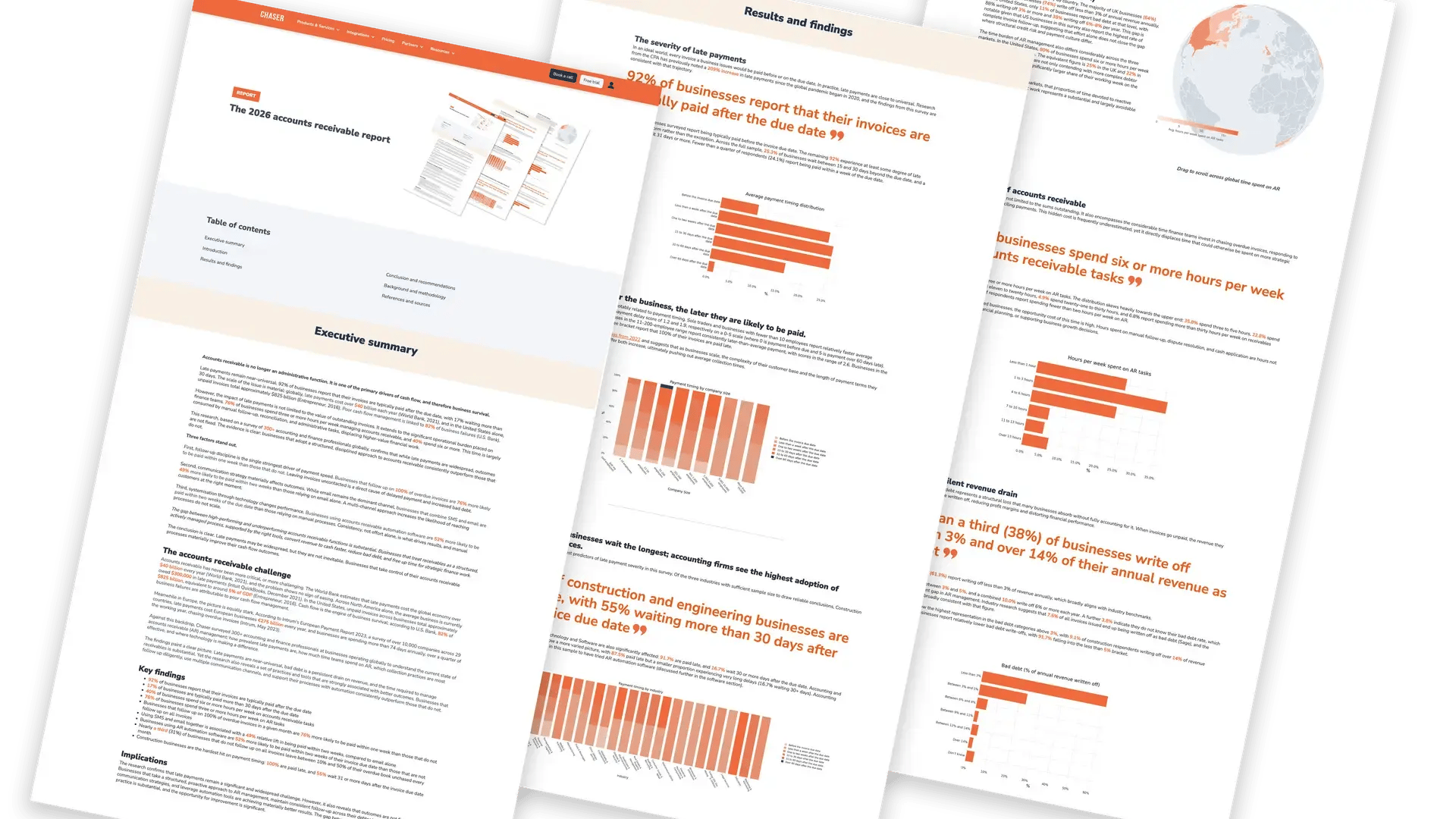
- Personalized chasing at a volume that protects the customer relationship: Consistency matters more than any single reminder. Chaser's 2026 Accounts Receivable Report found that businesses that follow up on 100% of their overdue invoices are 76% more likely to be paid within a week than those that don't, and that this gain only holds if the chasing stays personal enough not to strain the relationship at scale.
- Consolidated visibility and an audit trail: The same research found that 31% of businesses leave some invoices unchased every month, because no shared view exists to catch what's slipped. A tool needs to make that gap visible before it becomes a write-off.
- Payer-level insight and segmentation: Bad debt exposure varies enormously by customer type and sector: the AR report found construction businesses far more likely to write off over 14% of annual revenue than IT and software businesses, where the large majority write off less than 5%. Treating every customer the same way misses the fact that risk isn't evenly distributed.
- A forecast grounded in real payment behavior rather than due dates: 92% of businesses are typically paid after their invoice due date, up from 87% in 2022, according to the AR report findings, which means a forecast anchored to due dates is wrong for the overwhelming majority of invoices before a single payment lands. Real payment behavior, how long each customer has actually taken to pay in the past, is the only input left that reflects what's actually likely to happen.
- Accounting integration that keeps AR data in one system: Reconciling payments across spreadsheets and a separate accounting system is where the time cost hides. Research found 40% of businesses spend six or more hours a week on AR tasks, much of it spent updating records that would already be current with integrated accounting.
Rising 90+ day receivables, customers claiming they never received an invoice, growing reliance on credit lines, and chasing still done through Excel are the practical signals that one or more of these gaps already exist.
The four tools below are evaluated against these five criteria.
|
Tool |
Best for |
Forecast basis |
Pricing |
G2 rating (June 2026) |
|---|---|---|---|---|
|
Chaser |
Mid-market AR teams needing chasing plus a behavior-based forecast in one place |
Behavior-based (payer ratings + Late Payment Predictor) |
4.3/5 (68 reviews) |
|
|
Billtrust |
Mid-market/enterprise B2B needing invoicing and cash application at scale alongside collections |
Output of collections analytics, not a named forecasting feature |
Quote-based |
4.4/5 (507 reviews) |
|
Quadient AR |
Full AR-cycle automation with machine-learning payer-behavior forecasting |
Machine learning, historical payer patterns |
Quote-based |
4.4/5 (152 reviews) |
|
Gaviti |
Multi-ERP or multi-subsidiary AR teams wanting forecasting built into the standard dashboard |
Standard-dashboard forecasting from AR analytics and risk scores |
Quote-based |
4.4/5 (190 reviews) |
The best cash flow management software for accounts receivable teams
1. Chaser
Best for: Mid-market B2B finance teams that need AR cash flow management, forecasting, collection, and invoice matching covered in one place.
Chaser is built for mid-market B2B finance teams that want accounts receivable cash flow management, forecasting, collection, and invoice matching in one platform instead of stitched together across separate tools. It connects to Xero via REST API, with native integrations for AccountsIQ, QuickBooks, and FreeAgent, and is live within days.
.jpg?width=1200&height=589&name=Chaser%20homepage%20(1).jpg)
Here's what Chaser offers finance teams:
Personalized reminders across email, SMS, calls, and letters
Writing the right tone by hand for every customer at scale isn't something one person can sustain. Automated reminders across email, SMS, calls, and letters, are sent from your own email address and signature, so they read as personal correspondence rather than a bulk system message. The result: consistent chasing at the volume your invoice count demands, without the relationship cost of generic reminders.
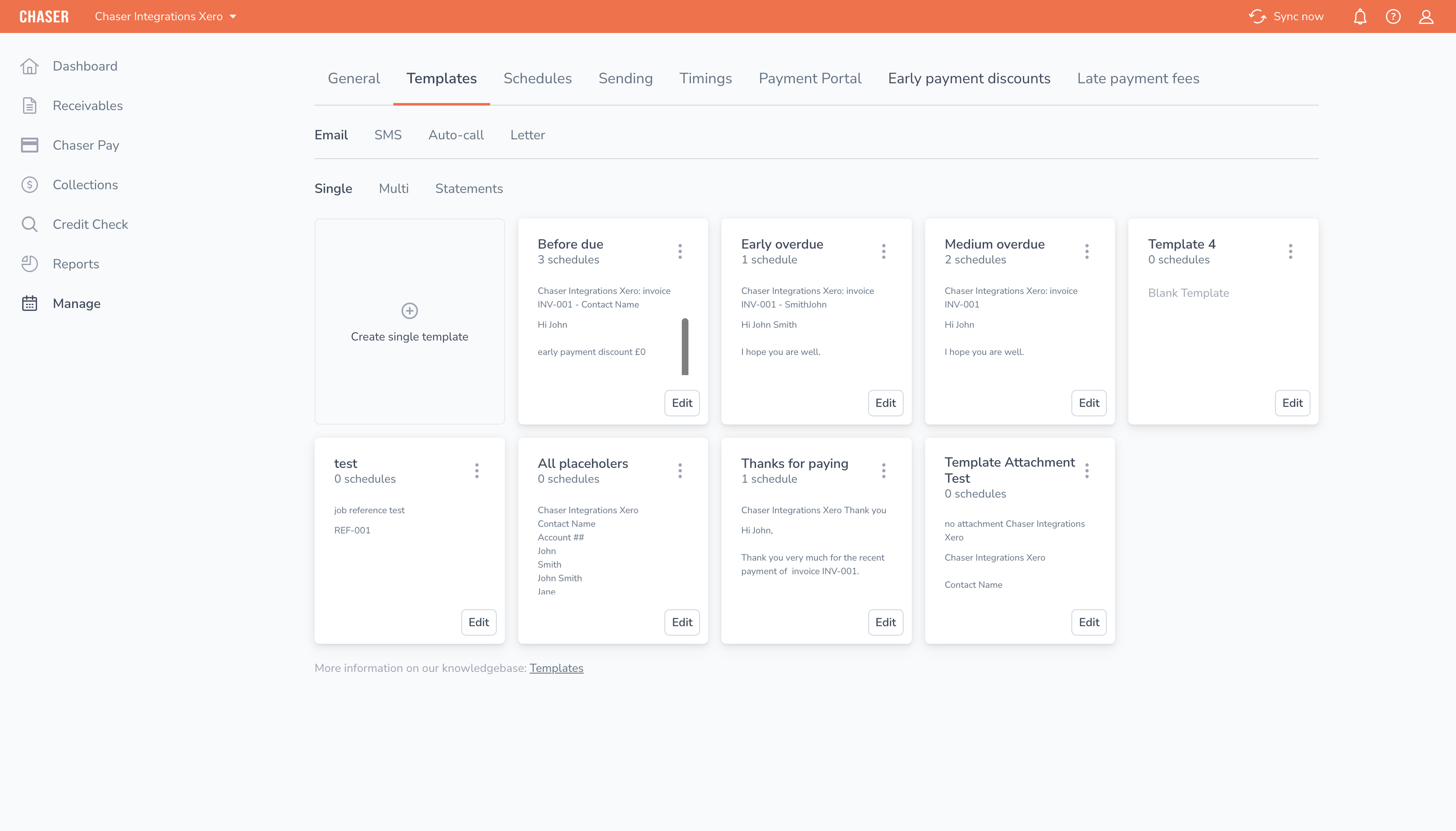
Automatic audit trail and activity feed
Right now, the audit trail probably lives across email threads and spreadsheets, and it goes stale the moment someone forgets to log a call. An automatic audit trail and activity feed of every chase, reply, and note, are kept tied to the invoice it belongs to. You get an instant view of what's been sent, what landed, and who needs a call today, plus a clean handover when someone on the team is out.
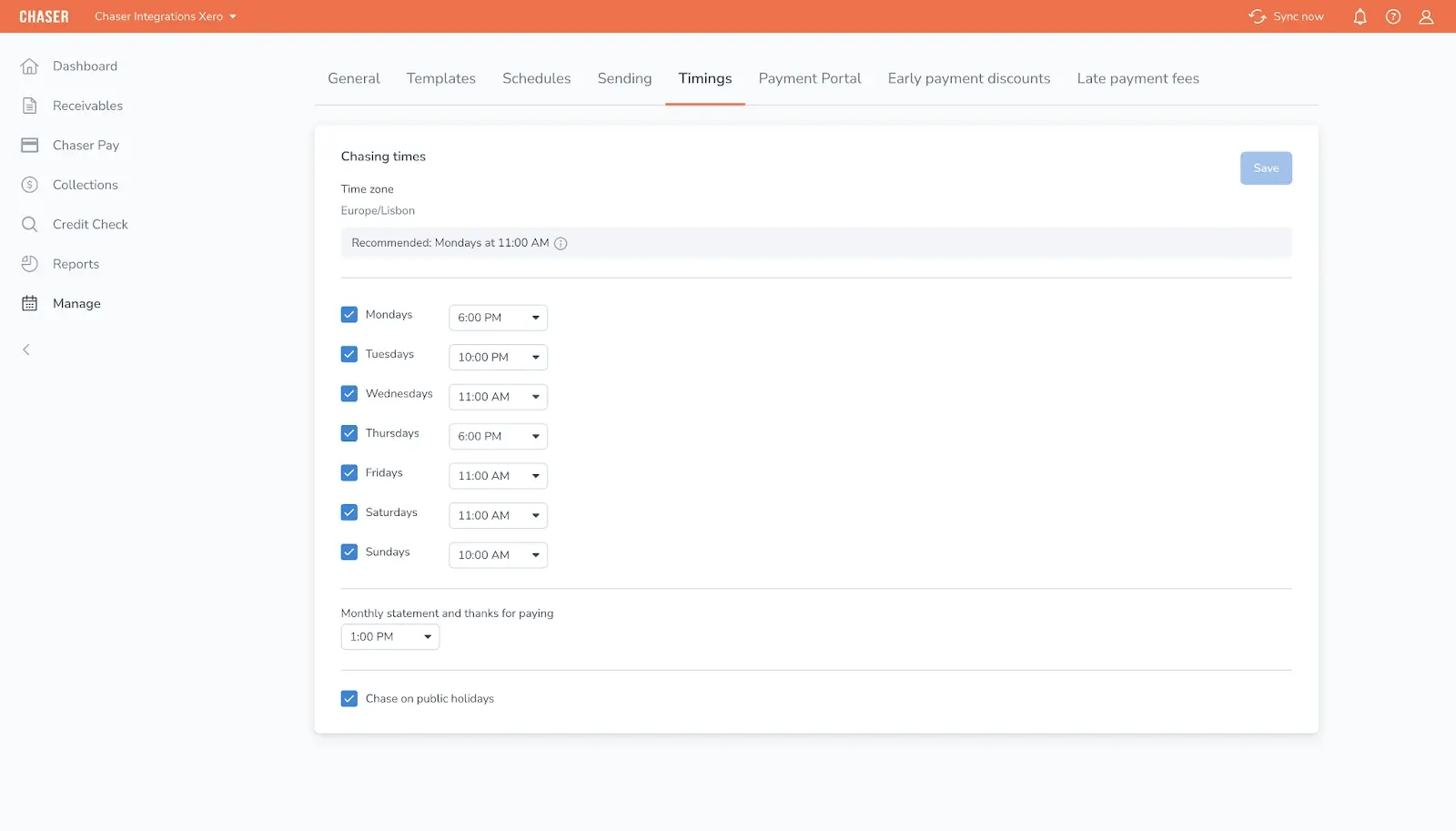
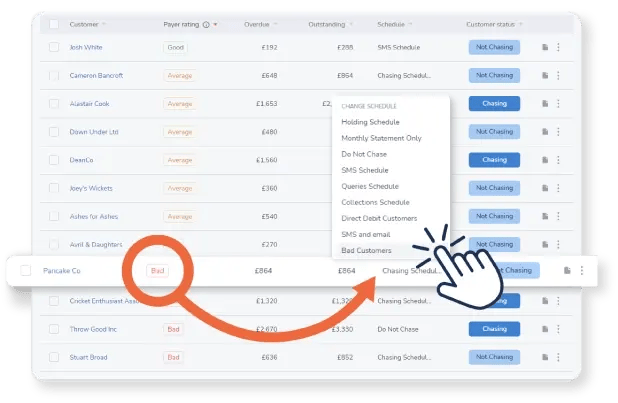
Payer ratings and debtor segmentation
Without a reliable way to prioritize accounts, every invoice gets the same level of attention regardless of actual risk. Payer ratings, debtor segmentation, and configurable workflows apply your own chasing policy automatically, based on how each customer has actually paid in the past. The accounts that need close attention get it; reliable payers get a lighter touch.
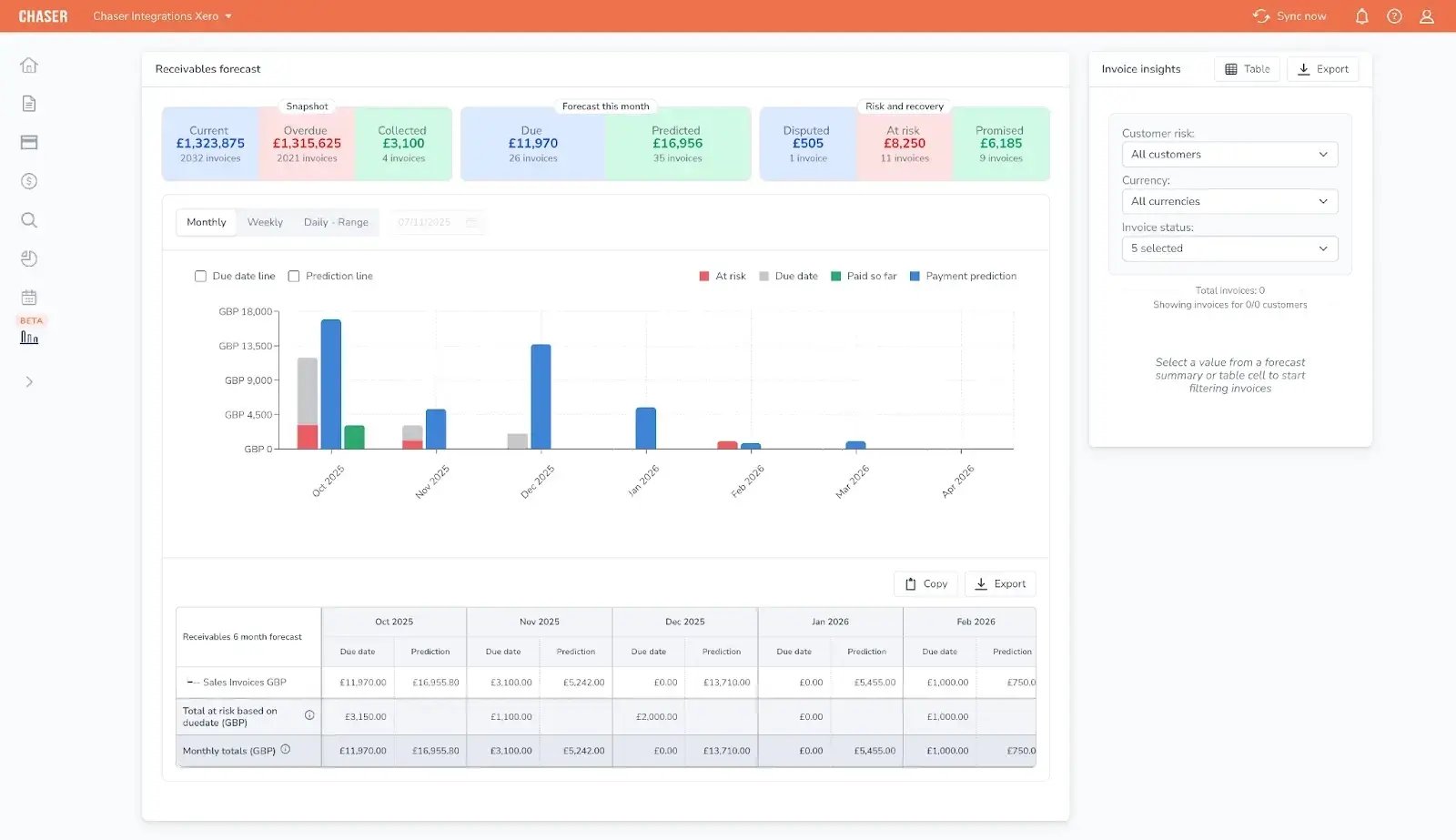
Revenue forecast tool and Late Payment Predictor
This is the gap that started the search: your forecast is built on invoice due dates, and most customers don't pay on the due date. Payer ratings and the Late Payment Predictor flag invoices at risk of lateness before they're overdue, and the revenue forecast tool builds your forecast on how each customer actually pays rather than what the invoice terms say.
The mechanism is straightforward: Days Sales Outstanding (DSO) comes down, cash lands sooner, the forecast tightens around that behavior, and working capital improves.
Two-way sync with your accounting system
When AR activity happens outside your accounting system, reconciling the two becomes a manual, recurring job. Connections to Xero via REST API, with native integrations for AccountsIQ, QuickBooks, and FreeAgent, sync hourly and before every reminder goes out. There's no second system to maintain and no manual reconciliation step once a payment clears.
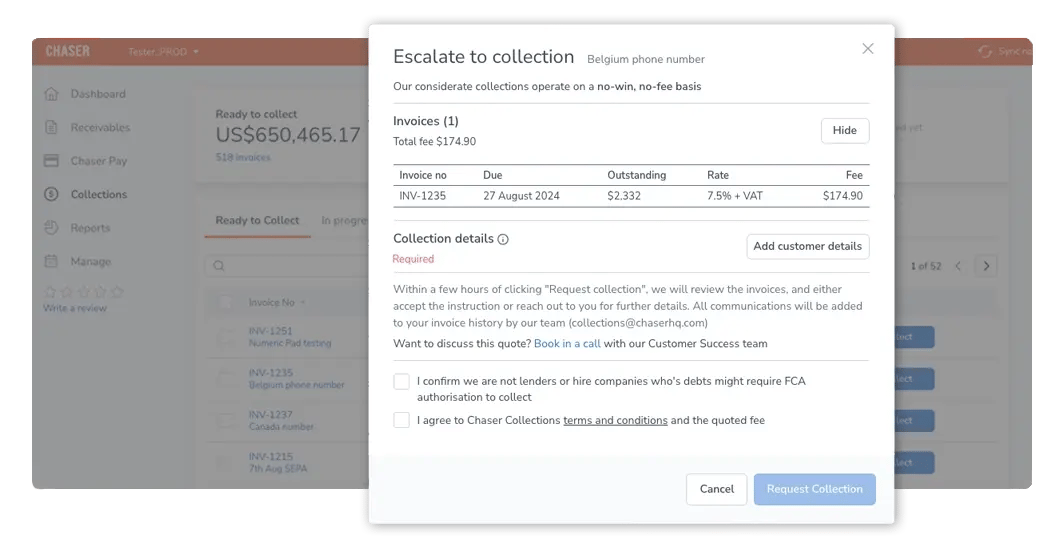
Debt recovery: the final stage
When chasing reaches its limit on a genuinely difficult account, Chaser's collections and escalation capability covers that aged debt far end without requiring a separate agency or a new login. It's the last stage of the AR cash flow cycle here. The platform's job is managing your AR cash flow from forecast through to collection, with debt recovery as the backstop, not the headline.
Chaser key features
- Payer ratings and Late Payment Predictor
- Revenue forecast tool built on live AR collections data
- Automated multi-channel chasing (email, SMS, calls, letters) with white-labeling
- Automatic audit trail and activity feed
- Debtor segmentation and configurable workflows
- Customer payment portal (Chaser Pay)
- Integrations with Xero, AccountsIQ, QuickBooks, and FreeAgent
- Collections and escalation for aged debt
Chaser pros
- Deployed in days, without an implementation project or IT involvement
- AR cash flow forecasting, chasing, and collections in one platform
- Reminders read as personal correspondence rather than automated messages
- Integrations with Xero, AccountsIQ, QuickBooks, and FreeAgent
- Payer-level insight built into every chasing decision
Chaser cons
- Cash-flow Forecast Tool is currently available to Xero users only
- Cash application is partial, not fully automated
- Not designed for high-volume cash applications at scale
Chaser pricing
Custom revenue-based pricing. Free trial available. Visit Chaser’s pricing page for current plans.
What users say about Chaser
Chaser has a G2 rating of 4.3/5 stars based on 68 user reviews. Reviewers highlight the automation and ease of use and consistently note the platform's collections efficiency and responsive customer support, with occasional requests for deeper reporting customization.

Docuflow, introduced to Chaser through its accountant FHC, reduced DSO from 60 to 24 days and got invoices paid 54 days faster after switching to structured, automated chasing.
Book a demo to see how Chaser turns your AR data into a cash flow forecast you can trust, alongside the chasing, tone, and branding controls that keep every reminder on-brand.

2. Billtrust
Best for: Mid-market and enterprise B2B companies that need end-to-end order-to-cash and high-volume invoice or payment processing.

Billtrust is an order-to-cash and accounts receivable automation platform built for scale. It automates invoicing, payment processing, and dunning workflows and is particularly suited to billing-heavy businesses moving off paper checks and manual collections onto electronic billing, payment, and reconciliation.
The platform gives finance teams visibility into invoice status, cash application, and collections activity across large volumes of accounts, with reporting depth that reviewers consistently cite as a strength. Billtrust doesn't offer a named cash flow forecasting feature. Instead, forecasting is an output of its collections analytics module rather than a standalone capability. That's a key limitation to weigh for teams whose primary need is the forecast itself.
Billtrust key features
- Automated invoicing and dunning workflows
- Multi-currency payment processing and cash application
- Billing portal for customer self-service
- Collections analytics and reporting
- ERP integrations built for high-volume order-to-cash operations
Billtrust pros
- Handles high invoice volumes and payment processing at enterprise scale
- Integrated payments and invoicing reduce manual reconciliation
- Broad payment method support across regions and currencies
Billtrust cons
- Forecasting is a collections-analytics byproduct
- Implementation can be substantial for smaller teams, heavier than lighter, purpose-built AR tools
- Some reviewers note occasional slow performance and login friction at high usage volumes
Billtrust pricing
Billtrust uses a quote-based enterprise pricing model. Prospective buyers contact sales for a custom package scoped to invoice volume and the modules required.
What users say about Billtrust
4.4/5 (507 reviews), G2, July 2026.
Reviewers consistently praise ease of use and the visibility Billtrust gives into invoice and payment status, with cash application and automated matching cited as particular strengths. The most common friction points are occasional slow performance under load and limits on report customization.
3. Quadient AR (formerly YayPay)
Best for: B2B finance teams that want machine-learning cash flow forecasting positioned as a named, central feature alongside full AR-cycle automation.
Quadient AR, formerly YayPay, targets B2B companies processing 500 or more invoices a month that want forecasting built into the product's core instead of bolted as an afterthought. It covers the full AR cycle, credit management, invoicing, collections, dispute management, a payment portal, and cash application, with machine-learning forecasting layered across all of it.
Quadient AR’s machine-learning forecasting draws on historical payer behavior and ERP data, with vendor-stated accuracy up to 94%. The tradeoff is that it draws on historical patterns rather than live chasing activity, so signals can lag for accounts whose payment behavior is actively changing.
Quadient AR key features
- Machine-learning cash flow forecasting with vendor-stated accuracy up to 94%
- A-E customer grading for risk-based prioritization
- No-code, multi-channel collections workflow builder
- Customer payment portal with multicurrency support
- Credit management via Creditsafe and Dun & Bradstreet integrations
- Real-time AR dashboard with aging and DSO tracking
Quadient AR pros
- Forecasting is a named, central feature rather than a secondary add-on
- Risk-based customer grading reduces manual prioritization work
- Recognized as a 2025 SPARK Matrix Leader for AR applications
Quadient AR cons
- Forecasting relies on historical patterns
- Reporting is segmented by subsidiary, with no consolidated cross-entity view
- No public pricing and no free trial; evaluation starts with a sales request
Quadient AR pricing
Quadient AR prices by team size and invoice volume, with no public rate card and no free trial available.
What users say about Quadient AR
4.4/5 (152 reviews), G2, July 2026.
Reviewers consistently highlight ease of use and the value of automated workflows, with the most common friction point being reporting that doesn't consolidate across billing subsidiaries.
4. Gaviti
Best for: Mid-market B2B finance teams running multiple ERPs or subsidiaries that want forecasting built into the standard collections dashboard.
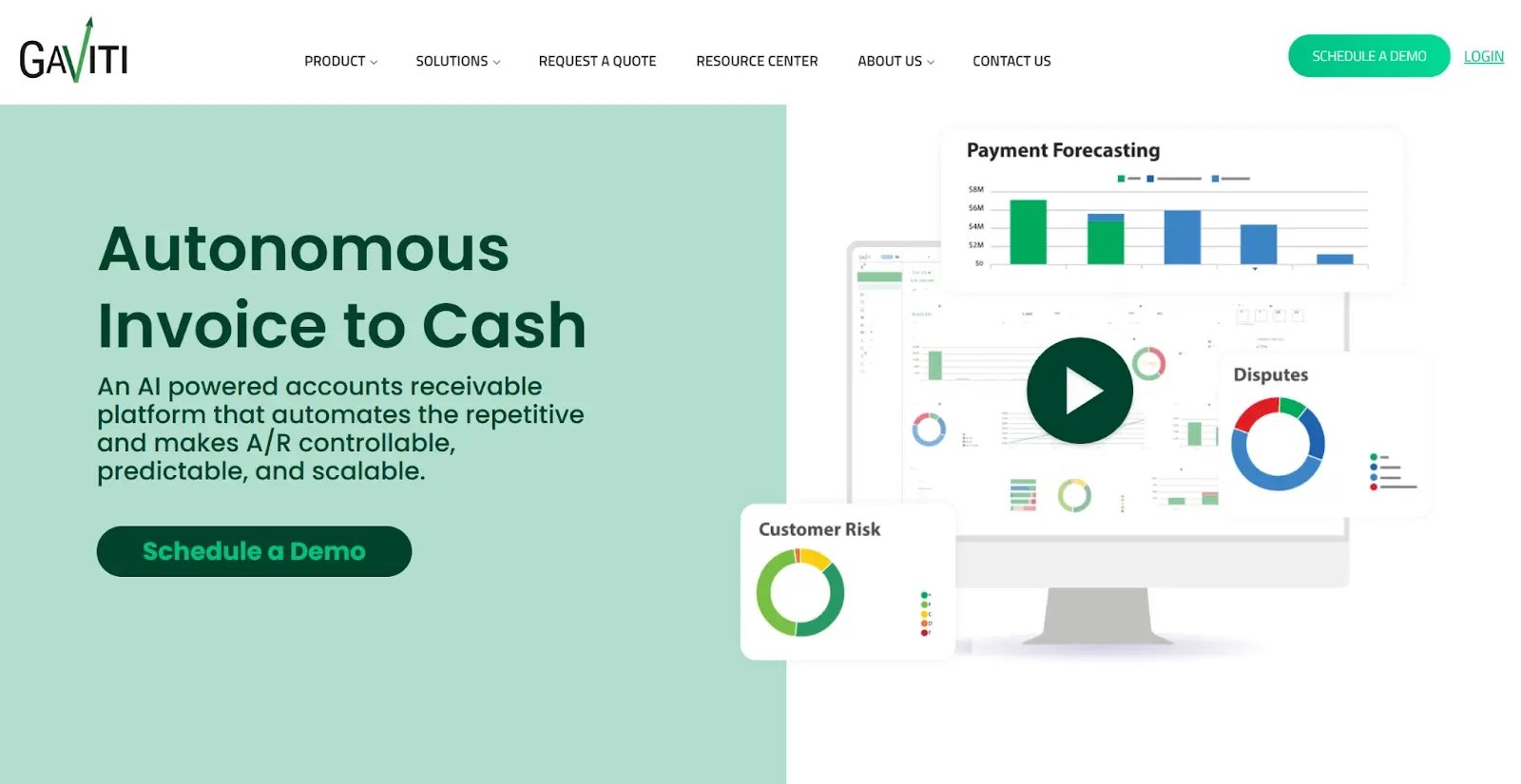
Gaviti is an ERP-agnostic AR automation platform built for teams that need collections, cash application, credit management, and forecasting under one roof, regardless of which accounting system sits underneath. Its zero-fee ACH (Automated Clearing House) payment portal is included in every subscription rather than sold as an add-on.
Forecasting is built into Gaviti’s standard dashboard using AR analytics and risk scores, rather than sold as a separate module. That’s a genuine differentiator given how many platforms treat forecasting as a paid add-on.
Gaviti key features
- Zero-fee ACH payment portal included in every subscription
- ERP-agnostic connectivity, including custom and homegrown systems
- AI-driven, multi-step collections workflows by risk and invoice age
- Collector workspace with shared notes and cross-team visibility
- Dispute and deduction management with structured tracking
- Forecasting built into the standard dashboard
Gaviti pros
- Forecasting is included in the standard product
- ERP-agnostic architecture fits multi-entity and non-standard tech stacks
- Cross-functional visibility reduces duplicated outreach across finance, sales, and operations
Gaviti cons
- Slow performance under load is the most-cited complaint in reviews
- Implementation runs longer than lighter, plug-and-play AR tools, often weeks to months
- No native auto-call functionality within the platform
Gaviti pricing
Gaviti uses quote-based pricing scaled to invoice volume, team size, and the modules selected, with no free trial available.
What users say about Gaviti
4.4/5 (190 reviews), G2, July 2026.
Reviewers consistently praise the platform's visibility and workflow automation, with slow performance under heavy usage the most frequently cited limitation.
Which cash flow management software is right for your AR team?
The right tool depends on which of the five criteria above is creating the most friction for your team.
|
Your primary bottleneck |
Recommended tool |
Primary reason |
|---|---|---|
|
Manual chasing, and a forecast that needs to be grounded in real payment behavior |
Chaser |
Automated personalized chasing feeding a behavior-based forecast, in one platform |
|
High invoice volume and order-to-cash scale alongside collections |
Billtrust |
Invoicing and cash application at scale; forecasting is a collections-analytics output |
|
Full AR-cycle automation with machine-learning payer-behavior forecasting |
Quadient AR |
Machine-learning forecasting from historical payer patterns across the full AR cycle |
|
Multiple ERPs or subsidiaries, forecasting built into the standard dashboard |
Gaviti |
ERP-agnostic architecture with forecasting as a standard dashboard feature |
For most mid-market AR teams, the decision comes down to how much of the AR cash flow cycle needs to live in one platform versus how much scale the invoice volume demands. A team chasing consistently and needing the forecast to reflect real payer behavior gets the most value from a single, integrated tool.
A team already running high invoice volumes through an order-to-cash process gets more value from a platform built for that scale, even if the forecasting is a byproduct of collections analytics rather than a dedicated feature.
Where multiple ERPs, subsidiaries, or entities are involved, the calculation shifts toward whichever platform's architecture was actually built for that complexity, rather than one retrofitted to handle it.
Turn your AR data into a cash flow forecast you can trust
With Chaser, you can see, forecast, and act on the cash your receivables will bring in. The platform ties chasing, payer insight, and forecasting into a single view, so your cash flow forecast reflects how your customers actually pay rather than what their invoice terms promise.
By automating the chasing and reconciliation work behind that forecast, you free up the time that used to go into manually rebuilding it every time a payment lands late or early. Your finance team gets a forecast it can plan around, and a collections process that runs in the background rather than consuming the week.
FAQ