


















.svg.png?height=48&name=Zoho_CRM_(application).svg.png)





%20-%20Cash%20flow%20management%20software.webp?length=1248&name=Blog%204%20(Oct)%20-%20Cash%20flow%20management%20software.webp)
If you’re running a mid-market business today, managing cash flow has likely become a relentless balancing act. You need to recover overdue payments without undermining the client relationships your revenue depends on.
You’ve tried the typical solutions: Excel trackers, reminder schedules, polite follow-ups, and the occasional uncomfortable client call, yet the delays persist.
As invoices age:
- Payroll tightens
- Suppliers wait longer
- Your own financial stability narrows.
What’s missing isn’t more effort but the right system. You need a cash collection platform that goes beyond basic automation. One that empowers you to secure timely payments while preserving client goodwill.
In this guide, you’ll find 7 leading cash collection solutions designed to achieve precisely that. Each combines structured automation with humanized communication to help you reduce DSO, recover payment in time, all without compromising customer trust.
Before reviewing the list, let’s clarify what truly distinguishes effective cash collection software from traditional AR tools that add more administrative work than they remove.
What to look for in a cash collection software?
Before diving into specific cash collection platforms, it's crucial to understand the features that distinguish effective automation from expensive disappointments. These criteria will help you identify the right solution for your business needs.
1. Relationship-preserving automation
Effective software should offer hyper-personalization. This means sending reminders directly from your email with your signature, giving them a personal touch that sounds hand-typed. Smart escalation is another key feature, enabling different approaches for good payers and chronic late payers.
Self-service customer portals are essential as they remove the need for confrontations and give customers control over their payments.
2. Centralized visibility and audit trails
Complete visibility into team collection activities is important for mid-market finance teams managing multiple collection staff. Look for platforms that centralize all customer communication (emails, calls, notes) in one location, show which team member contacted which customer and when, and provide comprehensive activity history for handovers and compliance.
3. Intelligence and prioritization
Look for software with AI-powered payer ratings to identify risky accounts before they lead to major problems. Late payment predictors can forecast which invoices are likely to be paid late, while automated prioritization tools tell your team which accounts need immediate human attention. This focus prevents wasting time on accounts that will pay anyway and ensures effort is directed where it counts.
4. Dispute and exception handling
Consider automated workflows that pause collections on disputed invoices to prevent aggressive collection practices on billing errors, which can damage relationships. Managing payment plans, partial payments, and credits will safeguard customer relationships and keep processes smooth.
5. Payment facilitation
Offering multiple payment methods such as cards, ACH, bank transfers, and digital wallets can significantly reduce friction. Embedding one-click payment links in reminders removes obstacles, addressing the 15-20% of delays caused by payment inconveniences.
6. Integration and automation
Native integrations with popular accounting software like QuickBooks, and NetSuite streamline operations. Automatic payment matching and reconciliation eliminate the need for manual data entry, which consumes over 20 hours weekly and is prone to errors, as 94% of spreadsheets contain mistakes.
7. Visibility and forecasting
Real-time dashboards showing cash positions, DSO trends, and age analysis are crucial. AI-powered payment forecasting tools can predict cash inflows for the next 30, 60, and 90 days.
We evaluated these platforms based on: automation capabilities, relationship preservation, payment facilitation, integration options, pricing transparency, and implementation complexity.
The 7 best cash collection software compared
1. Chaser
Best for: Mid-market finance teams who want to automate cash collections without losing control and visibility in a centralized platform while also having clear cash flow visibility.
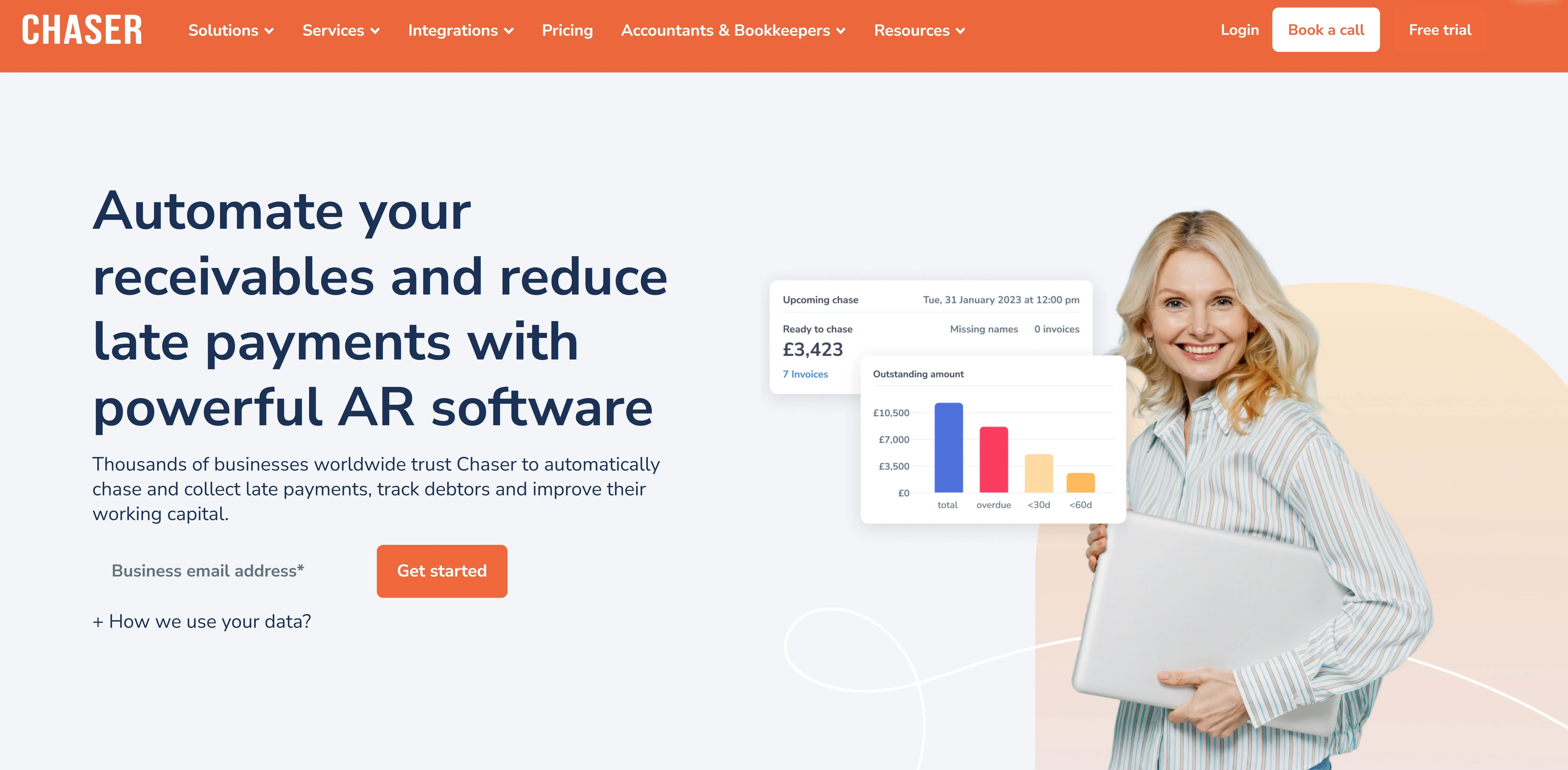
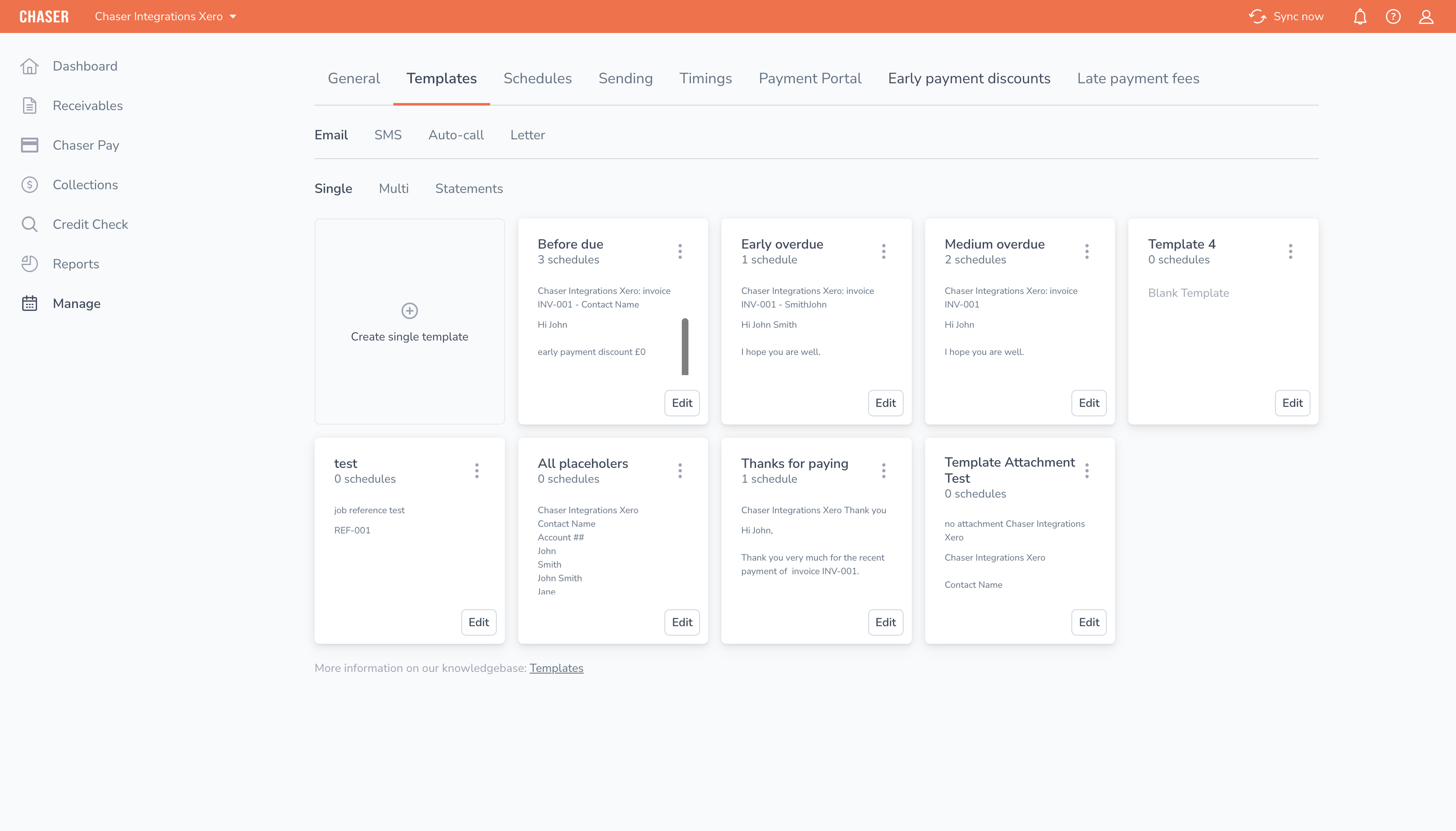
Chaser operates at the intersection of automation and human connection, where businesses achieve their best results. It offers sophisticated solutions to handle complex workflows and multi-channel automation, comparable to enterprise tools, yet remains simple enough for easy implementation within weeks.
What distinguishes Chaser is its hyper-personalization approach as customers get email reminders from your own email with your signature. This preserves customer relationships while maintaining systematic follow-up schedules which eases the tension during collections.
Get paid faster without the awkward conversations
Chaser’s hyper-personalization directly tackles the anxiety of damaging customer relationships. By sending payment reminders from your own email address with your exact signature, messages have the appearance of being hand-typed, even though they're automated.
Customers can't tell the difference. This contrasts sharply with generic automation that feels impersonal and mass-produced.
Multi-channel persistence that gets results
Although a lot of finance teams use email reminders, they often get lost in the customer’s inbox, with 85% of reminders sent via email and 87% of payments still arriving late. Chaser launches coordinated campaigns using a variety of channels: email, SMS, letters, and automated calls.
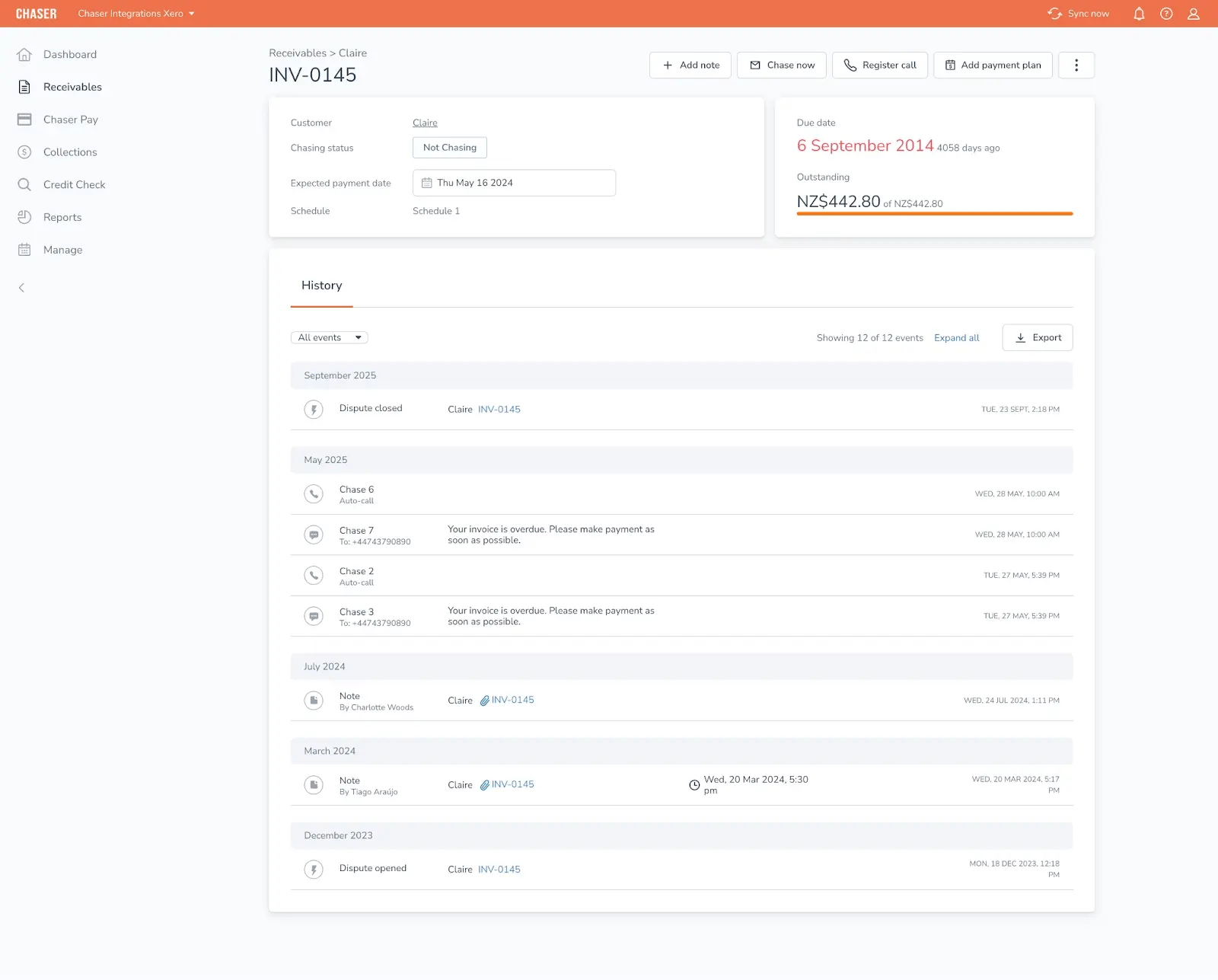
Letters boast a 90% open rate, making them much harder to ignore compared to emails. Chaser also uses smart escalation, where good payers receive gentle reminders while chronic late payers receive persistent follow-ups.
AI-powered intelligence for smarter collections
Managing 200 accounts manually can be overwhelming, often leaving you unsure of which needs attention. Chaser’s AI capabilities offer the solution. Payer ratings identify risky accounts before they become problematic.
Its Late Payment Predictor forecasts which invoices are likely to be paid late with over 90% accuracy. Automated prioritization directs your team to the 5-10 accounts that require immediate human intervention.
.webp?width=3532&height=2016&name=Customers%20(1).webp)
Additionally, dispute workflows automatically pause collections on disputed invoices, avoiding aggressive chasing over billing errors. The Community Energy Scheme embodies the impact of these capabilities, recovering £800K in debt that was previously written off.
Key features
- Hyper-personalized reminders sent from your email with your signature
- Multi-channel automation
- AI payer ratings and late payment predictor
- Customer self-service portal with one-click payment
- Automated dispute workflows that pause collections on disputed invoices
- Native integrations with QuickBooks, Sage, NetSuite, and 50+ accounting platforms
- Chaser Care professional services for crisis situations
- Chaser debt collection services
Chaser pros
- Preserves customer relationships: Clients say, "Customer relationships have never been better," even with more assertive collections
- Rapid implementation: Deploy in weeks and start seeing results within 60 to 90 days
- Proven time savings: Customers save over 15 hours weekly, equivalent to not hiring a 40-60K credit controller
- Dramatic DSO reduction: Case studies show 75% DSO improvement, going from 60 to 24 days
- Scales without complexity: Handles 100 to 10,000 customers with ease
- Comprehensive yet simple: Use features as needed without feeling overwhelmed
- Strong support and onboarding: Dedicated customer success ensures smooth implementation
Chaser cons
- Requires initial setup time to tailor features to specific needs
- May need additional training for staff unfamiliar with automation tools
Pricing
Chaser offers custom pricing tailored to your specific needs and invoice volume. For detailed pricing information, visit the Chaser pricing page.
A free trial is available to test the platform before committing. Typically, ROI is achieved within 6 to 18 months through DSO reduction and time savings. The Chaser ROI calculator can help you forecast your potential return.
What users say about Chaser
- TaxAssist Accountants note that "Chaser has completely eliminated awkward phone calls. We collected £20K in just 30 minutes and saved 3 weeks of staff time annually. Our clients appreciate the professional, consistent reminders."
- Love Brands Limited reports, "We saved 15+ hours every week and that’s time we reinvest in strategic work instead of chasing payments. Surprisingly, customer relationships have never been better."
Chaser enjoys a Capterra rating of 4.9/5 stars, with consistent praise for its ease of use, customer support, and relationship preservation..svg)
Over 10,000 users worldwide rely on Chaser to get paid faster, protect their cash flow and maintain good customer relationships.
Speak to an expert today
2. Gaviti
Best for: Mid-market companies outgrowing spreadsheets.
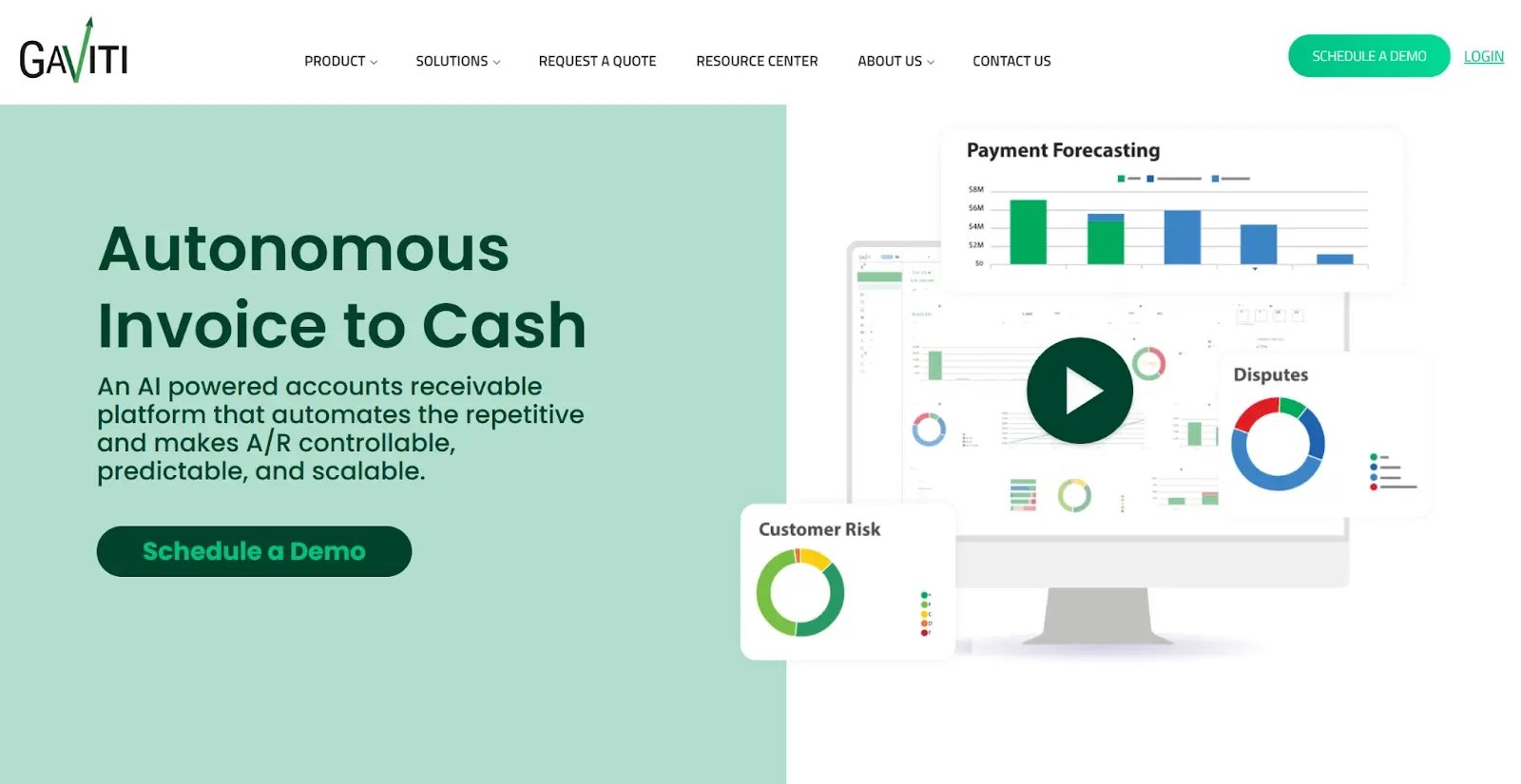
Gaviti is specifically designed for mid-market companies that have reached the limits of spreadsheets and need a more efficient solution.
With many AR teams finding Excel inadequate, with 77% falling behind on deadlines, and 94% reporting errors, Gaviti offers automated tools to manage the growing complexity of accounts receivable processes. This makes it perfect for companies scaling their customer base from 100 to 1,000 and dealing with the challenges that come with growth.
Key features
- Automated payment matching eliminates manual reconciliation, saving over 20 hours weekly
- AI-powered prioritization directs teams to accounts needing attention
- Real-time analytics provide live payment dashboards replacing outdated spreadsheet reports
- Multi-currency and multi-entity support caters to growing businesses
- Workflow automation facilitates systematic follow-up across numerous accounts
- Effortless integration with major ERPs such as NetSuite, SAP, Microsoft Dynamics, and QuickBooks
- Collaboration tools support AR teams managing high volumes
Gaviti pros
- Handles high volume effortlessly: Designed for processing thousands of invoices monthly
- Intelligent prioritization: "Reaches more customers than we can do in a day" (user quote)
- Eliminates spreadsheet chaos: No version control issues, formula errors, or manual data entry
- Strong automation capabilities: Systematic follow-up without constant manual intervention
- Good for AR teams: Collaboration features aid teams in managing complex portfolios
Gaviti cons
- More generic messaging: Automated reminders can feel robotic compared to hyper-personalized alternatives
- Limited multi-channel: Primarily email-focused. Lacks letters, SMS, or call capabilities that enhance reach
- Complex pricing: Custom pricing may seem opaque and might be expensive for smaller volumes
- Relationship preservation concerns: Strong on efficiency, but less focused on preserving customer relationships through personalization
Pricing
Gaviti offers a custom pricing structure based on specific business needs and invoice volumes. For detailed information, visiting Gaviti's pricing page is recommended.
What users say about Gaviti
Gaviti has 4.5 out of 5 stars on G2.
Users praise Gaviti for its ability to replace inefficient spreadsheet processes, with one stating, “Reaches more customers than we can do in a day.” However, some note that the platform's automated messaging could feel less personalized, impacting relationship preservation. Despite this, its automation and prioritization capabilities remain highly valued.
3. HighRadius
Best for: Large enterprises needing end-to-end O2C automation.
.webp?width=1600&height=558&name=highradius%20(2).webp)
HighRadius is positioned as the ideal solution for large enterprises that require comprehensive end-to-end order-to-cash automation. It serves strategic optimizers who view DSO as a strategic lever, providing capabilities that can improve cash flow significantly.
HighRadius stands out as the only true enterprise-grade solution that effortlessly handles complex, high-volume operations, making it perfect for businesses looking for extreme scalability and advanced functionality.
Key features
- Full order-to-cash automation covering credit management, invoicing, collections, and cash application
- Advanced AI and machine learning offering sophisticated collection strategies, predictive delinquency models, and optimal contact timing
- Cash application automation achieving over 95% payment matching accuracy compared to 60-70% with manual processes
- Enterprise ERP integrations with SAP, Oracle, and NetSuite for handling complex environments
- Global capabilities supporting multi-currency, multi-entity, and multi-language operations
- Credit risk management and monitoring to mitigate financial risks
- Comprehensive reporting and analytics providing visibility for the C-suite
HighRadius pros
- Enterprise-grade sophistication designed to manage complexities beyond the capacity of other platforms
- Proven effectiveness at massive scales, processing millions of invoices for Fortune 500 companies
- Advanced AI capabilities with predictive models and optimization algorithms
- A complete order-to-cash solution managing the entire process rather than just collections
- Particularly effective for strategic DSO optimization, enhancing cash flow and freeing significant working capital
HighRadius cons
- Enterprise-only pricing that can be costly for mid-market businesses
- Long implementation timelines requiring 3-6 months or more, along with significant change management
- Powerful features come with a steep learning curve that may be overwhelming for smaller teams
- Necessitates dedicated resources such as IT support and ongoing administration, which smaller businesses may lack
Pricing
HighRadius employs a custom pricing structure based on the specific needs of each enterprise and the volume of transactions processed.
What users say about HighRadius
Highradius Accounts Receivable has an average rating of 4.3 out 5 from 220 reviews on G2.
Users often praise HighRadius for its fit within large enterprises seeking to elevate their accounts receivable processes. Testimonials highlight its ability to efficiently manage high volumes of transactions while integrating seamlessly with existing enterprise systems. Users appreciate the operational improvements and financial insight it delivers.
“Overall, I was awed by the capabilities of their cash application software. Highradius designed a high-performing interface that met my specific individual needs. Having applied cash manually prior to implementation, I saved a lot of time and effort in the processing of receivables. Employees may take a day off, but Highradius never sleeps. Great product. I highly recommend it.”
4. Versapay
Best for: B2B companies prioritizing customer experience alongside collections.
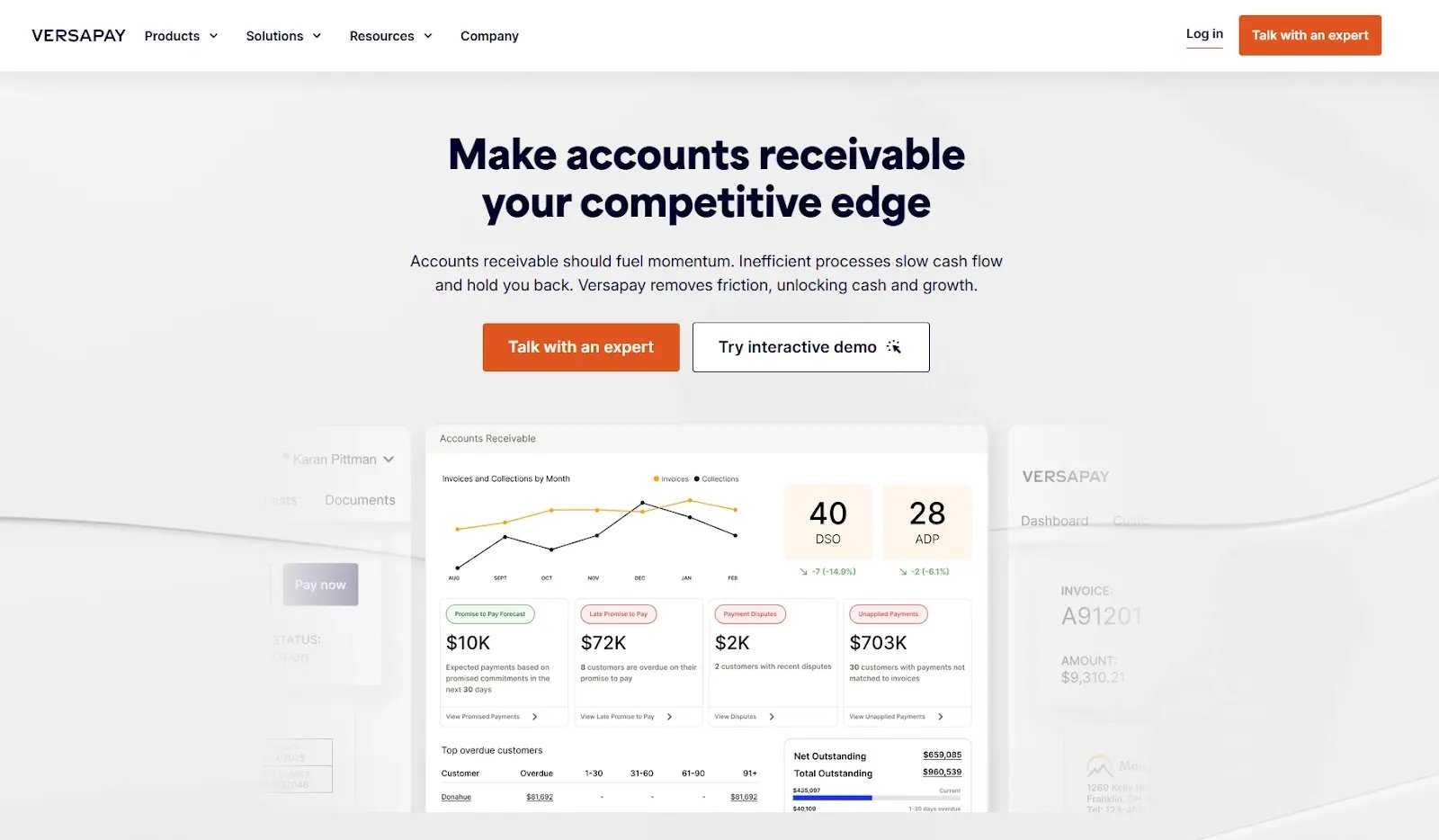
Versapay is designed for B2B organizations that view accounts receivable as both a financial and relationship function. Positioned as a leading collaborative AR platform, Versapay helps businesses accelerate collections while maintaining and enhancing customer relationships.
In a climate where 39% of finance professionals report mental health challenges linked to payment pressures, Versapay addresses the relationship preservation paradox. Many businesses hesitate to follow up with customers for fear of appearing aggressive or intrusive. Versapay focuses on transparency, collaboration, and customer empowerment, turning collections from confrontation into cooperation.
By combining payment facilitation, real-time communication, and dispute management within one platform, Versapay transforms customer experience into a competitive advantage. It is particularly well suited to businesses that manage complex invoicing and long-term customer relationships where retention and relationship quality are as important as timely payment recovery.
Key features
- Customer collaboration portal: Provides customers with self-service access to invoices, payment history, and dispute submission. This reduces friction and makes the collections process more transparent.
- Payment facilitation: Supports multiple payment methods directly within the portal, removing the need for back-and-forth coordination that slows cash flow.
- Disputes and deductions management: Automates dispute workflows to ensure billing errors are resolved early and prevent unnecessary or misplaced collection efforts.
- Supplier network: Connects buyers and suppliers through a shared platform that supports faster and more transparent B2B transactions.
- ERP integrations: Connects seamlessly with major ERP systems to ensure data consistency and real-time updates.
- Comprehensive visibility: Offers a centralized dashboard that provides full visibility into outstanding balances, payment patterns, and dispute activity.
Versapay pros
- Built around collaboration with customers, reducing tension and improving satisfaction in the collections process.
- Improves payment visibility and transparency for both AR teams and customers.
- Simplifies dispute resolution and reduces the risk of strained relationships caused by billing errors.
- Integrates payment facilitation and communication tools to minimize manual coordination.
- Enhances brand reputation by aligning collections strategy with customer experience goals.
Versapay cons
- Relies heavily on customer self-service through the portal, which may delay action if customers do not engage proactively.
- Less suitable for companies that require high-frequency, multi-channel follow-up such as SMS or phone reminders.
- Implementation and adoption can require internal training and adjustments to workflows.
- Less effective in high-volume transactional environments where automation and persistence are higher priorities than relationship management.
Pricing
Versapay uses a quote-based pricing structure. Reach out to them to get more details.
What users say about Versapay
Versapay has an average rating of 4.1 out 5 from 76 reviews on G2.
Users often highlight how Versapay has helped transform collections into a more transparent and cooperative process. Many report that it strengthens customer relationships while improving AR visibility and efficiency.
"Versapay turned what used to be a stressful back-and-forth into a transparent, collaborative process. Our customers appreciate having control over their invoices, and our AR team appreciates fewer disputes and faster payments."
5. Billtrust
Best for: Mid-market to enterprise companies wanting unified invoice-to-cash automation.

Billtrust stands out as the premier choice for mid-market to enterprise companies seeking a unified invoice-to-cash automation platform. It effectively handles the entire order-to-cash (O2C) process, providing businesses with streamlined operations and insightful data management.
With over 24 years of experience in accounts receivable innovation, Billtrust combines deep domain expertise with state-of-the-art technology, making it an industry leader for companies that value comprehensive solutions for their financial operations.
Key features
- Full invoice-to-cash suite covering credit management, e-invoicing, collections, cash application, and payment processing
- AI-powered automation across all processes with the Billtrust Finance Co-Pilot providing real-time analysis and insights
- Embedded payment options with one-click payment buttons in invoices supporting various payment methods
- Intelligent cash application featuring AI-driven matching to instantly reconcile payments to invoices
- Automated collections with smart workflow tools leveraging predictive analytics for effective follow-ups
- Dynamic credit management offering real-time credit risk assessment and automated decisioning
- Extensive ERP integrations compatible with major systems like SAP, Oracle, and NetSuite
Billtrust pros
- Offers a true end-to-end solution that covers the entire O2C cycle from credit assessment to cash posting
- Established leader with 24 years of accounts receivable innovation, demonstrating a strong track record
- Embedded AI and machine learning enhance insights, predictions, and automation across all modules
- Scalable for both mid-market and enterprise needs, ensuring growth alongside your business operations
- Provides an excellent payment experience with embedded options that create a frictionless process for customers
- Strong professional services with 80+ experienced implementation experts guarantee successful deployment
Billtrust cons
- Enterprise-grade pricing may be too high for smaller mid-market companies
- Full platform deployment can be complex and time-consuming compared to point solutions
- The comprehensive suite might be overkill for businesses with simple automation needs
- Extensive features require training, which means there is a learning curve involved
Pricing
Billtrust offers custom pricing tailored to specific business needs and transaction volumes. You can contact them for detailed pricing information.
What users say about Billtrust
Billtrust has an average rating of 4.4 out 5 from 505 reviews on G2.
Users often commend Billtrust for its unified platform, praising it for effectively managing the entire order-to-cash cycle within one solution. The integration of payment options directly within invoices is particularly appreciated for streamlining the process and reducing friction.
However, some note the complexity that comes with such a robust platform, which requires time and training to maximize its potential.
“We have a payment portal that our customers may utilize to view billing statements and current balances, as well as remit payments through a variety of methods. It allows us to better deliver and manage our billing statements, cuts the print/mail time, provides email and e-bill delivery methods, and has helped us significantly decrease our DSO.”
6. Tesorio
Best for: CFOs needing cash flow forecasting alongside collections.
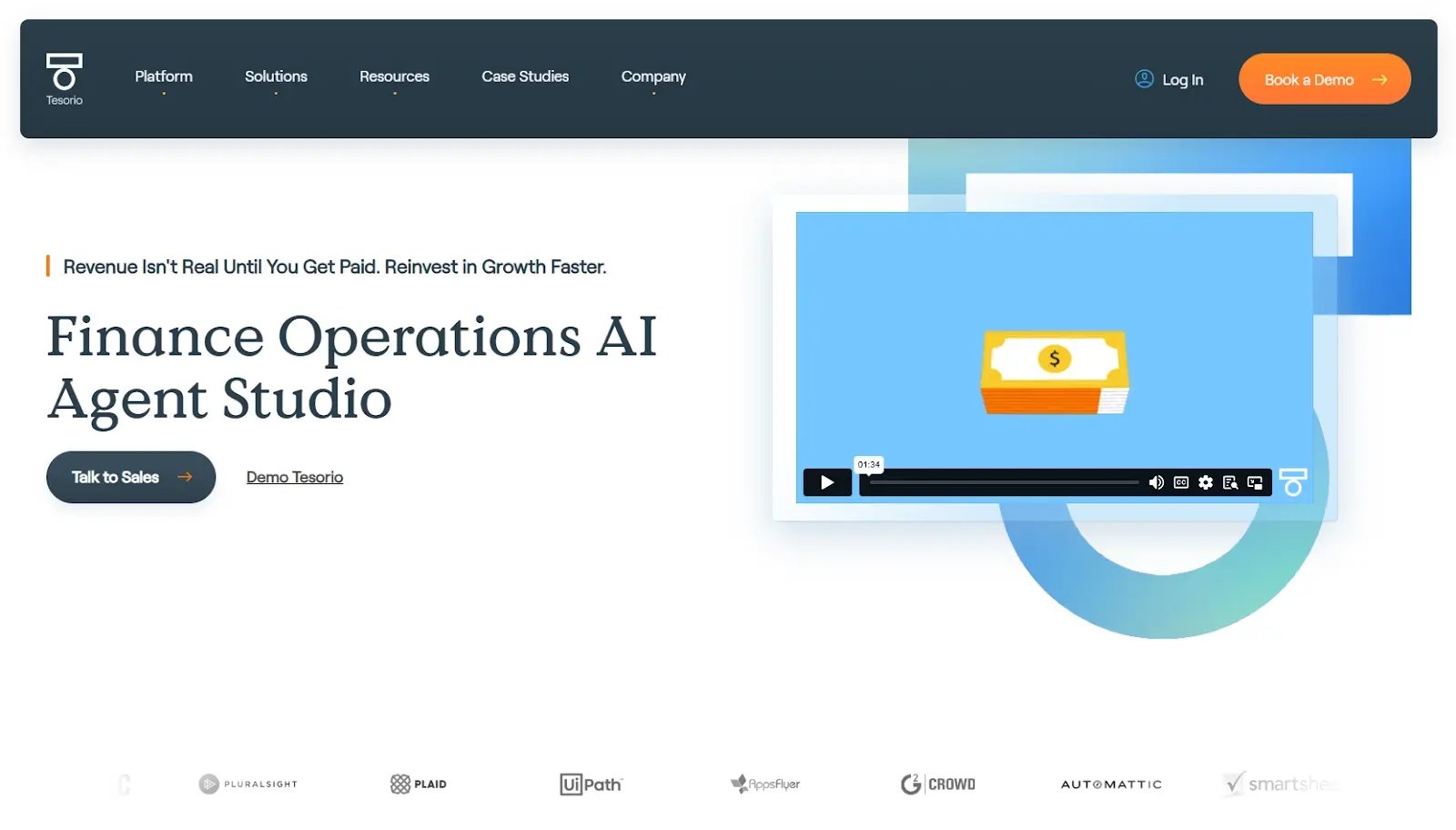
Tesorio is specifically designed for CFOs and finance leaders who need more than collections management. They require comprehensive cash flow forecasting to navigate financial challenges.
The platform is ideal for addressing the "Monday morning cash panic" experienced by many businesses, offering crucial insights into financial planning. With AI-powered predictive analytics, Tesorio provides a level of transparency and foresight that helps businesses make informed decisions, especially when contemplating crucial expenditures like payroll and supplier payments.
Key features
- AI-powered cash flow forecasting predicts payment timing with over 90% accuracy
- Scenario planning allows businesses to model "what if" scenarios for various collection strategies
- Real-time visibility delivers a live cash position dashboard showing projected inflows over 30, 60, and 90 days
- Predictive analytics identify which invoices are likely to be paid late before they become overdue
- Integration capabilities connect Tesorio with existing financial systems for seamless data flow
- Automated alerts keep finance teams informed of any cash shortfalls or unexpected changes
Tesorio pros
- Provides strategic cash planning tools ideal for CFOs and finance controllers
- Offers comprehensive real-time visibility, granting 360-degree transparency in cash positions
- Helps in making informed, data-driven "can we afford this?" decisions weekly by projecting cash positions
- Predicts late payments before they occur, enhancing proactive financial management
- Scenario planning empowers finance teams to explore various fiscal strategies and outcomes
Tesorio cons
- Primarily focuses on cash forecasting rather than collection execution
- May not accelerate payment receipts as rapidly as some other solutions
- Requires investment in training to fully leverage scenario planning and forecasting tools
- Not as effective for businesses seeking quick collection solutions in addition to forecasting
Pricing
Tesorio's pricing is customized based on the specific needs and scale of a business. Reach out directly to Tesorio for detailed pricing information tailored to your requirements.
What users say about Tesorio
Tesorio has an average rating of 4.7 out 5 from 231 reviews on G2.
Users often commend Tesorio for its robust forecasting capabilities, highlighting its role in enhancing financial clarity and decision-making. However, some users mention that while forecasting is strong, actual collection acceleration might require additional tools.
Tesorio was crucial in substantially improving overall collections with less manual work. With Tesorio, we not only significantly reduced the amount of manual work from the team, but also substantially improved our collections performance, which ultimately is key for cash management, a key goal for our business today. The integration with NetSuite is seamless and allows us to quickly navigate between systems.
7. Upflow
Best for: B2B companies wanting modern UX and fast implementation.
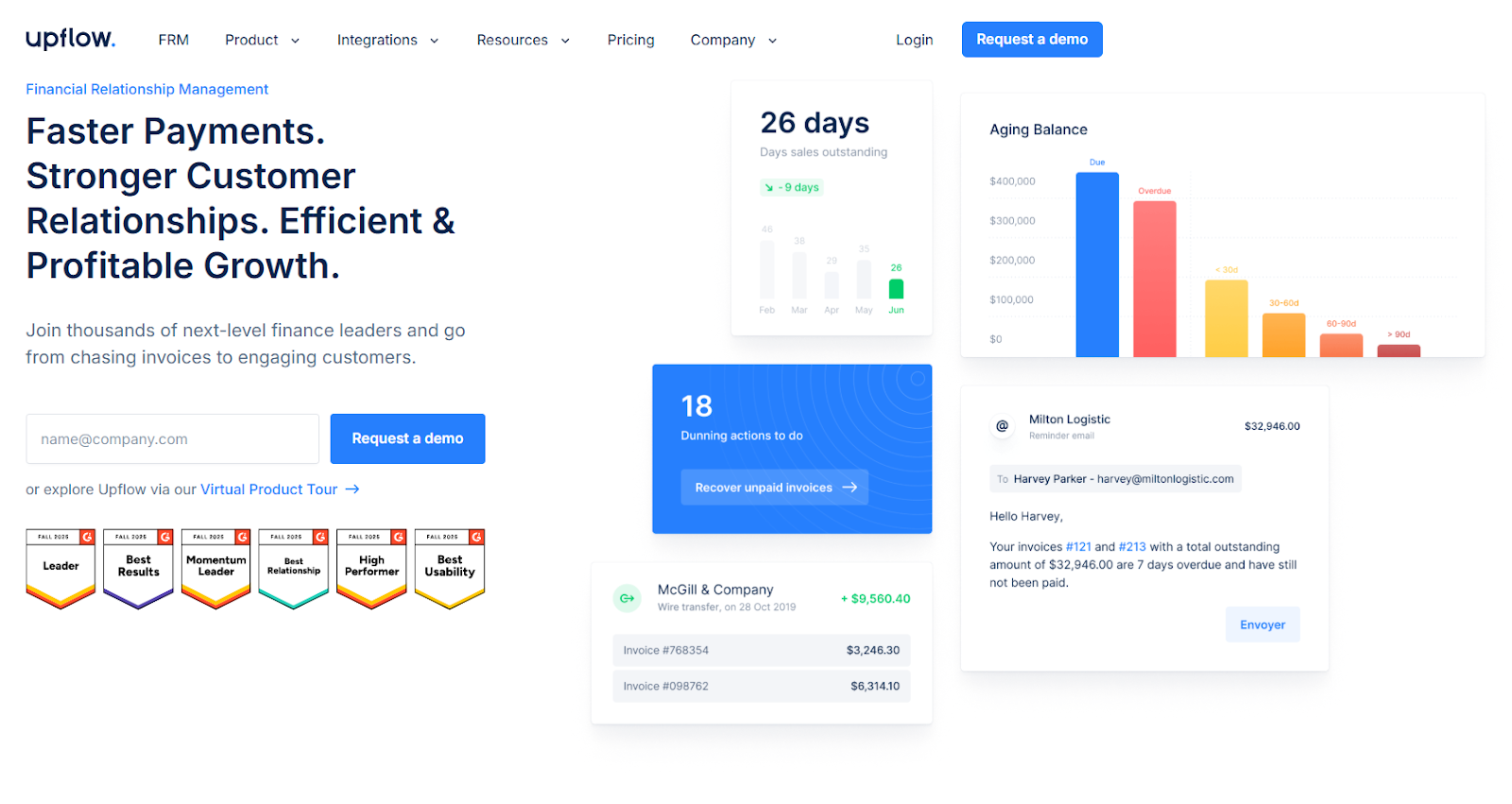
Upflow is an ideal solution for B2B companies seeking a modern user experience and rapid implementation. Designed for smaller businesses that need efficiency without hiring additional staff, Upflow offers a cost-effective alternative to employing a 40K-$60K USD credit controller.
The platform’s straightforward, intuitive interface caters to small finance teams, ensuring that even businesses with limited resources can manage collections effectively and keep operations running smoothly.
Key features
- Simple, intuitive interface with a low learning curve, allowing teams to start effectively within days
- Quick implementation process with seamless integration to connect accounting systems and configure workflows in 1-2 weeks
- Multi-channel reminders through email and SMS to combat the issue of ignored emails
- Customer segmentation enabling the creation of campaigns based on account type, persona, and invoice age
- Affordable pricing structure tailored for small to medium businesses, making it accessible without enterprise cost burdens
- Easy-to-navigate dashboard providing an instant overview of outstanding invoices and cash positions
Upflow pros
- Excellent for businesses needing a user-friendly platform that doesn’t require extensive training
- Multi-channel reminders increase the likelihood of invoices being seen and acted upon
- Supports small finance teams by simplifying collections management tasks
- Affordable pricing offers a cost-effective solution compared to hiring additional staff
- Integration capabilities allow businesses to easily connect existing financial systems
Upflow cons
- Limited features compared to more advanced platforms, potentially constraining more complex financial operations
- Lacks some advanced multi-channel options like letters and auto-calls, which may limit communication reach
- May not scale efficiently for large enterprise companies.
Pricing
Upflow offers a quote based pricing tailored quote based on your specific needs and structure.
What users say about Upflow
Upflow has an average rating of 4.8 out 5 from 231 reviews on G2.
Users often praise Upflow for its modern user interface and the speed with which it can be implemented. Some users also note that while it excels for small businesses, the platform may require additional features to meet the needs of more rapidly growing companies.
Upflow has been a great help for us to save time and reduce our DSO. The platform is easy to use and to implement, we could easily connect it with our existing tools and processes (or replace some of them) and it is now one of our finance team's most widely used tools on a daily basis.
How to choose the right cash collection software for your business
Choosing the right cash collection software involves understanding your specific needs, business size, and urgency for implementation. Here is a step-by-step framework to guide your decision-making process.
Step 1: Identify your primary pain point
If you’re in a cash flow crisis and struggling to make payroll or facing bankruptcy, prioritize platforms that offer rapid implementation and proven DSO reduction, such as Chaser or HighRadius. If your team is overwhelmed by manual processes, focus on software that enhances scaling capabilities and automation, like Chaser or Gaviti.
For businesses worried about damaging customer relationships, platforms emphasizing hyper-personalization and professional consistency, such as Chaser or Versapay, are key.
If payment friction is your issue, where customers find it inconvenient to pay, consider solutions like Billtrust or Chaser for their payment facilitation features. Lastly, if you lack cash visibility, prioritize forecasting capabilities with options like Tesorio or Chaser.
Step 2: Match your business size to platform sophistication
Mid−market companies with $5 million USD to $100 million USD in revenue should look into platforms like Chaser and Upflow.
Enterprises with over $100 million USD in revenue should take a look at platforms like Gaviti and Versapay
Enterprises with over $500 million USD in revenue might benefit from HighRadius or Billtrust depending on complexity.
Step 3: Evaluate implementation timeline needs
If you need relief within 60-90 days, opt for quick implementation platforms like Chaser or Upflow. If you can invest 3-6 months in setup, consider enterprise platforms such as HighRadius or Billtrust. For mid-market options that require weeks to months, explore Gaviti, Versapay, or Tesorio.
Step 4: Consider your specific requirements
If you require multi-channel communication and visibility (email, SMS, letters, calls), choose Chaser. For a customer self-service focus, consider Versapay or Billtrust. If you deal with complex invoicing and disputes, platforms like Versapay, Chaser, or Billtrust are suitable.
For AI and intelligent prioritization, assess Chaser, HighRadius, Gaviti, or Tesorio. If a modern UX is a priority, Upflow or Chaser are worth considering. For a full O2C suite, HighRadius or Billtrust are ideal. Should you have budget constraints, opt for Upflow or Chaser.
Step 5: Test before committing
Most platforms offer free trials or demos that you can test with real invoices and workflows. Be sure to involve your accounts receivable team in the evaluation process and verify compatibility with your current accounting software.
Why delaying automation costs more than you think
Delaying the adoption of automation in cash collection can have significant financial repercussions for your business. Waiting not only incurs direct costs but also results in missed opportunities that could propel growth and competitiveness.
Collectability decay is a critical issue. Each month you delay, more invoices slip into the "probably uncollectible" category. On average, the collection rate starts at 63% at 30 days and plummets to 27% at 90 days, hitting 25% after 12 months. If your business has
$500,000 USD in receivables over 90 days old, waiting an additional 3 months could mean $55,000 USD to $110,000 USD in added write-offs and significantly increase the amount of time spent managing late paying customers.
Opportunity cost of trapped capital is another compelling reason to act. Working capital isn't inert. Having $2 million USD tied up in excess receivables, each month of delay is $11,667 USD monthly.
That’s $11,667 USD not spent on marketing initiatives, hiring team members, or funding growth, but instead financing your customers' operations.
There's also the risk of competitive disadvantage. A striking 67% of companies implemented accounts receivable automation in 2024 as a part of a range of strategies to improve their cash cycle.
While you're manually managing spreadsheets, your competitors are collecting payments 15-20 days faster and reinvesting freed capital to capture market share. Each quarter you delay deepens this gap.
Finally, consider the implementation timeline reality. Deploying new systems takes 2-6 months, with benefits appearing approximately 60-90 days post-deployment.
Starting today could mean relief in 3-5 months, but delaying 3 more months pushes relief to 6-8 months. During this period, a cash crisis might escalate to bankruptcy, employees might find opportunities elsewhere, and aging receivables could become write-offs.
The question isn't whether to automate. Manual processes have already shown their limitations. The real question is: how much more are you willing to lose before you act?
Getting started with cash collection software
Implementing cash collection software can transform your accounts receivable process, but it requires a structured approach. Follow these practical steps to get started:
Step 1: Audit your current state
Begin by calculating your current Days Sales Outstanding (DSO) to understand your baseline. Measure how much time your team spends on manual accounts receivable tasks weekly, and analyze aging buckets to see how much is overdue by 30, 60, or 90+ days. Identify your biggest pain points across the 7 categories outlined in the research.
Step 2: Define your success criteria
Determine what outcomes are crucial for your business. Is it reducing DSO, saving time, or preserving customer relationships? Set specific, measurable goals, such as reducing your DSO from 55 to 40 days within 6 months or saving 15 hours per week. Decide on a budget and what ROI you expect from the investment.
Step 3: Shortlist 2-3 platforms
Choose platforms that align with your business size, pain points, and requirements. Request demos from each finalist and involve your accounts receivable team in the evaluation process to ensure the solution fits their needs.
Step 4: Test with real workflows
Utilize free trials to test the software with actual invoices. Evaluate ease of use, integration with your accounting software, and the quality of customer communication. Ensure that automated messages maintain a professional tone.
Step 5: Calculate ROI before committing
Leverage vendor ROI calculators to assess potential returns. Factor in anticipated time savings, DSO reduction, and fewer write-offs. Compare these benefits against implementation costs and monthly fees. Most platforms achieve positive ROI within 6 to 18 months.
Step 6: Plan implementation carefully
Assign an internal project owner to oversee the transition, schedule communications to inform customers about new payment processes, and train your AR team on best practices for the platform. Pilot automated reminders with a test group before a full rollout.
FAQ?


_%20What%20it%20is%20and%20how%20it%20works%5D%20Outline.png)