


















.svg.png?height=48&name=Zoho_CRM_(application).svg.png)







The best credit control software for most UK finance teams in 2026 is a tool that plugs into the ledger you already run (Xero, Sage, QuickBooks or an ERP), chases every overdue invoice automatically in your own voice, shows you which customers are drifting toward late payment before they get there, and escalates to collections without a handoff to a separate supplier. No single tool wins for everyone though, because the right answer depends far more on the size of your business and the ledger you run than on any overall score. This guide compares 12 credit control and credit management tools, with pricing and ratings checked on 1 September 2026.
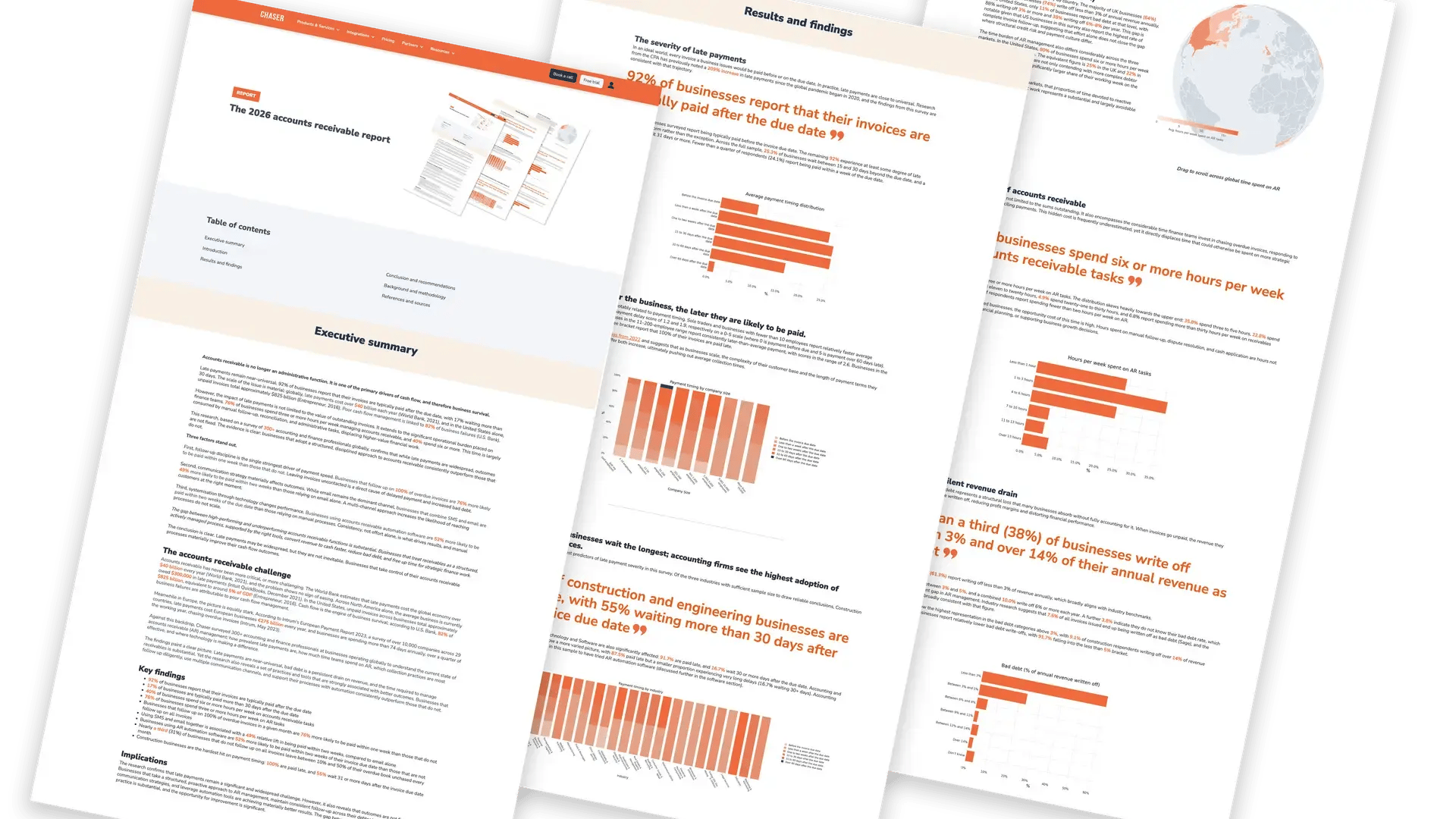
Late payment is the norm, not the exception. According to Chaser's 2026 accounts receivable report, 92% of businesses say their invoices are typically paid after the due date, and 17% typically wait more than 30 days. The same research found 40% of finance teams spend six or more hours a week on receivables tasks. Credit control software exists to cut that time and pull the payment date forward, and the tools below are judged on how well they do exactly that.
Credit control software vs credit management software: which do you need?
The two terms are used interchangeably in search, but they describe two different jobs, and picking a tool built for the wrong job is the most common mistake finance teams make.
Credit management software sits with the credit team and decides whether to extend credit in the first place: credit applications, bureau checks, limit setting, and blocking orders when risk changes. HighRadius, Esker, Onguard and parts of Billtrust are strongest here.
Credit control software sits with the accounts receivable team and manages customers you have already extended credit to: chasing invoices, monitoring payment behavior, resolving disputes, and getting paid. Chaser, Satago, Credit Hound, Paidnice and Access Collect are built for this side.
If you are a credit controller, AR specialist, finance manager or finance director with customers already on terms, you need the second kind, and most of this list is written for you. If you run a large credit function approving new accounts every day, the enterprise platforms in the second half of the list will fit better.
How this list is ordered, and how the tools were chosen
The list runs from the smallest businesses to the largest, not from best to worst. Every tool here is a credible product, and the single biggest predictor of whether one will suit you is the size of your business and the ledger it runs on. So the tools built for small teams come first and the enterprise platforms come last. Find your own size in the list and start there.
Every tool was assessed against the same six criteria, and every price and rating was checked against the vendor's own pricing page or the relevant app marketplace on 1 September 2026, not copied from another list.
- Ledger integration. Native, two-way sync with at least one of Xero, Sage, QuickBooks, NetSuite or Microsoft Dynamics. A credit control tool that needs a spreadsheet upload is a reminder tool, not a credit control tool.
- Automation with control. Automated reminder schedules that can be paused, personalized per customer, and escalated to a more senior contact when an invoice ages.
- Risk visibility. Credit scores, payment behavior tracking or both, so you can see deteriorating accounts before the invoice is overdue.
- Payment path. A payment portal or link in every reminder, because a reminder that makes paying harder than ignoring it does not work.
- Escalation. A route from chasing to formal collections that does not mean starting again with a new supplier.
- Transparent pricing and real reviews. Published pricing where it exists, and independent ratings from G2 or the Xero App Store, quoted with review counts so you can judge the sample size.
Quick comparison: 12 credit control and credit management tools
| # | Tool | Best for | Key integrations | Pricing from | Rating (reviews) |
|---|---|---|---|---|---|
| 1 | Paidnice | Small Xero or QuickBooks businesses wanting automatic late fees and Stripe payments | Xero, QuickBooks Online, Stripe | £49/mo | 5.0 Xero (83) |
| 2 | Satago | Small UK businesses wanting credit reports and invoice finance alongside chasing | Xero, Sage, QuickBooks | £45/mo | 4.93 Xero (92) |
| 3 | Credit Hound | Sage-based teams wanting a per-user tool that lives inside the Sage workflow | Sage 50/200/Intacct/Accounting, Xero, Infor SunSystems | £20 per user/mo | Thin public review base |
| 4 | Chaser | UK and international teams on Xero, Sage or QuickBooks wanting automation, risk insight and collections in one place | Xero, QuickBooks, Sage 50/200/Intacct, NetSuite, Dynamics 365, AccountsIQ | Published by region | 4.98 Xero (374); 4.3 G2 (70) |
| 5 | Access Collect | Businesses already running Access Financials or Dimensions | Access Financials, Access Dimensions | £3,600/yr | Not listed on Xero App Store or G2 |
| 6 | Kolleno | Growing teams wanting a modern AR workspace with payments and reconciliation | Xero, QuickBooks, Sage Intacct, NetSuite (enterprise) | $650 USD per user/mo | 5.0 Xero (18); 117 G2 reviews |
| 7 | Upflow | B2B SaaS and services companies on NetSuite or Stripe | NetSuite, QuickBooks, Xero, Sage Intacct, Stripe, Chargebee | Free Discover plan; $333/mo | 4.8 G2 (234); 5.0 Xero (1) |
| 8 | Quadient AR (YayPay) | Mid-market teams wanting invoice delivery, portals and collections together | NetSuite, Sage Intacct, Microsoft Dynamics, QuickBooks, SAP, Oracle | On request | 4.4 G2 (155) |
| 9 | Onguard | Mid-size and large European credit teams wanting order-to-cash credit management | SAP and other ERPs via connectors | On request | Not listed on Xero App Store |
| 10 | Billtrust | Mid-market and enterprise order-to-cash, strongest in North America | Major ERPs | On request | 4.4 G2 (511) |
| 11 | Esker | Enterprises on Dynamics 365 or SAP wanting AR inside a wider finance automation suite | SAP, Microsoft Dynamics 365, Oracle | On request | 4.2 G2 (33) |
| 12 | HighRadius | Large enterprises wanting credit, collections, cash application and forecasting in one platform | SAP, Oracle, NetSuite, Dynamics | On request | 4.3 G2 (238) |
Ordered by the size of business each tool suits, smallest first. Prices are the vendor's published entry point, in the currency the vendor publishes. Ratings are from the Xero App Store (UK) and G2, with review counts in brackets. "On request" means the vendor publishes no list price.
The 12 best credit control and credit management software tools in 2026
1. Paidnice: best for small Xero and QuickBooks businesses wanting automatic late fees
Best for: small businesses on Xero or QuickBooks Online that want reminders, automatic late fees and Stripe payments set up in an afternoon.
Paidnice is a lightweight credit control tool with a clear point of view: reminders should carry consequences. It automates reminder sequences, applies late fees and interest automatically according to your terms, offers early payment discounts, and takes payment through Stripe. Pricing is by invoices monitored per month rather than by user, which works well for businesses with small teams and steady invoice volumes.
Integrations: Xero, QuickBooks Online, Stripe.
Pricing: published. Essentials £49 per month for up to 150 invoices and two users; Pro from £74 per month for 300 invoices with unlimited users, rising with invoice volume.
Ratings: 5.0 out of 5 from 83 reviews on the Xero App Store.
Consider something else if: you invoice thousands of times a month, need Sage or ERP integration, or want credit risk data rather than reminder automation.
2. Satago: best for small UK businesses wanting credit reports with their chasing
Best for: small businesses and accountancy practices on Xero, Sage or QuickBooks that want to check customer credit and, if needed, finance an invoice from the same screen.
Satago combines three things small businesses usually buy separately: automated invoice reminders, customer credit reports with limit suggestions and real-time risk alerts, and access to invoice finance. The chasing side covers customizable email schedules and a late payment calculator, with SMS reminders and card payment acceptance on higher plans. For a business whose main worry is "can I trust this new customer?" rather than "how do I chase 400 invoices a month?", it is a sensible fit.
Integrations: Xero, Sage, QuickBooks. Separate plans exist for accountancy practices managing multiple clients.
Pricing: published. Basic £45 per month (£450 annually) with 25 credit reports; Premium £80 per month with 100 reports and SMS; Platinum £200 per month with unlimited reports.
Ratings: 4.93 out of 5 from 92 reviews on the Xero App Store.
Consider something else if: you need multi-channel escalation, a collections route, or an ERP integration. Satago is built for the smaller end of the market.
3. Credit Hound: best for Sage-based teams wanting a per-user tool
Best for: finance teams on Sage 50, Sage 200, Sage Intacct or Sage Accounting who want credit control that behaves like part of Sage.
Credit Hound, from Draycir, has been a fixture of the Sage ecosystem for years and now runs as a cloud product. It automates reminder letters and emails, places overdue accounts on stop, creates to-do lists for chasing, and adds an optional PayThem module for taking payment from a reminder. Its per-user pricing suits small credit control teams who want one or two seats rather than a company-wide platform.
Integrations: Sage 50, Sage 200 Professional and Standard, Sage Intacct, Sage Accounting, Xero, Infor SunSystems Cloud.
Pricing: published and varies by ledger. £20 per user per month on Sage 50 and Sage Accounting; £51 for the first user and £35 for each additional user on Sage 200 and Xero; £82 for the first user on Sage Intacct. PayThem instant payment module £38 per month.
Ratings: a thin public review base, with only a handful of reviews across marketplaces, so lean on a demo and references rather than ratings.
Consider something else if: you want behavior-based customer segmentation, credit risk monitoring or a collections route, none of which are Credit Hound's focus.
4. Chaser: best for automated credit control with risk insight and integrated collections
Best for: finance teams on Xero, Sage or QuickBooks with a turnover from about £1m to £100m who want to get paid faster without sounding like a robot.
Chaser automates the whole credit control cycle from the ledger outward. Connect your accounting system (about five minutes for Xero, Sage or QuickBooks), and Chaser pulls every open invoice, groups customers into workflows based on payment behavior or risk, and sends reminders by email, SMS, letter or automated phone call from your own email address, with your own signature. Replies and call notes land in one timeline per customer, so anyone on the team can pick up a conversation.
What separates it from a reminder tool is what happens around the reminders. Credit checks and payment behavior tracking flag the accounts drifting toward late payment. A payment portal sits in every reminder, with card payments, installment plans and early payment discounts. And when an invoice needs more than chasing, Chaser's own collections service takes it on from inside the same platform, so the customer history and the tone of voice carry through rather than starting again with a separate agency. Teams that want the chasing done for them can add Chaser Care, an outsourced credit control service, to any plan.
Integrations: Xero, QuickBooks Online, Sage 50, Sage 200, Sage Business Cloud, Sage Intacct, NetSuite, Microsoft Dynamics 365 Business Central and AccountsIQ, with CSV import for anything else, plus CRM logging into HubSpot, Salesforce and Zoho. See the Xero credit control guide and the QuickBooks accounts receivable guide for ledger-specific setups.
Pricing: published by region, with plans set by your annual revenue rather than per user or per invoice. Current figures are on the Chaser pricing page. A free 10-day trial is available on all plans, with no setup required.
Ratings: 4.98 out of 5 from 374 reviews on the Xero App Store; 4.3 out of 5 from 70 reviews on G2. Chaser was Xero App Partner of the Year in 2023.
Outcomes: Chaser reports an average 10-day reduction in DSO and 15 or more hours saved per week for its users. Those are vendor-reported figures, so measure them against your own ledger during the trial.
Consider something else if: your business runs entirely on an ERP with no accounting-system connector on the list above, or you need a credit-application and order-blocking workflow rather than receivables control.
5. Access Collect: best for businesses already on Access Financials or Dimensions
Best for: UK mid-market companies running The Access Group's finance products who want credit control that lives inside that suite.
Access Collect is The Access Group's automated credit control module. Its main argument is that it sits directly inside Access Financials and Access Dimensions, with no third-party connector, so reminders, dashboards and workflow all run against the same data the finance team already uses. It offers automated reminder workflows, dashboards and reports, unlimited users, and revenue-based pricing rather than per-invoice or per-seat charges. Some features on its own page are marked as still in development, so ask which are live before you buy.
Integrations: Access Financials, Access Dimensions. It is positioned for the Access ecosystem rather than for Xero, Sage or QuickBooks users.
Pricing: published. Essential £3,600 per year for businesses under £10m revenue; Professional £6,600 per year for £10m to £30m; larger tiers on request.
Ratings: no listing found on the Xero App Store or G2 at the time of checking.
Consider something else if: you are not on Access products. The tight integration that makes it attractive inside that ecosystem is exactly what makes it a poor fit outside it.
6. Kolleno: best for growing teams wanting an AR workspace with payments and reconciliation
Best for: scaling businesses with dedicated AR staff who want collections, a payment portal, reconciliation and reporting in one modern interface.
Kolleno presents itself as a full AR workspace rather than a chasing tool: automated and AI-assisted reminder workflows, a customizable payment portal with multiple payment methods, inbox management for customer replies, and reconciliation back to the ledger. The design and workflow are polished, and the enterprise tiers add NetSuite, Dynamics Business Central, SAP and Oracle connectors with AI agent support.
Integrations: Xero, QuickBooks, Sage Intacct on the business tiers; NetSuite, Microsoft Dynamics Business Central, SAP and Oracle on enterprise tiers.
Pricing: published in US dollars and priced per user, which matters for a UK buyer. Business Pay is $650 USD per user per month ($545 billed annually) for businesses above $1m turnover; Business Plus is $1,245 USD per user per month above $10m; enterprise tiers on request.
Ratings: 5.0 out of 5 from 18 reviews on the Xero App Store; 117 reviews on G2.
Consider something else if: you have several credit controllers, since per-user pricing at this level adds up quickly, or you want sterling pricing.
7. Upflow: best for B2B SaaS and services companies on NetSuite or Stripe
Best for: subscription and services businesses, often with a US or European footprint, that want AR analytics and collections built around NetSuite, Stripe or Chargebee.
Upflow's strength is visibility. Its free Discover plan gives you an AR health dashboard benchmarked against other B2B companies before you pay anything, and the paid plans add automated collections workflows, a payment portal and in-app financing. It is popular with finance teams at SaaS companies, where billing already runs through Stripe or Chargebee and the ledger is NetSuite.
Integrations: NetSuite, QuickBooks, Xero, Sage Intacct, Microsoft Dynamics Business Central, Stripe, Chargebee and Salesforce.
Pricing: published. Discover plan free; Starter $333 USD per month billed annually plus a $390 monthly platform fee on paid plans; volume pricing on request for larger tiers.
Ratings: 4.8 out of 5 from 234 reviews on G2, the highest score in this list at a serious sample size. Only one review on the Xero App Store, which reflects its focus on NetSuite and Stripe rather than the Xero market.
Consider something else if: you are a UK business on Xero or Sage. Upflow can connect, but it is not where its product or pricing is aimed.
8. Quadient AR (YayPay): best for mid-market teams wanting portals and collections together
Best for: mid-market finance teams that want customer-facing invoice portals and collections automation in one product.
Quadient AR, formerly YayPay, combines AR automation with customer portals, invoice delivery, payments and collections workflows, with predictive analytics on payment timing. It sits in the middle of the market: more product than the small-business tools on this list, less implementation than the enterprise suites.
Integrations: NetSuite, Sage Intacct, Microsoft Dynamics, QuickBooks, SAP, Oracle and Acumatica.
Pricing: on request. Quadient states that cost depends on business size, process complexity and features.
Ratings: 4.4 out of 5 from 155 reviews on G2.
Consider something else if: you want published pricing and a self-serve trial rather than a sales-led evaluation.
9. Onguard: best for European credit teams wanting order-to-cash credit management
Best for: mid-size and large organizations, particularly in the Netherlands, Belgium and wider Europe, that want credit risk, collections and dispute management managed as one order-to-cash process.
Onguard's CreditManager is a credit management platform in the strict sense: credit risk assessment, credit limits, collections workflow, dispute handling and cash allocation. It integrates with ERPs such as SAP and is used by credit teams with structured approval and escalation processes rather than by small AR teams chasing from a spreadsheet.
Integrations: SAP and other ERPs via connectors; check your specific ledger with Onguard directly.
Pricing: software pricing on request. Onguard publishes its support and success plans (from €200 per month) but not the licence itself.
Ratings: not listed on the Xero App Store; enterprise deals are usually reference-led.
Consider something else if: you are under about £10m turnover or run on a small-business ledger. This is a credit department tool.
10. Billtrust: best for order-to-cash at scale, strongest in North America
Best for: distributors, manufacturers and services companies, mostly in the US, that want invoicing, payments, cash application and collections from one supplier.
Billtrust is a long-established order-to-cash platform with a particular strength in invoice delivery and B2B payments, including its own payments network. Collections and credit management sit within that suite. For a UK buyer, the main caveat is that its market focus, payment rails and pricing are built around North America.
Integrations: major ERPs.
Pricing: on request; no pricing page is published.
Ratings: 4.4 out of 5 from 511 reviews on G2, one of the largest review bases in the category.
Consider something else if: you are a UK business on Xero, Sage or QuickBooks, where the integration depth and support model of a UK-focused tool will serve you better.
11. Esker: best for enterprises on Dynamics 365 or SAP wanting AR inside a wider finance suite
Best for: large organizations that want accounts receivable automation as part of a broader source-to-pay and order-to-cash suite.
Esker's AR product covers credit management, invoice delivery, collections, cash application and dispute resolution, and sits alongside its AP and order management products. Its buyers are typically finance transformation teams standardizing processes across several entities and ERPs, not single-ledger finance teams.
Integrations: SAP, Microsoft Dynamics 365, Oracle and other enterprise ERPs.
Pricing: on request; no list pricing is published.
Ratings: 4.2 out of 5 from 33 reviews on G2, a small sample for a vendor of this size, so weigh references more heavily than the score.
Consider something else if: you want to be live this month. Enterprise suites are implementation projects, not integrations.
12. HighRadius: best for large enterprises wanting credit, collections and forecasting in one platform
Best for: enterprises with high invoice volumes, multiple business units and a dedicated credit function.
HighRadius is one of the largest AR automation platforms in the market, covering credit risk, collections, cash application, deductions and cash forecasting, with heavy use of AI agents across all of them. Its pricing model is a subscription that scales with the modules you use, and its case studies are almost all large corporates.
Integrations: SAP, Oracle, NetSuite, Microsoft Dynamics and other enterprise ERPs.
Pricing: on request. HighRadius describes a pay-as-you-go subscription model but publishes no prices.
Ratings: 4.3 out of 5 from 238 reviews on G2.
Consider something else if: you are mid-market. The platform's scale is its point, and that scale is priced accordingly.
Quick decision guide
Tiny Xero business that wants late fees applied automatically: Paidnice. Small business that mainly wants credit reports: Satago. Sage-only team wanting a couple of seats: Credit Hound. On Xero, Sage or QuickBooks and want automation, risk insight and collections in one tool: Chaser. NetSuite or Stripe-based SaaS company: Upflow or Kolleno. Enterprise credit department: HighRadius, Esker, Onguard, Billtrust or Quadient, depending on your ERP and region.
How to choose the right credit control software
Start with the ledger, not the feature list. A tool that integrates natively with your accounting system will be live in days and keep itself in sync; anything that relies on exports will quietly fall out of date. Then work through these questions.
- Where does the time go today? If the answer is "writing chasing emails", automation is the win. If it is "arguing about disputed invoices", look for dispute workflow and a full communication history. If it is "deciding who to chase first", you need risk data and payment behavior tracking.
- Who else needs to see it? Sales, account managers and directors usually want visibility without a licence. Tools priced per user become expensive fast; tools priced by turnover or invoice volume do not.
- What happens at day 60? Ask how the tool escalates: a more senior contact, a formal letter, a phone call, a collections handover. The tools that own the whole path avoid the awkward restart with a new supplier.
- Can you test it on your own ledger? A free trial against real invoices tells you more than any demo. Chaser, Satago, Paidnice and Upflow all offer a free trial or free plan; the enterprise platforms do not.
- Is the pricing published? Published pricing is a sign the vendor sells to businesses like yours. "Contact sales" usually means an implementation project and a contract negotiation.
FAQs
What are the tools of credit control?
The tools of credit control are the processes and software a business uses to get paid on time: clear payment terms on every invoice, customer credit checks before extending credit, a schedule of polite reminders before and after the due date, a payment method inside every reminder, a record of every conversation with the customer, and an escalation route to formal collections. Credit control software automates most of these steps from your accounting system.
What software do finance managers use for credit control?
Most UK finance managers run credit control from their accounting system plus a dedicated credit control tool connected to it. On Xero, Sage or QuickBooks the common choices are Chaser, Satago, Credit Hound and Paidnice. Larger organizations on SAP, Oracle or Dynamics tend to use enterprise platforms such as HighRadius, Esker, Onguard or Quadient AR, which cover credit risk and cash application as well as collections.
Is there a free credit management app?
There are free tiers and free trials, but no fully free credit control tool for business use. Upflow's Discover plan gives you AR analytics free without collections automation. Chaser offers a free 10-day trial on all plans, Satago and Paidnice offer trials, and most accounting systems include basic automatic reminders at no extra cost, which is a reasonable starting point for a very small business before it needs a dedicated tool.
What is the difference between credit control software and credit management software?
Credit management software helps a credit team decide whether to extend credit: applications, bureau checks, credit limits and order blocking. Credit control software helps an accounts receivable team collect from customers already on credit terms: reminders, payment behavior tracking, disputes and payments. Many vendors use the terms interchangeably, so check which job a tool actually does before comparing prices.
How much does credit control software cost in the UK?
Published UK pricing starts at about £20 per user per month (Credit Hound on Sage 50) and £45 to £49 per month for small-business tools such as Satago and Paidnice, rising to £3,600 per year for Access Collect. Chaser publishes its plans by region on its pricing page, set by annual revenue. Enterprise platforms such as HighRadius, Esker, Billtrust and Quadient AR do not publish prices and are sold on a bespoke subscription.
What is the best debt collection software?
For overdue invoices that need more than reminders, the best option is a credit control tool with an integrated collections route, so the customer history carries through. Chaser is the only tool on this list that combines credit control software with its own collections service. For a full comparison of 18 collections tools, see the guide to the best debt collection software.
See how much sooner you could get paid
Chaser connects to Xero, Sage or QuickBooks in about five minutes, chases overdue invoices in your own voice, shows you which customers are drifting toward late payment, and escalates to collections when you need it.
Start your free trial Book a demoPricing was taken from each vendor's own pricing page, and ratings from the Xero App Store (UK) and G2, on 1 September 2026. Late payment statistics are from Chaser's 2026 accounts receivable report. DSO and time-saved figures are vendor-reported. Where a vendor publishes no pricing, the entry says "on request" rather than an estimate. Last reviewed 3 September 2026.