

















.svg.png?height=48&name=Zoho_CRM_(application).svg.png)







If you're looking for Bill.com alternatives, it’s usually because the "all-in-one" promise no longer meets your team's needs.
Most finance teams don't leave because of the price. They leave because of the complex workarounds. Whether it’s manually splitting invoices just to accept a partial payment or realizing your "automated" reminders are annoying your best customers, the friction eventually outweighs the convenience.
User reviews on platforms such as G2 and Reddit indicate the same three issues frequently reported:
- Rigid AR automation: Reminders that lack the nuance required for high-value relationships.
- Support delays: Waiting days for a ticket response during critical month-end close.
- Manual heavy-lifting: Spending hours on routine tasks that the software was supposed to handle.
Many comparison guides present unstructured lists of 10 tools. This guide categorizes alternatives by what they actually do best. Instead of guessing, you can choose whether you want an Accounts Receivable (AR) or Accounts Payable (AP) tool.
Why finance teams are leaving Bill.com
This guide is based on analysis of a large volume of user feedback to identify the primary drivers behind platform migration. Four themes appeared consistently.
1. AR automation has limited flexibility
Bill.com reminders often follow a "one-size-fits-all" logic. As a result, long term clients may receive the same follow up intensity as chronic late payers. To avoid damaging relationships, many teams disable automation and revert to manual emails, which reduces the value of the system.
2. Manual workarounds for partial payments
Handling partial payments in Bill.com often requires manual workarounds, such as splitting a single invoice into multiple records to reflect a payment arrangement. This increases data entry and complicates downstream reconciliation. For teams managing installment plans or flexible payment options, these limitations can create friction and reduce overall cash flow visibility.
3. Support responsiveness
Many users report challenges with support turnaround times, citing reliance on automated ticketing systems that can delay urgent resolutions. For finance teams managing time-sensitive collections or payment issues, waiting for a response can create operational bottlenecks. Reliable, human-led support is a critical factor for teams managing high-volume receivables.
4. Workflow inefficiencies
Some users find the interface less intuitive for high-volume tasks, reporting that simple actions require excessive clicks or navigation steps. This administrative drag can slow down daily workflows and staff onboarding, leading to a cumulative loss in team productivity. Over time, these small inefficiencies can impact a team's confidence in the system's ability to scale.
Which category of Bill.com alternative do you actually need?
This guide uses a structured approach that starts with helping you figure out the function that’s failing you.
Category 1: AR-focused alternatives
Select an AR specialist if your primary challenges relate to the receivables process. This is typically the optimal path if:
- Your current AR automation lacks the flexibility to reflect specific customer relationships.
- Partial payments require manual invoice splitting or administrative workarounds.
- Standardized reminders do not match the tone required for high-value clients.
- Your team spends significant time each week on manual follow-up emails.
- You require purpose-built collection software rather than a generalist platform.
AR-focused tools are designed to accelerate cash flow, reduce DSO, and offer granular control over customer communications. They typically provide more advanced follow-up logic and better handling of complex payment arrangements than all-in-one systems.
Category 2: AP-focused alternatives
Select an AP specialist if your main operational friction stems from payables workflows rather than collections. This is usually the better fit if you are managing:
- Inflexible or complex approval routing.
- Gaps in expense management and spend visibility.
- High volumes of manual invoice data entry.
- A need for more robust procurement controls or automated payables workflows.
AP-focused platforms are engineered to optimize approval cycles, vendor payment operations, and internal spend management. They are more effective if your challenges center on how funds leave the business rather than how they are collected.
Determining your priority is often straightforward: if your main concerns involve customer relationship management, payment flexibility, and manual chasing, you are in AR territory. If your concerns involve internal approvals, expense tracking, and vendor complexity, you are in AP territory.
Alternatives criterion evaluation
To help you determine the best fit for your finance team, we assessed each platform against five core criteria:
- Mid-market fit: Suitability for established finance teams (5+ users) rather than micro-businesses or large enterprises .
- Time-to-value: The speed of implementation, from minute-level syncs to multi-month deployments.
- Automation flexibility: The ability to handle nuanced customer relationships and complex payment scenarios .
- Integration depth: The quality of two-way synchronization with major accounting systems .
- Support quality: The availability of specialized, human-led expertise versus automated ticketing systems.
Accounts receivable focused Bill.com alternatives
1. Chaser
Best for: Mid-market finance teams that want specialized AR automation, faster collections, and accurate insights into receivables, cash flow and revenue forecasts.
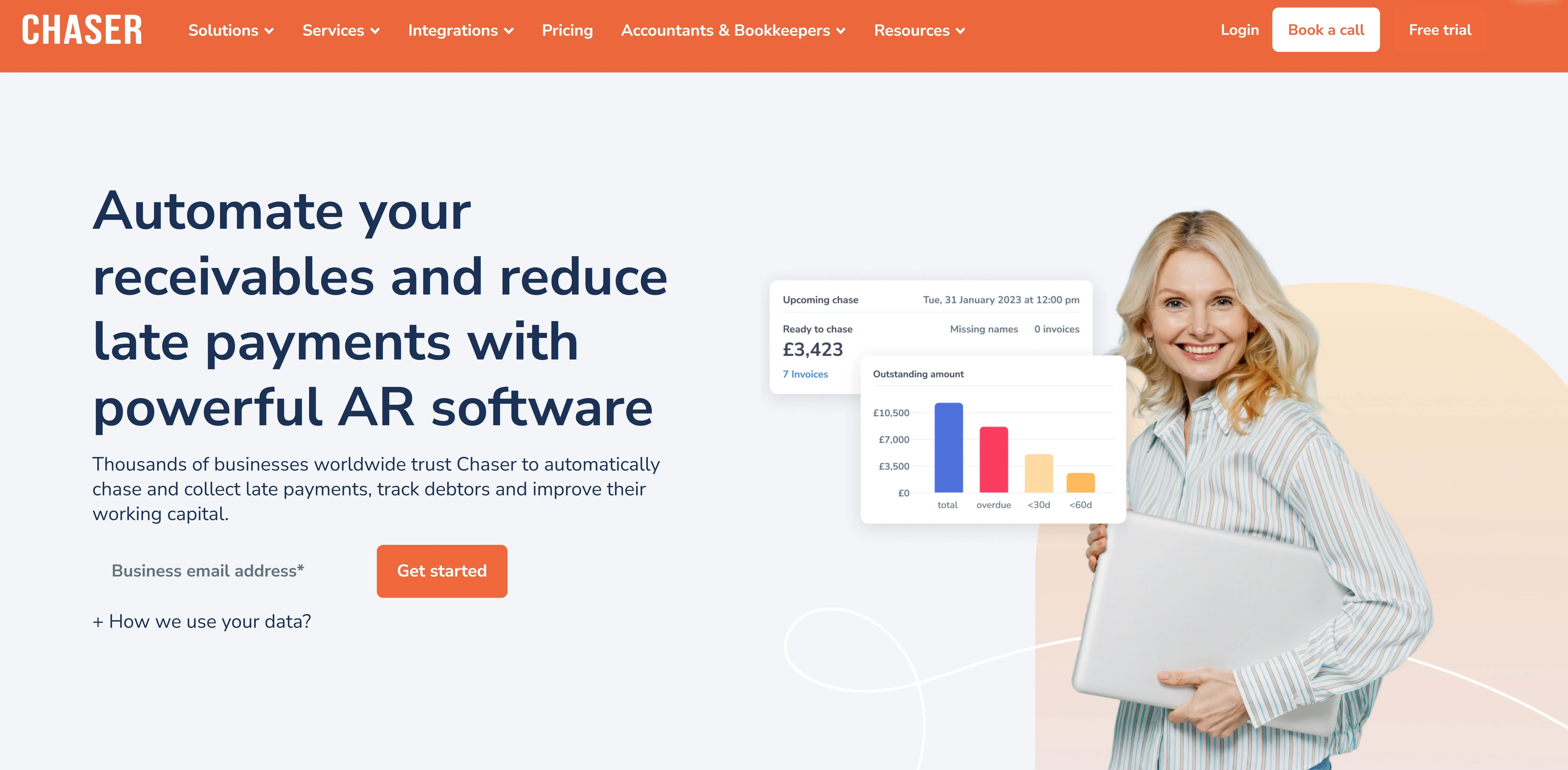
Chaser is a specialized accounts receivable automation platform. This specialization is particularly relevant for businesses transitioning from Bill.com due to specific receivables challenges.
Where Bill.com’s reminders may lack the flexibility to reflect nuanced customer relationships, Chaser provides highly customizable scheduling and advanced audience segmentation. Rather than requiring manual workarounds for complex transactions, Chaser includes purpose-built tools for managing payment plans and escalating collections.
Furthermore, Chaser prioritizes responsive, human-led support and specialized AR expertise to ensure you can resolve operational issues quickly.
Custom scheduling and payer rating: Automation with better judgment
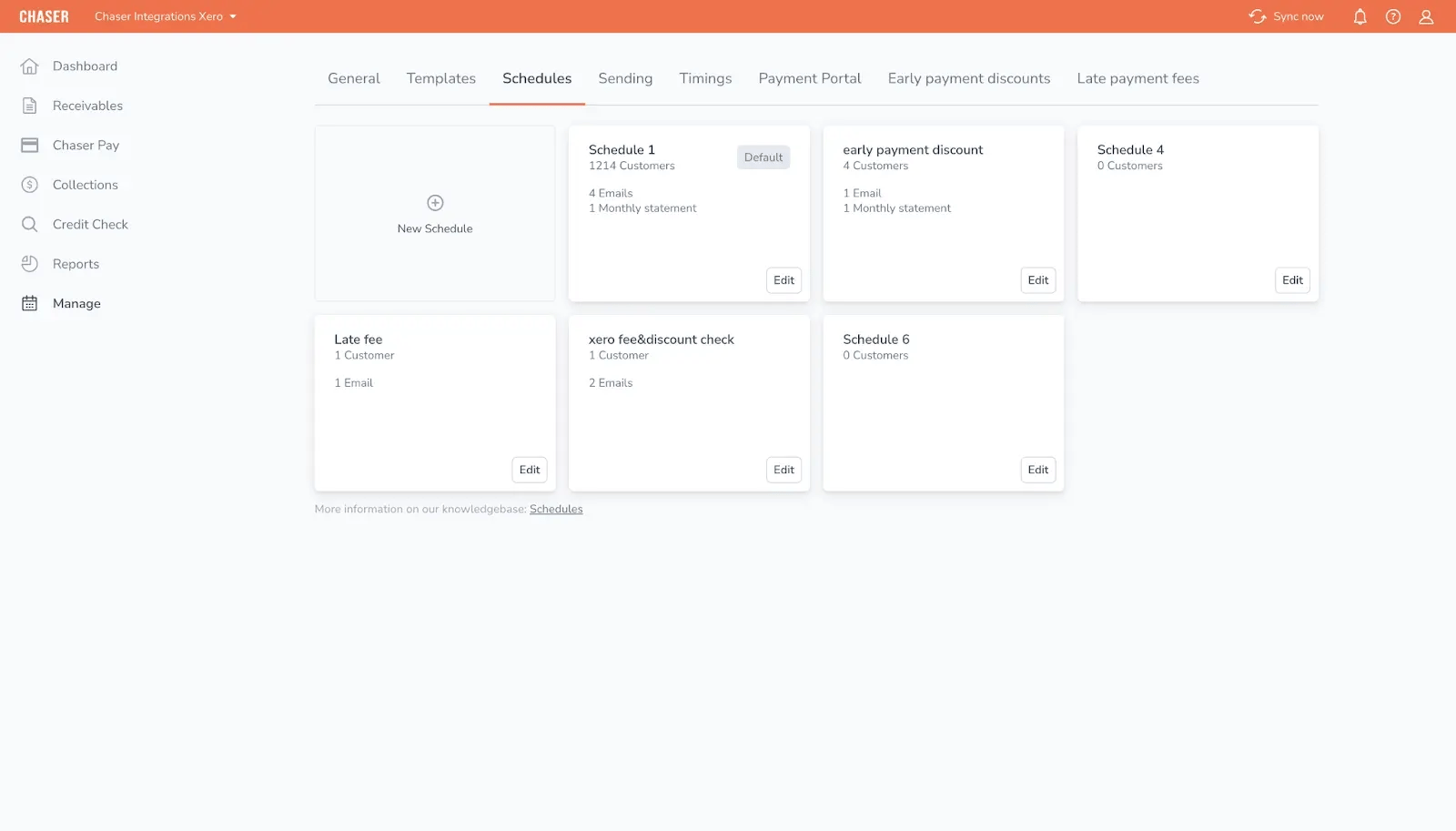
With Chaser, you can create unlimited custom schedules tailored to specific customer groups, adjusting timing and tone based on payment history and relationship value. This gives you granular control over the collection process, so communications are always appropriately prioritized.
Chaser's Payer Rating feature classifies customers based on their payment behavior, automatically refining follow-up intensity. This helps teams focus their efforts on late payers while maintaining positive relationships with consistent ones, reducing the risk of friction with high-value clients.
This tailored approach was instrumental for Love Brands, which saved over 15 hours per week on manual work by using Chaser's customizable automation and relationship-preserving logic.
Cash flow Intelligence suite: Beyond collections, into cash visibility
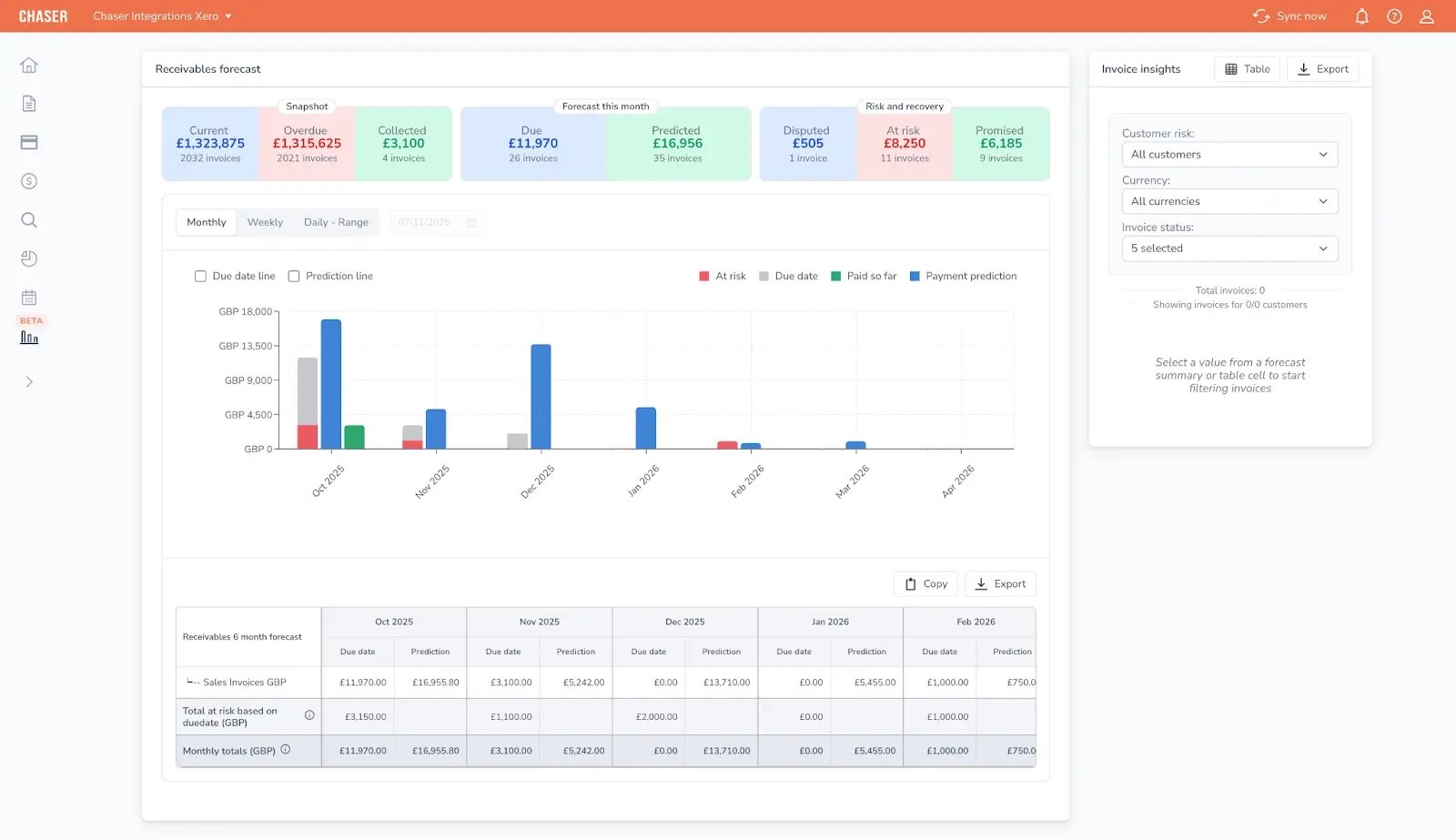
Most AR platforms stop at getting invoices paid. The gap they leave is knowing what that means for your cash position over the next 30, 60, or 90 days.
Chaser's Cash Flow Intelligence suite closes this gap by connecting live receivables data directly to forecasting. Rather than treating collections and cash planning as separate workflows, Chaser uses the same behavioral data that drives your chasing, based on how customers actually pay rather than when invoices are due, to power three forecasting tools:
- Receivables forecast: Shows when invoices are likely to be paid, not just when they're due, with at-risk invoices flagged so teams can prioritize accordingly
- Cash flow forecast: Blends your ledger, receivables pipeline, and manual inputs into a single live view of future cash position, with configurable prediction methods per category
- Revenue forecast: Projects expected, best-case, and worst-case scenarios using AI, giving leadership visibility into gaps and growth opportunities before they materialize
For finance teams evaluating Bill.com because of poor cash visibility, not just collections friction, this means you're not adding a separate forecasting tool alongside your AR platform. The two are already connected.
Payment plans and portal: Structured partial payment handling
.webp?width=1134&height=1600&name=payment%20portal%20(1).webp)
Without native partial payment support, teams resort to manual workarounds like splitting a single invoice into multiple records to reflect an installment arrangement. This increases administrative time and complicates reconciliation.
With Chaser, you can create dedicated payment plans that structure installments directly within the platform without altering the original accounting record. You define the number of payments, specific values, and timing, while Chaser automates follow-up against each scheduled installment.
The customer payment portal reduces friction further by giving customers a centralized place to view invoices and choose from multiple payment methods, including card, bank transfer, and direct debit. This transparency makes for a more professional customer experience and easier collection.
- Accelerated collections: Users have reported reducing DSO from 60 to approximately 24 days, while others, such as Docuflow, secured payments 54 days faster after introducing flexible payment options.
- Predictable cash flow: Community Energy Scheme secured £18,000 per month in automated payments through the portal's direct debit integration.
If partial payments and payment flexibility are high on your list, Chaser is a relevant option.
Seamless integration and receivables CRM: Less friction, more visibility
With generalist platforms, maintaining data accuracy across multiple systems takes significant time and depletes operational resources.
Chaser's two-way sync with Xero and QuickBooks keeps data current without manual intervention.
Customers, including Glaze Digital and Love Brands, note that they completed their setup in minutes, which provided immediate access to automated workflows.
Beyond the initial integration, Chaser's receivables CRM acts as a centralized hub for all debtor communications and account histories. A single, audit-ready timeline of every interaction, reply, and follow-up eliminates the need to cross-reference disconnected inboxes and accounting records, reducing the risk of inconsistent communication or duplicated effort.
Pros
- Specialized AR Focus: As a purpose-built accounts receivable platform, Chaser provides deeper functionality for collections and debtor management than generalist suites.
- Intelligent collections: Features like Payer Rating and customizable scheduling allow mid-market teams to automate follow-ups while maintaining relationship context .
- Enhanced payment flexibility: Dedicated payment plans and a centralized customer portal reduce friction for partial payments and installment arrangements.
Limitations
- Specialized scope: Chaser is a dedicated accounts receivable platform and does not include native accounts payable (AP) or expense management workflows.
- Requires supplementary tools: Organizations requiring advanced procurement controls or automated vendor bill-pay will need to utilize a separate AP platform alongside Chaser.
- Integration focus: While it offers deep two-way synchronization with major accounting systems, full automation relies on maintaining an integrated tech stack .
Pricing
Chaser offers custom pricing tailored to your specific needs and invoice volume. The pricing page has more details. You can use a free trial to test the platform before committing. Typically, ROI is achieved within 6 to 18 months through DSO reduction and time savings.
User reviews
Chaser has a Capterra rating of 4.9/5 stars, with consistent praise for its ease of use, customer support, relationship preservation, reduced debtor days, and strong support.

2. Gaviti
Best for: Mid-market B2B companies processing high volumes of monthly invoices that require cross-departmental collaboration between finance, sales, and operations.
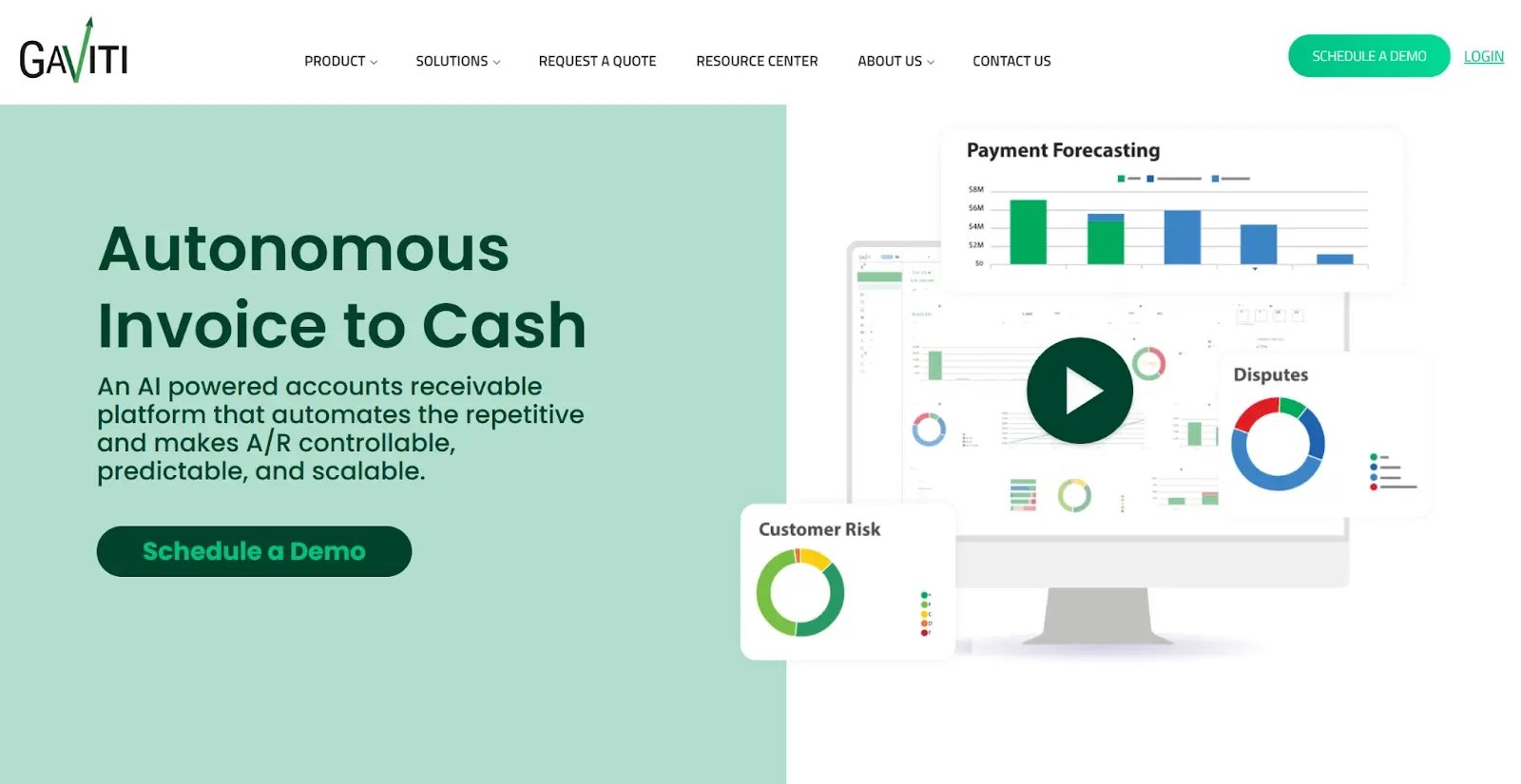
Gaviti positions itself as a collaborative AR platform where finance, sales, and customer service all work from the same receivables picture.
The platform is designed around cross-functional visibility. It provides a centralized collector workspace showing every invoice status, customer outreach history, promised payments, and disputes. Finance sees aging, sales tracks relationship health, and operations monitors disputes. This reduces duplicated effort or over-messages customers.
Gaviti automates collections workflows with AI-powered reminders and personalized sequences. It preserves context through team collaboration features like tagging colleagues and adding shared notes. This allows you to track dispute resolution from initiation to settlement in one place.
However, Gaviti’s collaborative strength comes with some implementation complexity. Expect a longer onboarding period compared to lighter, plug-and-play tools.
Gaviti key features
- Team collaboration workspace: A centralized dashboard where finance, sales, and operations view invoice status, outreach history, and shared notes in real-time.
- Zero-fee ACH payments: Unlike Bill.com’s per-transaction fees, Gaviti includes a payment portal with free ACH, reducing the cost of collections.
- AI-powered automation: Multi-step reminder sequences adapt to risk levels and invoice age, while an AI engine matches payments to invoices in minutes.
- Dispute and deduction management: Built-in claim forms and tracking logs ensure customer disputes are resolved systematically rather than lost in an inbox.
Gaviti pros
- Prevents communication errors: Shared dashboards stop repetitive messaging to customers who are already in negotiations with other departments.
- Significant time savings: Automated workflows eliminate manual chasing, recovering hours for your team to focus on complex accounts.
- Professional customer portal: A self-service portal lets customers view their history, submit disputes, and pay via multiple methods.
Gaviti cons
- Performance lag: Users report system slowdowns, sometimes waiting minutes to save a note, especially when handling large datasets.
- Technical hurdle: Implementation is a significant project, often taking weeks or months rather than days, and the interface has a steeper learning curve.
- Reporting limits: Deep analytics can be difficult to navigate, and users find the customization options for management summaries more limited than expected.
Gaviti pricing
Quote-based, subscription pricing tailored to invoice volume, complexity, and required modules. No free trial available.
Gaviti reviews
Capterra: 4.5/5 (91 reviews). Users praise automated workflows, team collaboration, responsive and helpful customer service.
AP-focused Bill.com alternatives
3. Ramp
Best for: Startups and mid-market companies prioritizing cost-efficient AP automation, spend control, and corporate card management.
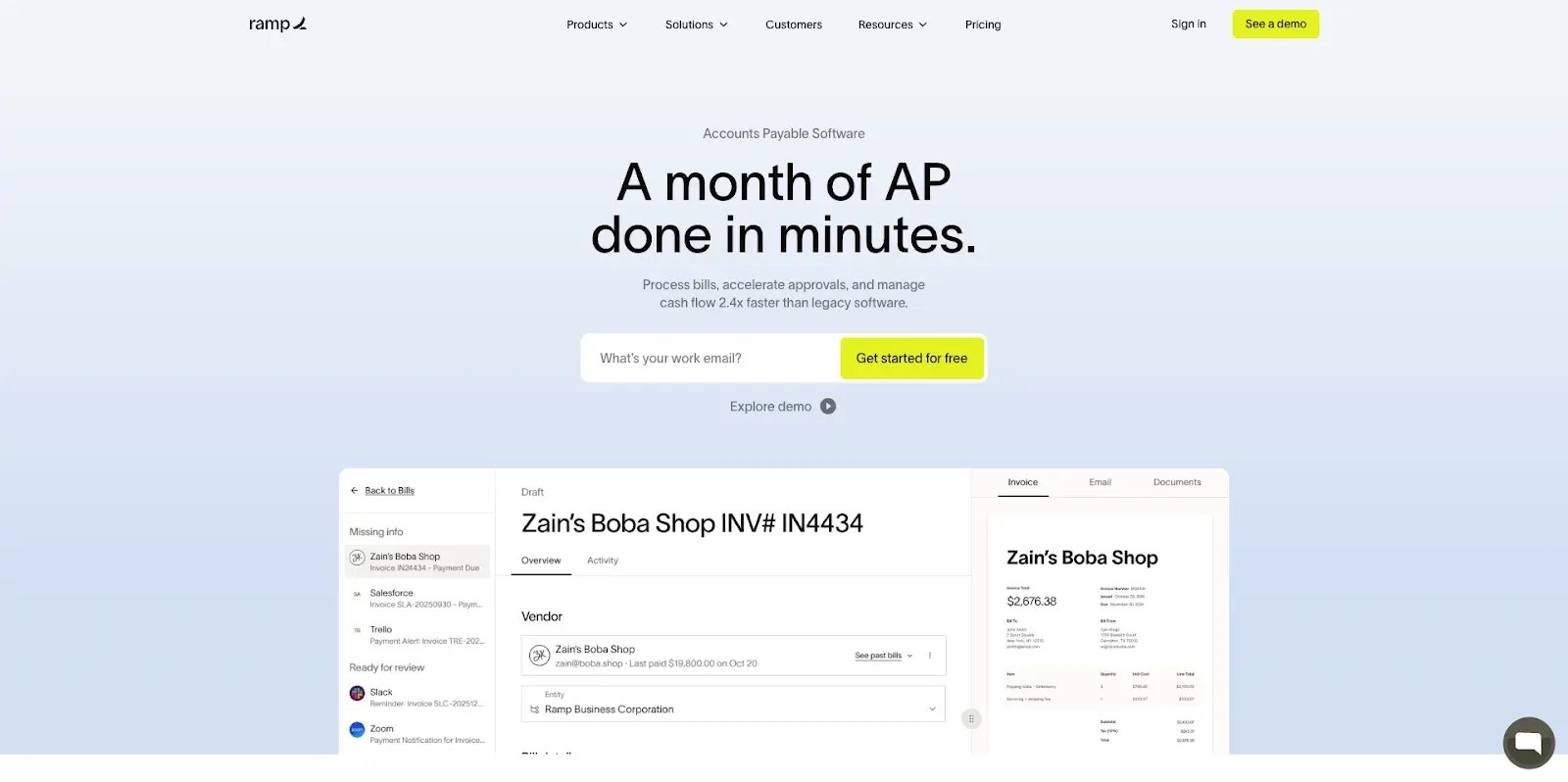
Ramp is often the first choice for teams looking to eliminate the subscription and transaction fees associated with Bill.com. While Bill.com charges for subscriptions and wires, Ramp offers a free tier with no processing fees for standard ACH or check payments. Instead of charging you to move money, Ramp provides 1.5% cashback on every card transaction.
The platform combines corporate cards with built-in spend controls and AI-powered automation. It processes bills significantly faster than legacy software and emphasizes rapid setup. Most teams can connect their ERP and issue cards.
Ramp key features
- AI-powered AP automation: OCR captures invoice details with high accuracy. The system automatically codes GL accounts and routes approvals to the correct manager.
- Corporate cards with built-in controls: You can issue unlimited physical and virtual cards with preset merchant restrictions. This prevents out-of-policy spending before it happens.
- Automated expense management: Employees submit receipts via text or the mobile app. The AI categorizes transactions automatically and syncs them to your accounting software.
- Fast ERP integration: Ramp connects to NetSuite, QuickBooks, Xero, and Sage Intacct with real-time sync. This is designed to reduce month-end close time
- PO and invoice matching: Automated 2-way (PO to invoice) and 3-way (PO, invoice, receipt) matching ensures accurate billing, import POs from NetSuite or QuickBooks seamlessly
Ramp pros
- Virtually free to use: The lack of transaction fees combined with cashback often makes the platform a plus for users.
- Modern interface: The UI is fast and intuitive. It reduces the manual effort required compared to the more complex Bill.com interface.
- Instant implementation: You can connect your ERP and move all business spend to the platform within 30 days.
Ramp cons
- Advanced features locked behind paid tiers: While the free tier is robust, advanced procurement workflows and global payment capabilities require the paid tiers. Some users find the cost of this upgrade expensive for smaller companies.
- Reported sync limitations: Some verified users note that marking invoices as "paid" in NetSuite does not always trigger an automatic update in Ramp. This requires manual intervention and can lead to data redundancy if invoices must be split to match purchase orders.
- AI accuracy in specific scenarios: The AI still requires refinement when matching receipts and memos to purchases. It can occasionally become confused if a user submits multiple receipts out of order or makes several similar purchases in a short window.
Ramp pricing
Ramp operates on a tiered model designed to grow with your business.
Ramp reviews
Capterra rating: 4.9/5 stars. Users frequently praise the platform for its modern interface and the significant financial value of the free tier. Many reviews highlight a fast, intuitive setup process that feels several steps ahead of legacy expense management systems.
4. Tipalti
Best for: Mid-market and enterprise organizations requiring automated global supplier payments and integrated international tax compliance.
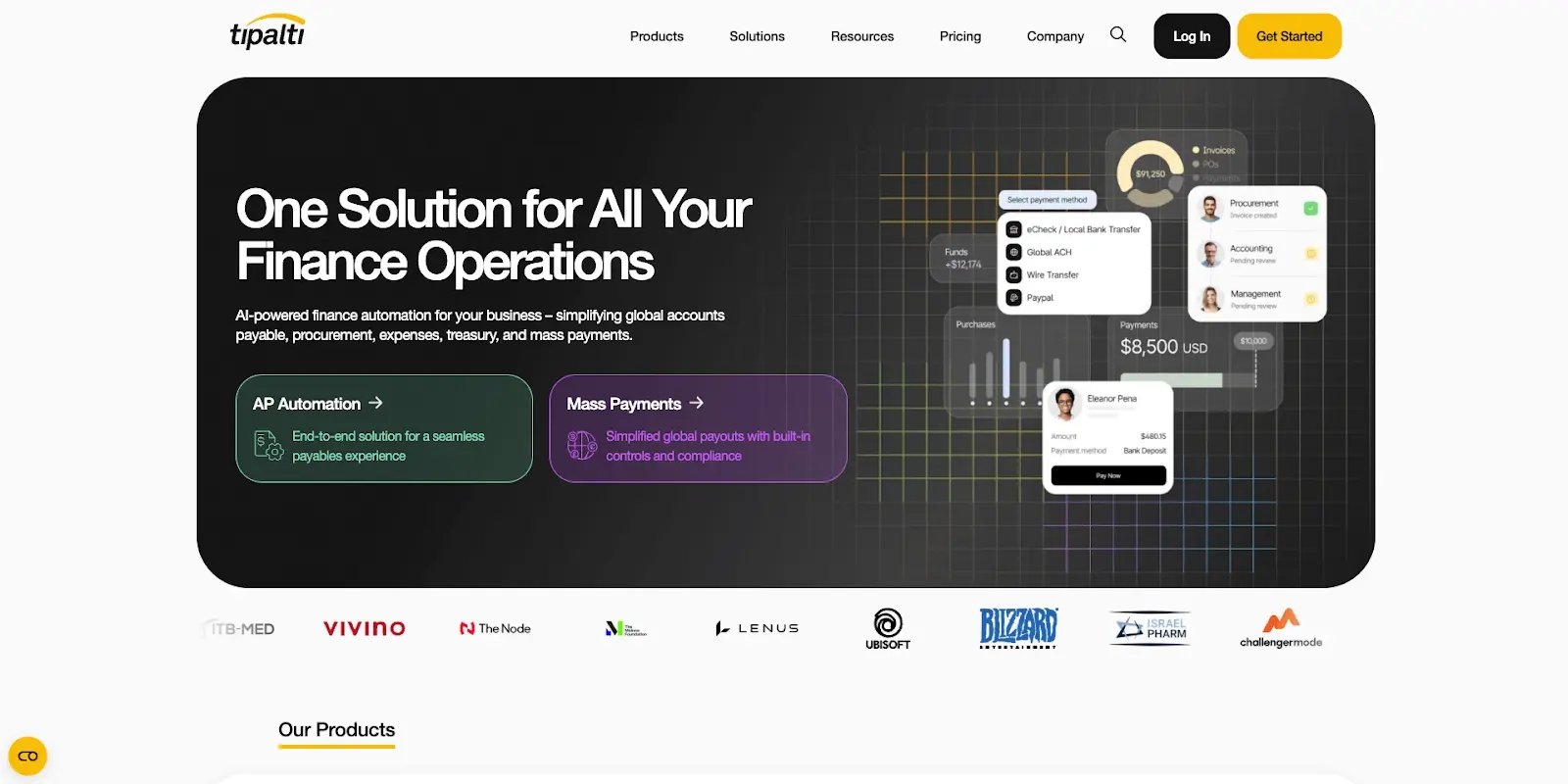
Tipalti is an enterprise-grade global payables platform. It emphasizes end-to-end supplier lifecycle management. This includes multi-language self-service onboarding across 200 countries.
The platform is designed for companies that have outgrown domestic-focused AP tools. It executes payments in 120+ currencies using over 50 methods, including local payment rails and PayPal. Tipalti positions itself as the infrastructure for sophisticated, global operations.
However, Tipalti targets enterprise budgets and complex workflows. While the technical setup is fast, full deployment often requires several weeks or months. The platform offers zero AR functionality.
Tipalti key features
- Global mass payments infrastructure
Process supplier payments across 200+ countries and territories via multiple payment methods including ACH, wire transfers, PayPal, and local payment rails. Cross-border routing is handled automatically, so your team doesn’t have to manage it manually. - Automated tax compliance
Built-in tax form collection, automated withholding calculations, and VAT/GST compliance across major jurisdictions. This reduces manual tax documentation across international supplier bases. - AI-powered invoice processing
OCR captures invoice data automatically, AI predicts GL account coding, and approval routing runs on historical patterns. This covers two-way and three-way PO matching. - Enterprise fraud detection
Multi-layered payment verification, duplicate detection, and sanctions screening protect against payment fraud at scale, including bank account verification.
Tipalti pros
- True global scale
Handles payments across 200+ countries with built-in compliance for international tax regulations, including VAT, GST, and withholding requirements. This is functionality that requires manual workarounds or third-party services in domestic-focused platforms. - Automated tax compliance reduces risk
Automatic tax form collection from suppliers, withholding calculations, and 1099 generation reduces the administrative burden of managing compliance for large international supplier bases. - Comprehensive supplier lifecycle management
Self-service onboarding in multiple languages, payment status visibility, and automated remittance advice reduces the effort of managing a global supplier base. - Enterprise-grade fraud controls
Multi-layer payment verification, duplicate detection, and sanctions screening provide protection essential when processing high volumes of payments across multiple geographies.
Tipalti cons
- Complex implementation
Technical setup is relatively fast, but full deployment typically requires several weeks to months depending on integration complexity. Users cite ERP sync issues and necessary rework as contributing factors to timelines that extend beyond initial estimates. - Limited value for domestic-only operations
Teams whose supplier base is predominantly domestic will find Tipalti’s global infrastructure underutilized. Simpler AP platforms offer a more proportionate fit for those use cases.
Tipalti pricing
Quote-based pricing tailored to payment volume, number of suppliers, currencies used, and modules required.
Tipalti reviews
Capterra rating: 4.6/5 (160+ verified reviews). Users highlight global payment capabilities and automated tax compliance as core strengths. Tipalti is best suited for companies processing high volumes of international supplier payments where international tax compliance is a hard requirement.
AR+AP focused Bill.com alternatives
5. Highradius
Best for: Enterprise-level organizations with high transaction volumes seeking comprehensive AR and AP functionality in one tool.
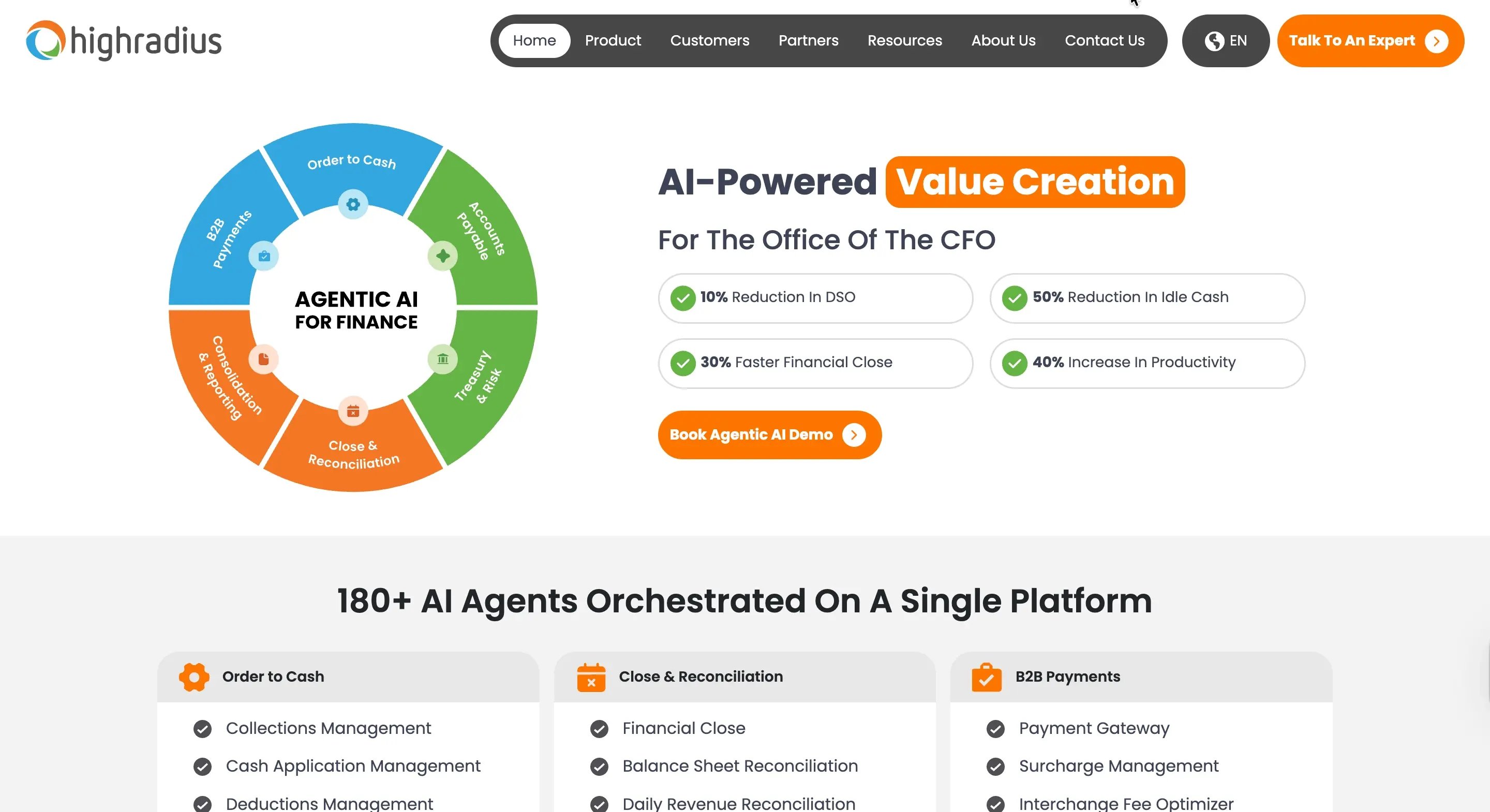
Where Bill.com separates AP and AR into disconnected modules, HighRadius unifies the entire cash cycle, giving finance teams a single view of what's owed and what's due.
It covers everything from credit management and invoicing through collections, cash application, dispute resolution, invoice capture, 3-way matching, and payment execution. The AR side runs on AI-driven collections with predictive delinquency models, closing deductions at speed through automated dispute handling.
It integrates with 50+ ERPs handling multi-entity and multi-currency complexity without custom workarounds.
HighRadius key features
- AI-powered cash application: Matches payments to invoices at the line-item level, handling complex remittances and partial payments that would otherwise require manual reconciliation.
- Intelligent collections management: Prioritizes accounts by payment history and automates outbound communications, so collectors focus on the accounts that actually need attention.
- Deductions management: Aggregates claim backup automatically and uses predictive logic to resolve disputes faster than manual review allows.
- Comprehensive O2C suite: Collections, cash application, deductions, and e-invoicing in one platform. Not separate tools stitched together.
HighRadius pros
- Enterprise-scale automation: Built for organizations processing high transaction volumes, where manual workflows break down and robust automation becomes a necessity, not a nice-to-have.
- Broader AR coverage than Bill.com: Goes beyond basic invoicing and collections to include dedicated deductions management and credit management
- Pre-built ERP connectors: Native integrations with SAP, Oracle, Workday, and 50+ other enterprise systems reduce implementation risk and ongoing sync issues.
- End-to-end workflow automation: AI agents handle the full cycle from credit review to cash posting, reducing manual intervention across large finance teams.
HighRadius cons
- Extended implementation timeline: Implementation typically averages 6-8 months, which may not meet the requirements of mid-market teams seeking faster time-to-value.
- Significant learning curve: The platform’s complexity requires dedicated training and may necessitate specialized IT support for setup and maintenance.
- Operational scale mismatch: For many mid-market teams, the enterprise-level features and infrastructure requirements may exceed their actual functional needs.
- Support responsiveness: Users have reported challenges with support consistency and frequent changes in account management teams.
- Performance at scale: Some users have noted system lag when processing very large datasets or searching historical payment records.
HighRadius pricing
Pricing is quote-based and scaled according to transaction volume, user count, and required modules. HighRadius is positioned for enterprise budgets, with implementation costs reflecting its comprehensive scope.
HighRadius reviews
HighRadius holds a Capterra score of 4.4/5. Users frequently cite the platform’s automation efficiency as a major benefit, while noting the long implementation window and steep learning curve as primary challenges.
6. Centime
Best for: Mid-market teams looking for an all-in-one cash management platform that unifies AP and AR.
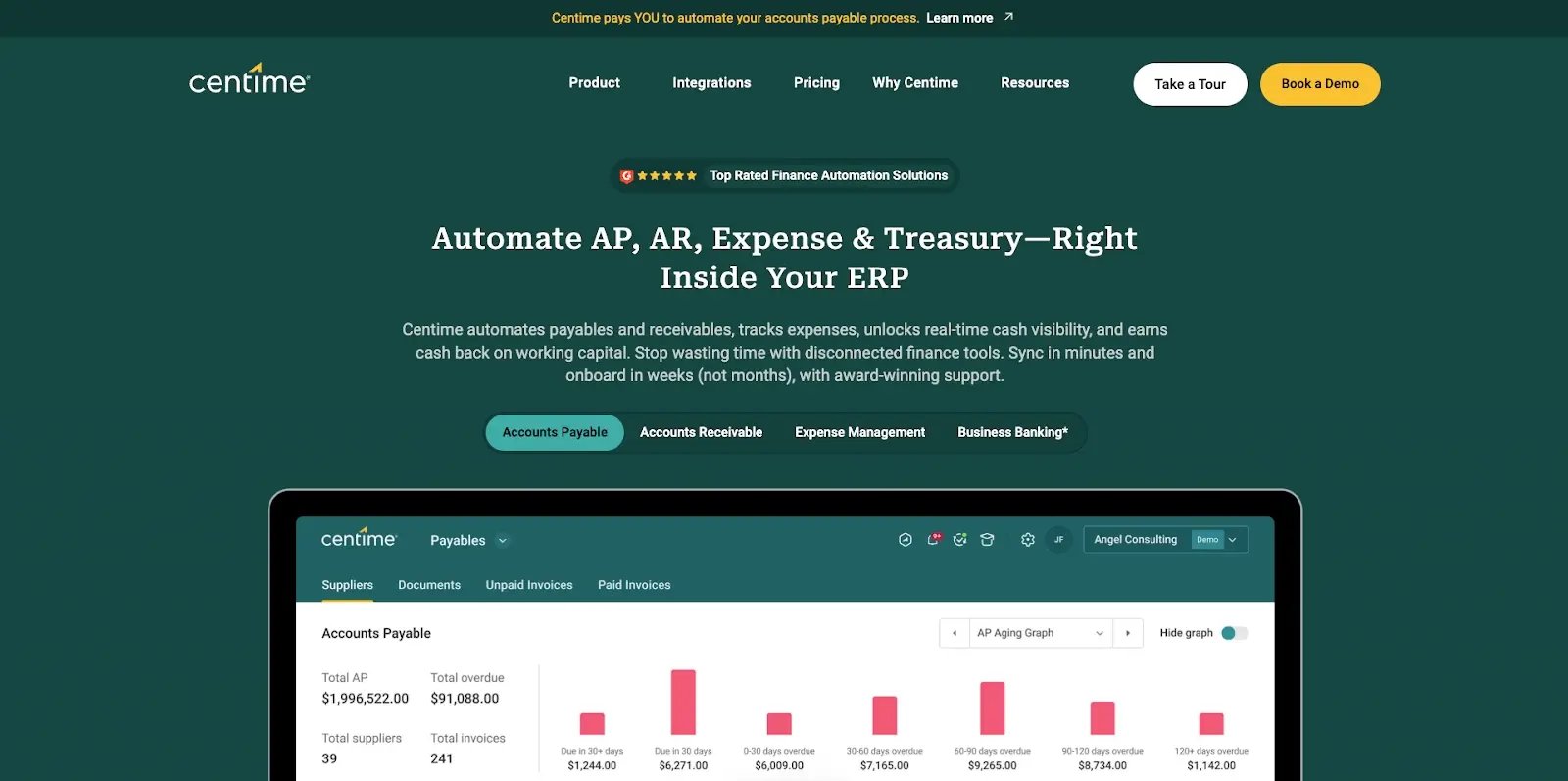
Where Bill.com separates AP, AR, and cash visibility into disconnected modules, Centime brings them together in a single ERP-embedded platform.
It covers invoice capture through payment processing, collections through cash forecasting, and adds treasury and business banking which include a high-yield checking account and working capital credit in one place.
The automation is built around a short-term cash flow forecasting engine that gives mid-market teams a forward view of liquidity, not just a snapshot of today's balances. That translates to lower AP processing costs, reduced DSO, and a clearer picture of where cash is heading. The platform integrates natively with NetSuite, Sage Intacct, and QuickBooks, keeping everything in sync without manual exports.
Key features
- All-in-one cash management platform: AP automation, AR automation, cash flow forecasting, expense management, and business banking in a single ERP-embedded platform, with every cash-touching process connected. Working capital credit is available as an optional add-on through Centime Credit, subject to application and approval.
- AI-powered AP automation: Intelligent OCR captures invoices, AI codes line items to GL accounts, automated 3-way PO matching, customizable approval workflows, and a built-in supplier portal, all syncing natively with NetSuite, Sage Intacct, and QuickBooks.
- AR collections automation: AI predicts payment delays before they happen, automates invoice delivery and reminders, and gives customers a self-serve payment portal with autopay, reducing the manual follow-up that slows cash collection.
- Short-term cash flow forecasting: Predictive analytics build cash forecasts across all accounts, with scenario planning and a KPI dashboard showing liquidity position in real time.
Centime pros
- Unified cash platform: AP, AR, forecasting, and banking in one place eliminates separate logins, disconnected modules, and the manual reconciliation that comes with stitching together generalist tools.
- Earns interest on idle cash: Centime's high-yield business checking account (currently 2.50% APY, subject to change) can offset software costs, with cash back on vendor payments and FDIC-insured deposit protection.
- Fast implementation with dedicated support: Onboarding is relatively fast, with an assigned Customer Success Manager for every customer and native ERP integrations that sync without custom configuration.
- Real-time cash visibility: Short-term forecasting replaces manual spreadsheets, with proactive liquidity alerts and KPI dashboards showing cash position across all accounts.
Centime cons
- AR automation without relationship intelligence: Collections run on automated reminders and payment portals. That works when customers need prompting, but less so when late payments stem from the customer's own cash flow problems, where flexible payment structuring matters more than another reminder. Teams with those requirements may need a dedicated AR platform alongside Centime.
- Pricing complexity: Pricing complexity: AP and AR are priced separately based on invoice volumes, and costs can escalate when bundling multiple modules. No pricing is publicly listed as a custom quote is required, which makes upfront cost comparisons harder without a sales call.
- Sync issues with QuickBooks: Multiple users report sync failures requiring troubleshooting with support. Centime notes most issues are resolved quickly, but it's worth factoring in for teams running high invoice volumes.
- Not built for enterprise complexity: Designed for mid-market teams. Multi-entity, multi-currency, and global operations with complex approval hierarchies will likely hit the platform's ceiling.
Centime pricing
Quote-based pricing tailored to invoice volumes and selected modules. Volume-based pricing for both AP and AR modules.
Centime reviews
Centime has a Capterra rating of 4.5/5. Users across review platforms highlight the unified cash management approach, short-term forecasting, and responsive customer support. One reviewer moved from a fully manual AR/AP process to full automation within weeks of onboarding.
How to choose the right Bill.com alternative for your business
At this stage, the decision becomes less about “Which software is best?” and more like “Which software solves the problem I actually have?”
This is the appropriate approach for this category.
1. Start with the function that is failing you
If your biggest frustrations are rigid reminders, partial payment workarounds, poor collections visibility, or customer relationship damage, focus on AR specialists. That points you toward Chaser or Gaviti.
If your frustrations are mostly around approvals, expenses, invoice routing, and supplier payments, focus on AP specialists. That points you toward Ramp or Tipalti.
If the problem spans both sides, with no unified cash visibility across AP and AR, Centime or HighRadius are worth considering. The difference between them comes down to scale: Centime is built for mid-market teams, HighRadius for enterprise operations.
This matters because the wrong category won't solve the pain that made you leave Bill.com. A strong AP platform doesn't fix AR automation. A strong AR platform doesn't solve complex procurement controls.
2. Be honest about how quickly you need relief
Implementation timelines vary more than most software buyers expect.
If your team is doing a lot of manual work, or spending collections problems are hurting cash flow now, speed matters. Chaser is designed for fast implementation and immediate collections improvement. Ramp can connect your ERP and get your team live within 30 days. Centime onboards with a dedicated Customer Success Manager and native ERP integrations that require no custom configuration.
At the other end, HighRadius averages eight months to deploy. Tipalti typically runs several weeks to months depending on integration complexity. Both offer significant depth, but that depth comes at the cost of time. If the operational impact is already significant, that tradeoff matters.
3. Match the product to the exact Bill.com frustration
This is the simplest decision shortcut:
- Rigid, impersonal AR automation damaging customer relationships: Chaser
- High invoice volumes requiring cross-team collections collaboration: Gaviti
- AP workflow, spend control, and expense management: Ramp
- International supplier payments and tax compliance: Tipalti
- Disconnected AP and AR with no cash visibility, mid-market: Centime
- Disconnected AP and AR with no cash visibility, enterprise scale: HighRadius
These tools are not interchangeable. Evaluating each one as if it solves the same problem is where most buyers waste time.
4. Think about the cost of the workaround, not just the software price
Software pricing matters, but it's only one part of the equation.
The real cost of staying with the wrong platform includes lost hours, slower collections, reporting friction, delayed cash, and damaged customer relationships. If your team is spending 10 to 15 hours a week writing manual chase emails because your current automation doesn't work, that cost compounds quickly.
That's why reducing Days Sales Outstanding matters so much here. The right AR platform doesn't just save time. It unlocks working capital and improves cash confidence across the business.
5. Use the shortlist that fits your actual use case
If you're leaving Bill.com because of AR problems, you should evaluate Chaser first. It's the most direct answer to the pain points that come up again and again in Bill.com feedback: inflexible reminders, partial payment workarounds, weak support, and a poor customer experience. Gaviti is worth considering if internal collaboration across finance, sales, and operations is central to how your collections process works.
If you're leaving because of AP problems, Ramp is the strongest starting point for modern spend control and AP efficiency. Tipalti makes the most sense when international supplier payments and tax compliance are the core issue.
If you need both AP and AR addressed in one platform, Centime is the better fit for mid-market teams that want fast implementation and unified cash visibility. HighRadius is the right choice when the scale of operations, transaction volumes, ERP complexity, and global entities requires enterprise-grade infrastructure.
Choose the specialist that fits the pain
Bill.com’s biggest weakness is not that it tries to do a lot. It is that the teams leaving it are often doing so because one specific function is failing badly enough to affect cash flow, productivity, or customer relationships.
That is why a flat list of alternatives is not enough.
If you are leaving because of receivables pain, choose an AR specialist. If you are leaving because of AP complexity, choose an AP specialist. Once you make that distinction, the shortlist gets much easier.
For teams frustrated with Bill.com’s AR automation, partial payment workarounds, weak support, and rigid customer communication, select a platform built specifically for those requirements.
Frequently asked questions about Bill.com alternatives