



















.svg.png?height=48&name=Zoho_CRM_(application).svg.png)






%20-%20AR%20integration%20for%20Quickbooks%20(1).webp?length=1248&name=Blog%205%20(Nov)%20-%20AR%20integration%20for%20Quickbooks%20(1).webp)
Consider this. A bookkeeper spends 2 to 4 hours every day matching payments to invoices. Month end comes around and closing the books takes 3 to 5 days instead of 1. Reports never quite match. The AR aging says one thing, the balance sheet says another. Somewhere inside QuickBooks, something is off.
QuickBooks is excellent at core accounting and general ledger work. As your businesses scale and AR complexity increases, pairing QuickBooks with specialist AR tools helps address modern receivable challenges.
That gap shows up as manual AR processes that take hours a week. Duplicate payments and “QuickBooks Customer” transactions that wreck reports. Cash flow uncertainty and growing DSO. Reconciliation challenges where beginning balances suddenly no longer match, even though everything tied out last month.
This is why AR integration for QuickBooks has become such a hot search. Finance teams are not just looking for another app. The real need is a way to:
- Automate invoicing and collections across channels
- Keep QuickBooks as the single source of truth
- Get rid of duplicate entries and reconciliation chaos
- Turn AR from a time sink into a predictable cash engine
This guide takes a different approach from typical vendor pages. You’ll get:
- A diagnostic checklist to see if AR integration is actually needed
- A realistic look at the solutions finance teams usually try and why they fall short
- A comparison of leading AR tools for QuickBooks, including Chaser, Bill.com, HighRadius, Kolleno and Invoiced
- A 90 day roadmap to successful AR integration and measurable ROI
This integration enhances QuickBooks by adding specialized AR capabilities designed to work seamlessly alongside your accounting foundation.
By the end, it should be clear which solution fits the business, what to avoid during implementation, and how to get the best out of our QuickBooks solution.
This guide evaluates the solutions based on:
- Multi-channel communication capabilities (email, SMS, calls, letters)
- AI and predictive features for payment timing
- Payment processor flexibility
- Setup complexity and time to value
- Support quality and availability
- QuickBooks sync reliability and frequency"
12 signs you need AR integration (and how much it is costing you)
Before picking a tool, confirm whether AR integration for QuickBooks is actually the right move. Look out for these signs in your everyday work.
Time wasting red flags
- Bookkeepers spend 10+ hours a week on manual AR tasks
Matching payments to invoices, chasing overdue customers by email and phone, and manually reconciling accounts is normal in small doses. When this reaches several hours a day, the AR process is doing damage. As one professional put it, “I work on billable time and this is not billable time.” - Month end close always drags beyond 3 days
If closing the month takes 3 to 5 days because reconciliation does not work on the first attempt, something is broken. A healthy AR process should allow AR to tie out in a day, so the finance team can move on to analysis instead of manual investigation. - Multiple team members duplicate work
One person enters payments from the bank feed. Another records deposits from Stripe. Someone else marks invoices as paid directly in QuickBooks. All three are touching the same money in different ways. This is an early warning sign of duplicate transactions, misapplied payments, and reconciliation trouble.
These are time-based symptoms. The direct cost is obvious: salaries. The hidden cost is the opportunity loss from finance working on data entry instead of supporting decisions.
Cash flow warning signs
- DSO quietly stretches from 30 days to 45 to 60 days
There is cash coming in, but slower than before. Customers are paying later, or reminders are going out too late, or invoices are slipping through the cracks. AR is growing, but no one can quite explain why. - Outstanding receivables climb rapidly and stay there
This is where “slow payments” turn into real risk. Cash that should be in the bank sits in customer accounts instead. Suppliers still want to be paid. Payroll still runs every two weeks. - Payroll, rent or tax deadlines feel risky
When leaders start asking “Will there be enough in the bank on Friday?” and no one can answer with confidence, AR is not supporting the business. It is undermining it.
In some industries this is especially painful. Construction, for example, loses an estimated 273 billion dollars a year to slow payments. That is a huge cash drag created by late, inconsistent collections.
Data integrity Issues
- AR aging summary does not match the balance sheet
This is one of the most common QuickBooks complaints. The AR aging report shows 100,000 outstanding. The balance sheet shows 133,000. Somewhere, transactions have been misapplied, duplicated, or posted to the wrong ledger. Fixing this often means days of manual checking. - Duplicate payments show up under “QuickBooks Customer”
Payments come in from Stripe, PayPal, bank transfers and checks. QuickBooks cannot always tell where they belong. So it posts them to a generic customer. Now reports show extra revenue and AR remains open. Cleaning this up is tedious and easy to get wrong. - Reports change between views with no new transactions
An AR aging report looks one way on Monday and another way on Wednesday, even though there have been no significant changes. Or a beginning balance discrepancy appears out of nowhere. The classic story is: “Closed 2023 perfectly. Opened 2024 with a 33,000 discrepancy.”
Once trust in the numbers is gone, every decision becomes harder. That is when people start exporting everything to Excel and doing the “real” work outside QuickBooks.
The true cost calculator
Many teams know AR is painful but still treat automation as something to address “later.” That usually happens because the cost of delay is not explicit.
Here is a simple way to estimate the monthly AR waste.
- Direct time cost
Hours per month spent on AR admin
× average hourly rate
= direct monthly cost
Example:
40 hours per month x $35 USD per hour = $1,400 USD - Opportunity cost from DSO creep
Extra days of DSO compared to target
× average daily credit sales
= additional cash trapped in AR
Example:
DSO increased by 15 days
Daily credit sales of $10,000 USD
15 × $10,000 USD = $150,000 USD longer in AR
Even a 10% annual cost of capital means a 15,000 dollar yearly cost on that trapped cash. - Financing cost
Average monthly use of credit line due to slow AR
× interest rate
Example:
$50,000 USD balance on credit line
12% interest
Roughly $500 USD monthly interest just to cover timing gaps
For a typical small to mid size business, it is common to see $3,000 USD to $8,000 USD per month in combined AR waste. That is more than enough to fund a modern AR integration for QuickBooks with room to spare.
Common solutions finance teams try (and why they fall short)
Once the pain becomes impossible to ignore, most teams try a series of fixes. Some help a little. Most create new problems of their own.
Hiring more staff
One of the most common responses to AR overload is to hire another bookkeeper, or hand AR to an admin team member. On paper that seems logical, but in practice it is an expensive patch. Typical salary range is $40,000-$60,000 USD per year for an additional AR or bookkeeping professional, and recruitment plus onboarding can take 3 to 6 months before the extra capacity really shows up.
Even then, adding people to a broken process often increases duplicated effort rather than reducing it, because the same exceptions, follow-ups, and handoffs still exist, just with more hands in the mix.
The underlying issues remain unchanged, including messy payment matching, lack of automation, limited visibility in QuickBooks, and rising DSO, so the business pays more in headcount without fixing the structural problems.
Using Excel and spreadsheets
Another popular move is to export AR data and keep the real records in spreadsheets. This usually shows up as separate AR tracking files outside QuickBooks, line-by-line reconciliation from bank statements, and treating QuickBooks mainly as a tax and reporting tool rather than the operational system of record. It can feel safer in the short term because Excel is familiar and flexible, but over time it creates compounding issues.
Double data entry becomes normal, QuickBooks and Excel drift so there is no single source of truth, file versions fall out of sync across team members, and as invoice volume grows the spreadsheets become impossible to manage reliably. This is often the point where someone decides to bypass reconciliation entirely and do everything manually, which is not sustainable.
Pushing your native ERP features to the limit
QuickBooks does offer some AR features such as recurring invoices for subscriptions, basic invoice email reminders, QuickBooks Payments for online payments, and standard AR aging reports.
Many teams try to stretch these to cover modern AR needs, which typically means creating lots of recurring invoice schedules, manually adjusting reminder dates, and tweaking terms customer by customer.
The output still falls short because reminders are email only with no SMS, phone, or postal options, there is no native segmentation by payment behavior or risk, there is no smart payment matching from external processors, and QuickBooks Online cannot reconcile AR accounts the way the Desktop version can.
QuickBooks native AR features work well for straightforward billing. As invoice volume and payment channels increase, specialized AR software extends QuickBooks with advanced automation, multi-channel communication, and predictive intelligence.
Integrating only with platforms like Zapier
Some teams turn to generic integration tools like Zapier or Make to connect QuickBooks, payment processors, and CRMs. These can help in specific cases, such as generating a QuickBooks invoice when a deal closes in a CRM or logging a payment when Stripe or PayPal records a charge, but they have meaningful limitations.
Zapier supports QuickBooks Online rather than desktop.
So desktop users often need extra layers like bridges or sync apps, triggers can be delayed by several minutes which creates reconciliation timing issues, and multi-step flows can be difficult to debug when something breaks.
API limits can also silently block automations, and there is no AR-specific intelligence built in, meaning no dunning, no segmentation, and no collection workflows, so the tools move data around without solving collections, forecasting, or reconciliation strategy.
The right solution usually is not about working harder inside spreadsheets or QuickBooks. It is about adopting AR software designed to sit alongside QuickBooks and fix what QuickBooks cannot do alone.
5 best AR integration solutions for QuickBooks
Most of the content on this topic promotes a single product. That forces finance teams to visit multiple sites and read between the lines. The goal here is different: show where each leading AR integration for QuickBooks truly shines, where it struggles, and which profile it fits.
1. Chaser
Best for: QuickBooks teams that need multi-channel collections (email, SMS, calls, letters), predictive risk flags, and flexible payments, plus the option of human AR specialists for hard cases.
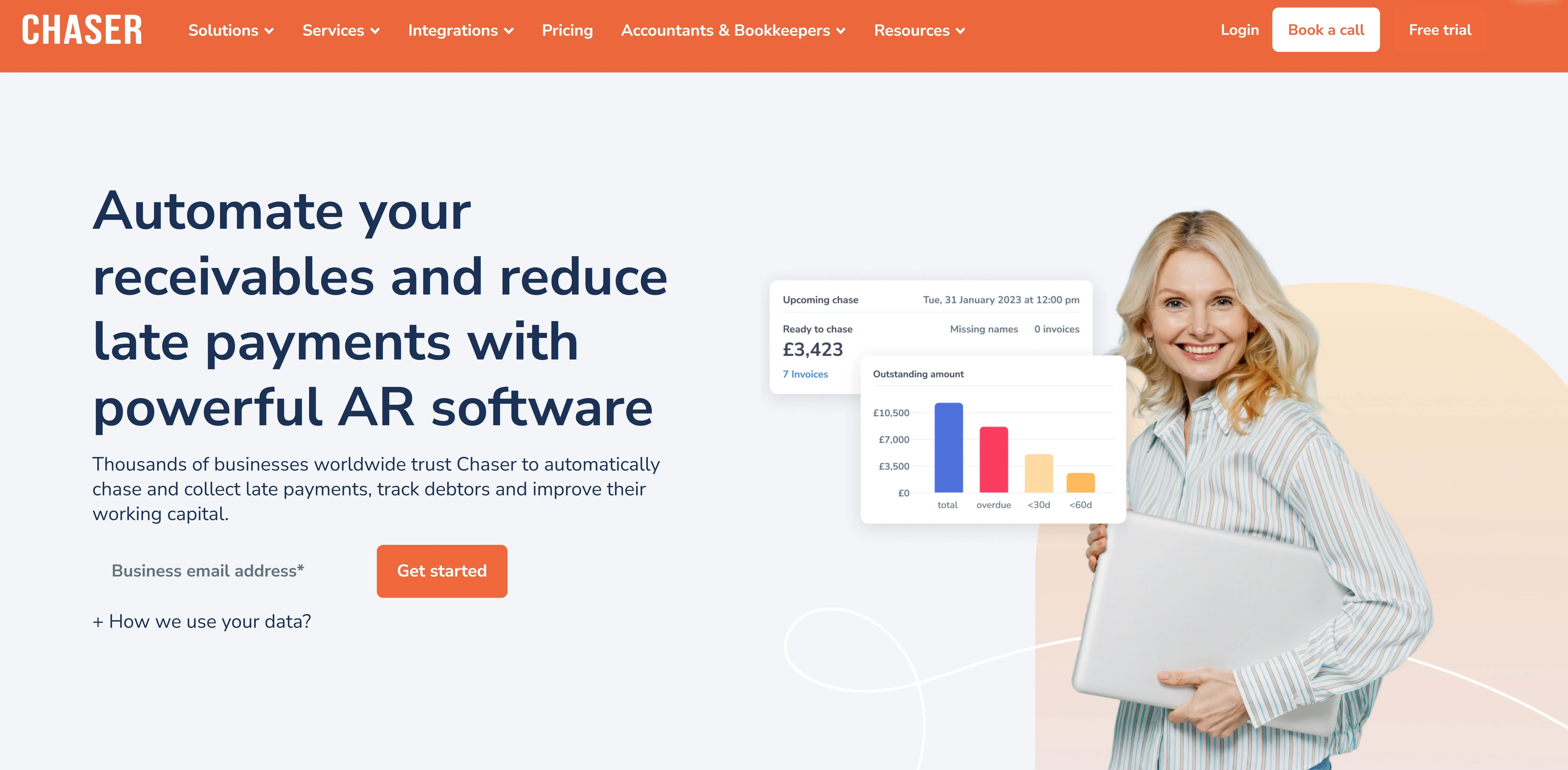
Chaser focuses on helping businesses get invoices paid sooner while preserving customer relationships and keeping QuickBooks clean and accurate.
Key strengths:
- Multi channel escalation: Automated sequences across email, SMS, auto calls and postal letters. Few competitors cover all four channels. Letters can include QR codes that link directly to the customer’s payment portal.
- Predictive AI: Late payment predictor flags invoices that are likely to pay late. Payer Rating scores customers as good, average or bad payers based on behavior. This supports targeted follow up instead of one schedule for everyone.
- Flexible payments: Chaser Pay supports instant bank transfers, cards and mobile wallets. Stripe integration allows card and direct debit payments such as BACS, BECS, ACH and SEPA. There is no lock into a single processor.
- Reliable sync with QuickBooks: Sync options include before every reminder run, hourly, or on demand. When customers pay through Chaser Pay or Stripe, invoices are automatically marked as paid in QuickBooks. Payment accounts can be selected per currency to keep multi currency ledgers correct.
Limitations to note:
- Credit monitoring features currently focus primarily on the UK market
- Full value requires configuring multiple channels and AI features
- Some prospects may prefer a combined AP and AR tool rather than AR focused software
Best fit:
- Growing businesses that send a meaningful volume of invoices each month
- Teams that want multi channel, relationship friendly collections
- Finance leaders who value both automation and access to real humans when tricky AR situations arise
Ready to explore an AR integration that focuses on multi channel collections, predictive insights and strong QuickBooks sync, while still preserving customer relationships? Sign up now for a free trial or speak to an expert for a demo to see exactly what that looks like in practice.
Chaser pricing
Chaser has a flexible pricing structure based on the features and level of service you need. For more details, refer to the pricing page.
Chaser often suits businesses that want more than basic QuickBooks reminders but not the cost or complexity of heavyweight enterprise systems.
Over 10,000 users worldwide rely on Chaser to get paid faster, protect their cash flow and maintain good customer relationships.

2. Bill.com
Best for: SMBs prioritizing combined AP + AR workflows and approvals in one tool, where email-only AR comms are acceptable and per-user pricing is not a blocker.
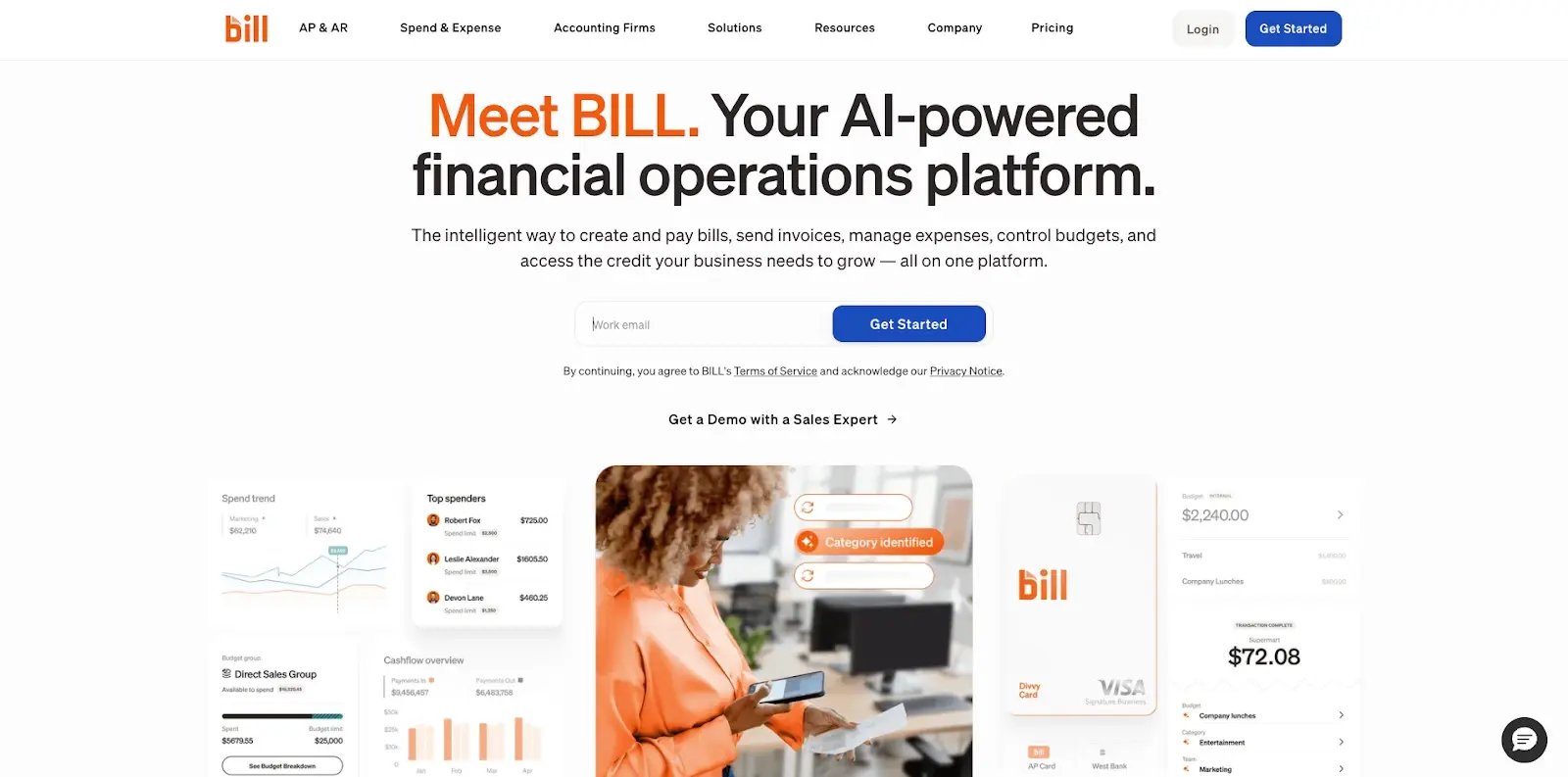
Bill.com is one of the most widely known automation tools in the SMB market, particularly in North America.
Key strengths:
- Combines accounts payable and accounts receivable in one platform
- Well suited for structured approval workflows and bill payment automation
- Proven at scale with many accounting firms and small to mid sized businesses
- Integrates with multiple accounting platforms including QuickBooks
Limitations:
- Users regularly report sync issues that “messed up historical client data” in QuickBooks, especially when reconnecting or changing configurations
- Main support channel is email, and many users complain that “customer service email disregards everything you say” and that phone support is not available for many plans
- Pricing is per user which can climb quickly as teams grow
- Additional transaction fees apply for checks mailed on behalf of clients and for some data entry services
- AR side is heavily email oriented, with no native SMS, phone, or letter based collections
Best fit:
- Businesses that want AP and AR together more than they want advanced collections tools
- Firms that already rely on Bill.com for AP and are willing to accept email only support and communication channels
BILL pricing
BILL uses per-user monthly pricing tiers for businesses. The cost depends on which plan you need and how many users you license.
3. HighRadius
Best for: Large enterprises with high transaction volumes that want advanced AI cash application, forecasting, and deep reporting, and can support a heavier, IT-involved implementation.
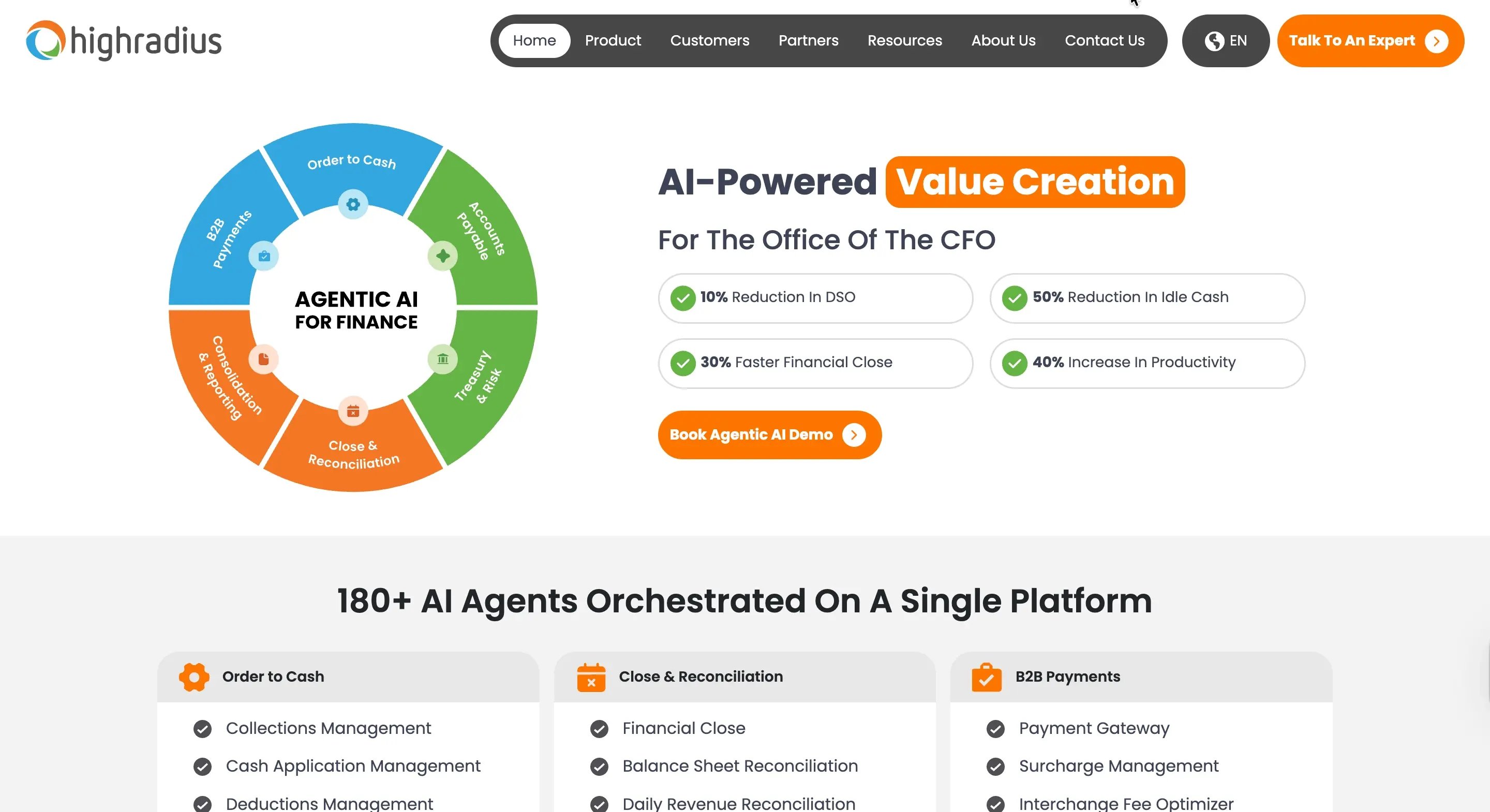
HighRadius is an enterprise grade AR and treasury platform. It integrates with ERPs and accounting systems including QuickBooks in some configurations, but its sweet spot is larger companies.
Key strengths:
- Very strong AI driven cash application and forecasting features
- Built for high transaction volumes and complex enterprise environments
- Deep reporting capabilities across cash, collections and credit
- Machine learning models that predict payment timing based on large historical data sets
Limitations:
- Pricing is custom enterprise level, which places it out of reach for many small and mid sized businesses
- Complexity can overwhelm teams handling fewer than several hundred invoices monthly
- Configuration and change management require ongoing technical involvement
Best fit:
- Enterprise organizations with 500 or more employees
- Businesses running large ERPs that want AR automation tightly embedded in that environment
- Teams with dedicated IT and a budget for premium enterprise software
HighRadius pricing
HighRadius pricing is subscription based and typically quote led, with customers directed to speak with a consultant rather than selecting public tiers.
4. Kolleno
Best for: Mid-size businesses that want visual, drag-and-drop AR workflows with branching logic, and have someone comfortable configuring triggers, rules, and segmentation.
.webp?width=1600&height=798&name=kolleno%20(1).webp)
Kolleno positions itself as a modern AR platform with strong workflow automation and a visual approach.
Key strengths:
- Drag and drop workflow builder with branches, tags and conditions
- Built in task management and dispute tracking functionality
- Multi payment method support and connections to several payment processors
- Documented outcomes such as 38% reductions in overdue payments and significant time savings in case studies
Limitations:
- Multiple reviews mention a learning curve, especially for non technical users. Comments like “features can be hard to understand” and “did not know triggers existed” are common.
- To unlock full value, teams must configure a range of triggers, branches and behaviors, which takes time and requires discipline.
- Not always the best fit for very small teams that want a simpler, more guided setup.
Best fit:
- Mid size businesses that have at least one person comfortable with process mapping
- Teams that want to design very specific, visual AR journeys for different customer groups
Kolleno pricing
Kolleno offers per-user monthly pricing for small and medium sized businesses. Enterprise businesses get custom pricing.
5. Invoiced
Best for: Smaller businesses with low, predictable invoice volume that want a straightforward portal and basic automation without complex workflow design or enterprise overhead.
Invoiced offers AR automation with a focus on ease of use and simple configuration, and it integrates with QuickBooks.
Key strengths:
- Clean, simple interface that is easy for new users to learn
- Self service payment portal for customers
- Integrates with several payment processors
- Often reduces invoice to cash time by around two weeks for users with simple needs
Limitations:
- Pricing can become expensive as invoice volume increases.
- The feature set is more limited compared to more modern, AI driven AR platforms.
- Best suited for relatively stable, low to mid volume environments.
Best fit:
- Service businesses with under 100 invoices a month
- Firms that want a straightforward portal and reminder setup without advanced segmentation, AI, or multi channel communication
Invoiced pricing
Invoiced pricing is available upon request. Expect a sales-led quote process, with packaging based on your requirements and scale.
Comparison snapshot
Here is a simplified comparison of key dimensions for AR integration for QuickBooks.
|
Tool |
Best for |
Channels |
AI / prediction |
Payment flexibility |
Support model |
QuickBooks sync notes |
|
Chaser |
Growing businesses, multi channel collections |
Email, SMS, call, letters |
Late payment prediction, payer ratings, timing recommendations |
Chaser Pay, Stripe, bank transfers, cards |
Email, chat, human AR specialists, collections services |
Sync before reminders, hourly, or on demand. Auto mark paid. |
|
Bill.com |
Businesses needing AP + AR together |
|
Limited prediction features |
Bill.com payments |
Standard SaaS support as needed |
Two way sync, but users report corruption risks. |
|
HighRadius |
Large enterprises with IT teams |
Email, portal |
Advanced forecasting and cash application |
Multiple processors via ERP |
Enterprise implementation teams and support |
Deep ERP integration, heavier project. |
|
Kolleno |
Tech comfortable mid size teams |
Email, SMS, calls |
Risk scoring and workflow logic |
Multiple gateways |
Support plus success teams as needed |
API based, requires setup and mapping. |
|
Invoiced |
Smaller firms with low volume |
Email, portal |
Basic analytics |
Multiple gateways |
Standard SaaS support as needed |
QuickBooks sync, watch volume based pricing. |
This table is not exhaustive, but it shows how tradeoffs differ by size, complexity and priorities.
What QuickBooks does well (and when specialist AR tools add value)
QuickBooks provides strong foundational AR capabilities. As businesses grow and AR needs become more complex, specialist tools can extend these capabilities.
QuickBooks native AR capabilities
Out of the box, QuickBooks can handle:
- Recurring invoices for subscription customers
- Basic email reminders on overdue invoices
- Online payments through QuickBooks Payments
- Standard AR aging reports and customer statements
- Auto send options so invoices are emailed when created
For solo operators and very small businesses with simple billing patterns, these features may cover most needs. Invoices go out, customers click to pay, and AR aging is easy to understand.
When to complement QuickBooks with specialist AR tools
As volume increases and payment channels, here are limitations you might see:
- Email only reminders. QuickBooks reminders use mainly email. Specialist AR tools extend this with SMS, phone based reminders, or automated letters with payment links. If customers ignore email, AR stalls.
- One size fits all.QuickBooks uses standard reminder schedules. AR specialists add segmentation by payment history, risk, and customer type. A habitual late payer receives the same treatment as a reliable one.
- Processor lock in. QuickBooks Payments is tightly integrated, but not everyone wants to use that gateway. Fees, settlement times or geography might make Stripe, direct bank transfers or other options more attractive.
- No true customer portal. Customers can pay individual invoices, but many businesses would benefit from a portal where clients can see all open invoices, download statements, and manage payment methods.
- QuickBooks Online reconciliation gap. Unlike Desktop, QuickBooks Online does not support reconciliation on AR control accounts in the same way as bank or card accounts. That frustrates many users trying to identify discrepancies.
- No payment matching intelligence. Payments from Stripe, PayPal, bank transfers and checks often require manual matching, especially if references are incomplete. QuickBooks does not provide advanced rules to interpret and match ambiguous transactions.
- Limited reporting flexibility. AR aging reports are mostly vertical and fixed to standard buckets. Custom periods, horizontal views by month, and more advanced analytics require exporting to Excel or external tools.
These differences explain why growing businesses often pair QuickBooks with specialist AR platforms. QuickBooks remains the accounting foundation while AR tools handle advanced collections, automation, and customer engagement.
What goes wrong during AR integration (and how to avoid it)
Buying an AR tool is straightforward. Getting it to work smoothly with QuickBooks is where many teams struggle.
Sync failures and data corruption
Many cloud apps rely on OAuth tokens to stay connected. When those tokens expire unexpectedly, sync processes halt. In some cases, reconnecting can trigger partial data pushes, duplicated entries, or mismatched historical transactions.
With certain tools, users report that “sync issues have messed up historical client data” inside QuickBooks. Fixing that can mean weeks of cleanup.
How to reduce this risk:
- Prefer tools that allow frequent, predictable syncs such as before every reminder run, hourly, and on demand
- Look for clear logs and error messages, not vague “data integrity” warnings
- Ensure there is a staging or test mode before a full historical sync
Duplicate transaction problems persist
Integration alone does not eliminate duplicates. If bank feeds, manual entries and third party syncs all touch the same transactions, duplicates can still occur.
Look for AR tools that:
- Automatically mark invoices as paid in QuickBooks when payment is processed through the AR platform
- Allow mapping of specific payment accounts by source and currency
- Provide clear visibility into which system created each transaction
This prevents the classic scenario where an invoice is marked paid manually and then again through an integration, or where extra payments land under a generic customer.
Support inadequacy when problems arise
One of the most painful experiences is to encounter a sync or data issue and then find that support consists of slow email exchanges and templated responses.
Complaints like “support took a long time and did not solve the problem” or “customer service ignores what is actually said” appear frequently for some providers.
When evaluating AR tools, it helps to confirm:
- Is there phone or live chat support for integration issues
- Is there dedicated onboarding help for QuickBooks setup
- Is there a clear escalation path if data integrity problems appear
Payment matching still requires manual work
Many AR tools promote “QuickBooks integration” but only push summary data. If detailed payment information is not linked clearly to specific invoices, AR staff still end up matching payments by hand.
Key features to look for:
- Automatic application of payments to specific invoices, not just generic deposits
- Ability to handle partial payments, overpayments and short pays properly
- Matching rules that use amount, date and customer data together
Without this, you simply shift manual work from one system to another.
The integration worked, but collections did not improve
It is also common to connect a new AR tool, set up basic email reminders, and then see no real change in DSO or overdue balances.
Reasons include:
- Email only reminders that customers ignore
- No segmentation, so low risk and high risk customers get the same cadence
- No escalation channels when emails fail
- No AI driven timing or risk scoring, so reminders arrive at suboptimal moments
Integration is just the technical connection. The real test is whether the AR software changes behavior, through faster payments, fewer overdue invoices, and less manual chasing.
How to use Chaser to solve common problems users face with AR integration for Quickbooks
After looking at the broader landscape, it helps to see specifically where Chaser focuses effort and how that differs from typical AR integrations for QuickBooks.
Multi channel collections instead of email only
Most AR tools, including native QuickBooks features, rely heavily on email reminders. That is a problem when inboxes are full, messages hit spam, or customers simply ignore them.
Chaser provides an automated escalation path that starts with an initial reminder by email, then follows up by SMS when email receives no response, escalates to automated calls that deliver scripted text-to-speech messages, and, when needed, sends postal letters that include QR codes linking directly to the payment portal.
This creates a structured, professional way to increase urgency without escalating immediately to aggressive collections. Different customers respond to different channels, and Chaser supports that reality.
Predictive AI instead of reactive reminders
Generic reminder schedules treat every customer the same. Chaser uses AI to tailor attention.
- Late Payment Predictor analyzes due dates, invoice values, and historical payment behavior to flag invoices at risk before they become overdue
- Payer Rating uses machine learning to classify customers as good, average, or bad payers based on behavior over time
- Recommended chasing times suggest the best days and times to send reminders, based on actual response patterns
Instead of asking “who is overdue today,” finance teams can focus on “who is likely to become a problem in the next two weeks” and act early.
Payment flexibility instead of processor lock in
Many AR tools are tied to a single payment processor. That can be convenient at first but costly or limiting later.
Chaser supports:
- Chaser Pay, with instant bank transfers, cards and popular mobile wallets
- Stripe integration for card and direct debit payments across several schemes including BACS, BECS, ACH and SEPA
- QR codes in letters and links in SMS and emails that route customers straight to the payment portal
This flexibility lets finance teams negotiate better rates or choose processors based on geography, without redesigning AR workflows.
Human support when software is not enough
Some AR problems cannot be solved by automation alone, especially complex disputes or aged receivables.
Chaser addresses this with:
- Chaser Care, where AR specialists act as an extension of the finance team. They can manage chasing, responses, and escalation inside the platform.
- No win no fee debt collection services integrated into the app, so accounts can be escalated with a click while keeping full visibility.
Instead of leaving teams to struggle alone when things get complicated, Chaser combines technology with human expertise.
Sync reliability that prevents data corruption
Chaser’s QuickBooks integration is designed to limit the risk of data issues:
- Syncs can run before every reminder cycle, hourly, or on demand. That means the system always uses current data and reduces the chance of conflicts.
- When customers pay via Chaser Pay or Stripe, invoices are marked as paid automatically in QuickBooks, with the correct payment account and currency.
- Multi currency setups allow mapping specific bank accounts for different currencies, reducing manual adjustments.
Users gain AR automation without reintroducing reconciliation nightmares.
The combination of predictive intelligence, multi-channel communication, payment flexibility, human backup and careful QuickBooks integration is what differentiates Chaser from many other AR integration for QuickBooks options.
Your 90 day AR integration success roadmap
Buying AR software is the easy part. Achieving predictable cash flow and less manual work within 90 days requires a clear plan.
Weeks 1–2: Setup and initial sync
Focus:
- Connect Chaser or the chosen AR tool to QuickBooks Online or Desktop
- Complete OAuth or connector setup and confirm connection
- Sync historical invoices and customer records
- Map payment accounts and currencies correctly
- Send a test invoice, process a test payment through the AR platform, and confirm it appears as expected inside QuickBooks
Success indicators:
- Connection is stable without repeated authentication issues
- Historical AR balances in the AR tool match QuickBooks
- Test payments flow through and mark invoices as paid automatically
Milestone: AR integration is technically functioning and reliable.
Weeks 3–4: Workflow configuration
Focus:
- Design collection schedules, for example:
- Pre due reminder a few days before the due date
- Due date reminder
- 7 day overdue reminder
- 15 day overdue reminder
- 30 day escalation message
- Customize email and SMS templates to match brand tone and legal requirements
- Activate the customer payment portal and test access with a few friendly customers
- Configure late fee rules and early payment discount options if policy allows
- Assign roles and permissions so the right people can manage AR without security risks
Success indicators:
- First automated reminders go out without manual intervention
- Customers successfully access the portal and complete payments
- Staff can see real time status of invoices and reminders in one place
Milestone: AR automation is live and working for current invoices.
Month 2: Optimization and measurement
Focus:
- Track DSO and compare it against the pre integration baseline
- Measure how much time the team now spends on manual AR tasks
- Monitor what percentage of invoices are paid within terms
- Review which customers are using online payment versus traditional methods
- Identify patterns in reminder effectiveness by timing and channel
Success indicators:
- Team spends 40 to 50% less time on AR administration
- Early reminders reduce the number of invoices that become seriously overdue
- Payment portal adoption reaches at least 30% of active customers
Milestone: Efficiency gains are measurable and trends are moving in the right direction.
Month 3: Advanced features and ROI validation
Focus:
- Activate and refine AI driven features such as Late Payment Predictor, payer ratings and recommended chasing times
- Introduce multi channel escalation for high risk accounts, adding SMS, auto calls or letters where needed
- Offer payment plans to customers that struggle with large invoices but are otherwise good payers
- Segment customers by payment behavior and apply tailored strategies
Success indicators:
- DSO reduced by 20 to 25 days compared with the pre integration period
- Overdue invoices reduced by at least 50% in value
- Bad debt write offs trending downward
- Month end close time cut from 3 to 5 days down to around 1 day
Milestone: The system pays for itself through time savings and cash flow improvement.
Beyond 90 days: Continuous improvement
After the initial rollout, ongoing optimization keeps AR strong.
- Review payer ratings quarterly and adjust credit policies or collection intensity as needed
- Analyze which reminder channels and timings drive the highest response rates
- Refine payment plan terms based on actual customer behavior
- Use revenue and collection forecasting tools to support hiring, investment and credit decisions
Success is not just about connecting systems. It is about reaching a point where cash flow becomes predictable without constant manual effort.
Which AR integration is right for you?
There is no single answer that fits every business. The right AR integration for QuickBooks depends on size, complexity, and priorities.
Choose Chaser if:
- Multi channel collections are important, including email, SMS, calls and letters
- Late stage collections often delay and human backup can help
- Payment processor flexibility matters and lock in to one gateway is not acceptable
- Predictive AI that prevents late payments is appealing
- Fast setup and time to value are priorities
- Customer relationships are important and communication needs to stay personal and professional
Choose Bill.com if:
- A combined AP and AR platform is the main goal
- Email only collections are adequate
- The primary need is AP workflow automation, with AR as a secondary benefit
Choose HighRadius if:
- The organization is a large enterprise with hundreds of employees
- There is a dedicated IT team for integration and maintenance
- Budget is available for premium, custom priced enterprise software
- High volume, multi entity AR operations demand advanced AI forecasting
Choose Kolleno if:
- Highly customizable, drag and drop workflows are attractive
- There is technical capacity in house to configure triggers and conditions
- The team values visual workflow management
- An initial learning curve is acceptable in exchange for advanced flexibility
Choose Invoiced if:
- Monthly invoice volume is low and predictable, typically under 100 invoices
- A simple interface and quick setup are top priorities
- Volume based pricing is acceptable given stable transaction counts
For many QuickBooks users, Bill.com covers early stage automation needs. As collections become more complex and email only reminders are not enough, Chaser often becomes a better fit. HighRadius serves enterprise environments. Kolleno suits tech savvy teams. Invoiced fits smaller, stable businesses.
A simple way to summarize:
- Very small, simple AR: native QuickBooks
- Small growing business: Invoiced or Chaser
- Mid market with rising complexity: Chaser or Kolleno
- Enterprise: HighRadius
Move from manual processes to automated cash flow
An ERP like QuickBooks remains the backbone of accounting for millions of businesses. Yet many of those businesses quietly accept 10 to 20 hours a week of manual AR work, unpredictable cash flow, and recurring reconciliation headaches.
AR integration for QuickBooks is not about abandoning the system. It is about extending it with tools built for modern receivables.
This guide has covered:
- The everyday signs that AR has outgrown native QuickBooks features
- The real cost of delaying AR automation in time, cash and stress
- The strengths and weaknesses of major AR integrations, including Chaser, Bill.com, HighRadius, Kolleno and Invoiced
- The pitfalls that derail many integration projects and how to avoid them
- A 90 day roadmap to move from basic connection to measurable ROI
Each month that passes without action adds more bad data, more manual work, and more cash trapped in AR. On the other hand, organizations that automate at least half of their AR processes routinely see DSO reductions of around 32 days and dramatic improvements in working capital within a few months.
The end goal is simple. AR should become a reliable, mostly automated background process that delivers cash predictably, keeps QuickBooks accurate, and frees the finance team to focus on strategy.
The remaining question is not whether to automate AR with QuickBooks. It is which solution fits the current stage and goals best. With an honest comparison and a clear roadmap, that decision becomes much easier.