



















.svg.png?height=48&name=Zoho_CRM_(application).svg.png)






.webp?length=1248&name=7%20-%20AR%20automation%20in%20Microsoft%20business%20central%20(2).webp)
Business Central is one of the most widely used accounting platforms among finance teams. It handles the ledger side of accounts receivable well. It posts invoices, ages them into 30, 60, and 90 day buckets, and fires a reminder the moment an invoice crosses its due date.
Even so, invoices still go unpaid past their due date, and someone on the team is still calling, emailing, and following up by hand.
If that's where you are, and you’re not ready to switch accounting platforms, the best solution is to fix the six specific gaps in how Business Central automates AR, and know what kind of integration to add so the collections work actually gets done.
Here are the 6 key limitations of Microsoft Business Central for AR automation
- The reminder email has no fallback when it’s ignored
- Your best customers get chased like your worst ones, because every reminder is identical
- The sequence does not react to how the customer actually pays
- Business Central doesn’t keep an audit trail of activities after a payment reminder is sent
- Reminders only fire on accounts set up right, so coverage leaks
- Creating custom templates and sequence requires manual work
The reminder email has no fallback when it's ignored
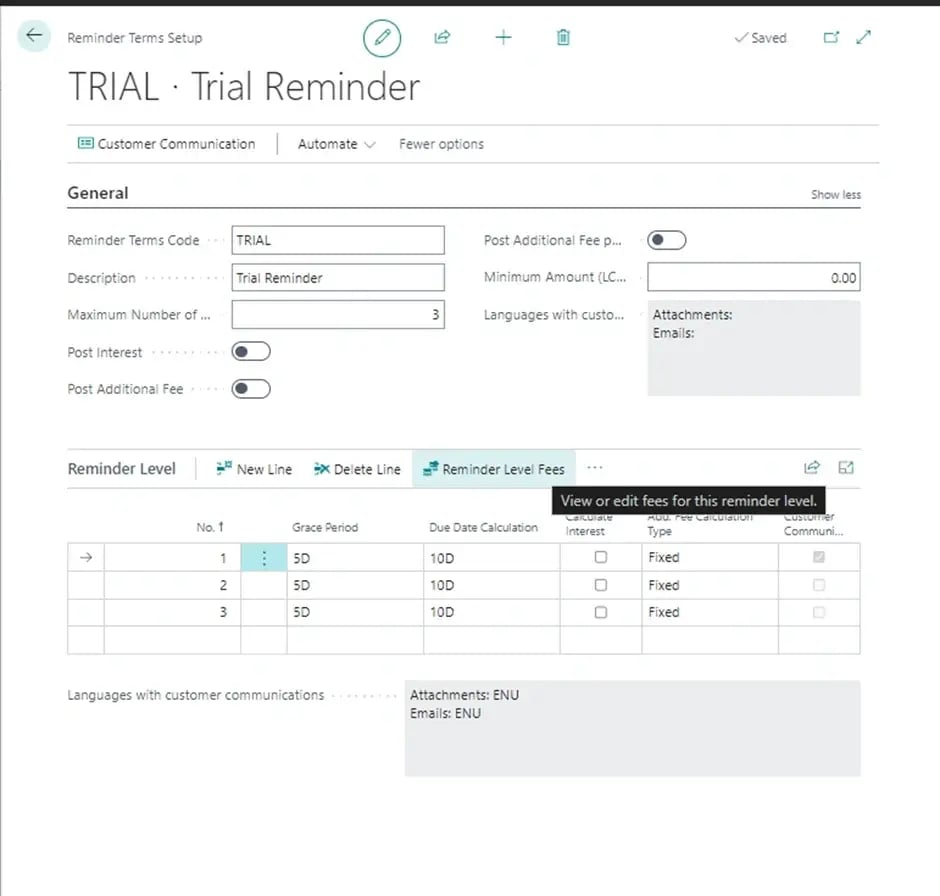
Business Central's reminder terms and levels are built around a single channel: email. When an invoice crosses a threshold you have set, the system fires an automated reminder at the assigned level. There is no SMS, no automated call, and no letter built into the platform. If a customer ignores that email, Business Central has no second way to reach them.
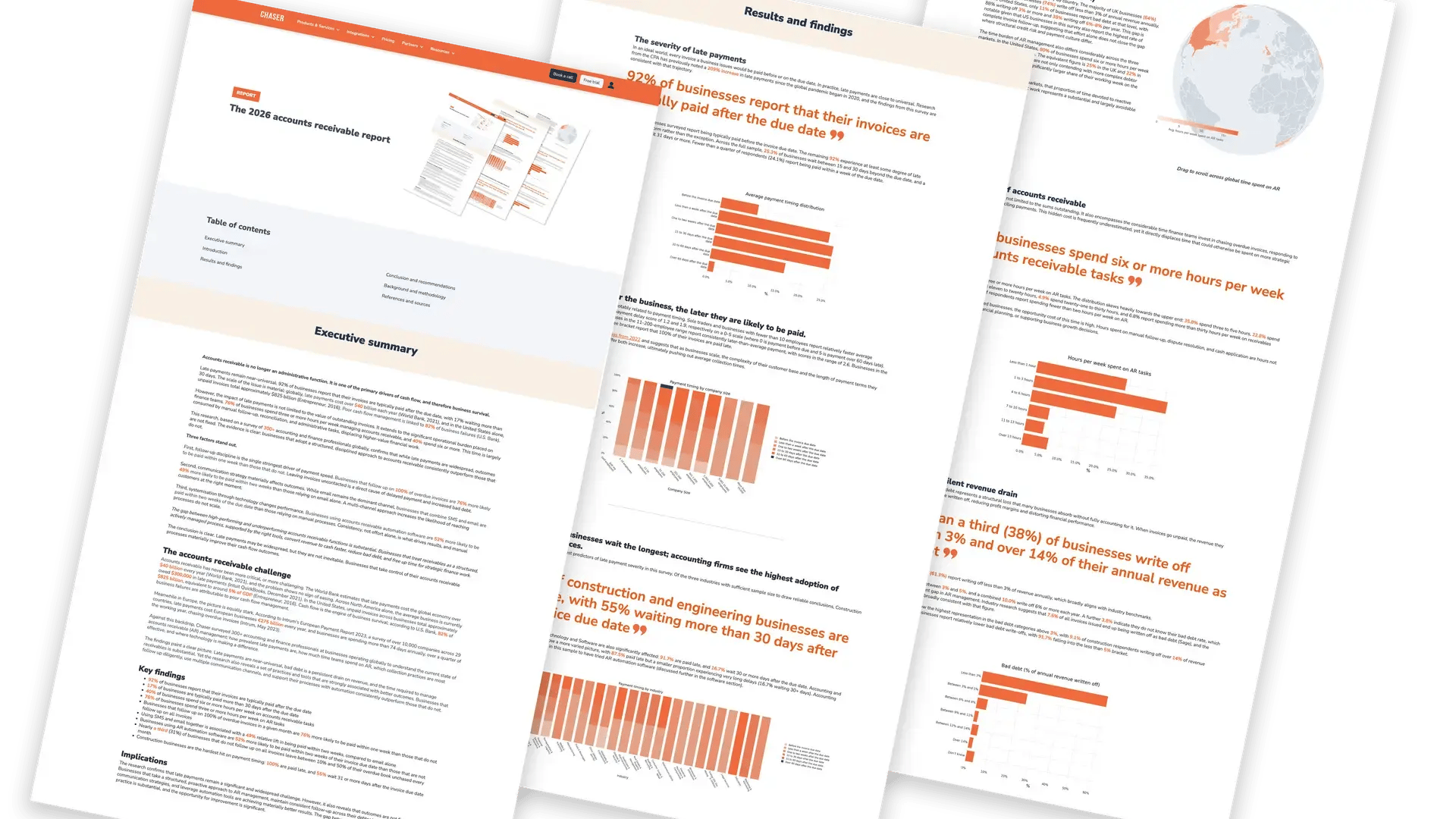
A single channel puts a ceiling on how many customers you can actually reach, and the customers who owe you the most are often the ones who have learned an automated email is safe to leave unread. The 2026 accounts receivable report found that businesses chasing by email alone get paid within two weeks 49% of the time. Add SMS as a second channel, and that rises to 73%, a 49% relative improvement from one additional channel.
Native reminders give you one channel. Your slowest payers have already learned to ignore it.
Your best customers get chased like your worst ones, because every reminder is identical
Reminder levels in Business Central are rigid by design. Level 1 fires at a set number of days overdue, level 2 at the next threshold, and every customer at that level receives the same templated wording. A ten-year customer who is three days late gets the identical note, in the identical voice, as a customer who has been six months late three times running.
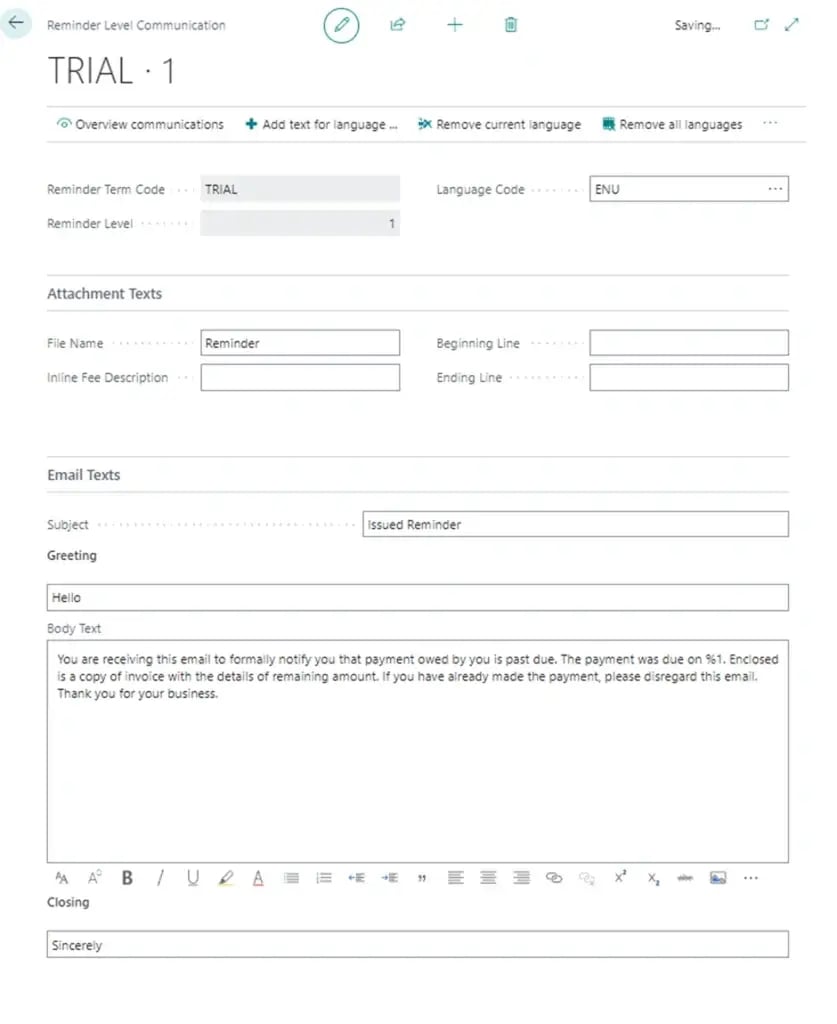
A reminder that reads as machine-generated gets treated as machine-generated, and the customers you most want to keep are the ones most likely to notice.
LoveBrands ran into this directly: manual credit control was consuming significant time every week, and reminders needed to vary by customer relationship and payment history rather than follow one fixed template for everyone. Moving to customizable, relationship-preserving automation saved the team more than 15 hours a week, and customer relationships improved rather than deteriorated.
One template for everyone means your best customers get chased like your worst ones.
The sequence does not react to how the customer actually pays
Business Central's reminder levels advance on the same fixed timeline no matter how a given customer behaves. The system won’t push harder on the account that always settles at 75 days, and it won’t ease off the one that has just paid in full. No logic in the reminder engine reads payment history and adjusts the cadence accordingly.
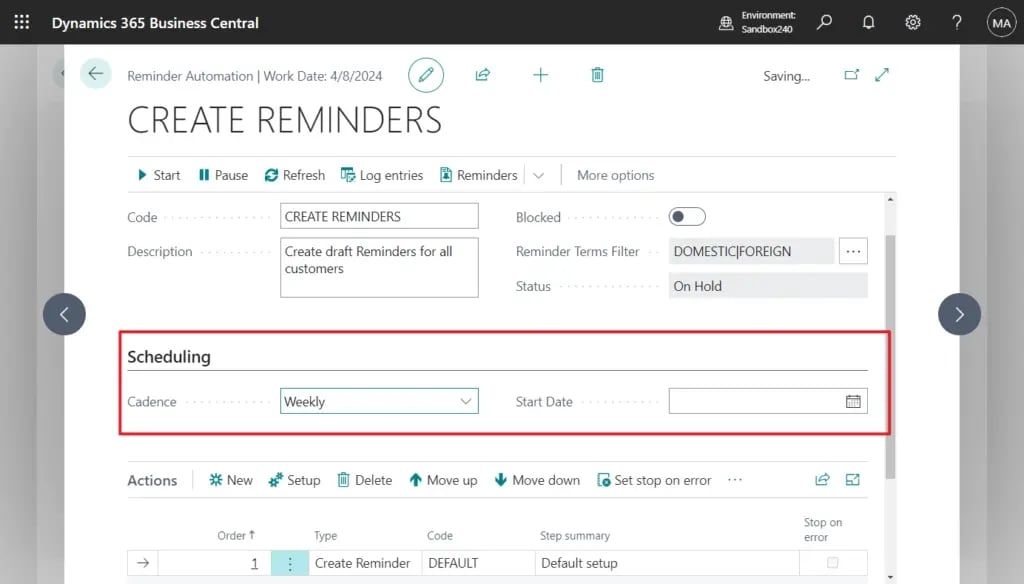
Without behavior-based prioritization, the software can’t tell you who to work first. Attention gets spread evenly across the entire ledger instead of being concentrated on the accounts that actually need it, which is the opposite of how an experienced credit controller works through a book by hand. A customer who has never missed a term gets the same escalation curve as one who slips every cycle.
A fixed schedule treats a reliable payer and a serial late payer exactly the same.
Business Central doesn’t keep an audit trail of activities after a payment reminder is sent
Everything that happens after the automated reminder goes out sits outside Business Central. A customer replies to someone's inbox, a colleague fields a phone call and gets a verbal promise to pay, or a dispute comes up over email. None of it reaches the ledger.
Copilot for Finance can surface a promise-to-pay date if someone has typed it in somewhere, but Business Central itself does not log the calls, the email replies, or the back and forth that actually happens on an aging account.
That matters because there’s no single place to see who chased a customer, what was said, or what has already been tried. When two people share the workload, they either duplicate the same chase or drop it entirely. And when an invoice finally needs to move to collections, there’s no clean handover, because the history that would inform it is scattered across inboxes and memory rather than sitting against the invoice.
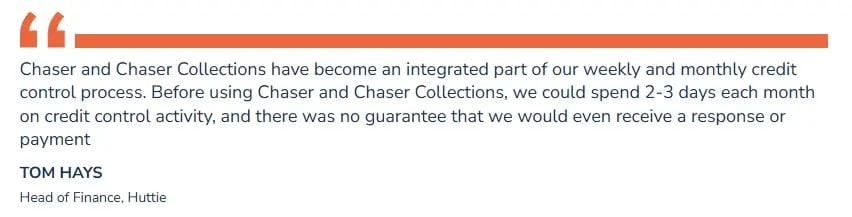
Before working with Chaser, Huttie Group had no way to guarantee that a chase would get a response, let alone a payment. Once escalation ran through Chaser Collections, with the full chasing history already sitting in one place, more than 90% of escalated invoices got a response and more than 80% were paid, without a separate handover process to start from.
If the conversation lives in someone's inbox, it disappears the moment they are out of office.
Reminders only fire on accounts set up right, so coverage leaks quietly
Business Central's reminders only work on customers who have reminder terms correctly assigned. Any account that slipped through setup, or a new customer nobody got around to configuring, is simply never chased, and nothing in the system flags that it has been skipped. The book looks covered because reminders are switched on, while a slice of it goes untouched.

Silent gaps are worse than visible ones, because you cannot fix what you cannot see. According to the 2026 AR report, 31% of businesses leave some invoices unchased every month, and businesses following up on 100% of their overdue invoices are 76% more likely to be paid within a week than those that do not. Consistency’s the single highest-impact lever in collections, and it depends entirely on nothing slipping through the setup unnoticed.
Reminders that only fire on configured accounts leave the rest of your book invisible.
Creating custom templates and sequence requires manual work
The moment a customer needs something other than the templated reminder (a phone call, a tailored message, a payment arrangement), it becomes a manual task again. Business Central automates the easy, standard case and hands everything else straight back to you.
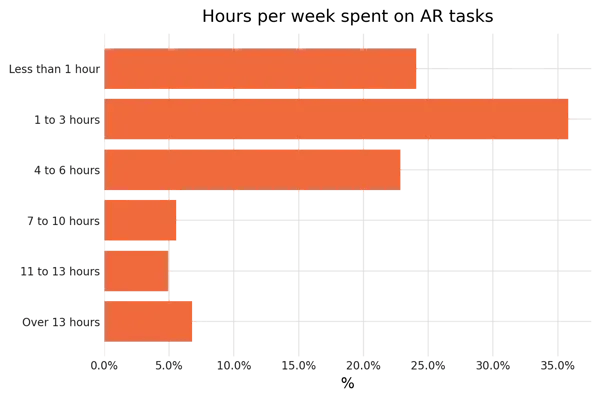
That manual overflow is where the hours actually go, and it grows as invoice volume grows. This is the point where "reminders are automated" stops being true in any way that matters day-to-day. The AR report found that the time cost of AR work falls disproportionately on smaller finance teams, the one- to three-person teams typical of businesses running Business Central rather than an enterprise ERP.
Before automating the chasing itself, Huttie Group's finance team spent two to three days a month on credit control, split between reminders and phone calls, with no guarantee any of it would land a response or a payment.
The invoices that need a person are exactly the ones a template cannot collect.
How Business Central integrations resolves its AR automation problems
A Business Central integration does not replace the ledger. It picks up exactly where the reminder engine stops.
- Multi-channel chasing: Reminders go out across email, SMS, automated calls, in-app calls, and letters, so a customer who has learned to ignore an automated email still gets reached. This closes the single-channel ceiling. SMS alone lifts the two-week payment rate from 49% to 73%, and auto-call extends that reach further without adding manual work.
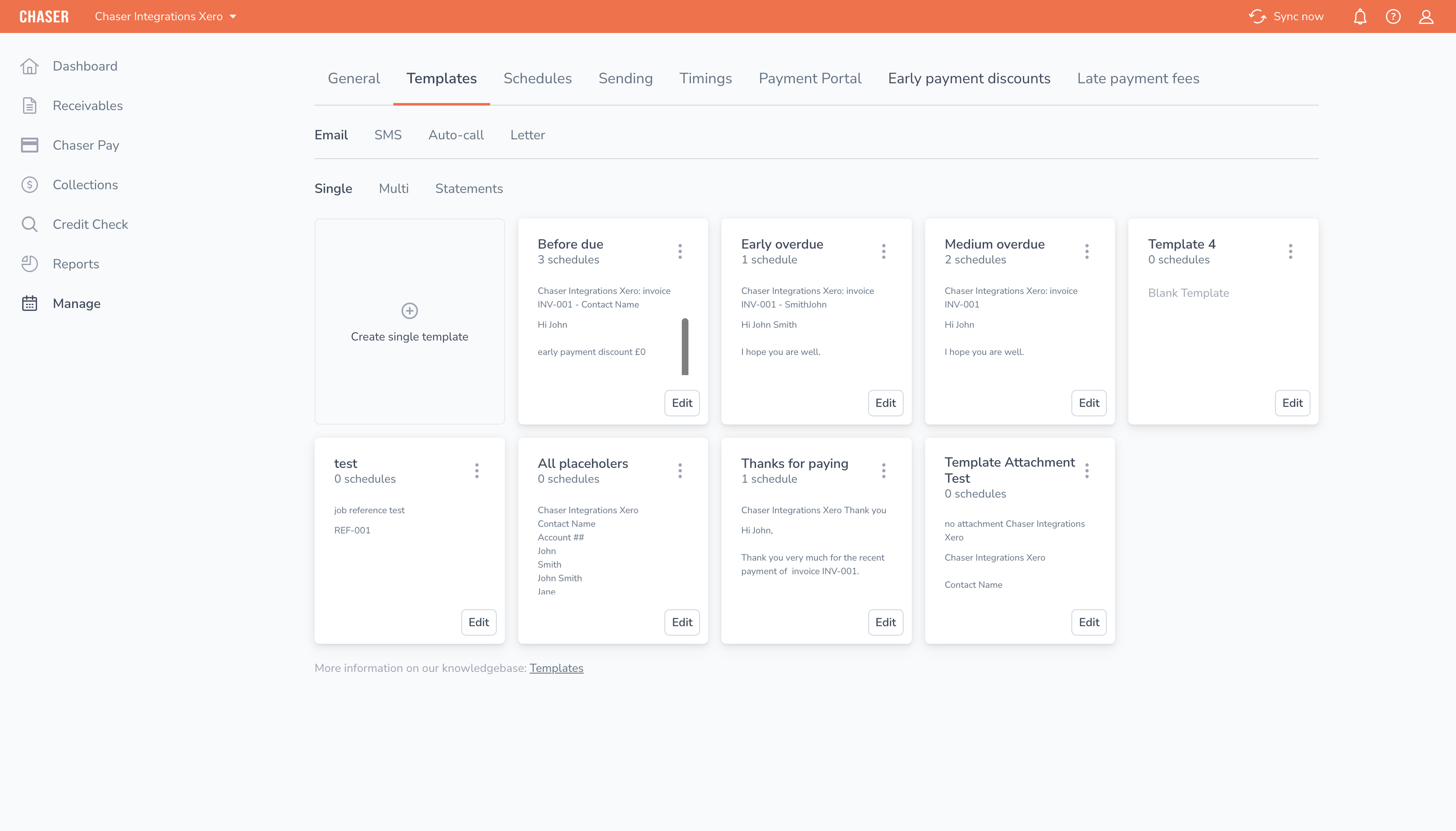
- Per-customer schedules and templates that read as hand-typed: Tone, timing, and cadence vary by relationship and payment history instead of following one fixed reminder level for everyone. That way, you get the same customizable, relationship-preserving automation that gave LoveBrands back more than 15 hours a week. Read the full case study to learn how Chaser helped LoveBrand.
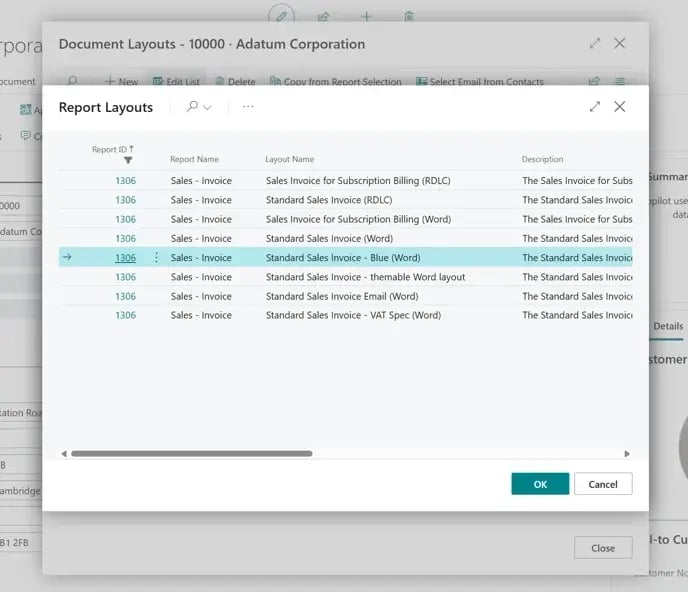
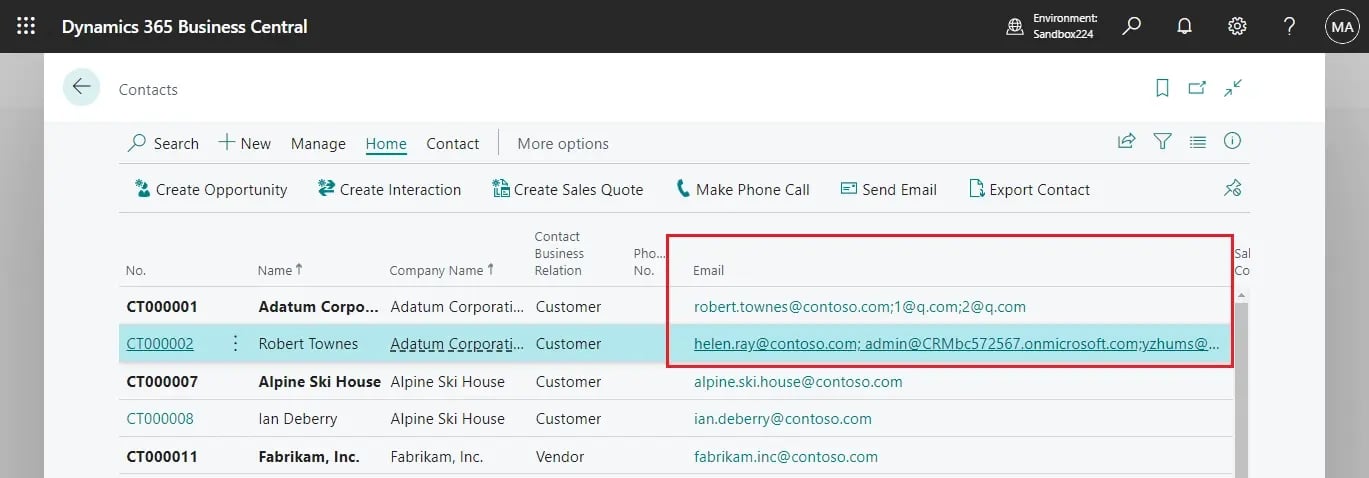
- A separate escalated sender: A Business Central contact record can hold more than one email address per customer, and the integration uses that to route a firmer follow-up from a more senior name automatically once an account crosses a threshold, rather than relying on someone remembering to step in personally.
- A full audit trail in one place: Every call, reply, and promise to pay gets logged against the invoice, instead of left in an inbox or a colleague's memory. If an invoice does need to move to collections, the history already sitting in one place means the escalation does not start from scratch.
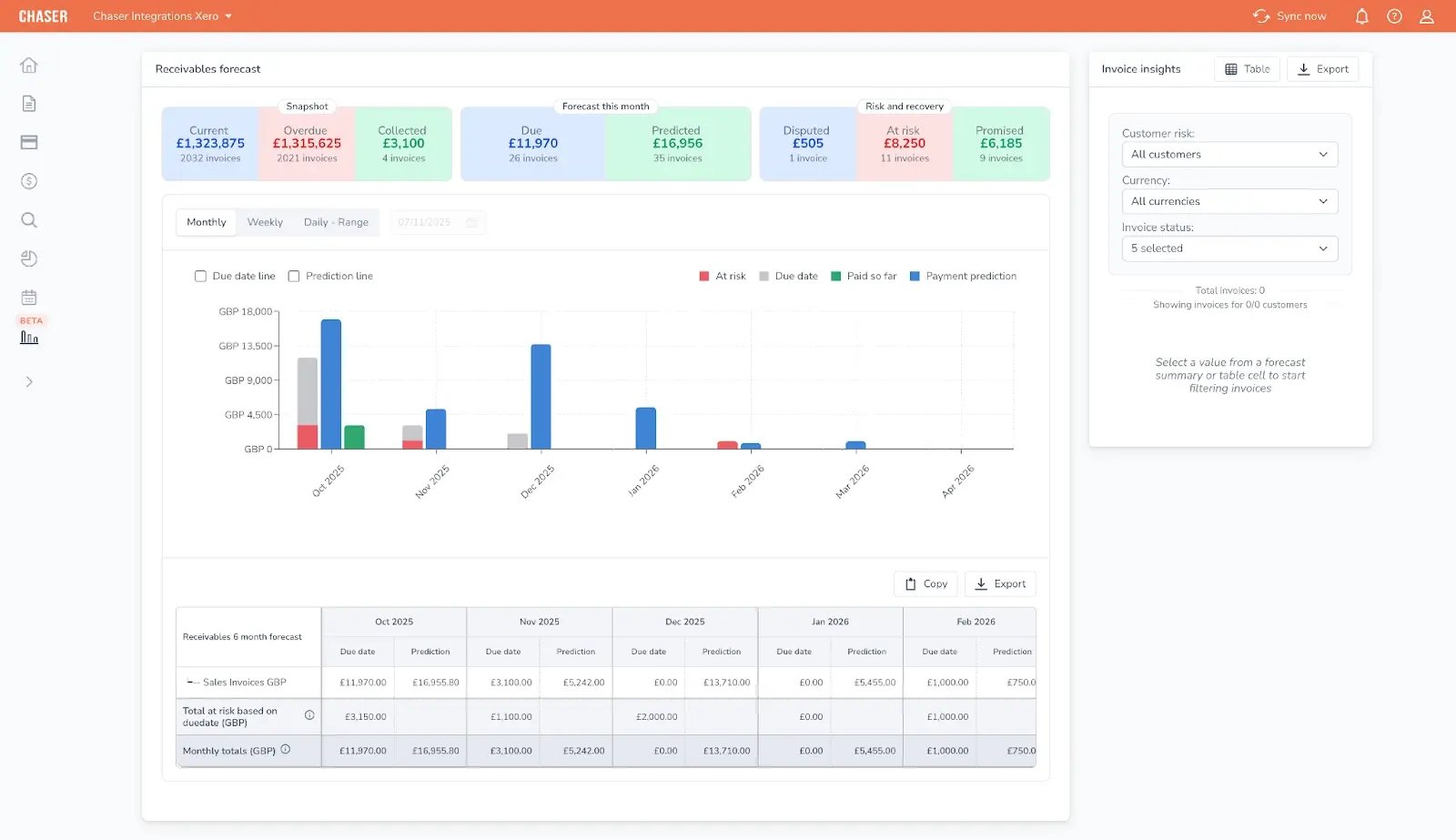
- Payer insight to work the whole book: Payer rating and the Late Payment Predictor score every customer and invoice by risk, using payment history rather than depending on every account being manually set up correctly before a reminder can fire. That’s because the software is surfacing risk across the whole book rather than only chasing what happens to be configured.
This does not give you an automated reconciliation or cash application rules engine. Business Central plus Copilot for Finance still does the work of matching a payment to the right invoice. What the integration changes is how often that matching needs to happen at all.
It does this by having the customer choose which invoices they are paying inside the payment portal at the point of payment, then syncing that selection back to Business Central. Business Central matches what arrives. Chaser changes what arrives.
For procurement, the integration is also listed on Microsoft Marketplace, which matters more than it should to whoever has to sign off on a new connection to your accounting system.
If any of the six limitations above sound like your week, book a demo to see how the Business Central integration works with Chaser on your own ledger.
Do you need more than Business Central's native AR, or not?
Not every AR problem is a chasing problem. If what you’re actually short on is card processing or ACH payment rails, a payments-first tool is the right shape of solution, and Business Central's native AR was never going to solve that regardless of what you add on top of it.
If the problem is that customers who can pay are not paying on time, the six limitations above don’t resolve themselves by configuring more reminder levels or rewriting templates. The reminder engine can only branch on what the ledger tracks: days overdue, amount, currency. It can’t branch on relationship, payment history, or how a specific customer actually responds, and no amount of setup changes that.
The number this comes down to is whatever Days Sales Outstanding (DSO) figure you are explaining at the next cash flow forecast or board review. Docuflow reduced its DSO from 60 days to approximately 24 and got paid 54 days faster on average after moving to automated, multi-channel chasing. That’s the kind of result a fixed, single-channel reminder engine isn’t built to produce, no matter how well the ledger side is configured.
If you’re ready to compare full AR automation platforms rather than a single integration, this roundup of accounts receivable automation software covers the wider field.


.png)