


















.svg.png?height=48&name=Zoho_CRM_(application).svg.png)





.webp?length=1248&name=dso-reduction-software-header%20(1).webp)
Key takeaways
- There is no universal best DSO software. Before you choose, you have to figure out exactly the process causing payment delays.
- Your accounting system, AR operation, and underlying cause determine product fit, much more than the number of features in the software itself.
- Different capabilities address chasing, disputes, unmatched payments, prioritization, and reporting transparency.
Days sales outstanding (DSO) keeps sitting well above your payment terms, and it’s not for lack of trying. Terms have been tightened, reminder cadences have been added, and maybe another person has even joined the accounts receivable (AR) effort. But the number has barely moved.
In that situation, the natural next question is whether software can fix it, or whether every vendor claiming to reduce DSO is describing an effect that has nothing to do with what is slowing your customers down.
This guide helps you understand where a software can genuinely reduce DSO and when it doesn’t, the criteria that actually separate one platform from another, and how to choose based on your combination of accounting systems.
Before you choose, match the software to the process keeping DSO high
Software can improve inconsistent chasing, unclear account ownership, payment matching, prioritization, and visibility into customer communications. These are processes an AR platform can change.
Billing errors and unresolved customer queries require a different response. Sending more reminders will not resolve an invoice the customer believes is wrong.
Before comparing products, identify where the delay occurs. That tells you which capability should carry the most weight in your evaluation.
|
If DSO is being extended by |
Look for |
|---|---|
|
Inconsistent or undocumented chasing |
Shared communication history and automated workflows |
|
Unmatched payments |
Cash application and confirmed ledger updates |
|
Disputed or short-paid invoices |
Dispute routing, ownership, and resolution tracking |
|
Effort allocated by invoice age |
Defensible risk-based prioritization |
|
Conflicting or unverifiable figures |
Traceability from reported figures to underlying invoices |
Six criteria determine which software can reduce your DSO
Not every DSO reduction software feature here matters equally to every reader. Which one carries the most weight depends on which process is actually extending your DSO, which accounting system you already run, and how large and complex your AR operation is.
1. Your accounting system determines whether AR data stays current
Your AR platform needs current invoice, payment, credit note, and customer data. Delayed or one-way updates can leave new invoices out of the chasing workflow and trigger reminders for invoices that have already been paid.
Ask vendors what data moves between the systems, in which direction, and how often. “Integrates with your enterprise resource planning (ERP) system” does not tell you whether the connection provides a two-way sync or a periodic data import.
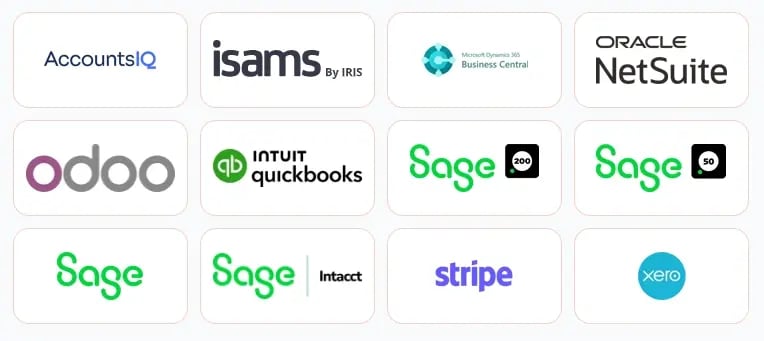
Check the exact accounting product and version you use. Support can differ between products from the same vendor, including Sage Accounting, Sage 50 Accounts, Sage 200, and Sage Intacct. Evaluate the depth of the connection to your system, not the length of the vendor’s integration list.
2. Cash application must update both the ledger and the chasing queue
A payment can reach your bank while the invoice remains open in the ledger. This commonly happens when one payment covers several invoices or the customer deducts part of the amount.
Until the payment is matched, DSO remains inflated and the customer may continue receiving reminders. Ask the vendor to demonstrate how it handles multi-invoice payments, deductions, and partial payments. Confirm when the ledger updates, when reminders stop, and how well the platform recognizes the remittance formats your customers use.
3. Disputed and short-paid invoices need a resolution workflow
A disputed invoice cannot be chased into payment: the customer is withholding money over a disagreement, not slowness, and reminders read as tone-deaf while a legitimate query is open.
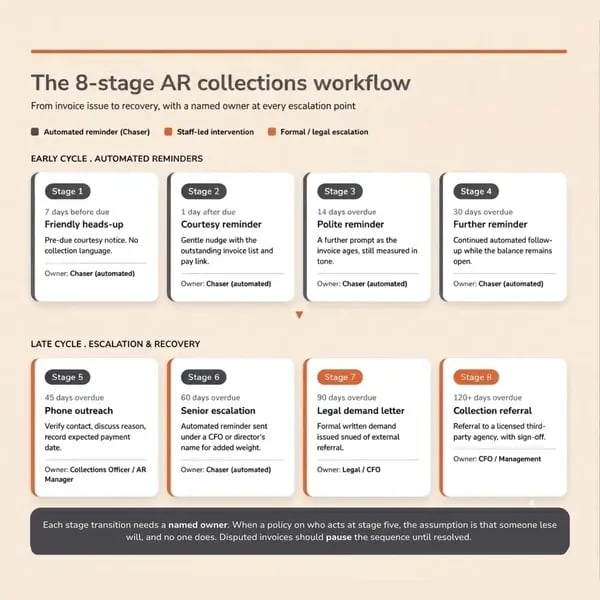
Disputed and short-paid invoices need a reason, an owner, and a resolution status. This routes the issue to someone who can resolve it and prevents ordinary reminders from continuing.
Verify how a disputed invoice gets flagged, whether the chase sequence actually pauses, who gets notified, and whether there is visibility into how long it has been open and who outside finance owns it.
4. Prioritization should identify where action can change the payment outcome
An aging schedule shows how long an invoice has been outstanding. It does not necessarily show which account needs attention first.
Useful prioritization can consider payment history, missed payment promises, invoice value, due date, and customer risk. Ask vendors which signals they use and how those signals affect the order in which accounts appear.
The recommendations will only be as reliable as the underlying data. Missing payment updates and unrecorded disputes can distort any prioritization model.
5. Every reported figure should be traceable to the invoices behind it
You may need to explain a DSO figure or forecast to a board member, lender, or senior colleague. The platform should show which invoices and payment behaviors contributed to that number.
Differences between the platform and your accounting system may come from the calculation method. For example, the countback method can produce a different DSO from a simple average using the same underlying data.
Ask the vendor to show how a specific figure was produced. Confirm the calculation method, how credit memos are treated, and whether the calculation starts from the invoice date or due date.
6. The platform must match the scale and complexity of the AR operation
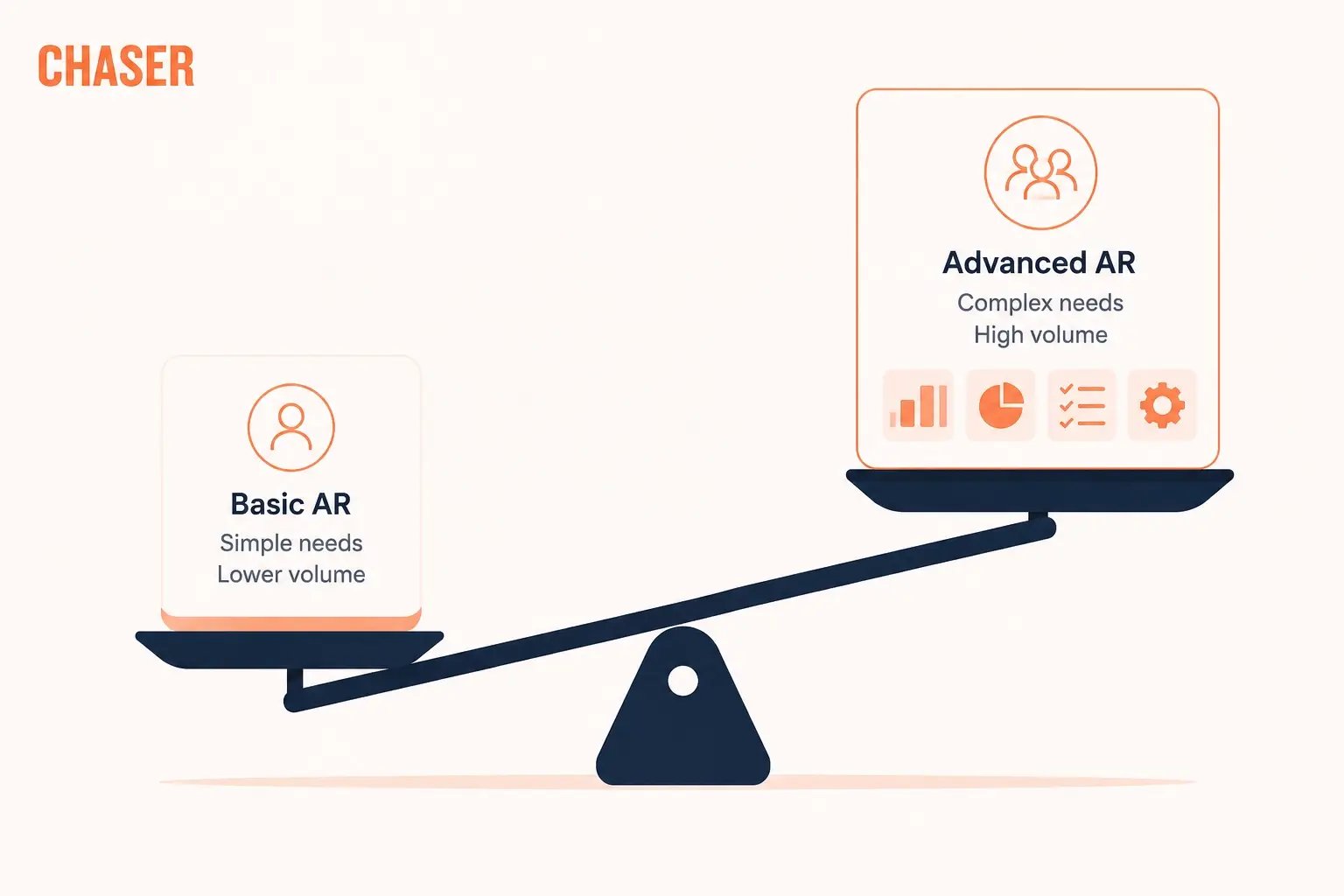
Consider your invoice and customer volume, number of users, entities, accounting systems, currencies, and implementation resources.
Also check:
- Permissions: Can you control which accounts and information each user can access?
- Ongoing administration: How much work will it take to maintain customer groups, users, terms, and chasing rules?
- Implementation: What internal support and technical involvement will the rollout require?
A focused AR platform, a receivables suite, and an enterprise order-to-cash system support different operating requirements. If your chasing volume is low, a well-managed spreadsheet-based tracker may still be sufficient.
Recommended DSO reduction software by use case and accounting system
The table below maps four platforms to the combination of accounting system, cause, and scale each is actually built for. None is ranked above the others here. Each answers a different version of the DSO problem.
|
Product |
Best when |
Accounting system fit |
What to verify |
|---|---|---|---|
|
Chaser |
Inconsistent chasing and limited visibility are leaving overdue invoices without clear follow-up |
Xero, QuickBooks Online, Sage (Accounting, 50, 200, Intacct), AccountsIQ, Microsoft Dynamics 365 Business Central |
Shared audit trail, customer segmentation, and forecasting built on live accounting data |
|
HighRadius |
You manage high-volume receivables, deductions, and cash application across several entities or ERP systems |
SAP, Oracle, NetSuite, Sage Intacct, Workday, Microsoft Dynamics, and 50+ others via native connectors |
AI-driven cash application and deductions matching at high volume |
|
Tesorio |
You want collections activity and payment predictions to inform cash forecasting |
NetSuite, Salesforce, Sage Intacct, Workday, and others via Tesorio Connect |
Machine-learning payment prediction feeding a live cash forecast |
|
Billtrust |
Matching high volumes of incoming payments and remittance data is the main delay |
Broad ERP support at enterprise scale; confirm your specific system during evaluation |
OCR-driven cash application with vendor-stated match rates above 95% |
Chaser: for finance teams that need traceable AR decisions without an enterprise implementation
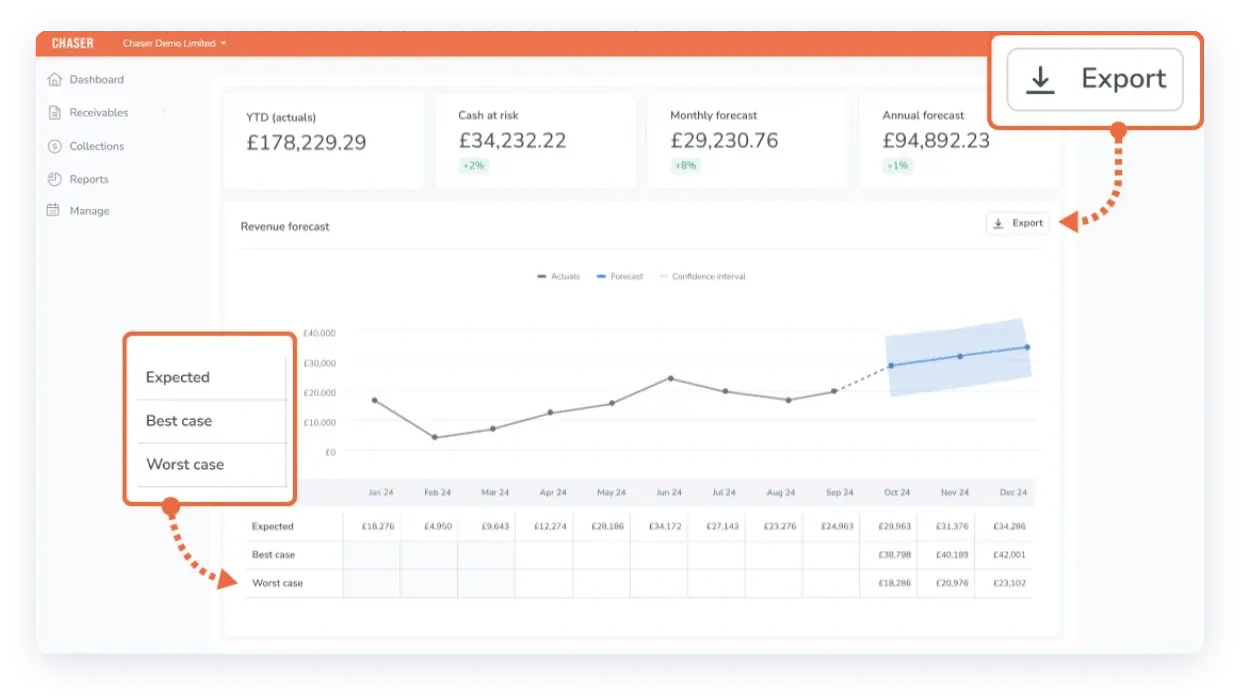
If your DSO stays high because chasing activity is scattered across spreadsheets, inboxes, and your accounting system, Chaser gives you an accounts receivable automation platform built around a shared audit trail.
It records every reminder, reply, and call note against the relevant customer account, so everyone involved can see what has happened and what needs attention next. That way, it helps your team remove gaps and duplicated effort from your AR workflow, reducing the likelihood that overdue invoices will sit untouched and keep DSO above payment terms.
That same ability to trace the workflow carries into Chaser’s receivables forecasting. You can inspect the invoices and payment behaviors contributing to a forecasted figure, giving you an evidence trail when a board member or lender asks how the number was produced.
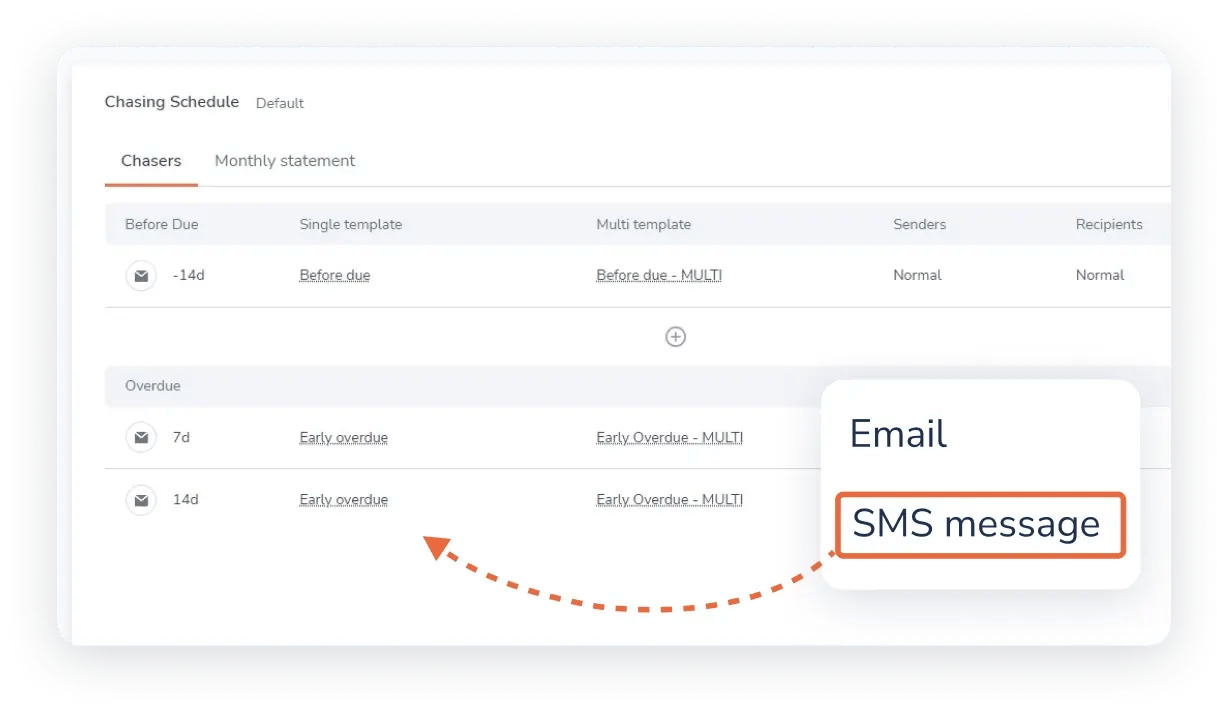
You can also place customers into different chasing groups and tailor the timing, tone, and channel of each workflow. Chaser brings email, SMS, letters, and calls into the same process, while email reminders come from your own address and signature. This helps you maintain consistent coverage without sending every customer the same sequence of messages.
Invoices can be flagged as disputed with a reason and routed to their own schedule, which pauses the standard chase sequence rather than escalating a legitimate query. And when a customer is ready to pay, the Payment Portal gives them one place to view invoice copies, download a statement, arrange a payment plan, and pay through the connected payment provider. This reduces the steps between receiving a reminder and completing payment.
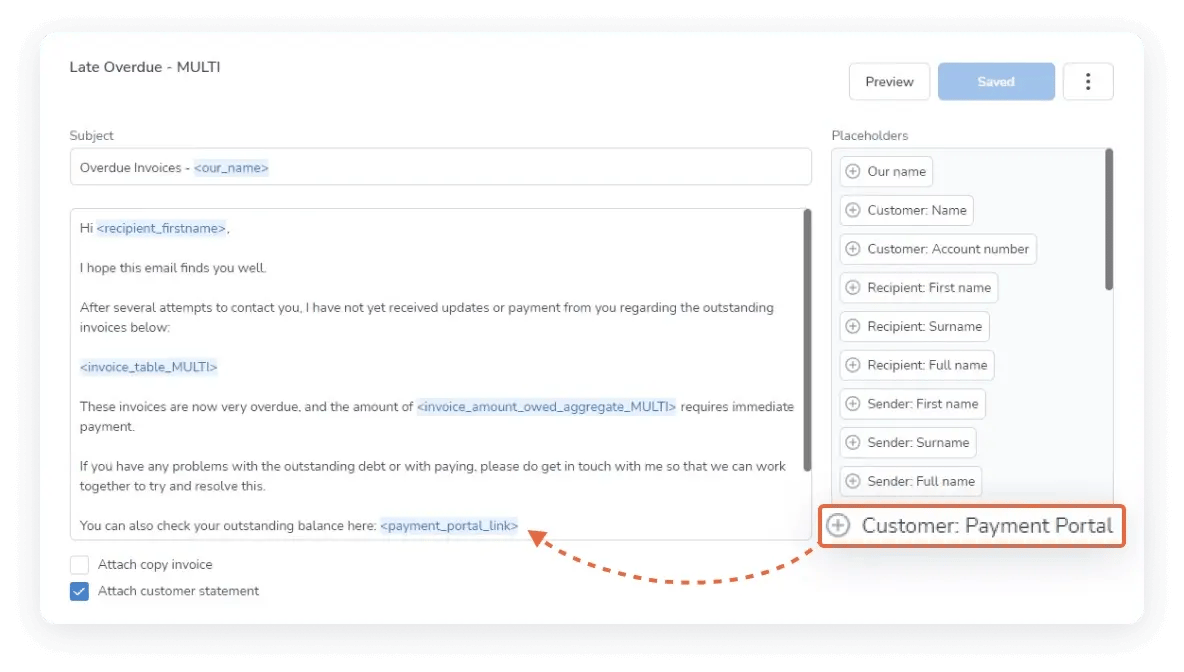
Chaser connects these workflows to invoice and payment data from accounting platforms including Xero, QuickBooks, Sage (50, 200, X3, Accounting, and Intacct), AccountsIQ, and Business Central.
Lastly, its cash application updates the ledger and stops chasing a paid invoice, but it is partial rather than a full remittance-matching engine, so high-volume cash application is not the strongest reason to choose it.
Sterling Accounting Solutions used Chaser to reduce a client’s DSO from 120 days to 30 days, a 75% reduction. Similarly, LoveBrands saved 15 or more hours a week after moving chasing out of a spreadsheet, and the Community Energy Scheme recovered £800,000 GBP of previously written-off debt through Chaser Collections.
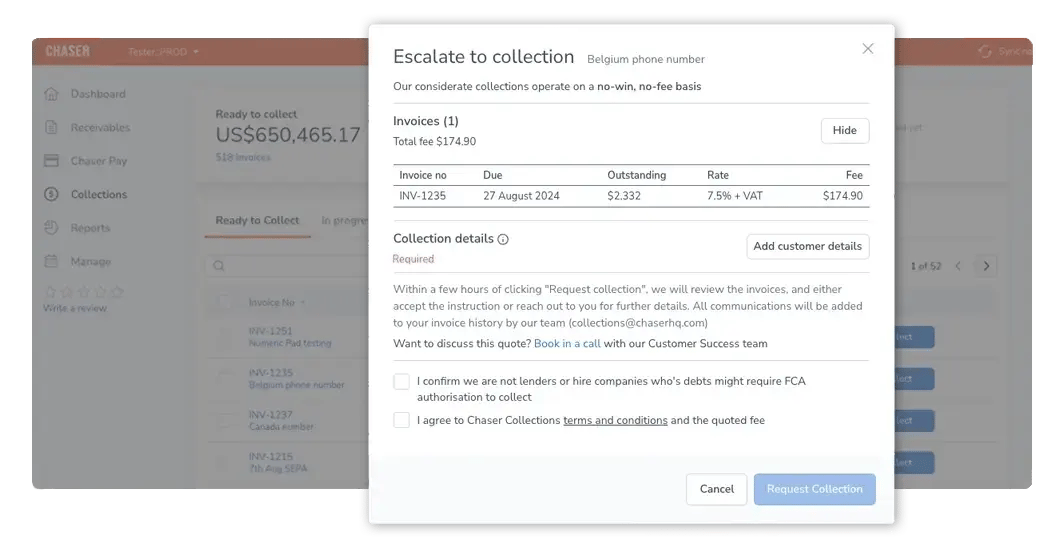
On G2, Chaser holds a 4.3/5 rating from 70 reviews, with automation, ease of use, and collections efficiency the most cited strengths, and requests for deeper reporting the most common ask.
Key concern: Cash flow forecasting is currently available to Xero and AccountsIQ users only, though receivables and revenue forecasting are available to all users. Enterprise, multi-ERP receivables operations, and teams that specifically need dedicated treasury or FP&A forecasting are better served by the platforms below.
Book a demo to see whether that fit matches your specific cause.
Book a demoHighRadius: for enterprise finance functions with centralized AR teams managing receivables across several ERPs, entities, or countries.
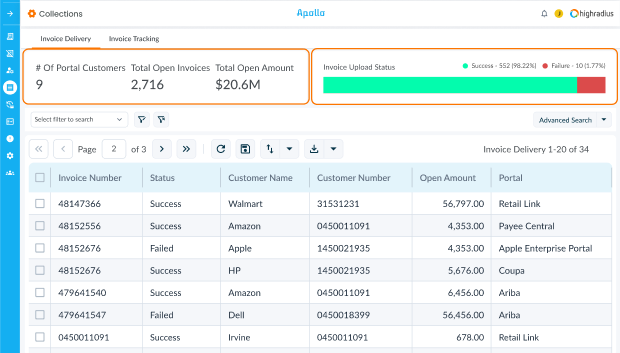
HighRadius addresses the scale and complexity axis directly. It connects to 50 or more ERPs and accounting platforms, including SAP, Oracle, NetSuite, Sage Intacct, Workday, and Microsoft Dynamics, through native, two-way connectors, which is why it shows up on shortlists for organizations running more than one system at once. Its AI-driven cash application and deductions matching is built for the volume and remittance complexity that enterprise invoicing produces.
HighRadius holds a 4.3/5 rating on G2 from more than 237reviews, with reviewers from large finance functions consistently citing the breadth of ERP coverage as the platform's core strength.
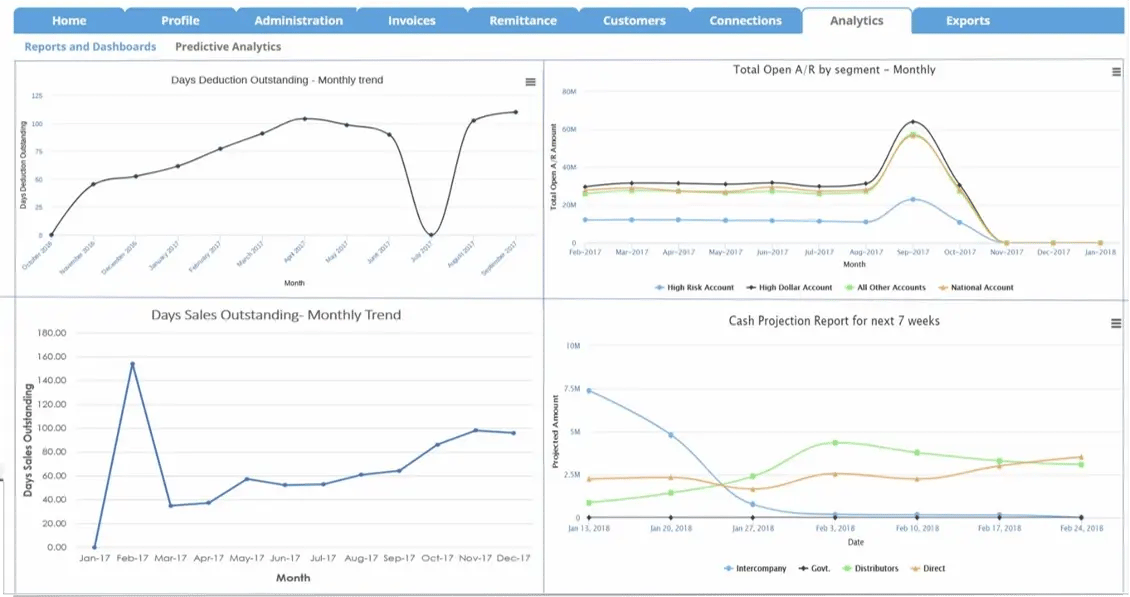
That same depth is why implementation is typically measured in months rather than weeks, with meaningful IT involvement required to configure and maintain it. Reviewers outside the enterprise segment describe a steeper learning curve and slower change-request cycles than lighter platforms offer.
Before shortlisting HighRadius, teams should verify the specific connector for their ERP version, confirm dedicated IT resourcing for the rollout, and ask a reference customer of a similar size for a realistic go-live timeline.
Teams without a dedicated IT resource for implementation, or without genuinely enterprise-scale, multi-entity receivables, are typically better served elsewhere on this list.
Tesorio: for NetSuite and Salesforce-centric teams that want collections tied to cash flow forecasting
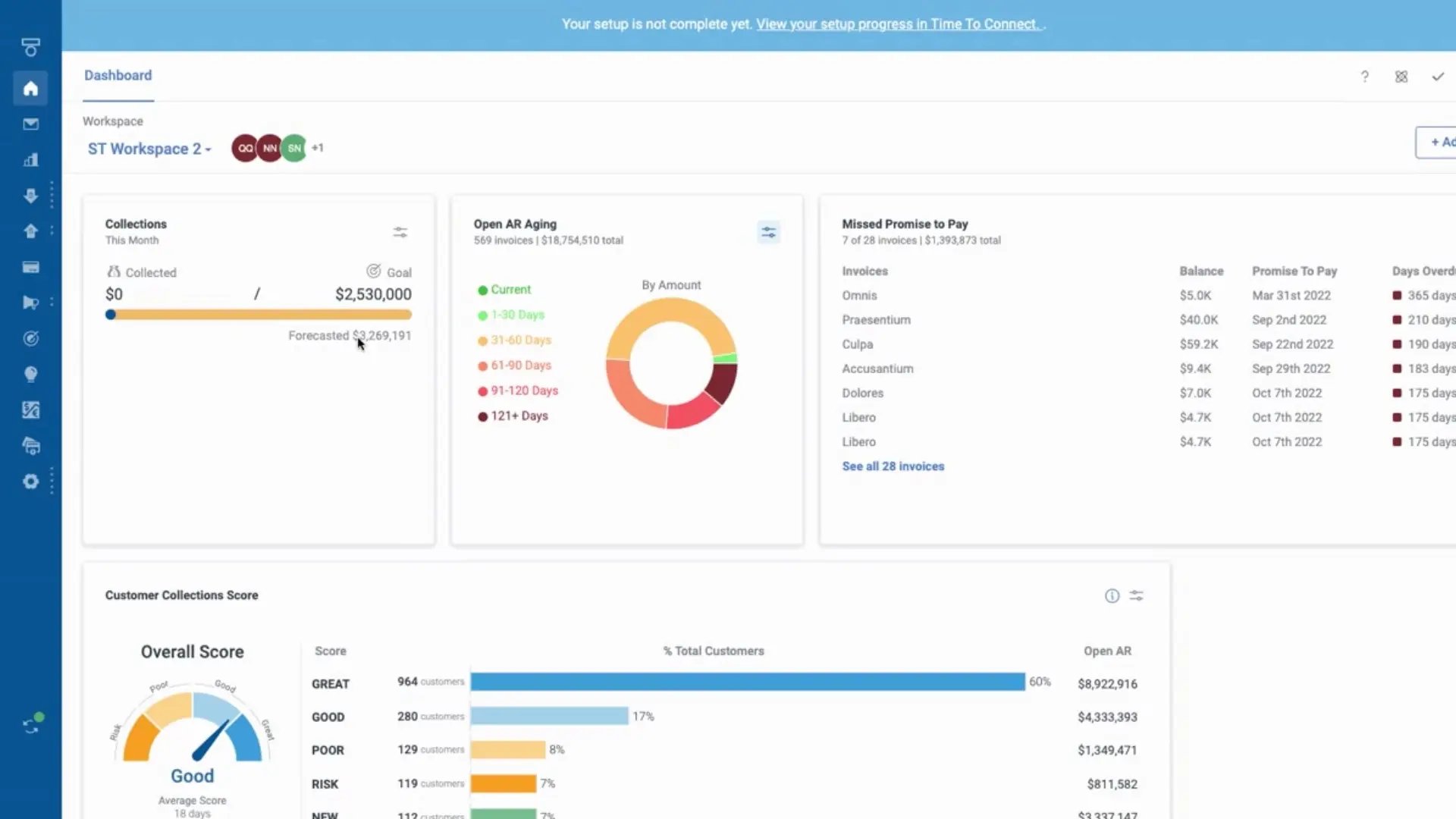
Tesorio's core differentiator is forecasting, not chasing volume. Machine-learning payment predictions draw on live NetSuite, Salesforce, Sage Intacct, or Workday data through its own connector layer.
Tesorio holds a 4.7/5 rating on G2 from around 238 reviews, and reviewers consistently highlight the real-time sync into their CRM and ERP as the reason collections and pipeline visibility finally sit in one place. For a finance team whose DSO problem is really a forecast-accuracy problem, that mechanism addresses the underlying cause directly.
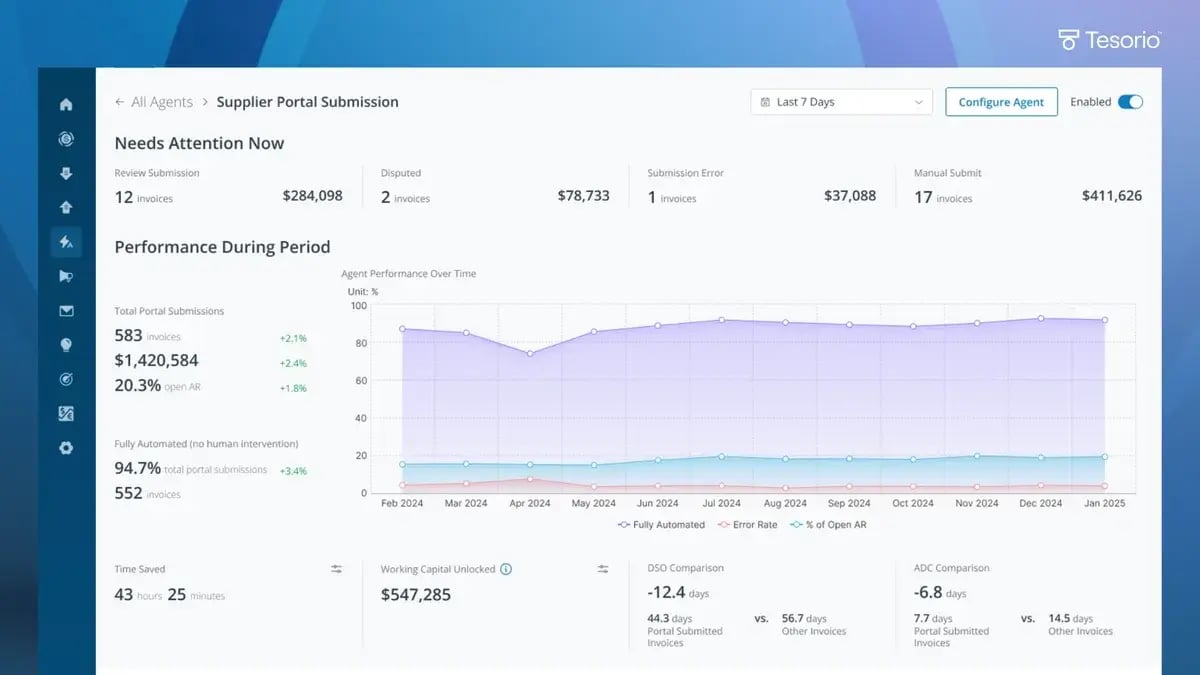
It is built for mid-to-large businesses with complex AR workflows rather than a small in-house team. Reviewers note that configuring the automation layer takes real technical effort up front, and pricing is quote-based with no published starting point. Before shortlisting Tesorio, finance teams should confirm the specific connector for their accounting system, and ask to see forecast accuracy measured against their own historical payment data rather than a vendor-supplied benchmark.
Teams on Xero, QuickBooks Online, or Sage without a NetSuite or Salesforce environment underneath them are unlikely to see the same fit.
Billtrust: for high-volume invoicing operations where remittance matching is the bottleneck
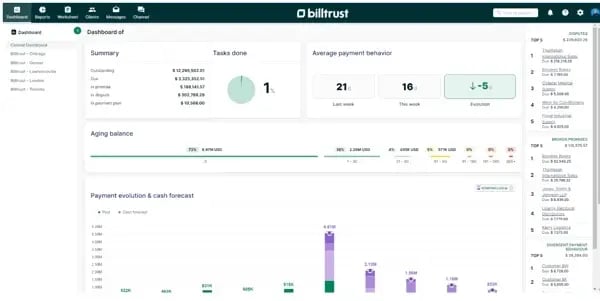
Billtrust has processed more than $1 trillion USD in invoices and holds a 4.4/5 rating on G2 from more than 511 reviews, with a 19-consecutive-quarter run as a G2 category leader in AR automation software, built on invoice delivery at scale and OCR-driven cash application with vendor-stated match rates above 95%.
For an operation where unmatched or partially matched payments are the real cause of an inflated DSO, that matching depth addresses the cause directly rather than adding reminder volume on top of it.
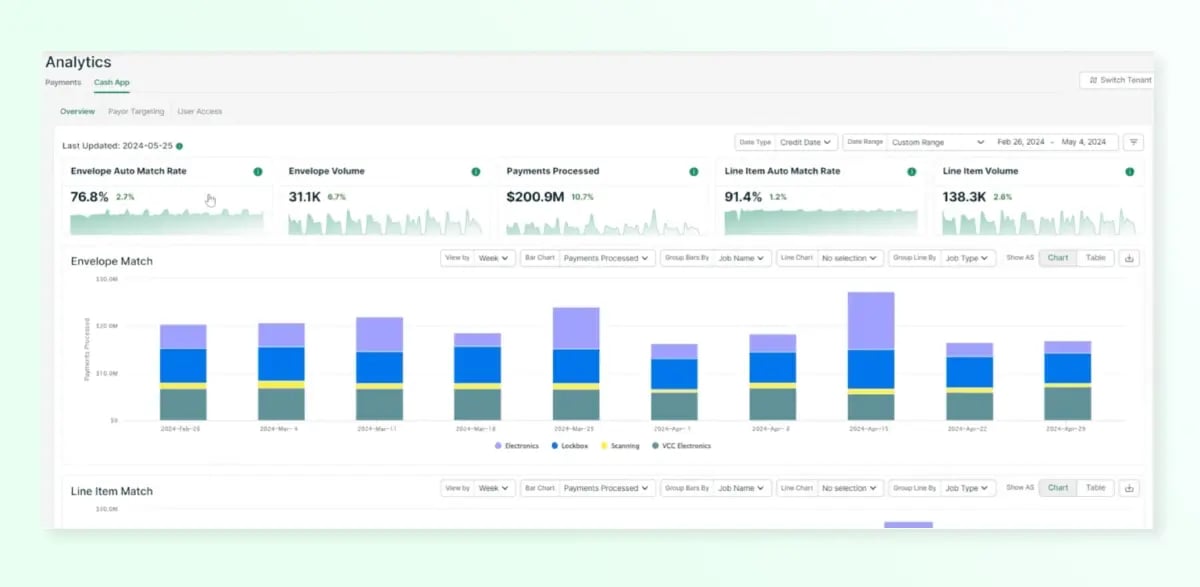
Billtrust is built for enterprise invoicing volume, and its collections and credit management functions sit alongside that cash application core rather than leading it. Before shortlisting Billtrust, teams should verify current integration support for their specific accounting system or ERP, since coverage depth varies by product line, and confirm their invoice volume actually justifies the platform's enterprise-oriented pricing model.
A team whose DSO problem is inconsistent chasing rather than remittance matching is solving a different problem, and is likely better served elsewhere on this list.
How to tell whether your DSO software is closing the gap between payment terms and actual payment
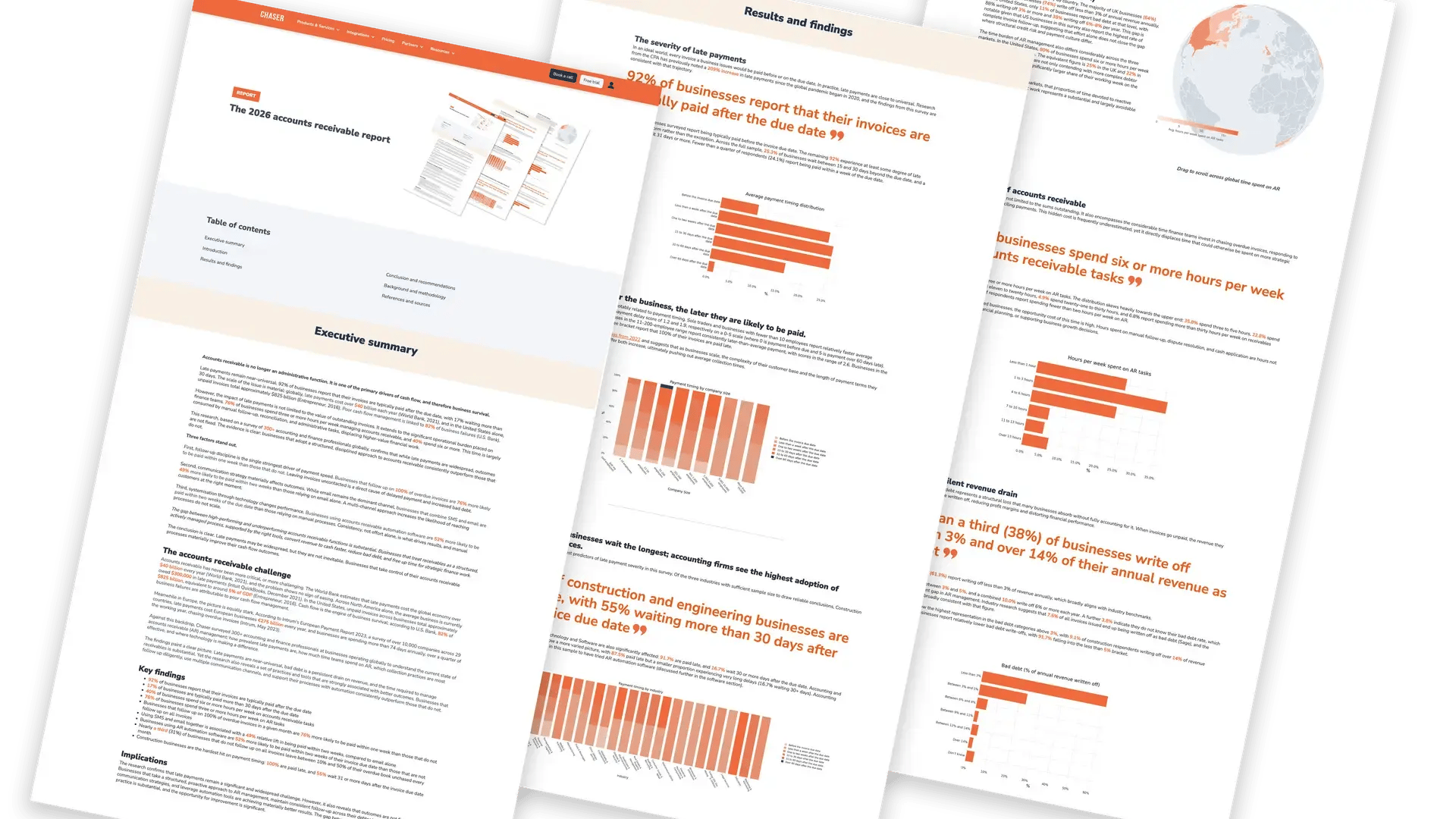
There is no universal good DSO. A business on 30-day terms with a DSO of 45 has a real 15-day gap; a business on 60-day terms with the same DSO of 45 is actually outperforming its own terms. Only 24% of businesses are paid within a week of the invoice due date, and 17% wait more than 30 days beyond it, according to Chaser's 2026 accounts receivable report, which means most businesses are already living somewhere in that payment gap.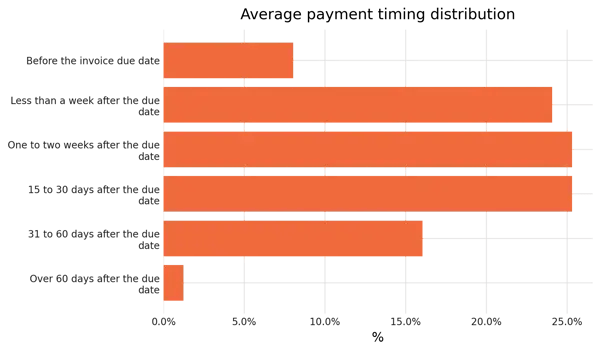
The comparison that matters is against your own stated terms and your own customer segments, not a fixed day count applied equally to a 30-day book and a 90-day book.
A single month's improvement is easy to produce and easy to lose. A gap that persists or narrows consistently across several reporting cycles is the more honest signal that a process constraint has actually been fixed, rather than one customer happening to pay early.
Track average days delinquent alongside DSO, since DSO alone can look stable while a small number of severely overdue accounts quietly worsen underneath it. It sits well alongside the other AR metrics worth tracking.
Establish a baseline before rolling software out, then measure specifically the constraint the platform was selected to address, whether that is chasing consistency, payment-matching speed, dispute resolution time, or the accuracy of what gets reported, rather than DSO alone. Segment results by customer group, too, since an improvement in your most reliable segment can mask deterioration in a riskier one.
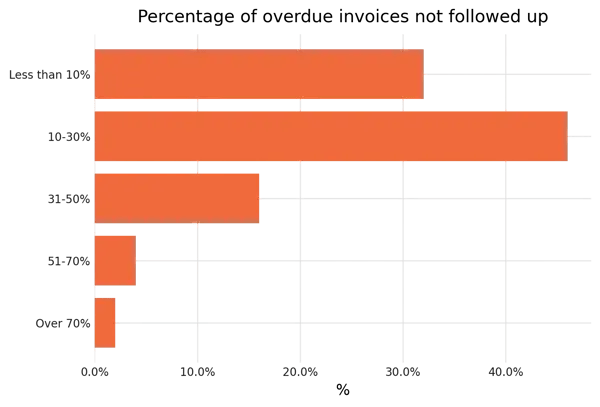
The scale of what is normal to fix also depends on the business. 31% of businesses leave some invoices unchased in a given month, and businesses following up on 100% of overdue invoices are 76% more likely to be paid within a week than those that do not, per Chaser's research. That is the kind of process gap software closes directly. Track the metric tied to your own cause, against your own terms, and let the trend across several cycles tell you whether it worked.
Frequently asked questions
%20-%20Automate%20debt%20collection%20(1)-1.webp)