

























Credit control software connects to your accounting system, chases overdue invoices automatically, shows you which customers are slipping toward late payment, and gives you a way to escalate when reminders are not enough. This guide compares five tools a UK finance team would realistically shortlist: Kolleno, Paidnice, Chaser, Upflow and Quadient AR. Each one is described from its own website on the same criteria, and the right choice depends mostly on the size of your business and the ledger you run.
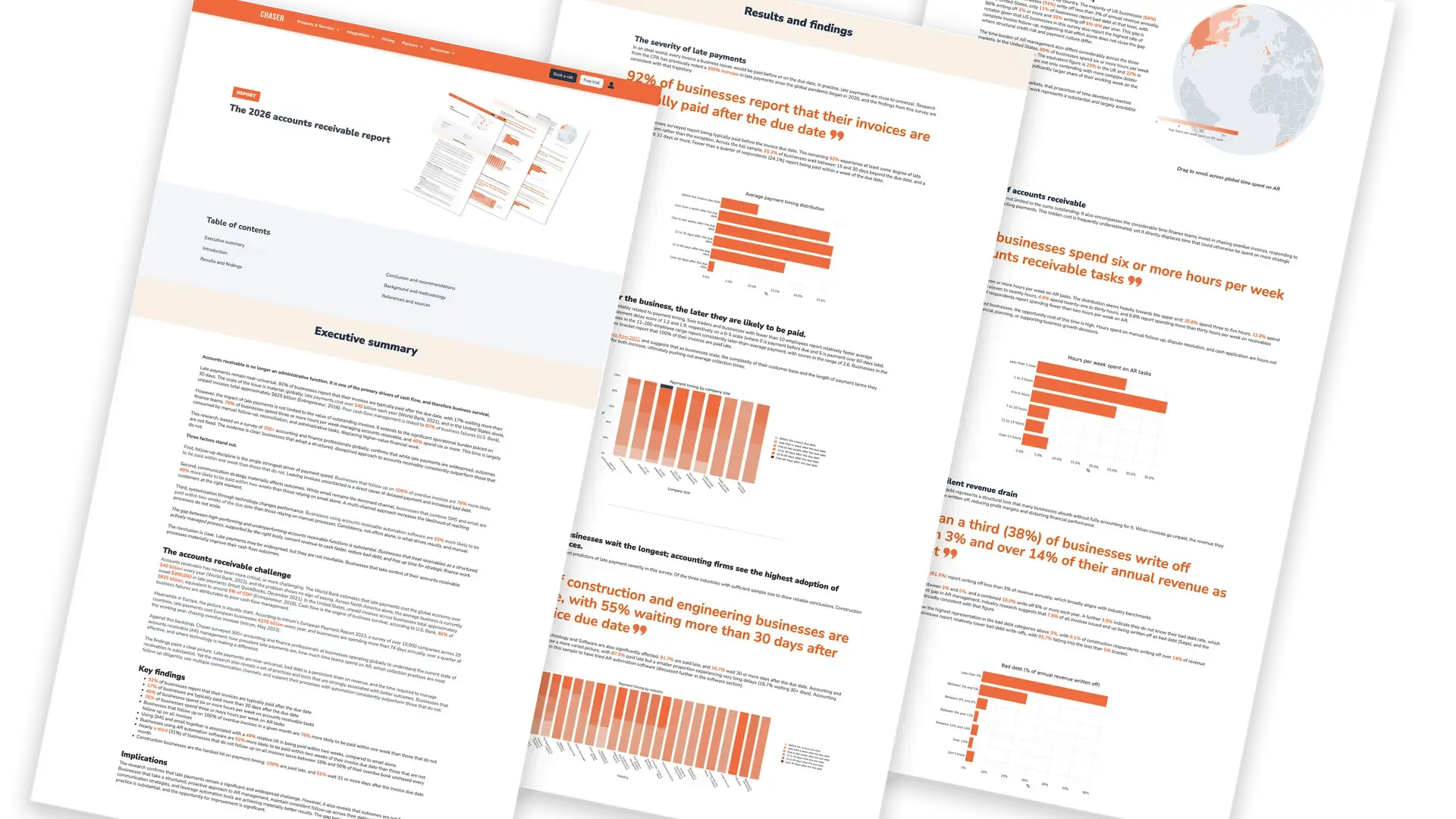
Late payment is the norm. According to Chaser's 2026 accounts receivable report, 92% of businesses say their invoices are typically paid after the due date, and 17% wait more than 30 days. The same research found that 40% of businesses spend six or more hours a week managing accounts receivable.
Credit control software vs credit management software: which do you need?
The two terms are used interchangeably, but they describe different jobs. Credit management software helps a credit team decide whether to extend credit in the first place: credit applications, credit checks, credit limits and blocking orders when risk changes. Credit control software helps an accounts receivable team collect from customers already on credit terms: chasing invoices, tracking payment behavior, resolving disputes and taking payment.
Most tools now do some of both. Every tool in this guide covers credit control, and Chaser, Kolleno and Quadient AR add credit risk features. If you approve new accounts every day and need credit applications and order blocking, put credit management features at the top of your list.
Who this comparison is for, and how the tools were chosen
This guide is for finance managers, credit controllers and finance directors at UK B2B businesses who already give customers credit terms and want to spend less time chasing. A tool is included only if all three of these are true:
- It automates payment reminders from your accounting system.
- It gives your customers a way to pay, through payment links, a portal or online payments.
- Its own website names integrations with ledgers UK teams use, such as Xero, QuickBooks, Sage or NetSuite.
Each tool is described on the same criteria: who it is built for, key features, integrations, pricing model, pros and cons. Features and pricing models come from each vendor's own website, checked on 25 November 2026. Prices are not quoted because they change often, so check each vendor's site for current figures. This guide is published by Chaser, which appears in the list.
Quick comparison: 5 credit control tools
| Tool | Built for (vendor's description) | Credit control coverage | Integrations named by the vendor | Pricing model |
|---|---|---|---|---|
| Kolleno | Businesses of every size, with plans tiered by annual turnover | Collections, payments, cash application, disputes, credit risk | Xero, QuickBooks, Sage Intacct; NetSuite, Microsoft Dynamics 365 Business Central, SAP and Oracle Fusion on enterprise plans | Per user; enterprise plans quoted |
| Paidnice | Credit controllers, finance leaders and business owners | Email and SMS reminders, late fees, interest, prompt payment discounts, payments | Xero, plus Stripe for payments | By invoice volume; free trial |
| Chaser | Mid-market finance teams | Reminders by email, SMS, call and letter, payments, credit risk, forecasting, collections | Xero, QuickBooks Online, Sage 50 (UK), Sage 200, Sage Intacct, NetSuite, Microsoft Dynamics 365 Business Central and more | Published on its pricing page; set by annual revenue |
| Upflow | B2B finance teams, with plans tiered by annual invoiced revenue | Collections, payments, cash application, AR insights | NetSuite, Sage Intacct, QuickBooks Online, Xero, Stripe Billing, Chargebee, Zuora | Quoted on request; unlimited seats; free Discover plan |
| Quadient AR | B2B finance teams, including those on enterprise ERPs | Credit, collections, disputes, payments, cash application | SAP, SAP Business One, Microsoft Dynamics, Sage 300, Sage X3, Sage Intacct, Oracle NetSuite, Acumatica, QuickBooks, Xero | Customized; not published |
Listed by the size of business each vendor says it serves, smallest first; tools serving similar businesses are listed alphabetically. Every feature, integration and pricing model is from the vendor's own website, checked on 25 November 2026.
Credit control tools compared
Kolleno
Kolleno lists offices in London and New York and describes itself as an intelligent order-to-cash platform. It covers collections, online payments, cash application, disputes, credit risk management and cash flow forecasting.
Its plans are priced per user and tiered by annual turnover, from small businesses up to large enterprises, so it suits a team that wants a broad AR workspace and has a small number of people chasing.
Key features
- Automated and AI-assisted collections workflows, with SMS and calls included in set quantities on each plan.
- Customer payments and a payment portal.
- Cash application and payments reconciliation.
- Credit risk management and cash flow forecasting.
- Xero, QuickBooks and Sage Intacct on its Business plans, with Clio added on Business Plus, and NetSuite, Microsoft Dynamics 365 Business Central, SAP and Oracle Fusion on its enterprise plans.
Pros
- Collections, payments, cash application and credit risk in one platform.
- Entry plans are published on its pricing page.
- Enterprise plans connect several ERP accounts at once.
Cons
- Per-user pricing adds up if several people chase, or if sales and account managers need access.
- Its Business plans include one ERP connection.
- NetSuite, Business Central, SAP and Oracle Fusion need an enterprise plan, which is quoted.
Pricing: per user, tiered by annual turnover, with entry plans published and enterprise plans quoted. For more options, see the guide to Kolleno alternatives.
Paidnice
Paidnice is a credit control app built around the idea that reminders should carry consequences. It sends email and SMS reminders from your own domain, applies late fees and interest to unpaid balances, and offers prompt payment discounts, with payments taken through Stripe and reconciled to Xero.
It says it is built for credit controllers, finance leaders and business owners, and it prices by invoice volume rather than by your revenue, which suits smaller teams with steady invoice numbers.
Key features
- Email and SMS reminders sent from your own domain.
- Late fees, interest and prompt payment discounts, with UK statutory interest tracking the Bank of England base rate.
- Stripe payments by card, ACH, BACS or direct debit, reconciled to Xero.
- Two-way sync with Xero, plus connections to Slack, Teams, Zapier, HubSpot, Salesforce and Pipedrive.
Pros
- Priced by invoice volume, not by your revenue or your number of users.
- A free trial, with no credit card needed.
- Late fees and statutory interest are built in, which suits businesses that enforce their payment terms.
Cons
- Its Xero listing describes Xero as the accounting connection, so check support for your ledger if you run Sage or an ERP.
- Its listing does not describe credit risk monitoring or cash flow forecasting.
- Payments run through Stripe, so you need a Stripe account to take them.
Pricing: by invoice volume, with a free trial.
Chaser
Chaser is accounts receivable software for mid-market finance teams. It connects to your accounting system or ERP, automates payment reminders by email, SMS, automated phone call and letter, and brings payment tools, credit risk insight and cash flow forecasting into the same platform. When chasing is not enough, a debt collection service and an outsourced credit control service are available inside Chaser too.
Key features
- Automated reminder schedules by email, SMS, automated phone call and letter, set by invoice due date and customer segment.
- Email templates in your own branding and tone, with a record of every reminder sent to each customer.
- A payment portal, payment links in reminders, and payment plans with automated installment chasing.
- Credit monitoring and reports, AI debtor risk insights and late payment prediction.
- Cash flow, revenue and receivables forecasts.
- Integrations with AccountsIQ, iFinance, Microsoft Dynamics 365 Business Central, NetSuite, Odoo, QuickBooks Online, Sage 50 (UK), Sage 200, Sage Business Cloud Accounting, Sage Intacct and Xero, plus Stripe for payments and the Chaser API and CSV import for other systems.
- Debt collection services and Chaser Care, which pairs the software with a dedicated AR specialist.
Pros
- Your AR team sets up and changes reminder schedules and templates itself.
- Reminders, payment collection, credit risk, forecasting and escalation to collections sit in one platform.
- Connects to common mid-market accounting systems in a few clicks, with a 10-day free trial and no setup required.
- Chaser Care is available as an add-on to every plan if you would rather not chase in-house.
Cons
- No deductions management, cash application, accounts payable or treasury modules, which enterprise order-to-cash suites include.
- SAP and Oracle ERP connect through the Chaser API or CSV import, not a native connector.
- The entry plan includes 4 users and 4 automated workflows. Unlimited users and workflows, multi-entity support and the receivables forecast need a higher plan.
Seeing credit risk before invoices go overdue
Credit monitoring, AI debtor risk insights and late payment prediction show you which customers are drifting before an invoice is overdue. Schedules can be set by customer segment, so riskier accounts get a firmer sequence.
When reminders are not enough
If an invoice needs more than reminders, Chaser's debt collection service takes it on from inside Chaser, so you do not have to brief a separate agency.
Pricing and getting started
Chaser publishes its plans on the Chaser pricing page. Plans are set by annual revenue, not per user. The entry plan includes 4 users and 4 automated workflows, and higher plans include unlimited users and workflows.
Want to see how Chaser would chase your own overdue invoices before you decide?
Start your free trialUpflow
Upflow started in France, selling to small businesses, and now focuses on the US mid-market. It combines collections, B2B payments, cash application and AR insights, with AI agents that work alongside your team.
Every plan includes unlimited user seats, and a Discover plan, which Upflow describes as free forever, shows your AR health before you pay. Paid plans are tiered by annual invoiced revenue and quoted on request.
Key features
- Automated collections workflows by email, SMS, call and letter.
- A Collections Agent for outreach based on your AR history, with autonomy controls.
- Branded customer portals and B2B payments.
- A Cash Application Agent on the Accelerate plan and above.
- Integrations with NetSuite, Sage Intacct, QuickBooks Online, Xero, Stripe Billing, Chargebee, Zuora and Pennylane.
Pros
- Unlimited user seats on every plan.
- The free Discover plan shows your AR health before you commit.
- Native links to billing systems such as Stripe Billing, Chargebee and Zuora suit subscription businesses.
Cons
- Every paid plan is quoted on request.
- Microsoft Dynamics 365 Business Central and SAP S/4HANA are listed as coming soon.
- Sage 50 and Sage 200 are not among its listed integrations, which matters for many UK teams.
Pricing: quoted on request, tiered by annual invoiced revenue, with a free Discover plan. For more options, see the guide to Upflow alternatives.
Quadient AR
Quadient acquired YayPay, and the product is now sold as Quadient AR. It brings credit management, collections, dispute management, customer payments and cash application together, and Quadient runs a UK and Ireland site.
Its named integrations run from QuickBooks and Xero to SAP, Sage X3 and Microsoft Dynamics, so it is a candidate when your credit team works across larger ERPs.
Key features
- Credit management and automated credit assessment.
- Collections workflows and dispute management.
- Customer payments, and cash application that automates payment matching and reconciliation.
- Invoices created and delivered from one dashboard.
- Agentic AI features for accounts receivable emails.
- Integrations with SAP, SAP Business One, Microsoft Dynamics, Sage 300, Sage X3, Sage Intacct, Oracle NetSuite, Acumatica, QuickBooks, Xero, Salesforce and Zuora.
Pros
- Credit, collections, disputes, payments and cash application in one product.
- A broad list of named integrations, including SAP and Sage X3.
- Invoice delivery and collections run from the same dashboard.
Cons
- Pricing is not published, so you need a sales conversation to compare costs.
- Sage 50 and Sage 200 are not among its named integrations.
- Its AR page does not mention a free trial.
Pricing: customized and not published. Quadient says cost varies with business size, process complexity and required features. For more options, see the guide to Quadient alternatives.
Which credit control tool fits your situation?
- You run Xero and want late fees and interest built in. Paidnice focuses on reminders with consequences and prices by invoice volume.
- Several people need access, including sales or account managers. Upflow includes unlimited seats, Chaser sets plans by annual revenue rather than per user, and Kolleno prices per user.
- You also want cash application. Kolleno, Quadient AR and Upflow list it.
- You run SAP, Sage X3 or several ERPs. Quadient AR names these integrations, and Kolleno adds SAP and Oracle Fusion on its enterprise plans.
- Your main problem is chasing overdue invoices on a UK mid-market ledger. Chaser focuses on collections automation, credit risk and escalation. See the Xero credit control guide if you run Xero.
For wider comparisons, see the guides to accounts receivable software, debt collection software and order-to-cash software.
FAQs
What is credit control software?
Credit control software helps a business get paid on time by customers it has already given credit terms. It connects to your accounting system, sends automated payment reminders, gives customers a way to pay, keeps a record of every conversation and escalates overdue invoices when reminders are not enough.
What is the difference between credit control software and credit management software?
Credit management software helps a credit team decide whether to extend credit: applications, credit checks, credit limits and order blocking. Credit control software helps an accounts receivable team collect from customers already on credit terms: reminders, payment behavior tracking, disputes and payments. Many tools now cover parts of both, so check which job a tool does before you compare it.
Is there a free credit control app?
There are free plans and free trials, but none of the tools in this guide automates collections for free. Upflow's Discover plan shows your AR health for free without collections automation. Paidnice and Chaser offer free trials, and most accounting systems include basic automatic reminders, which is a reasonable starting point for a very small business.
How is credit control software priced?
Pricing models differ more than headline prices. Kolleno charges per user, Paidnice by invoice volume, Chaser by annual revenue, and Upflow by annual invoiced revenue with unlimited seats, while Quadient AR quotes a customized price. Check each vendor's website for current figures.
Which credit control software do UK finance teams use?
Many UK finance teams pair their accounting system with a dedicated credit control tool connected to it. On Xero, Sage or QuickBooks, the tools in this guide include Chaser, Paidnice and Kolleno. Larger teams on SAP, Sage X3 or Microsoft Dynamics also look at platforms such as Quadient AR, which add cash application to collections.
Features, integrations and pricing models were taken from each vendor's own website on 25 November 2026. Late payment statistics are from Chaser's 2026 accounts receivable report. Last reviewed 25 November 2026.