


















.svg.png?height=48&name=Zoho_CRM_(application).svg.png)






HighRadius works well for certain businesses but for a mid-market AR team, the recurring friction is getting anything changed or fixed once you're live.
Every workflow adjustment, every new customer segment, every routine configuration change runs through the same professional services channel used during the original implementation.
The AR team submits requests and waits rather than owning its own process. According to G2, the average HighRadius implementation takes eight months, with an average time to ROI of sixteen.
A Fortune 500 treasury function with a dedicated finance systems team can absorb that overhead. A controller running a $15M to $50M business with three people in account receivables needs to move faster. The platform delivers value in the areas it was configured for, but a new customer type, a changed chasing cadence, or a payment plan that needs setting up can slow down your entire AR workflow and delay receivables.
That's the gap this article is built around: whether a mid-market AR team can actually own its process on a platform designed for organizations with the resources to run it.
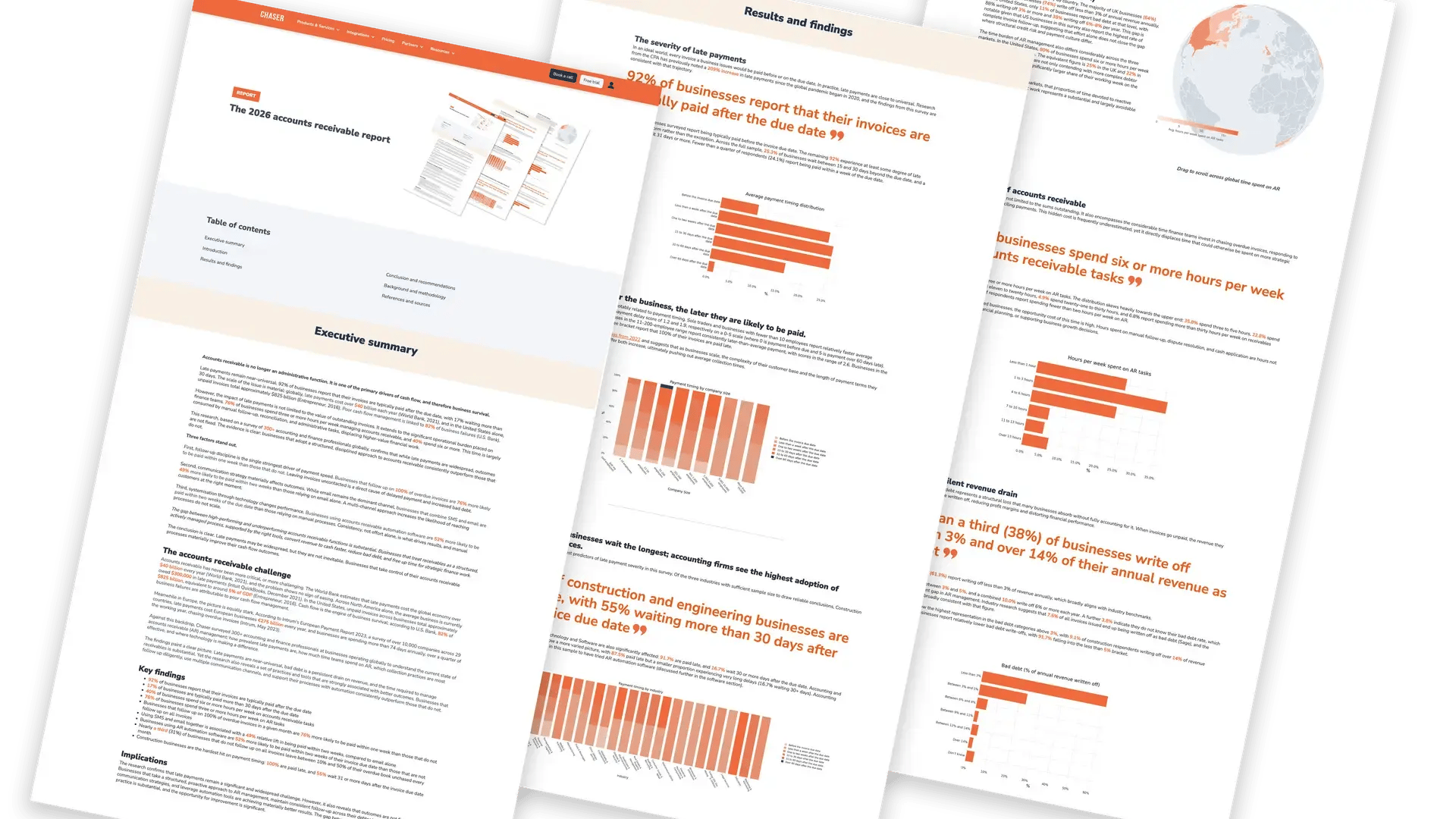
Chaser's 2026 AR report found that businesses using AR automation software are 52% more likely to be paid within two weeks of their invoice due date than those that aren't. The differentiator is whether the team running it can act on what it tells them, immediately, without waiting on an external team.
The six alternatives below are evaluated through that lens: which platforms give a mid-market AR team real operational ownership, from day one, without an implementation project standing between them and results.
Why mid-market businesses look beyond HighRadius
HighRadius is an enterprise-grade platform, and running it requires more than most mid-market businesses have.
- The first friction point is implementation. Configuring enterprise heavy software like HighRadius to match your workflows, integrations, and customer segments requires a professional services engagement that stretches across months according to G2. Your AR team doesn't control the timeline, and you don’t get the full value from the platform until configuration is complete.
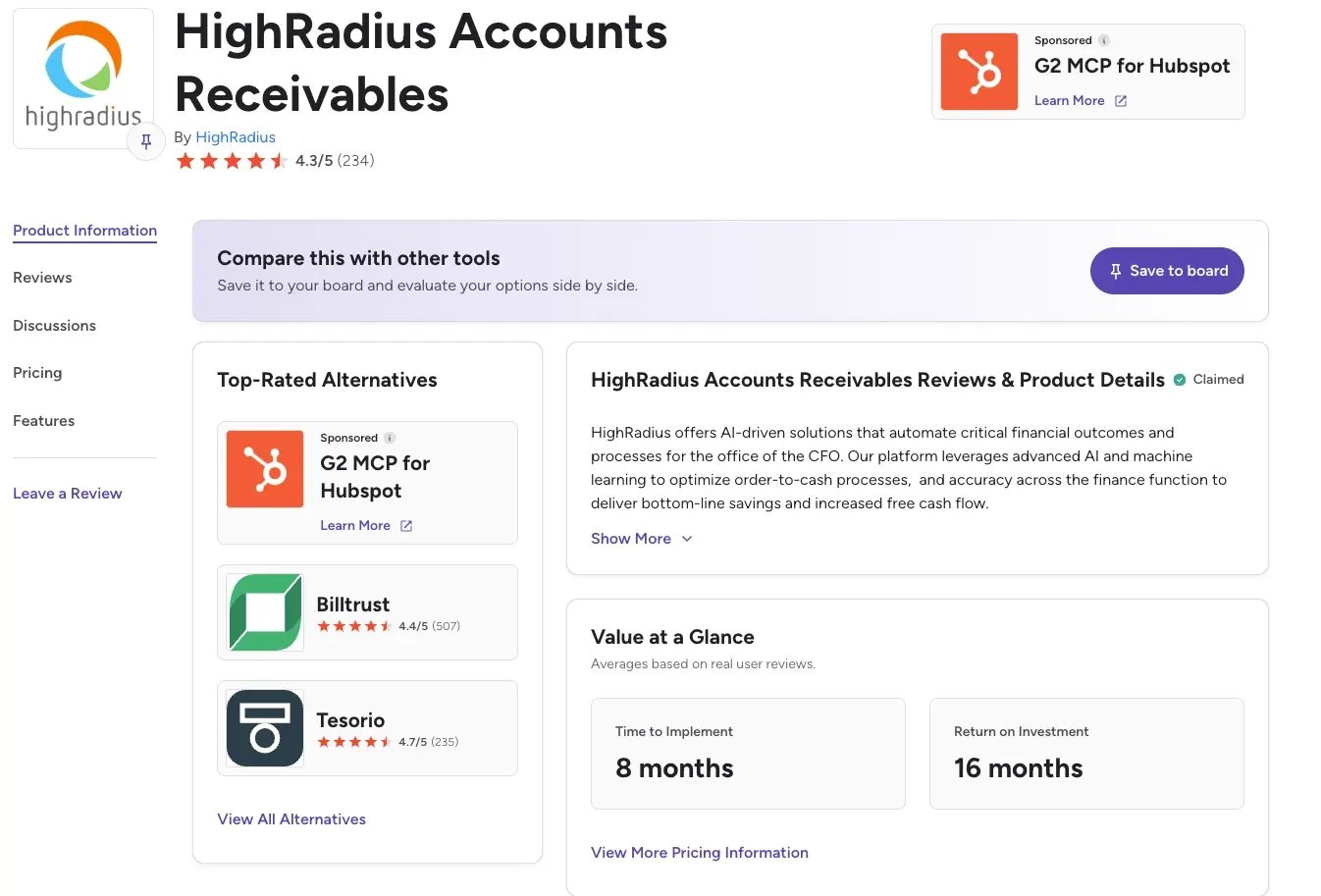
- The second is cost. Enterprise licensing is built around enterprise deal sizes, which means paying for scale, support tiers, and module depth the team will never fully use. You're committed to the full price before you've seen the full value. According to G2 estimates, it takes 16 months for return on investment for Highradius. That can be a long time to wait for teams that need to see a turn around in their unpaid receivables and invoices in a few months.
- The third is the lag between requesting for a change and it happening. Once live, routine changes like adjusting a payment plan, modifying a chasing rule, or onboarding a new customer segment still run through the same professional services channel used during setup. As a user put it on Capterra, “there are often upgrades or enhancements we are not able to see, or once requested, takes extreme amounts of time (6+ months) to implement these.” That dependency is easy to underestimate until the delays start showing up in your accounts receivable collection process and cash conversion cycle.
|
Cost category |
HighRadius (enterprise) |
Mid-market alternative (e.g., Chaser) |
|
Platform pricing |
Enterprise contract, quote-based, no public pricing. |
Transparent pricing based on invoice volume. Visit the pricing page for details. |
|
Implementation time |
Average 8 months (according to G2). IT resources required throughout. |
Days to weeks, depending on the tool. No IT dependency. |
|
Time to ROI |
Average 16 months (according to G2). |
Weeks to months. Results visible from the first chase run. |
|
IT resource cost |
Ongoing. Configuration changes require professional services requests. |
None. The AR team owns all configurations independently. |
|
Opportunity cost |
DSO improvements delayed by 8+ months of implementation. |
Collections improvement begins immediately after go-live. |
|
Delayed cash impact |
For a business with $5M GBP in AR, an 8-month delay means months of recoverable cash sitting uncollected. |
The same business goes live in days, improving DSO from week one. |
What you have already tried and why it did not work
For enterprise platforms like Highradius, what most teams do is raise tickets with the professional services team and wait. Usually, the team is responsive enough, but routing routine changes through an external queue means the AR team is never fully in control of its own process, and the delays have a way of compounding before anyone notices how much time has passed.
The next step is usually finding workarounds to keep things moving, exporting reports for teams who are not licensed, updating accounts manually, and maintaining spreadsheets in parallel with the platform because it is easier than waiting on a configuration change. The platform is live, but the manual workload the team had before implementation is still there.
76% of businesses spend three or more hours per week on AR tasks. For teams running manual workarounds alongside a platform they are still waiting to fully configure, that figure can increase.
Eventually it becomes tougher to justify the ROI. The efficiency gains are real, but making them stack up against the implementation overhead and annual contract value at that revenue size is difficult.
If any of that sounds familiar, this guide is built with you in mind.\
The 6 best HighRadius alternatives for mid-market businesses
|
Tool |
Best for |
Standout feature |
Pricing |
Rating |
|
Chaser |
Mid-market teams that want AR ownership from day one, live in days |
Multi-channel chasing, forecasting module, payment plans, no-win-no-fee collections |
Revenue-based pricing, free trial available |
4.9/5 (45 reviews) (Capterra) |
|
Kolleno |
Mid-market teams wanting enterprise-grade capability at mid-market speed |
AI collections agents, cash application, 30-day go-live |
Quote-based |
5/5 (8 reviews) (Capterra) |
|
Upflow |
Teams needing chasing automation and payment portal without full-cycle complexity |
Free analytics tier, branded payment portal, promise-to-pay tracking |
Quote-based (free analytics tier) |
4.5/5 (15 reviews) (Capterra) |
|
Quadient AR |
Full AR cycle coverage with payer behavior forecasting |
ML-based cash forecasting, no-code workflow builder, customer grading |
Quote-based |
4.5/5 (33 reviews) (Capterra) |
|
Gaviti |
Multi-ERP environments, forecasting as standard, zero-fee ACH |
Multi-ERP connection, forecasting dashboard, unlimited users |
Quote-based |
4.5/5 (91 reviews) (Capterra) |
|
Invoiced |
Reconciliation complexity, subscription billing, global payments |
CashMatch AI, recurring billing, 30-day free trial |
Pay per invoice (Advanced AR) or custom quote (Enterprise)
|
4.7/5 (149 reviews) (Capterra) |
1. Chaser
Best for: Mid-market B2B businesses that want to own their AR process from day one, forecast cash from real payment behaviour, and escalate seamlessly when automation is not enough.
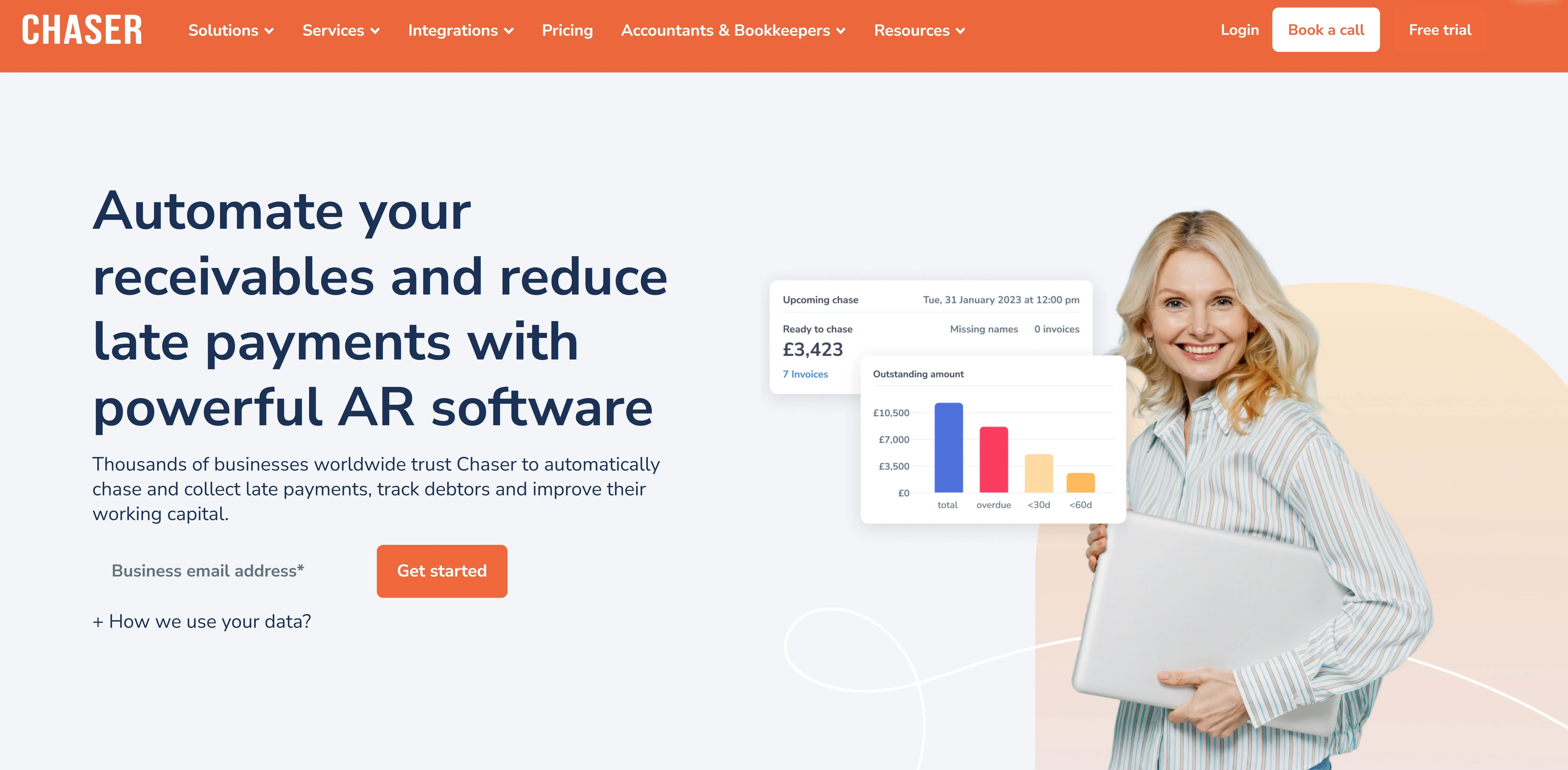
A lot of HighRadius alternatives improve on the implementation timeline. Chaser is built to help finance teams run it without overly relying on IT or constantly filing a request.
For mid-market teams considering leaving HighRadius, that distinction matters more than feature parity.
Huttie Group spent up to three full days per month manually chasing payments before Chaser. After go-live, over 80% of escalated invoices were paid and the team reported zero customer complaints. Love Brands recorded more than 15 hours saved per week on credit control. In both cases, the result came from the same shift: the AR team stopped waiting on someone else's queue and started owning the process directly.
Chaser connects to your accounting system and runs without a professional services engagement, so collections start moving in the same week you go live.
The same platform that runs the chasing also forecasts cash flow, receivables and revenue and escalates the accounts that automation alone can’t deal move.
Get multi-channel chasing from day one
Every week, a platform sits in configuration for a week your receivables aren't moving. Chaser connects to your accounting system and runs without a professional services engagement, so the AR team is chasing from day one.

Reminders go out across email, SMS, auto-calls, and letters from a single workflow. Each reminder is configurable per customer segment and sent from named account managers, so it reads as a personal message. For Docuflow, that meant DSO reduced by 75%, from 60 days to 24 days. The Community Energy Scheme recovered £800,000 GBP in previously written-off debt.
Act on payment risk signals before invoices fall due
The Late Payment Predictor scores every invoice by risk level before it goes overdue, based on due date, value, and the customer's payment history. Payer Ratings build a profile for each customer over time, so the team knows who pays reliably, who needs nudging, and who needs escalating.
When it's time to collect, Chaser Pay gives customers a single place to settle immediately, by bank transfer, card, Apple Pay, or Google Pay, with payment links embedded directly in reminders.
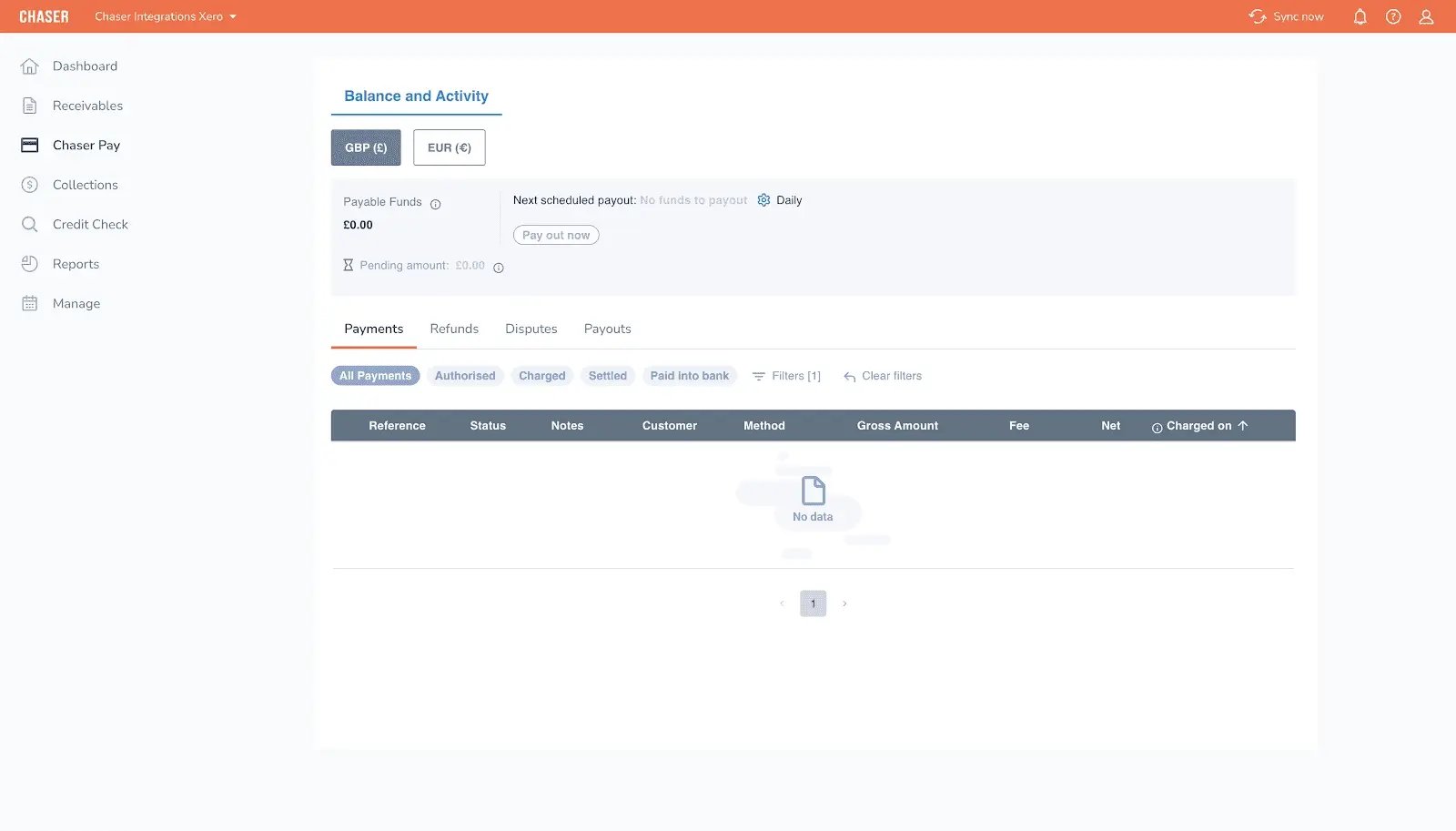
For customers who need more time, Payment Plans let your team set installment schedules within the platform, with each payment chased automatically as it falls due.
Escalate without switching platforms or sourcing a new vendor
When automated chasing doesn't move an invoice, Chaser's escalation path picks up without leaving the platform. Knowing when to escalate is half the work; the other half is having a route that doesn't require sourcing a third-party agency.
Chaser Care hands persistent accounts to outsourced AR specialists who work in your brand, and the no-win-no-fee B2B debt collection service takes it further without upfront cost. For accounts moving toward uncollectible status, that matters. TaxAssist collected £20,000 GBP in 30 minutes using that escalation path.
Forecast when cash will land, not just what's overdue
Chaser's cash forecast tool extends visibility beyond what's overdue to when cash is expected to land. It’s built from your customers’ real payment behavior, not what their terms say. That view sits inside the same platform your AR team already uses for chasing, so there's no separate tool to manage and no manual spreadsheet to maintain. Cash flow forecast tool is currently available to Xero and Quickbooks users only.
In addition, Chaser's revenue forecast tool helps teams identify revenue gaps and growth opportunities so plans and resources can be adjusted based on accurate projections rather than manual estimates.
The receivables forecast sits alongside it, giving finance teams a forward-looking view of expected payments. This way, they can see when income is likely to arrive, anticipate shortfalls before they happen, and prioritize the accounts most at risk of late payment.
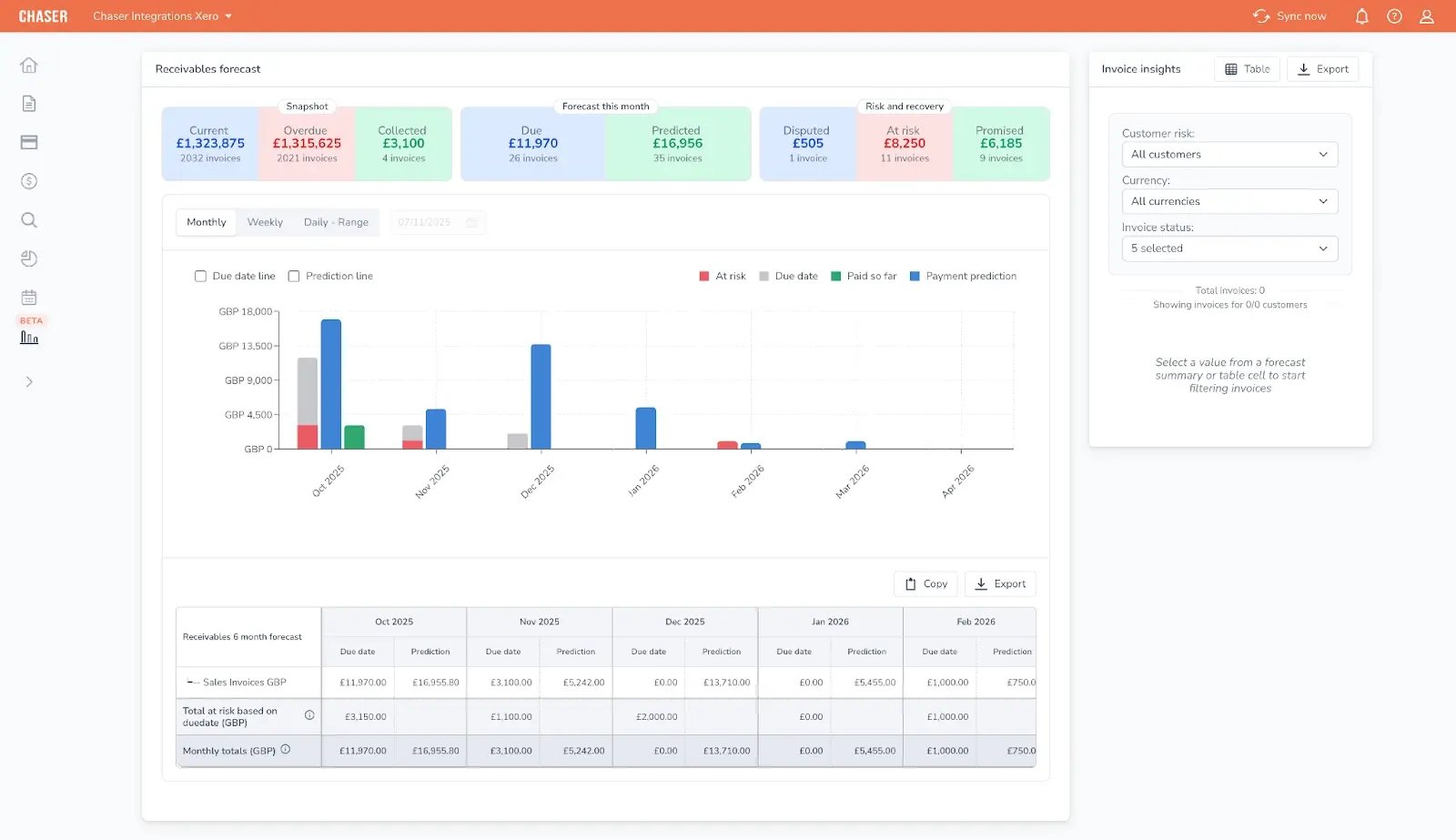
Both tools are accessible all Chaser users regardless of their integration.
For teams that want a broader view of balance sheet forecasting alongside collections, it's a practical starting point.
Chaser pros
- The AR team owns every configuration change from day one, no tickets, no waiting
- Live in days, so collections start moving before the next billing cycle
- Multi-channel chasing across email, SMS, auto-calls, and letters means no debtor goes unreached because of a channel gap
- No-win-no-fee debt recovery built into the platform, no third-party agency needed
Chaser cons
- Cash flow forecast tool is currently available to Xero and Quickbooks users only
- Does not cover AP forecasting, payroll, or balance sheet modeling
Chaser pricing
Chaser offers a monthly flat fee based on invoice volume, with a free trial available before you commit. The pricing page has more details.
Chaser reviews
4.9 out of 5 on Capterra (45 reviews). Finance teams consistently highlight ease of use, the quality of automations, and the tangible impact on collections as the platform's strongest points. Across Capterra, reviewers describe getting set up in hours and adjusting workflows in real time. The most cited outcome across reviews is a measurable reduction in DSO alongside a significant drop in time spent on manual credit control.
Go live on Chaser in hours not months. Automate chasing and collections with Chaser while getting forecast data that gives you a clear picture of your numbers on one tool.

2. Kolleno
Best for: Mid-market teams that want close feature parity with HighRadius, AI-powered collections, multi-ERP integration, and customizable reporting, with faster implementation and without enterprise overhead.
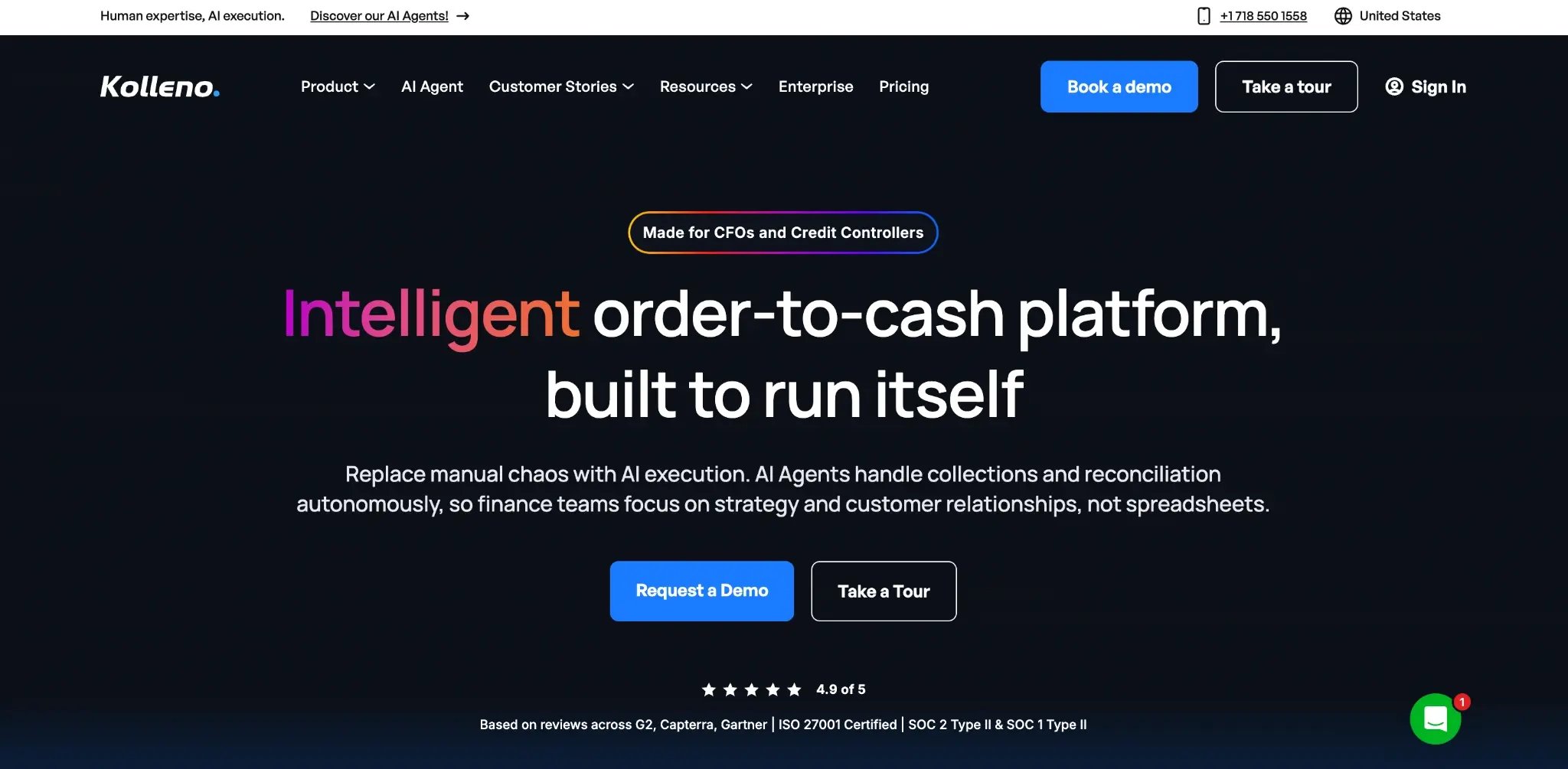
Kolleno is the closest feature parity option for teams leaving HighRadius. It covers AI-powered collections, multi-ERP integration, cash application, and customizable reporting, the four capabilities HighRadius users cite most when asked why they stay. The difference is that Kolleno gets mid-market teams there in 30 days, not six months.
AI agents execute collections end-to-end rather than surfacing worklists for a human to action. Drag-and-drop dunning workflows mean your team adjusts strategy without developer involvement, and users report building distinct collection strategies by customer type without any custom development. The customer success model extends well beyond go-live, with Kolleno teams continuing to refine configurations months after implementation.
Kolleno key features
- AI collections agents work through your ledger continuously, executing follow-up end-to-end, so your team handles exceptions rather than managing a queue
- Drag-and-drop dunning workflows let your team build and adjust collection strategies visually, without waiting on developer availability
- Multi-ERP integration pulls live data from all your accounting systems, ERPs, and CRMs simultaneously, so nothing needs to be exported or reconciled manually
- Parent-child account structures keep complex accounts and their subsidiaries in sync across a single timeline, giving you a clean view of what's owed at every level
- Automated cash application reads remittance emails automatically and handles NACHA files, cutting the manual reconciliation workload on incoming payments
Kolleno pros
- AI agents execute collections end-to-end, a functional step up from most mid-market AR tools
- One client built three distinct collection strategies by customer type without custom development
- Strong customer success post-go-live: users report ongoing refinement six months in
- Tiered pricing by users and features, no headcount-based penalty for growing teams
- Consistently praised for ease of use and support responsiveness
Kolleno cons
- Pricing not public, requires a sales conversation, which can slow independent shortlisting
- English-only language support: French users noted needing to translate all communication templates manually
- Some users found the initial workflow setup complex before working through it with their customer success manager
Kolleno pricing
Kolleno has monthly and annual pricing based on your turnover.
Kolleno reviews
5/5 on Capterra (8 reviews).
Reviewers consistently highlight the customer success team as a standout, with users describing ongoing support well beyond the initial setup. One director reduced a three-person collections team to a single manager after implementing Kolleno. The most cited limitation is initial workflow complexity, though reviewers note the support team resolves this quickly.
3. Upflow
Best for: Teams whose primary AR problem is chasing automation and payment portal, and who do not need integrated credit control, collections escalation, or partial payment handling.
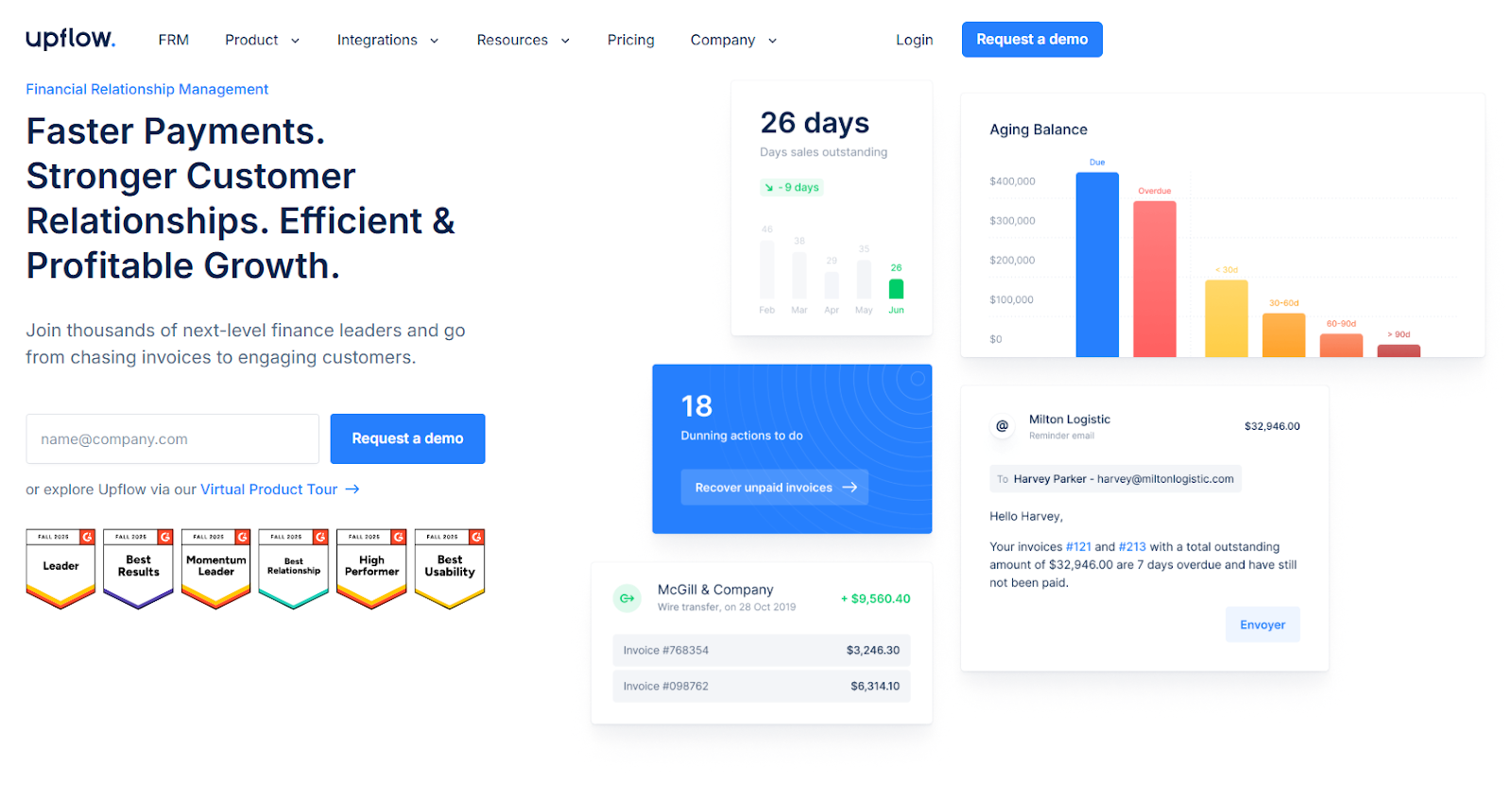
Upflow is built around a specific insight: that collecting payment is as much about the customer experience as it is about the reminder itself. Reminders go out across email, phone, and post, personalized by customer segment, and every interaction is logged in a single timeline that sales and account managers can access without needing full AR permissions. For teams where finance and revenue share customer relationships, that visibility removes a significant source of internal friction.
The free analytics tier lets teams see their own AR data, track DSO, aging balances, and collection performance, before committing to a paid plan, making the internal business case easier to build and justify.
Two limitations are worth knowing before you shortlist Upflow. It sends full-balance reminders after a partial payment rather than adjusting to the outstanding amount, which creates reconciliation friction for teams with high partial payment volume. And when automated chasing doesn't move an account, there's no integrated escalation path within the platform.
Upflow key features
- Multi-channel reminders across email, phone, and post, personalized by customer segment, so the right contact receives follow-up through the channel most likely to get a response
- Free analytics tier gives teams full AR visibility, including DSO, aging balances, and collection performance, before committing to a paid plan
- Branded payment portal lets customers pay directly from the reminder, cutting the steps between receiving a chase and clearing the invoice
- AI promise-to-pay tags surface payment commitment signals from customer emails automatically, so the team prioritizes accounts by intent rather than working the ledger manually
- Collaboration timeline gives sales and account managers direct visibility into payment status without asking finance, removing the back-and-forth that delays resolution on shared accounts
- Cash application module matches payments to invoices intelligently with a self-improving model that handles incomplete or mismatched remittances
- AR data exports directly into external BI tools via REST API, so technical teams can build custom reporting without manual extraction
Upflow pros
- Free analytics tier gives teams a live view of DSO, aging balances, and collection performance before spending a penny
- Modern, intuitive interface consistently cited as the top strength across all review platforms
- Native integrations with NetSuite, Sage Intacct, QuickBooks, and Xero with real-time data sync
- AI promise-to-pay tags mean the team works accounts by payment intent, not just by days overdue
- Sales and account managers see payment status directly in the platform, so finance isn't fielding internal queries on top of chasing customers
Upflow cons
- Some customers report reminder emails landing in spam due to sender domain configuration, worth testing before full rollout
- Full-balance reminders continue after a partial payment is received, creating reconciliation friction for teams with high partial payment volume
- Reporting customization is limited, and DSO calculation has caused ERP mismatches for some users
- No integrated collections escalation path when automated chasing reaches its limit
Upflow pricing
Upflow prices by ARR tier, with a free forever analytics plan available before you commit to automation. All paid plans are quote-based.
Upflow reviews
4.5/5 on Capterra (15 reviews).
Reviewers consistently highlight ease of use and fast implementation as the platform's strongest points, with several finance teams citing meaningful DSO reductions within the first few months. One finance team saved two days per month on AR admin after going live. The most recurring limitation across reviews is reporting flexibility, with some users noting that customization beyond the standard dashboard requires workarounds.
4. Quadient AR (formerly YayPay)
Best for: Upper mid-market teams with some IT resources who want end-to-end AR lifecycle coverage, including credit management, cash application, and payer behavior forecasting.
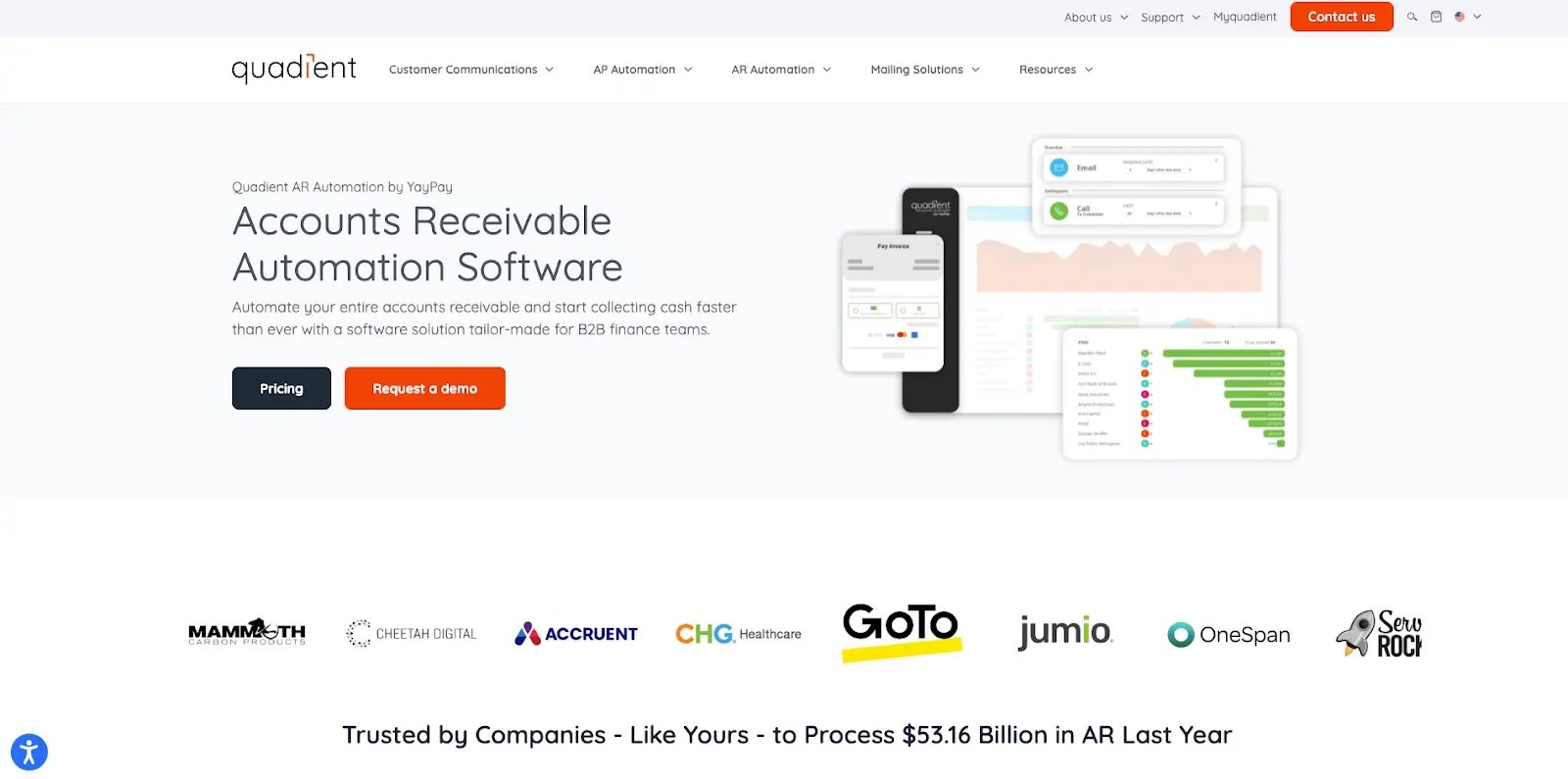
Quadient AR covers the full AR cycle in a single platform: credit management, invoice delivery, dunning, dispute management, payment portal, cash application, and payer behavior forecasting. For upper mid-market teams that want to consolidate the entire AR lifecycle without managing multiple tools, that breadth is the main draw.
The A-to-E customer grading system automatically routes high-risk accounts into higher-touch workflows, removing the manual triage step. ML-based forecasting draws on historical payer patterns to estimate payment timing, with the vendor stating 94% accuracy, though treating that figure as directional rather than independently verified.
Two limitations are worth factoring in before you shortlist. Forecasting draws on historical patterns rather than live collections activity, so signals can lag for accounts whose payment behavior is actively changing. Reporting is also segmented by billing subsidiary rather than consolidated, which creates a real constraint for multi-entity businesses that need a unified ledger view.
Quadient AR key features
- Customer grading A to E automatically routes high-risk accounts into higher-touch workflows, so the team works the right accounts without manual prioritization
- No-code collections workflow builder lets the AR team build and edit dunning sequences visually, without waiting on IT
- ML-based cash flow forecasting draws on historical payer behavior to estimate payment timing, giving the team a forward view beyond what's currently overdue (94% accuracy, vendor-stated)
- Dispute management centralizes tracking, routing, and resolution in one place, so exceptions don't sit unresolved across email threads
- Credit management integration with Creditsafe and Dun & Bradstreet pulls real-time bureau data directly into the platform, so credit decisions are based on current information
- Payment portal supports autopay enrollment, multicurrency collection, and multiple payment methods, reducing manual payment reconciliation
Quadient AR pros
- End-to-end AR coverage in a single platform means no switching between tools for credit, invoicing, dunning, disputes, and cash application
- Payer behavior modeling gives the team a more reliable payment timing picture than invoice due dates alone, so cash forecasts reflect how customers actually pay
- 2025 SPARK Matrix Leader for AR Applications and IDC 2025 SaaS Award for Customer Satisfaction in AR
- Consistently rated for ease of use, the most frequently cited positive across reviews
Quadient AR cons
- Forecasting signals can lag for accounts whose payment behavior is actively changing, since the model draws on historical patterns rather than live collections activity
- Reporting is segmented by billing subsidiary with no consolidated cross-entity view, a structural limitation for multi-entity businesses
- Customer support responsiveness is inconsistently rated across reviews
Quadient AR pricing
Quadient AR prices by team size and invoice volume, with no public rate card.
Quadient AR reviews
4.5/5 on Capterra (33 reviews).
Ease of use is the most consistent positive across reviews, with users describing the platform as intuitive even for teams new to AR automation. Customizable workflows and the ability to pull in ERP data without heavy configuration are frequently cited strengths. A major gap is the lack of consolidated reporting across billing subsidiaries, with one use noting directly that dashboards and aging reports are segmented by subsidiary rather than unified.
5. Gaviti
Best for: Mid-to-large B2B businesses running multiple ERPs or non-standard accounting environments that want payment forecasting as a standard dashboard feature and zero-fee ACH on every plan.
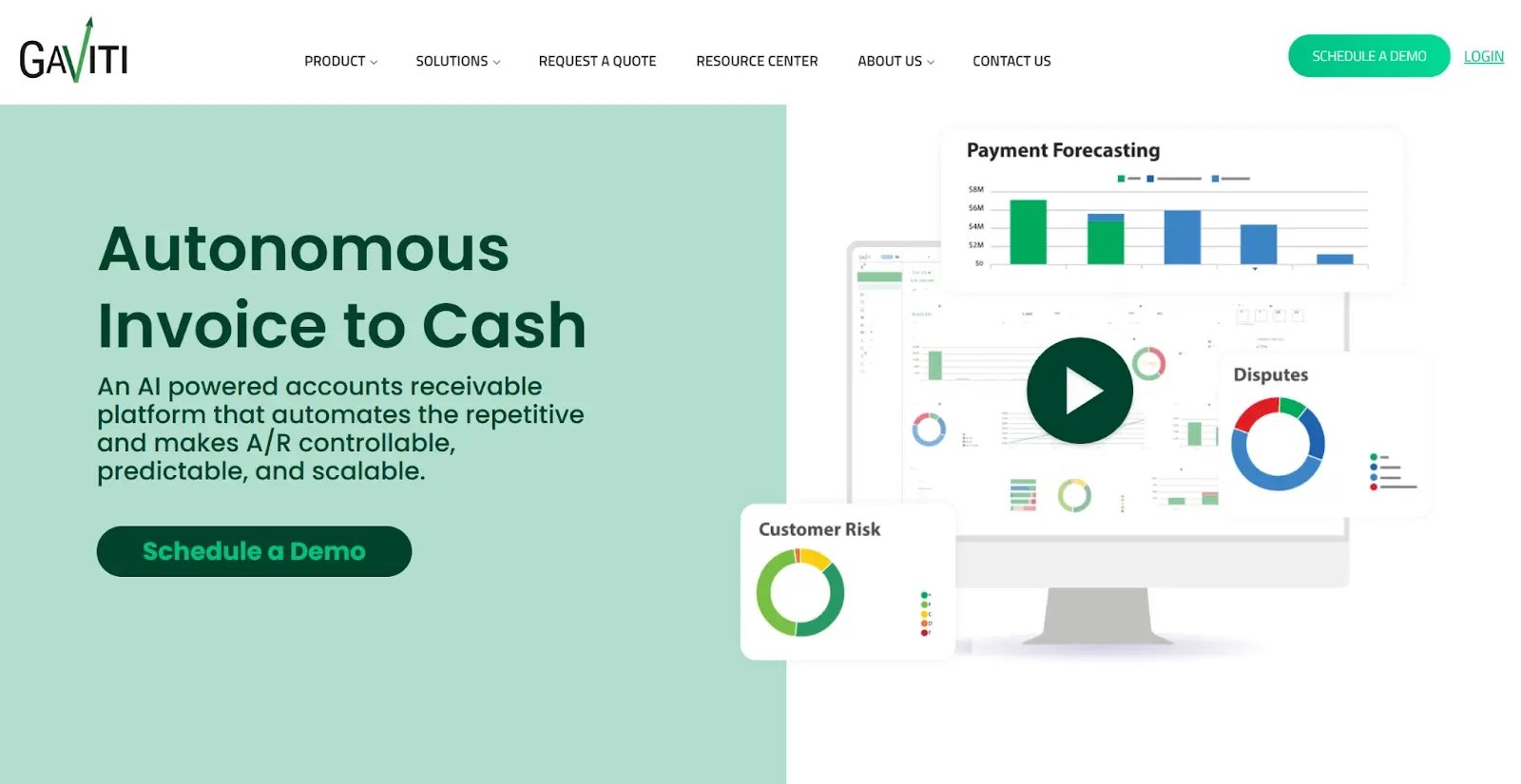
Gaviti is built for businesses that have accumulated ERPs rather than standardized on one. It connects simultaneously to multiple systems, including on-premise environments, making it the most relevant option for companies that have grown through M&A and now manage a fragmented accounting stack.
AR data from multiple subsidiaries consolidates into a single view, so the AR team tracks the full ledger without switching between platforms. Payment forecasting draws on AR analytics, customer risk scores, and payment history as a standard dashboard feature, not a paid add-on. Every plan includes unlimited users, unlimited workflows, and zero-fee ACH.
One limitation worth flagging before you shortlist is that according to G2, implementation averages 4 months with a 9-month average time to ROI, which is a meaningful difference compared to faster options on this list.
Gaviti key features
- Simultaneous multi-ERP connections sync live data across multiple cloud and on-premise systems at once, so fragmented accounting stacks consolidate into a single AR view without manual exports
- Forecasting dashboard draws on AR analytics, customer risk scores, and payment history as a standard feature, giving the team payment timing signals before invoices go overdue
- AI-driven collections automation surfaces prioritized worklists and executes routine follow-up, so collectors focus on exceptions rather than working the full ledger manually
- Cash application matches payments to invoices with a vendor-stated 90% pre-workday match rate, reducing the manual reconciliation workload at the start of each day (treat as directional until independently verified)
- Self-service portal lets customers view invoices, make payments, track credit applications, and open disputes without contacting your AR team directly
- Zero-fee ACH and unlimited users on every plan, removing per-seat costs and transaction fees that accumulate at scale
Gaviti pros
- Broadest ERP compatibility on this list, supports on-premise and custom ERPs that competitors don't
- Payment forecasting included as a standard dashboard feature, no additional module cost
- Zero-fee ACH eliminates transaction processing costs at volume
- All plans include unlimited users, no headcount-based pricing penalty for growing teams
- Consolidates AR data from multiple subsidiaries into a single view
Gaviti cons
- Slow performance under load, with 20 mentions across G2 reviews. Teams processing high invoice volumes may notice lag during peak periods
- Implementation averages 4 months with a 9-month average time to ROI, according to G2 but ut Gaviti's own website states 4–6 weeks for implementation
- Advanced reporting lacks flexibility for custom views beyond the standard dashboard
Gaviti pricing
Gaviti prices by invoice volume rather than headcount, with unlimited users and workflows included on every plan. There's no public rate card, so you'll need to contact sales for a quote.
Gaviti reviews
4.5/5 on Capterra (91 reviews).
Users in multi-entity and multi-ERP environments consistently describe Gaviti as the tool that gave them unified AR visibility they couldn't get elsewhere. Automation depth and organizational clarity for complex AR operations are the most frequently cited strengths. On the other side, platform performance under heavy load is the most documented friction point, particularly for teams with high concurrent usage.
6. Invoiced
Best for: Mid-market teams whose primary AR pain is reconciliation complexity rather than collections escalation, particularly businesses with subscription billing, usage-based pricing, or high invoice volumes.
Invoiced is purpose-built for reconciliation complexity and subscription billing depth. CashMatch AI handles partial payments, missing remittance details, and complex matching scenarios at a depth most AR tools don't attempt. On the subscription side, Invoiced manages proration, usage-based billing, trial periods, upgrades, downgrades, and cancellation workflows natively, without a separate billing tool.
The 30-day free trial is one of the few genuine test opportunities on this list, and two pricing tiers provide more transparency than fully quote-based competitors.
Two things worth knowing before you shortlist. Features users expect in their plan are sometimes gated behind higher tiers, with some reporting additional fees on top of their subscription cost. NetSuite users should also note that only newly created invoices sync automatically. Existing open invoices require manual upload, which matters if you're mid-cycle when you implement.
Invoiced key features
- CashMatch AI matches partial payments and resolves missing remittance details automatically, cutting manual reconciliation on complex or incomplete payment scenarios that most AR tools leave to the team
- Subscription and recurring billing management handles proration, usage-based billing, trial periods, upgrades, downgrades, and cancellation workflows natively, without a separate billing tool
- Smart Chasing sends automated follow-up by email, letter, and text based on configurable rules and escalation cadences, so no overdue invoice sits without a next action
- Customer payment portal supports self-service access, autopay enrollment, subscription management, and payment history in one place, reducing inbound payment queries
- AP automation runs accounts payable workflow approvals through to payments alongside the AR module, so both sides of the ledger operate from the same platform
- Multi-currency support and global payments across over 100 countries reduce friction for businesses with international customer bases
Invoiced pros
- CashMatch AI handles reconciliation complexity, including partial payments and missing remittance details, at a depth most AR tools don't attempt
- Subscription and recurring billing capability are more mature than most pure-play AR tools
- Multi-currency and global payment support across over 100 countries
- 30-day free trial available before committing, one of the few on this list
- Two pricing tiers provide more transparency than fully quote-based competitors
Invoiced cons
- Payment processing issues are the most cited complaint across reviews, with some users reporting autopayment glitches and inconsistent processing
- Features are gated behind higher tiers than some users anticipated, with additional fees reported on top of subscription cost
- NetSuite integration only syncs newly created invoices; existing open invoices require manual upload
- Reporting customization is limited for overdue invoice analysis
Invoiced pricing
Invoiced does not have public pricing on their website. You’ll have to contact their sales team for a quote.
Invoiced reviews
4.7/5 on Capterra (149 reviews).
Ease of use and recurring billing capability are the most consistently praised attributes across reviews, with users highlighting how well the platform handles complex payment scenarios. Integration with Stripe is frequently cited as a strength for recurring revenue businesses. Pricing is the most noted friction point, with some users describing the cost as high relative to alternatives, and others flagging unexpected tier gating on features they assumed were standard.
Which HighRadius alternative is right for you?
For a mid-market AR team that needs to be live in days and wants full control of the platform from day one, Chaser is the most direct fit. No IT dependency, no implementation project, and the only tool on this list with a no-win-no-fee collections escalation path built in.
For a mid-market team that wants enterprise-grade feature depth without the enterprise implementation timeline, Kolleno is the closest match to HighRadius on this list. It goes live in 30 days, with AI agents that execute collections end-to-end rather than surfacing worklists for a human to action.
For a team whose primary problem is chasing automation and doesn't need credit control or collections escalation, Upflow is worth shortlisting. The free analytics tier lets you validate ROI on your own data before committing to a paid plan.
For a business that needs full AR cycle coverage with forecasting across multiple ERPs, consider Gaviti or Quadient AR. Gaviti is the stronger fit for complex multi-ERP environments and fragmented accounting stacks inherited through M&A. Quadient AR is the better choice for upper mid-market teams that want end-to-end AR lifecycle coverage with payer behavior forecasting in a single platform.
For a team whose primary pain is reconciliation complexity or subscription billing rather than collections escalation, Invoiced has the strongest cash application and recurring billing capability on this list, with a 30-day free trial before you commit.
|
Cost category |
HighRadius (enterprise) |
Mid-market alternative (e.g. Chaser) |
|
Platform pricing |
Enterprise contract, quote-based, no public pricing. |
Transparent pricing based on invoice volume. |
|
Implementation time |
Average 8 months (according to G2). IT resources required throughout. |
Days to weeks, depending on the tool. No IT dependency. |
|
Time to ROI |
Average 16 months (according to G2). |
Weeks to months. Results visible from the first chase run. |
|
IT resource cost |
Ongoing. Configuration changes require professional services requests. |
None. The AR team owns all configurations independently. |
|
Opportunity cost |
DSO improvements delayed by 8+ months of implementation. |
Collections improvement begins immediately after go-live. |
|
Delayed cash impact |
For a business with $5M in AR, an 8-month delay means months of recoverable cash sitting uncollected. |
The same business goes live in days, improving DSO from week one. |
FAQ